⚡ Dell Server Power Consumption Calculator
Calculate total power draw, heat output, and circuit load for Dell PowerEdge server deployments
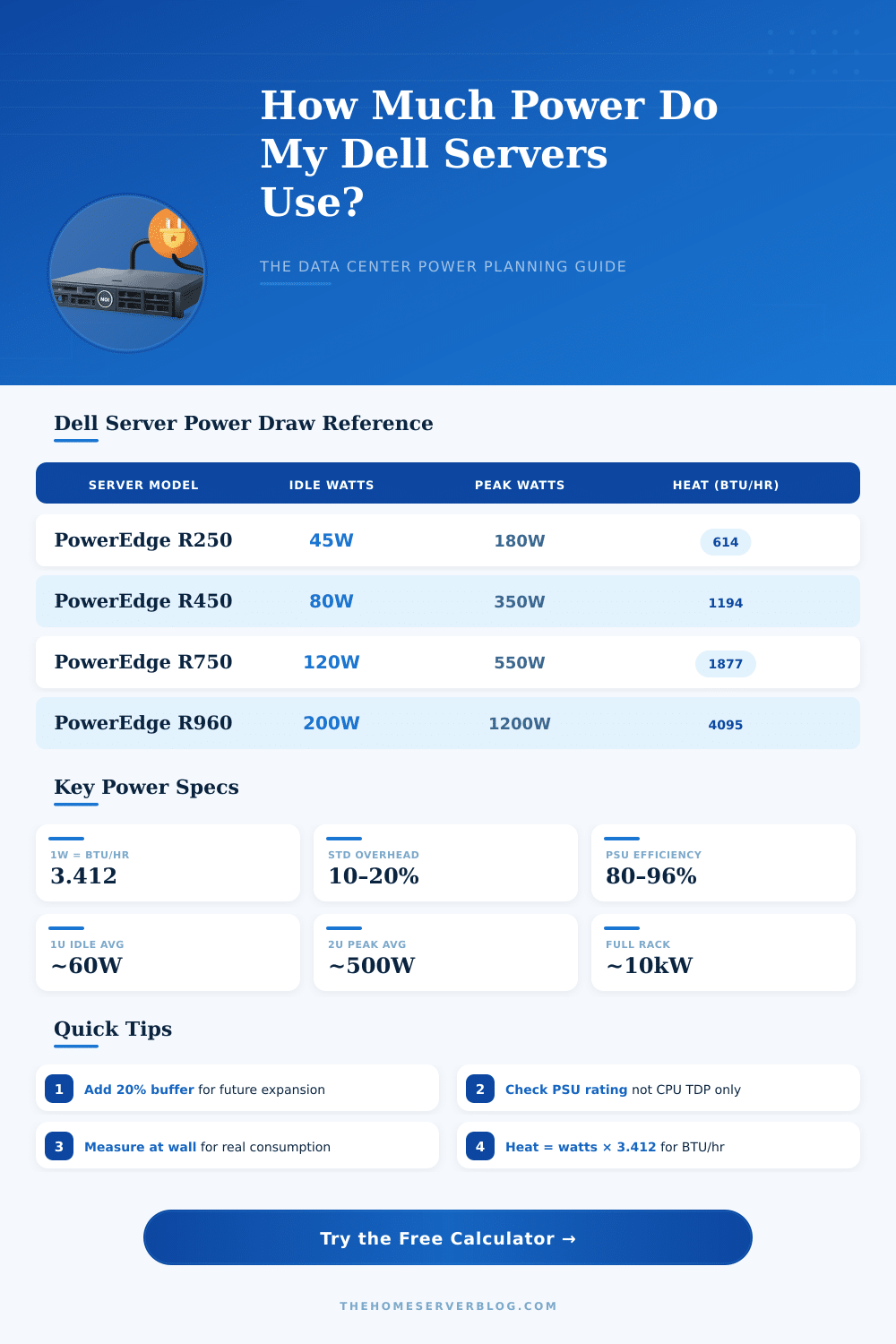
| Model | Form Factor | Idle Power | Peak Power | Heat (BTU/hr Peak) | PSU Rating |
|---|---|---|---|---|---|
| PowerEdge R250 | 1U | 45W | 180W | 614 | 450W |
| PowerEdge R350 | 1U | 55W | 230W | 785 | 600W |
| PowerEdge R450 | 1U | 80W | 350W | 1,194 | 800W |
| PowerEdge R550 | 2U | 90W | 420W | 1,433 | 800W |
| PowerEdge R650 | 1U | 100W | 430W | 1,467 | 1,100W |
| PowerEdge R740xd | 2U | 140W | 500W | 1,706 | 1,100W |
| PowerEdge R750 | 2U | 120W | 550W | 1,877 | 1,100W |
| PowerEdge R760 | 2U | 130W | 600W | 2,047 | 1,400W |
| PowerEdge R960 | 4U | 200W | 1,200W | 4,095 | 2,400W |
| PowerEdge R340 | 1U | 60W | 250W | 853 | 600W |
| PowerEdge R7625 | 2U | 220W | 1,100W | 3,753 | 2,400W |
| PowerEdge MX750c | Blade | 180W | 750W | 2,559 | 2,000W |
| Circuit Type | Voltage | Amperage | Max Load (80% NEC) | Servers Supported* |
|---|---|---|---|---|
| Standard NEMA 5-20 | 120V | 20A | 1,920W | ~5 x R250 |
| NEMA L6-20 | 208V | 20A | 3,328W | ~9 x R450 |
| NEMA L6-30 | 208V | 30A | 4,992W | ~14 x R450 |
| C19/C20 30A PDU | 208V | 30A | 4,992W | ~9 x R750 |
| 3-Phase 30A | 415V | 30A | 17,157W | ~14 x R750 |
| 3-Phase 60A | 415V | 60A | 34,314W | ~28 x R750 |
| Rack Density | Total Watts | Total BTU/hr | kJ/hr | Cooling Approach |
|---|---|---|---|---|
| Low Density | <5 kW | <17,060 | <18,000 | Row CRAC / In-room AC |
| Medium Density | 5–10 kW | 17,060–34,120 | 18,000–36,000 | Hot/Cold aisle containment |
| High Density | 10–20 kW | 34,120–68,240 | 36,000–72,000 | In-row cooling required |
| Very High Density | 20–40 kW | 68,240–136,480 | 72,000–144,000 | Rear-door heat exchanger |
| Extreme Density | >40 kW | >136,480 | >144,000 | Liquid/immersion cooling |
| Scenario | Servers | Total Power (W) | Heat (BTU/hr) | Circuits Needed |
|---|---|---|---|---|
| Home Lab | 2 x R250 | 360 | 1,228 | 1 x 20A/120V |
| Small Office | 4 x R450 | 1,400 | 4,777 | 1 x 20A/208V |
| 3-Node Cluster | 3 x R650 | 1,290 | 4,401 | 1 x 20A/208V |
| Mid-Range DC | 10 x R750 | 5,500 | 18,766 | 2 x 30A/208V |
| Full Rack | 20 x R760 | 12,000 | 40,944 | 3 x 30A/208V |
| High-Perf Cluster | 8 x R960 | 9,600 | 32,755 | 2 x 30A/208V |
Dell servers depend on Power Supply Units, or PSUs, so that everything runs constantly. Every PowerEdge server receives its energy from a PSU, and if something fails error codes starting with PSU and followed by numbers, as PSU0001 or PSU0002, are useful for checking. Those PSUs pass tests to ensure that they match with a particular Dell Server or with a given system.
One chooses between hot swaps or cabled options.
Dell Server Power Supplies and Power Settings
Settings of power are probably the most commonly used options for administrators. The backup activity of PSUs offers three possible rules. One of them is not “extra”, in that each PSU only helps with the power needs of the Server.
Administrators can install hot reserve and set power for balance. When one power line fails, the safe step consists in taking full power on the remaining circuits. The majority of servers opreate balanced against waste.
About management of power is fairly simple through the iDRAC web interface. After login, simply go to Configuration, later to Power Management. The first option is Power Control, that does exactly that, what it promises.
Also values to control BIOS-level settings, as choices of energy for maximum impact, balanced or maximum saving four RAM and CPU.
The real use of power changes a lot according to that, what is in the Server. The amount and kind of hard drives, chips and their working all affect how much energy stretches. Power supplies are rated according to peak current draw, so the top maximum rare happen in practice.
One sample with 720XD used as NAS with several drives and double 750W PSUs showed draw between 140 and 180 watts according to usage. Other Server with double chips and 128 GB RAM uses around 85 watts without installed drives. Some, that uses a Server during whole day, observed changing Power Consumption between 300 and 330 watts.
Swapping hard drives to SSDs can also save energy. Even if it is little change. Lower TDP of chips in newer generations of servers could save around 20 to 40 watts.
Numbers of TDP do not really point how much energy chips use on everyday base, what is useful to recall.
Updates of PSU firmware is other cause that one must know. Those updates must happen during running of Windows or Linux. They are not possible through iDRAC or by means of bootable USB method.
When one starts a Server for the first time, one advises to not turn it on while setup of iDRAC and wait two minutes before pressing the button of power. Dell offers already during several generations chips with lower energy, what shows, how wellone creates Power Consumption and BIOS-level separate access in one packet.