DHCP Lease Time Calculator
Estimate a practical lease duration, DHCP pool size, address headroom, and renewal load for home routers, guest Wi-Fi, IoT VLANs, and home lab networks.
Calculation Breakdown
| Subnet | Usable IPv4 Addresses | Practical DHCP Pool | Best Home Use |
|---|---|---|---|
| /29 | 6 | 2 to 4 | Point-to-point lab or tiny transit scope |
| /28 | 14 | 8 to 11 | Small management VLAN for switches and APs |
| /27 | 30 | 20 to 25 | Camera VLAN, small lab, or trusted wired group |
| /26 | 62 | 45 to 55 | Home lab, IoT group, or compact guest network |
| /25 | 126 | 95 to 115 | Busy wireless network with room for growth |
| /24 | 254 | 190 to 230 | General home LAN, guest SSID, or mixed VLAN |
| /23 | 510 | 390 to 470 | Large event Wi-Fi or many short-lived devices |
| Network Type | Common Lease Time | Pool Pressure | Operational Reason |
|---|---|---|---|
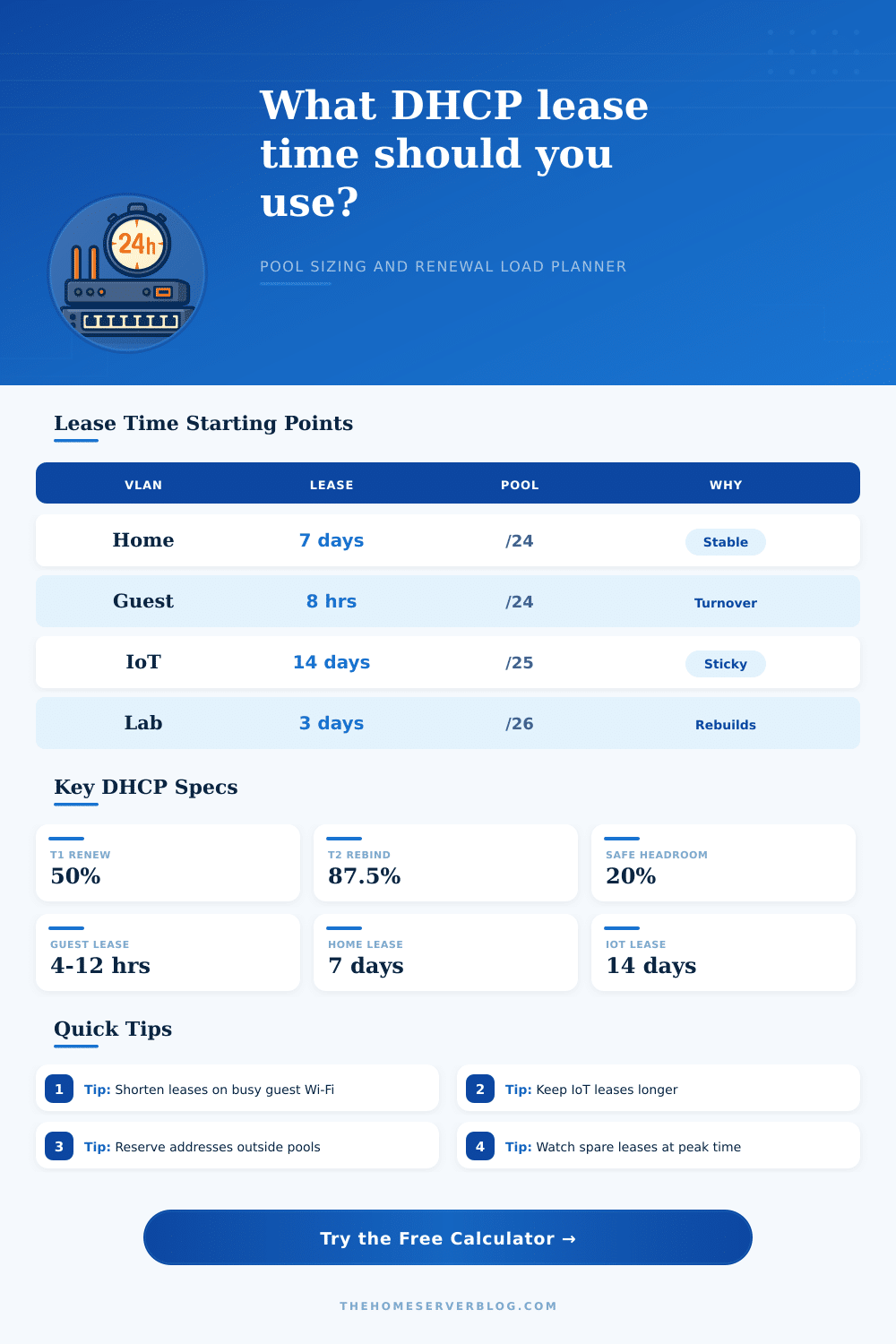
| Trusted home LAN | 3 to 14 days | Low | Devices return often, so long leases reduce renew noise and log churn. |
| Guest Wi-Fi | 4 to 12 hours | High | Visitors leave quickly, so short leases return addresses faster. |
| IoT VLAN | 7 to 30 days | Low | Sensors and appliances stay put and benefit from stable mappings. |
| Lab VLAN | 12 hours to 3 days | Medium | VMs, containers, and test hosts appear and disappear during projects. |
| Event or party SSID | 1 to 6 hours | Very high | Many devices join once, disconnect, and should not hold leases overnight. |
| Timer Or Limit | Formula | Example With 24h Lease | What It Means |
|---|---|---|---|
| T1 renewal | Lease x 0.50 | 12 hours | Client unicasts renewal to the original DHCP server. |
| T2 rebinding | Lease x 0.875 | 21 hours | Client broadcasts if the original server has not renewed it. |
| Expiration | Lease x 1.00 | 24 hours | Address must be released or renewed before continued use. |
| Safe headroom | Needed leases x 1.10 to 1.30 | Variable | Leaves addresses free for bursts, phones waking, and new devices. |
| Renewal load | Active leases / T1 hours | 100 / 12 | Expected steady renewals per hour in normal operation. |
| Scenario | Peak Clients | Suggested Lease | Scope Note |
|---|---|---|---|
| Small apartment router | 15 to 30 | 3 to 7 days | A /25 or partial /24 pool is usually comfortable. |
| Family home plus IoT | 45 to 90 | 7 to 14 days | Keep IoT on its own VLAN if reservations get messy. |
| Guest-heavy weekend home | 80 to 160 | 6 to 12 hours | Use a short guest lease and leave 20% spare addresses. |
| Proxmox or Kubernetes lab | 30 to 120 | 12 to 72 hours | Shorter leases help when nodes are rebuilt or cloned. |
| Camera and NVR VLAN | 12 to 64 | 14 to 30 days | Stable cameras can use reservations and long leases. |
Do not count the whole subnet as your DHCP pool. Gateways, static infrastructure, VIPs, and future reservations should be outside the dynamic range before you calculate lease pressure.
Long leases are excellent for stable home and IoT networks, but guest Wi-Fi should usually be sized around the time devices stay plus the time you can tolerate address holdover.
This calculator models IPv4 DHCP lease pressure. IPv6 SLAAC, DHCPv6 prefix delegation, and router advertisement timing have different behavior.
A DHCP lease time is a setting on a router that determine for how long the router will provide an IP address to a specific device on the network. Most individuals wont think about the DHCP lease time until there device has developed a connection error. Devices may lose their connection to a Wi-Fi network, or smart plugs may fail to connect to the devices that they are suppose to control.
These issues can result from the DHCP lease time not being correctly configure for each device on the network. The DHCP lease time will promise the device that it will be provided with an IP address for the length of the time slot that has been set for the device. A long DHCP lease time will provide stability for the devices connected to the router.
How to Choose the Right DHCP Lease Time
The long lease time will reduce the number of times that a device will have to ask for an IP address from the router. However, the router will hold onto the IP addresses for a long time. This will make it impossible for the router to assign those IP addresses to new devices.
A short DHCP lease time will allow the router to assign the IP addresses to new devices quick. However, a short lease time will increase the number of times that the devices will ask for an IP address from the router. This can also create problem for the devices as the router may not provide the devices with an IP address in time and the devices may lose their connection to the network.
Not all devices on a network create the same demand on the IP addresses available from the router. For example, devices that remain in one place will benefit from a long DHCP lease time. Other devices in the network may be IoT devices that remain in one place but may awaken at irregular intervals.
Other devices may travel from place to place in the house or leave the house entirely. Finally, there may be guests that connect to the router for a limited amount of time. These devices will require a different DHCP lease time than stationary devices.
A DHCP lease time calculator can help individuals to determine the best time for each device on the network. The size of the IP address pool, the number of stationary devices, the number of visitors to the network, and the length of time that the visitors will use the network will all be enter into the calculator. Based off these values, the calculator will provide information regarding the number of IP addresses that will be in use at any given time, the length of time that each device will be using the network, and the amount of renewal traffic on the network.
An understanding of the amount of renewal traffic on the network is important as some routers may become slow if there are too many request for IP addresses. You should not include every device in the dynamic DHCP pool because some devices requires a fixed IP address. Gateways and access points, for instance, require fixed IP addresses and should be located outside of the dynamic DHCP pool.
After removing the devices with fixed IP addresses from the dynamic pool, the remaining devices in the pool must be able to accommodate both permanent and temporary devices. The calculator includes a buffer in its calculations to account for the fact that the number of devices in a network can suddenly increase. You should not assume that every device on a network will have the same DHCP lease time.
Devices with long period of use, such as security cameras, have long DHCP lease times. Devices that may have a short period of use, such as a guest network, have short DHCP lease times. If a network with a short DHCP lease time is used for a guest network with guests who are no longer on the network, the router will be holding IP addresses to those guests, which will reduce the available pool of IP addresses for other devices on the network.
The device must go through a specific process to renew its IP address from the router. During the device’s lease time, half of the time, the device will attempt to renew its IP address from the router. If the device is unsuccessful in renewing its IP address at that halfway time period, it will attempt to renew its IP address again at the time when seven-eighths of the time period have passed.
Some devices may not successfully attempt to renew their IP address during these periods if they are sleeping or moving between access points. The calculator allows for the number of devices that may miss these renewals to be accounted for in the calculation. Networks and devices change over time.
Devices can be added to a network. For instance, devices in a home may have smart bulbs or mobile phones that the residents of that home use. The calculator allows a network administrator to determine how sensitive the network is to the addition of devices.
If the spare capacity of the IP addresses is low, the DHCP lease time will need to be adjust prior to the addition of too many devices to the network. The choice of DHCP lease time introduces a choice between allowing more traffic to attempt to renew their IP addresses versus permitting the network to become slow in the assignment of IP addresses to new devices.