First Word Latency Calculator
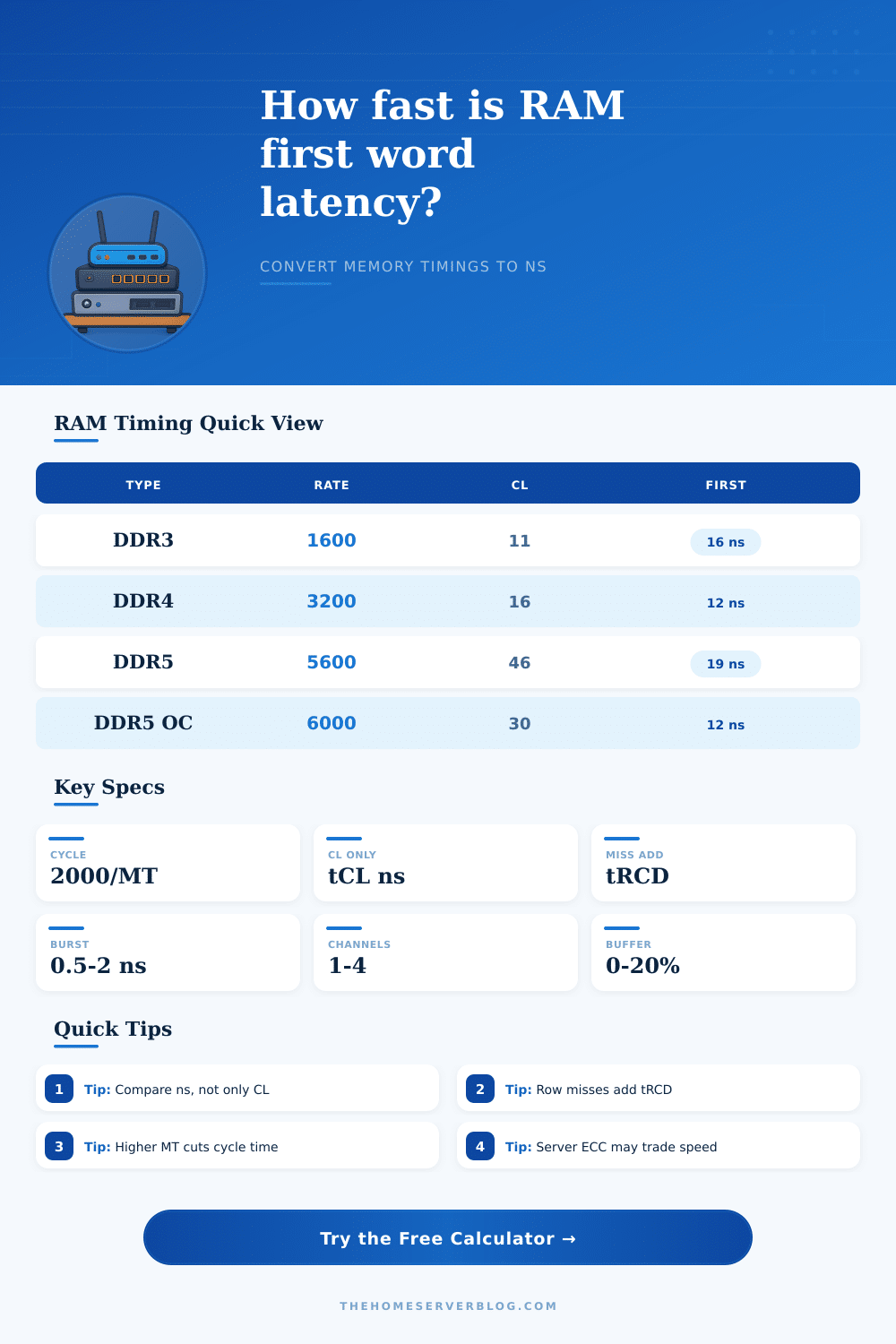
Estimate RAM first-word access time from data rate, command/address cycles, tRCD, CAS latency, burst timing, channels, and workload row-hit behavior.
| Memory setup | Data rate | Typical timings | Cycle ns | CL ns | Closed-row first word |
|---|---|---|---|---|---|
| DDR3 NAS ECC | 1600 MT/s | 11-11-11 | 1.250 | 13.75 | 29-34 ns |
| DDR4 value ECC | 2400 MT/s | 17-17-17 | 0.833 | 14.17 | 30-35 ns |
| DDR4 tuned UDIMM | 3200 MT/s | 16-18-18 | 0.625 | 10.00 | 24-29 ns |
| DDR4 fast lab kit | 3600 MT/s | 18-22-22 | 0.556 | 10.00 | 25-31 ns |
| DDR5 JEDEC server | 4800 MT/s | 40-40-40 | 0.417 | 16.67 | 36-44 ns |
| DDR5 mainstream | 5600 MT/s | 46-46-46 | 0.357 | 16.43 | 35-43 ns |
| DDR5 tuned desktop | 6000 MT/s | 30-38-38 | 0.333 | 10.00 | 25-31 ns |
| DDR5 high speed | 6400 MT/s | 32-39-39 | 0.313 | 10.00 | 25-32 ns |
Closed-row first word includes command/address, tRCD, CAS, burst-to-first-word, and a small controller allowance. Open-row hits skip the activate portion.
| Home server workload | Typical row hit rate | First-word pressure | What changes latency most |
|---|---|---|---|
| Sequential NAS file read | 70-85% | Lower | Data rate and channel count |
| ZFS ARC metadata | 40-65% | Medium | tRCD plus queue delay |
| Many small VMs | 30-55% | Higher | Bank conflicts and controller queue |
| Container host services | 45-70% | Medium | CAS time and row locality |
| In-memory cache | 60-80% | Lower | CAS ns and sustained bandwidth |
| Compile or CI runner | 35-60% | Higher | Mixed random reads and writes |
| Data rate | Core cycle formula | Cycle period | 10 cycles | 16 cycles | 40 cycles |
|---|---|---|---|---|---|
| 1600 MT/s | 2000 / 1600 | 1.250 ns | 12.50 ns | 20.00 ns | 50.00 ns |
| 2400 MT/s | 2000 / 2400 | 0.833 ns | 8.33 ns | 13.33 ns | 33.33 ns |
| 3200 MT/s | 2000 / 3200 | 0.625 ns | 6.25 ns | 10.00 ns | 25.00 ns |
| 4800 MT/s | 2000 / 4800 | 0.417 ns | 4.17 ns | 6.67 ns | 16.67 ns |
| 6000 MT/s | 2000 / 6000 | 0.333 ns | 3.33 ns | 5.33 ns | 13.33 ns |
| 6400 MT/s | 2000 / 6400 | 0.313 ns | 3.13 ns | 5.00 ns | 12.50 ns |
| Check | Good sign | Watch for | Home lab note |
|---|---|---|---|
| CAS in ns | About 10-14 ns | High CL hiding behind high MT/s | Compare actual nanoseconds |
| tRCD in ns | Near CAS time | Very loose activate timing | Affects random memory reads |
| Command rate | 1T or stable 2T | Extra gear delay | Stability may beat tiny gains |
| Channels | All channels populated | Single-channel fallback | Bandwidth changes more than first-word ns |
| ECC modules | Stable corrected memory | Lower peak clocks | Often worth it for ZFS and VMs |
Memory access time determine how responsive the system feels from the user’s perspective. The processor can only process data at a speed that the memory provide the processor with data. The responsiveness of a system is largely based on the time it take for the first word of data to arrive from the RAM.
This measure of time is known as latency. The CAS latency of dynamic RAM is not the only factor that determine the latency of memory access. Other factors include data rate, command timing, row activation time, and workload patterns.
What Affects RAM Access Time
When the data access requests are performed in a sequential pattern, data can be read in a continuous stream. In this instance, RAM keeps memory pages open so that the memory controller does not have to pay the activation cost each time it wish to access data. For random access, the memory controller has to constantly close and reopen the memory rows to access the required data.
When a user’s system use random access patterns, the interval between activation and reading of the data is the most important factor. The calculator can help to make the mathematical computation for data access easier. The data rate and the cycle time of dynamic RAM are two component of memory access time.
Data rate determines the length of each clock cycle. However, even if the data rate of dynamic RAM is high, it does not necessarily mean that the other parameters will be shortened. For example, although the data rate can be high, the CAS latency could also be high.
The high CAS latency will cancel out the benefit of the high data rate. Megatransfers per second are not the only specification that should be used to compare RAM. For comparisons to be accurate, the command, activation, and column access times of RAM must shrink in proportion to the data rate.
The command rate is one aspect of RAM that can be easily overlooked. However, the command rate determines how much time the address bus will need for setup. If the command rate is set to 2T instead of 1T, it will provide the address bus with extra time to setup.
2T command rates provide more stability for memory configuration that require fine-tuned address setup. However, because there will be one extra cycle to every transaction, memory access time will increase with a 2T command rate for random data access. The calculator can be used model 2T versus 1T command rates by adjusting the command timing parameter in the calculator.
The row hit rate is another factor in the calculation of memory access time. If the requested data is within a memory page that is already open, it is referred to as a row hit. The memory controller can skip the activation time for such requests.
If the requested data is not within any open memory pages, it is called a row miss. Such requests require the activation time to access the data. Workloads that use many virtual machine will have fewer row hits than workloads that perform sequential data copies.
By changing the row-hit percentage in the calculator, you can view how RAM will perform in different workload. The length of the burst of data and the portion of a read cycle that will deliver the first word of data are two other factors that influence memory access time. Moddern memory controllers will not deliver the entire cache line in a burst if only a few word of data are requested.
Therefore, the cycles that will deliver the first word of data should be modeled instead of the total burst cycles. The buffer margin field in the calculator is used to model the impact of virtualization and operating-system scheduling on memory access time. Many users pay close attention to the CAS latency of their RAM.
However, it is just one part of the memory access time. Even with a very low CAS latency, if activation time is high, memory access will not be very responsive. What the calculator shows users about memory is the path of memory access rather than focusing on one number.
Memory can feel fast for certain workloads and slower for others. Depending on what a system is used for, RAM may have different impacts on access time. For example, a file server may access data in large blocks, which allows for a higher rate of row hits for the access requests.
A build server that performs database caches may have to access small record more frequently, which will increase the frequency with which it pays the activation cost for the RAM. This will require a higher row-hit rate for the build and database server. The calculator helps to make these decision without having to run benchmarks to determine the performance of each of these system configurations.
The number of channels that the RAM data bus features will have a greater impact on bandwidth than the first-word latency. However, it is still a specification that is included in the calculator. RAM with more channel will reduce the chance of bank conflicts.
This can impact the first-word latency. Although the impact of the number of channels is considerably smaller than other factors, it can still be modeled in the calculator if comparing dual-channel memory to a four-channel memory installed on a server board. The output of the RAM access time calculator is not the final answer when purchasing new RAM.
The calculator only provide data about a specific workload. If the row-hit percentage is changed or if virtualization process are added, the output will change. The value of the RAM access time calculator is not the number that it output for memory access time.
Instead, its value is the ability to see how each parameter affect the RAM before purchasing new RAM for a machine. You should of checked the specs carefully. Its important to recieve the right parts.
Dont forget to check the specifiations.