MTBF MTTR Calculator
Estimate component availability, failure rate, repair time, incidents per year, and expected downtime for one device or a larger home lab fleet.
⚙Service Presets
Choose a realistic home server component or service profile, then adjust the MTBF, MTTR, fleet size, and operating assumptions.
🖥Reliability Inputs
MTBF and MTTR Results
Calculation Breakdown
📊Reliability Metric Grid
Calculate to fill MTBF, MTTR, failure rate, repair rate, unavailability, and target repair slack.
Higher MTBF reduces expected incident frequency for each instance.
Lower MTTR improves availability even when the failure rate stays the same.
Large fleets generate more total incidents even when each device is reliable.
💻Component Reference Table
| Component or Service | Typical MTBF | Typical MTTR | Reliability Use |
|---|---|---|---|
| NAS hard drive | 250,000 h | 4 h | Disk swap, resilver start, monitoring check |
| Application SSD | 750,000 h | 2 h | VM datastore or boot device replacement |
| Home server host | 100,000 h | 6 h | Board, PSU, memory, or host restore |
| Core switch | 200,000 h | 3 h | Swap, config restore, cable verification |
| Router or firewall | 150,000 h | 2 h | WAN failover, appliance restore, rule check |
| UPS battery chain | 35,000 h | 1.5 h | Battery replacement and self-test validation |
| Wireless AP | 175,000 h | 1 h | PoE check, adoption, channel validation |
| Critical VM | 80,000 h | 1.25 h | Restart, restore point, service health check |
| Container service | 40,000 h | 0.5 h | Redeploy, config fix, log verification |
| NVR recorder | 90,000 h | 5 h | Recorder restore, disk check, camera replay |
📈Availability and Downtime Targets
| Availability | Downtime / Year | Downtime / Month | Meaning for Home Labs |
|---|---|---|---|
| 99% | 87.6 hours | 7.30 hours | Acceptable for noncritical experiments |
| 99.9% | 8.76 hours | 43.8 minutes | Common target for useful home services |
| 99.99% | 52.6 minutes | 4.38 minutes | Requires fast repair and fewer dependencies |
| 99.999% | 5.26 minutes | 26.3 seconds | Needs redundancy, automation, and testing |
🗄Fleet Incident Scaling
| Fleet Size | MTBF 50,000 h | MTBF 100,000 h | MTBF 250,000 h |
|---|---|---|---|
| 5 instances | 0.88 / yr | 0.44 / yr | 0.18 / yr |
| 10 instances | 1.75 / yr | 0.88 / yr | 0.35 / yr |
| 25 instances | 4.38 / yr | 2.19 / yr | 0.88 / yr |
| 50 instances | 8.76 / yr | 4.38 / yr | 1.75 / yr |
⏱Repair Time Sensitivity
| MTBF | 15 Min MTTR | 1 Hour MTTR | 6 Hour MTTR |
|---|---|---|---|
| 25,000 h | 99.9990% | 99.9960% | 99.9760% |
| 50,000 h | 99.9995% | 99.9980% | 99.9880% |
| 100,000 h | 99.9998% | 99.9990% | 99.9940% |
| 250,000 h | 99.9999% | 99.9996% | 99.9976% |
💡Reliability Tips
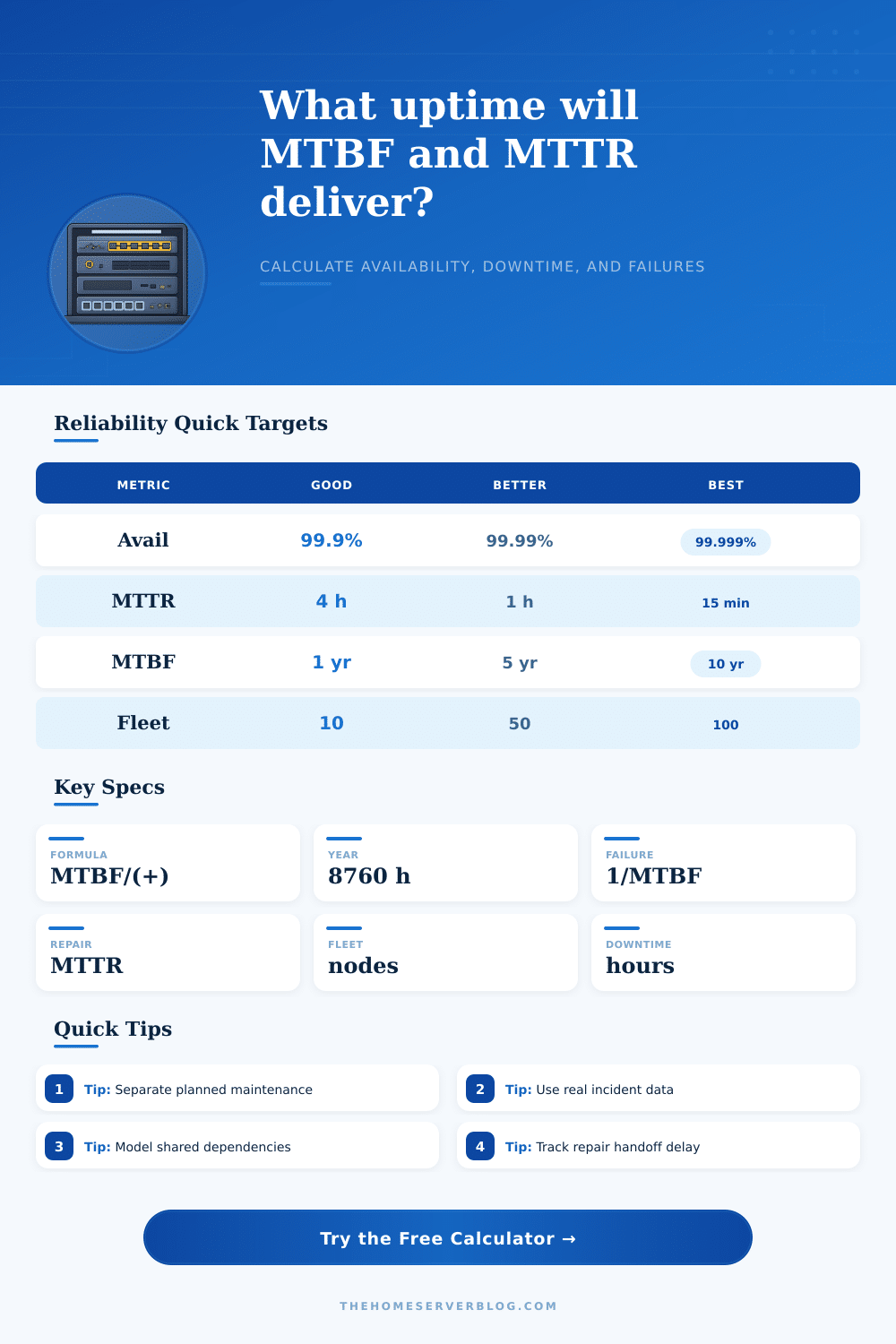
Mean Time Between Failures (MTBF) and Mean Time To Repair (MTTR) is two measurements that can help you to plan for your server downtime. MTBF is a measurement of the average length of time between failure for a given component. MTTR is a calculation of the average length of time that it will take a person to determine that a component has failed, fix the component, and re-introduce the component into the system.
By using both of these measure, you can calculate the amount of downtime that you can expect your data center will experience over a specific time period. All you must do is enter the MTBF, MTTR, and the size of your data center fleet into a calculator that will automatically provide you with the calculation for each of those variables. Both of these measure are not fixed; they can change based off the environment in which the hardware are deployed.
How MTBF and MTTR Help You Plan Data Center Downtime
For instance, a hard drive that a person places into a well-ventilated NAS will have a different MTBF than if that same hard drive is place into a dusty garage. Similarly, if the replacement part for a failing component are available in your data center, the MTTR will be lower than if it is necessary to order those parts. Thus, it is important that the MTTR is set to a value that reflect the actual data center in which the servers will be deployed.
Additionally, the model that you use for your data center will also affect how the MTBF and the MTTR impact the availability of your data centers. For instance, in an active-passive model, the active component will allow the service to remain online while the passive component is being repair. However, should the active component fail, the service will go down until the technician can repair that active component.
With models that use active-active models or N+1 models, however, availability will be higher due to the redundancy of the components. However, care must be taken to ensure that the components are not all dependent upon the same power strip, for instance, or the failure of that component will bring the entire system down. Another factor that can impact availability is the size of your data center fleet.
If, for instance, you have ten identical data center devices, you will experience ten times as many incident as if you had just one device in your fleet with the same MTBF for each device. Furthermore, if you calculate the number of alert that are sent to your monitoring system, you will experience more alerts. However, some of those alerts may be false positives; thus, you can introduce a visibility factor to account for the various types of alert that will be sent from your monitoring system.
Finally, MTBF and MTTR only indicate the length of time for unplanned outage; planned maintenance should be accounted for separately. For instance, when performing planned maintenance on a device, it may be necessary to update the firmware of that device. These types of outage should not be accounted for in the MTBF or the MTTR.
Any availability figure that is calculated that includes the planned maintenance will be inaccurate. Thus, it is helpful for the availability calculator to allow for the input of the number of hour for planned maintenance so that both unplanned and planned downtimes can be accounted for. Tables can be used to indicate the typical MTBF and MTTR values for various type of components.
For instance, hard drives may have a typical MTBF of 250,000 hour, a core switch might have an MTBF of 200,000 hours, and a UPS battery chain might have a MTBF of 35,000 hours. These typical values should be used for estimate, but the values for each of your components should be realistic rather than marketing claims for those component. Additionally, the availability calculator may also allow for the input of the target availability of the data center.
For instance, if you want to determine that your data center should have 99.9 percent availability, the calculator will show you the MTTR that you can afford for your data center. This will allow you to determine if you are currently maintaining an MTTR that is sustainable, or if additional purchase of spare components are necessary. Thus, it is recommended that you perform these availability calculations twice.
The first time you may use the default value for availability, availability from the reference tables, or your best guess. However, the second time you will input your actual measured MTBF and MTTR for your data center component. The difference between these two calculation will show you the difference between the environment in which you currently operate versus the average data center, and how to best improve your availability.
The output of these availability calculation will provide you with availability, expected downtime, the number of incident that will occur within your data center over time, and the failure rate of the components in that data center. Availability isnt just a property of a data center and its device; availability is the result of the availability of each component in the data center, the redundancy of those components, and the size of the data centers fleet of data center device. Each of these output variable will allow for the comparison of scenarios prior to purchasing new data center hardware.
For instance, the scenario in which the MTTR is reduced from four hour to one hour will result in greater increases in availability than if the MTBF of the drives that are used in the data center are double. Thus, these value will allow for the determination of how to best allocate your resource. Finally, ensure that you periodically review the availability of each component in your data center and the MTTR for each component in your data center.
These variable should be reviewed every few month to ensure that you are maintaining accurate estimate of availability. Should you fail to review these variable, the slow degradation of the availability of each component will eventually result in noticeable outage of your data centers service.