API Token Bucket Calculator
Model refill rate, bucket capacity, request cost, burst size, sustained RPS, clients, warm start tokens, retry behavior, and observation window.
Tokens added per refill period.
Seconds per refill interval.
Maximum tokens that can accumulate.
Tokens consumed by one request.
Immediate queued requests at t=0.
Per-client request rate after the burst.
Independent clients sharing this bucket.
Tokens present before traffic arrives.
Adds retry pressure when demand exceeds refill.
Seconds used for sustained drain estimates.
Changes how capacity is divided.
Reserved refill capacity for jitter and clock skew.
Raw refill normalized from the configured period.
Maximum stored credit available for sudden bursts.
Higher values model writes, reports, and expensive queries.
Time span used to estimate drain and retry pressure.
| API Pattern | Typical Refill | Bucket Capacity | Request Cost | Design Note |
|---|---|---|---|---|
| Public read endpoint | 20 to 100 tokens/s | 2x to 5x refill | 1 token | Good for short browser bursts. |
| Login or password reset | 0.1 to 5 tokens/s | 3 to 20 tokens | 1 to 5 tokens | Keep burst small and auditable. |
| Webhook ingestion | 50 to 500 tokens/s | 5x to 20x refill | 1 token | Absorb vendor delivery spikes. |
| GraphQL mixed endpoint | 10 to 200 tokens/s | 100 to 2000 tokens | 1 to 25 tokens | Cost should follow resolver weight. |
| Batch admin endpoint | 1 to 20 tokens/s | 20 to 200 tokens | 5 to 50 tokens | Protect background workers. |
Token Bucket
Allows bursts up to stored capacity while enforcing a long-run refill rate.
- Best for APIs that need elastic bursts.
- Capacity controls immediate spike tolerance.
Leaky Bucket
Smooths traffic into a steady drain and queues or rejects overflow.
- Best for strict downstream pacing.
- Less flexible for user-facing bursts.
Fixed Window
Counts requests inside a reset interval such as one minute or one hour.
- Simple to explain and store.
- Can double-spend near boundaries.
Sliding Window
Tracks recent usage continuously using logs or weighted counters.
- Fairer than fixed windows.
- More storage or math per decision.
| Retry Mode | Added Load | When It Fits | Bucket Impact |
|---|---|---|---|
| No retries | 0% | Fire-and-forget or caller queued | Lowest drain estimate. |
| Gentle backoff | 10% | Client honors Retry-After | Small refill cushion needed. |
| Standard backoff | 25% | Common SDK exponential backoff | Noticeable sustained load rise. |
| Aggressive retries | 50% | Short timeout and impatient caller | Can empty warm buckets quickly. |
| Retry storm | 100% | Many clients retry at the same time | Needs isolation and jitter. |
| Scenario | Refill | Capacity | Warm Start | Reasonable Burst |
|---|---|---|---|---|
| Small SaaS tenant | 10 tokens/s | 60 tokens | 60 tokens | One dashboard load. |
| Mobile sync API | 25 tokens/s | 250 tokens | 150 tokens | App foreground burst. |
| Partner integration | 100 tokens/s | 1000 tokens | 500 tokens | Batch page fetch. |
| AI gateway | 5 tokens/s | 50 tokens | 25 tokens | Queue expensive calls. |
Set rate limits using data instead of guessing. To use a token bucket, you need to know how your users typicaly interact with your service and configure it to match. The Token Bucket algorithm turn traffic patterns into equations, but only if you’ve tuned them correctly, which means knowing user behavior.
Users often click buttons faster then the database can process each request. So that’s the trade-off: burst tolerance versus sustained capacity. On one hand, you want your API to be able to handle random bursts… Like people refreshing pages after timeouts, without dropping any connection. But on the other hand, you don’t want to run out of resources by the end of the hour.
How to Set Rate Limits Correctly
That’s where the calculator comes in: it does all the arithmetic for you, as soon as you specify those boundaries. It prevents you from having to scribble down some refill rate and then draw a decay curve into spreadsheet. (By the way, most engineers would say that the refill rate is what they think about first, since that feels intuitive. So if your backend can process 50 requests per second, then why not set your limit at 50 tokens per second? But that fails to account for how users realy behave.
Your users aren’t going to send requests every second, steadily. Instead, they will swarm your server. They will refresh their page over and over again whenever they get a timeout. They might also click around trying to figure out what an odd error code means.
One setting that most people miss is burst capacity. Imagine your bucket as a bank account for your API calls. Refill rate is your salary, dribbling in over time. Capacity is how much money is available in your account at any given moment. Set capacity too low and small spikes look like emergencies (no buffer!). You start rejecting legitimate traffic because some dude clicked twice in rapid succession. Set it too high and some evil client gorges itself on all your capacity while everyone else waits their turn. Aim for a happy medium: allow for short spurts without letting someone ruin your day.
This means retries complicate things. They don’t just re-arrange the demand; they increase the demand. A good client will back off more and more, which adds a small amount of extra work to your load. However, an impatient client may hammer your servers right away if it recieve a throttle response from you. The retry behavior slider lets you adjust for this variance in behavior. It’s nice to watch as a typical ten percent retry rate gets multiplied by thousands of concurrent user.
This is something many engineers overlook. They build for their assumptions about how traffic behaves, but neglect to realize that their retry logic could be the largest part of the problem. The other significant input parameter is request cost. The fact is not all API requests consume same resources. Some can be inexpensive (a simple read from a cache), others more expensive (writing something to disk, or triggering some complicated aggregation).
Giving each request the same weight means your cheaper requests will get subsidized by your more expensive ones, and your budget will get depleted before long. Making expensive tasks more expensive pushes the bucket down faster when your system is under heavier computational loads. This way your rate limits reflect true cost of your infrastructure.
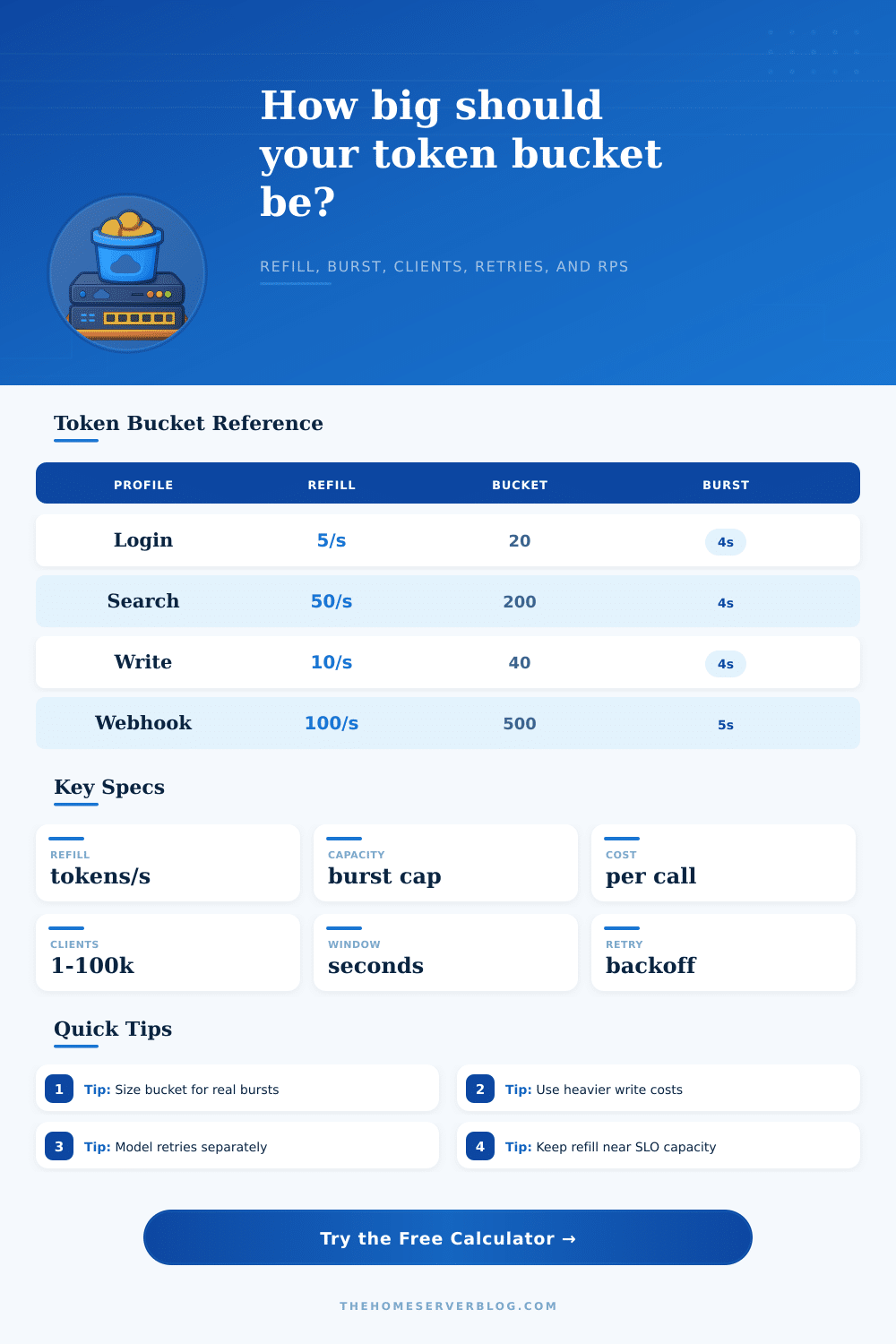
A reference table is on the page. It contains a set of common patterns, such as webhook ingestions or login guards. Each pattern contain a preset that includes lessons learned from past production failures. Authentication endpoints typically have smaller buckets and more strict burst rates to resist credential stuffing attacks, but webhook handlers usually require higher capacity to handle the spikes of vendors delivering data in waves versus continuously.
The profiles here will get you up and running without having to always reinvent the wheel but also allow you to tune to your own unique latency limits. Rate limiting is about more than just protecting; it is also about fairness. One noisy tenant shouldn’t starve the other tenants.
The safety margin provides a cushion for jitter and clock skew because you are never going to have perfectly synchronized distributed systems. Adjusting these knobs lets you move from a state of firefighting reactivity to thinking ahead about how much capacity you need. Setting your limits with math will give your system stability and lower your operational stress level.