HomeServerBlog store capacity tool
Ecommerce Hosting Capacity Calculator
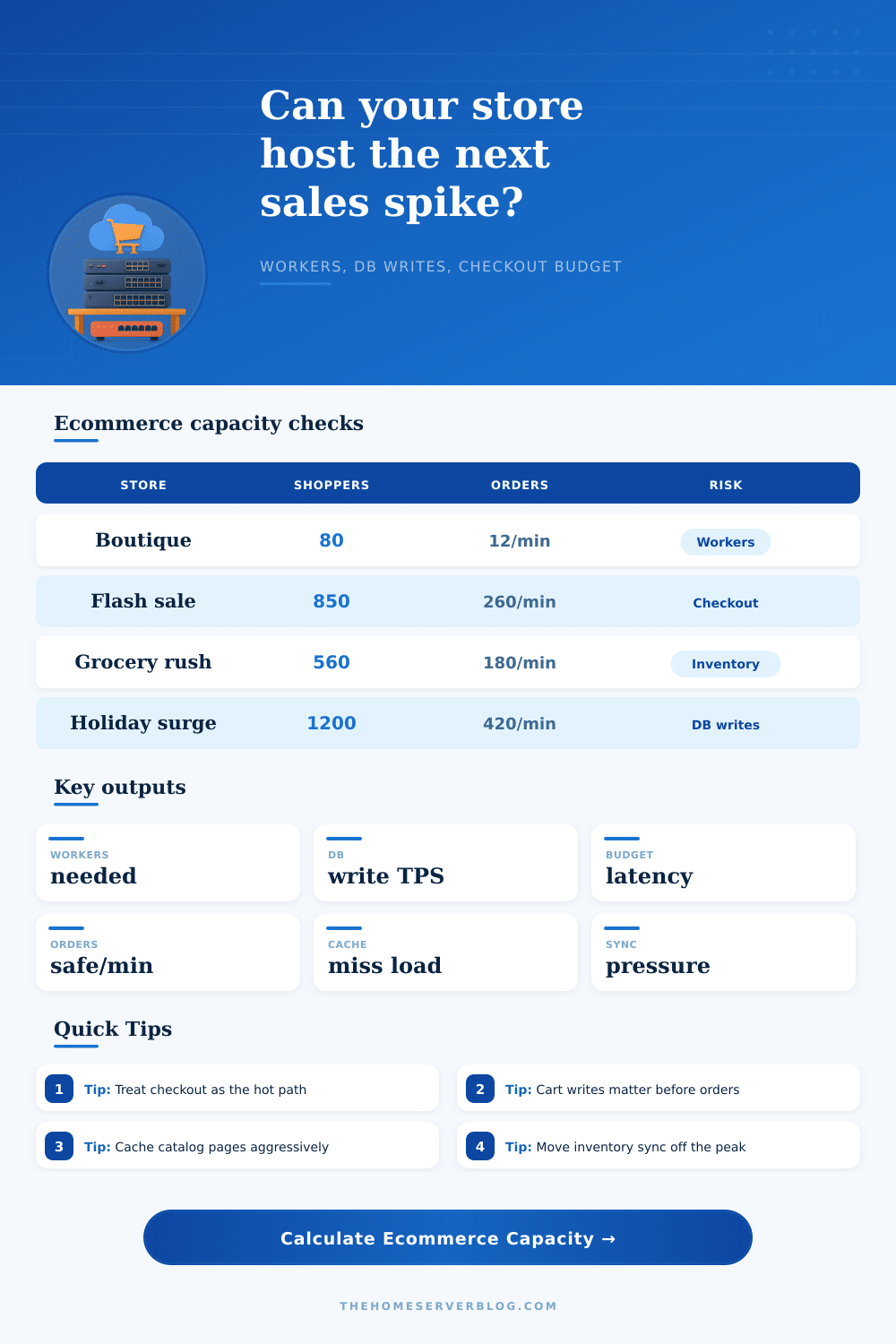
Model the hosting pressure behind product browsing, cart mutations, checkout conversions, payment wait time, order write amplification, cache misses, inventory jobs, and peak surge load.
Calculation breakdown
Capacity verdict
The calculator updates automatically from the selected preset.
| Hosting layer | Capacity signal | Calculator input | What to watch |
|---|---|---|---|
| Web and app workers | Busy seconds per second | Shoppers, dynamic views, cart actions, checkouts | Queueing, CPU steal, PHP-FPM saturation, Node event loop lag, pod restarts |
| Database primary | Write TPS and lock pressure | DB writes/order, cart actions, inventory sync jobs | Slow commits, deadlocks, row locks, WAL growth, replication lag |
| Cache and CDN | Catalog miss rate | Product views/min and cache hit % | Cache bypasses, personalized fragments, search result misses, purge storms |
| Payment gateway | Checkout wait time | Payment latency ms and checkout conversions/min | Authorization spikes, retry storms, abandoned orders, duplicate callbacks |
| Inventory services | Sync write load | Inventory sync jobs/min | Oversells, reservation lag, stock import overlap, marketplace API throttles |
| Workload | Modeled weight | Why it matters | Scaling move |
|---|---|---|---|
| Cached product view | Mostly edge traffic | Great for bandwidth but low app pressure when cache is warm | Extend TTL, fragment-cache prices, pre-warm landing collections |
| Product cache miss | 0.14 worker seconds | Catalog misses pull templates, price rules, images, filters, and product metadata | Use object cache, search index, and separate image resizing from request time |
| Cart action | 0.28 worker seconds plus 0.7 writes | Cart changes recalculate totals, coupons, tax, shipping, and session data | Debounce quantity updates and keep cart writes out of slow session storage |
| Checkout conversion | 0.48 seconds plus payment occupancy and write cost | Orders are the expensive path and the least acceptable place to queue | Async email, async webhooks, short DB transactions, idempotent payment callbacks |
| Inventory sync job | 0.16 worker seconds plus 3 writes/job | Sync jobs can collide with active checkout reservations | Throttle imports, batch stock changes, and pause bulk syncs during campaigns |
| Bottleneck | Early symptom | Capacity fix | Checkout-safe guardrail |
|---|---|---|---|
| Too few app workers | Admin is fine but storefront queues during cart bursts | Add workers or pods, split admin jobs, reduce plugin work | Keep target worker utilization under 65% at peak |
| Write-heavy checkout | Orders complete slowly while product pages still load | Trim synchronous writes and move events to a queue | Keep modeled write TPS below 72% of primary write ceiling |
| Payment latency spike | Checkout submit spins but CPU is not maxed | Use async confirmation where possible and tune gateway timeouts | Reserve at least 300 ms app budget after gateway latency |
| Catalog cache bypass | Search and product detail pages heat up the app tier | Cache anonymous pages, isolate personalized fragments, pre-render hot collections | Keep dynamic catalog miss RPS below cart plus checkout RPS |
| Inventory sync overlap | Stock updates and orders fight over the same rows | Schedule sync outside peaks and reserve inventory in short transactions | Keep sync write TPS below 15% of total write load during checkout peaks |
| Preset | Traffic shape | Main stress point | Best first tuning move |
|---|---|---|---|
| WooCommerce Boutique | Moderate shoppers with plugin-heavy checkout | Worker occupancy and order write amplification | Cache catalog pages and audit checkout plugins |
| Flash Sale Hour | Very sharp cart and order spike | Cart writes, payment waits, and database commits | Pre-warm cache and queue noncritical order events |
| Shopify Headless API | High product views with strong cache | API concurrency and frontend catalog misses | Move personalization to client or edge fragments |
| Magento Catalog | Complex catalog with heavier writes/order | Catalog misses and database write cost | Use full page cache and index-driven product lists |
| Digital Downloads | Fewer inventory jobs and faster delivery | Checkout and license generation writes | Generate downloads and license emails asynchronously |
| Grocery Pickup Rush | Many cart edits and stock reservations | Inventory locks and cart recalculation | Throttle stock sync and shorten reservation transactions |
| B2B Quote Portal | Lower order rate but high write complexity | Quote revisions, approvals, and pricing rules | Cache contract pricing and queue quote notifications |
| Holiday Cart Surge | Large browsing, cart, and checkout surge | All hot paths at once | Scale app tier before campaign send and freeze bulk imports |
| Subscription Renewal Batch | Batch orders with little browsing | Payment concurrency and order writes | Spread renewals over windows and cap retry waves |
The servers don’t crash. Now it’s time for you to make the sale. Merchants think they’re good to go when their product pages loads quickly. That’s dangerous thinking: Catalog browsing is resource-light; checkout is resource-heavy. It’s all about whether a request goes into the cache vs. The request writes new data to the database. A thousand shoppers hitting your site simultaneously creates different pressure from those who just want to look around vs. These are the ones who is going to buy.
If you’re familiar with server load, you’ll recognize this dynamic: a user browsing products largely eats static assets and bandwidth… A light load on servers. When he add an item to his cart, however, the server must wake up, calculate taxes, run coupon rules, update session data, and store those changes in the database. This cost a lot of work; each of these activities represents an individual weight, which the calculator above calculate for you. Separating cheap reads from expensive writes shows you what causes your bottleneck.
Why Checkout Slows Down Your Server
While you input your estimated number of product views and concurrent shoppers, the big stress test are the checkout conversions and cart changes. Peak events put a ton of strain on your system when it comes to synchronizing inventory. In the middle of your peak, your background jobs is running to update inventory from marketplaces and warehouses… At the same time as your customers are trying to make purchases. These sync jobs will also be competing for resources that need to confirm the payment (and lock rows in the database). Without throttling these import jobs you’ll end up with a traffic jam in which you’re paying customers waiting for inventory to sync that should of been updated 10 min ago.
One of the best ways to help protect your order throughput without having to spend additional money on hardware is to move heavy data reconciliation out of the peak window. Typically, the biggest bottleneck is writing to the database. Each order results in several writes: an order record, a payment confirmation entry, inventory reservation records, email queue entries, etc. Do that many times over (your total orders), and you rapid reach the limits of how much a normal primary database can sustain per second. This helps you determine whether your safe level of orders-per-second is limited by writes to the db or worker processes writing them. You can then optimize for that specific limitation different than just guessing at what’s causing the slowdown.
Another thing people tend to forget about (until it’s too late) is their checkout latency budget. If someone is merely browsing around and your product pages load a little slow, that’s OK. But as soon as they hit the payment button, they’ll bail out of their cart if it feels laggy. Typically, it’s not because your server is slow, it’s because you have an external payment gateway that’s taking a while to respond. After considering that external wait time, you can determine how much time you want to spend serving up your application logic. By keeping that internal budget strict, your site will still feel responsive despite slow external networks.
Building for these spikes means changing your mentality from “average” to “surviving at peak.” You’re not trying to achieve no-latency all-the-time; instead, you want to guarantee a stable checkout path during periods of high demand. When you understand the cost of each write operation and model your traffic with realistic multipliers, your store becomes one that realy does survive its own success. No more guessing about upgrading servers. You’ll be engineering for capacity instead. Knowing precisely what input will make the system break before it does can mean the difference between a record-breaking day and a crashed site.