HomeServerBlog payload planning
XML Payload Size Calculator
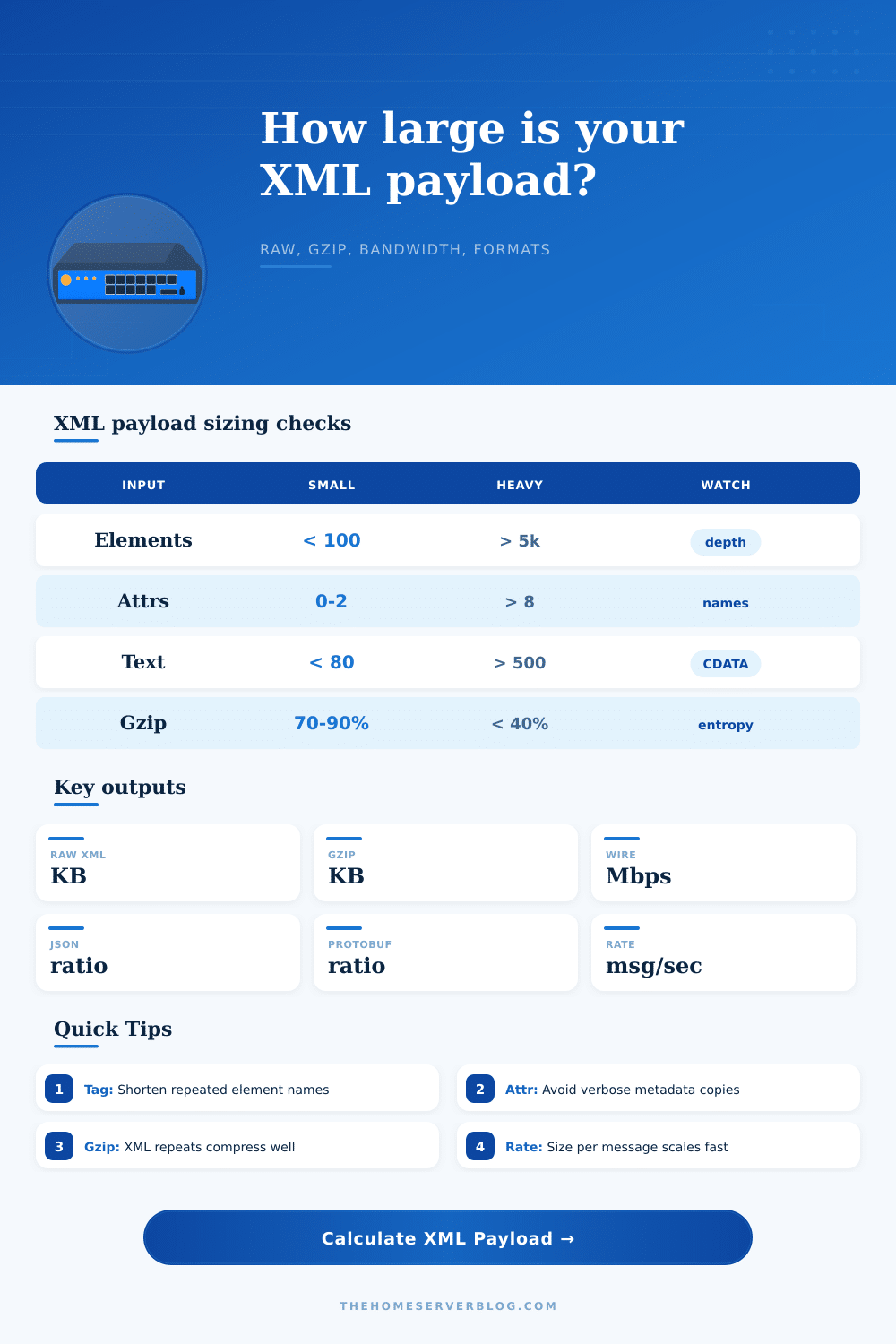
Estimate raw XML size, compressed transfer size, sustained bandwidth, and equivalent JSON or protobuf payload weight from element structure, attributes, namespaces, whitespace, encoding, and message rate.
Per-element footprint
0 BAverage XML bytes per element before gzip, including repeated structure.
Daily compressed volume
0 GBSustained transfer at the selected message rate over 24 hours.
Compression ratio
0:1Raw XML divided by compressed XML after gzip reduction.
Format winner
XMLSmallest estimated payload before transport compression.
Raw XML
Readable and schema-friendly, but repeated opening tags, closing tags, prefixes, and attribute names increase every message.
0 KBGzipped XML
Best for HTTP, SOAP, SAML, feeds, and config exports when the receiver accepts content encoding.
0 KBJSON estimate
Usually removes closing tags but still repeats property names and string punctuation for every object.
0 KBProtobuf estimate
Binary field tags and typed values can shrink repeated telemetry, internal APIs, and batch messages.
0 KB| XML component | Calculator formula | Typical driver | Optimization clue |
|---|---|---|---|
| Start and end tags | elements x (2 x tag chars + 5) | Repeated names such as orderLine, observation, url, or component. | Shorter names help raw XML but gzip reduces repeated patterns well. |
| Attributes | elements x attrs x (name + value + 4) | IDs, types, codes, timestamps, flags, and schema hints. | Move repeating metadata upward or avoid duplicate attributes on every child. |
| Namespaces | elements x namespace overhead | SOAP, SAML, HL7, Maven, and vendor-prefixed documents. | Declare namespaces once and avoid unnecessary prefixes in deep trees. |
| Whitespace | structure bytes x pretty-print % | Indentation, line breaks, and readability formatting. | Disable pretty XML on high-volume machine-to-machine traffic. |
| Encoding | base bytes x encoding multiplier | UTF-16, mixed Unicode text, or base64 binary fields. | Prefer UTF-8 for web APIs unless a partner contract requires another mode. |
| Payload family | Common XML shape | Compression behavior | Bandwidth concern |
|---|---|---|---|
| SOAP API message | Envelope, body, typed entities, and repeated order lines. | Very good because element names and namespaces repeat. | High request rates make headers and envelopes add up quickly. |
| RSS or Atom feed | Moderate item count with title, link, date, category, and summary text. | Good unless descriptions contain high-entropy encoded markup. | Batch size and refresh cadence dominate transfer volume. |
| Sitemap XML | Large list of url entries with loc, lastmod, priority, and changefreq. | Good for repeated tags, weaker for unique long URLs. | Raw file limits and crawler transfer windows matter more than per-second rate. |
| SAML or signed XML | Deep namespaces, attributes, canonicalized blocks, and base64 signatures. | Moderate because signatures and certificates are less repetitive. | Single sign-on redirects can hit browser, proxy, or header limits. |
| HL7 CDA document | Deep clinical sections with coded attributes and narrative text blocks. | Good for structure, mixed for large narrative content. | Archival storage and interface engine throughput are common planning points. |
| Encoding mode | Multiplier used | When to choose it | Practical note |
|---|---|---|---|
| UTF-8 or ASCII dominant | 1.00x | Most API, feed, config, SOAP, and sitemap traffic. | ASCII tag names and numeric text usually stay one byte per character. |
| UTF-8 mixed non-ASCII | 1.15x | International names, natural-language summaries, and mixed symbols. | Only text content expands; this calculator applies a simple whole-message factor. |
| UTF-16 transport | 2.00x | Legacy partner systems or files explicitly stored as UTF-16 XML. | Compression may recover some size, but raw storage doubles quickly. |
| XML with base64 content | 1.34x | Binary attachments, certificates, signatures, small images, or blobs. | Base64 expands binary and often compresses less than normal XML structure. |
| Format | Strength | Size tendency | Use when |
|---|---|---|---|
| XML | Namespaces, validation, mixed content, mature enterprise contracts. | Largest raw format, often acceptable after gzip. | Interoperability, document structure, or signed canonical XML matters. |
| JSON | Compact object syntax and easy browser or API consumption. | Often 55% to 80% of raw XML before gzip. | Field names are moderate and schema enforcement is outside the payload. |
| Protobuf | Binary tags, typed values, and schema-driven decoding. | Often 20% to 45% of raw XML before gzip. | Both sides control schema versions and human readability is not needed on the wire. |
| CSV or delimited | Very low structure overhead for flat repeated rows. | Small for tabular data, poor for nested records. | Rows share one schema and nested metadata can be removed. |
| MessagePack or CBOR | Binary JSON-like format with compact numbers and strings. | Usually between JSON and protobuf. | You need flexible structure but want less parser and transfer overhead than JSON. |
XML: A single tag looks innocent on screen; it’s just a few characters. It doesn’t seem like more than plain old text. Then one day your API hits a peak load and times out. At that point, you may finally learn the price of XML. All those namespace prefixes, closing slashes and opening brackets? They all carry cost. And when you multiply them by thousands of messages per second, they add up fast.
Before deployment, you don’t have to be a network engineer to see this problem coming. But you do need some way to estimate it. Enter the calculator in the box above. Just enter the nesting depth and number of elements into the box, and it calculates cost (in bytes) of a single SOAP envelope. No more guesswork about bandwidth usage.
How to Make XML Smaller and Faster
Start with markup itself: Look at your tag structure. Commonly used element names is expensive. For example, if an order includes 50 line items, that word appear one hundred times just for start and end tags. The cost of these repeats are included in the calculator as average tag length overhead. Reducing name lengths marginally shrinks raw size but a bigger win is ahead.
Another frequent trap is attributes. Because it looks tidy, developers like to embed metadata inside child elements. This are a bad idea in large volumes. Move shared attributes to enclosing containers where they’re emitted just once. The tool will track the number of attributes per element so you see fast impact from additional key-value pairs.
Developers rarely give whitespace enough credit. For human log readers in a console, pretty-printed XML can be great. But when machines move this data over a network, it’s wasteful. Line breaks and indentation is pure overhead. They don’t add any real meaning, yet they cost bandwidth. Use the calculator to tweak the pretty-print percentage and see how readable debug output compare to optimized production traffic. You’ll frequently discover that stripping out formatting noticeably shrinks byte count before applying compression.
You don’t have to change any of your code. Just make configuration changes to your serializer. The size of encoding layer matters too. Most systems today are based on UTF-8, which remains efficient for most ASCII characters. Internationalized content or legacy interfaces may push you into multi-byte sequences or even worse: UTF-16 transport, which will double storage requirements of English text. Embedding any binary data as base64 strings within your XML document will cause swelling to about a third in size. First there is this pre-compression, and then actual compression works on it. Do you really have textual content? Or is there a hidden blob of binary data that resists typical gzip reduction?
But that changes a lot with compression. Because XML is repetitious, it compresses fairly well. By finding places where tags are reused and where namespace declarations appear multiple times, Gzip can shrink the file pretty well. It shows that after compression, the transfer size is much smallerer, often a fraction of original size.
Still, don’t throw out the original. The raw byte count is what matters for memory buffers and for database logging and local storage limits. Sure, you may of be saving some bandwidth. But when it’s being sent, you need to store entire document in memory as you parse it, which uses up server RAM.
Let’s put all this into context by comparing some formats. Because it lacks namespaces and also drops its closing tags, JSON is smaller then XML. However, because it repeats property names, it’s not as small as it could be. With protocol buffers, you send just the field number and type of value, dropping labels altogether. In terms of size, protocol buffers win every single time if both sides controls the schema. If you want to read that payload yourself or share it with someone else who doesn’t use your software, then you should go with XML. Even gzipped, XML can be a valid option.
The tool comes with some reference tables that show the trade-offs in various common situations such as SOAP services, sitemaps and feeds. When you get sizing right from the start, you’ll avoid the nasty surprises that come from overestimating or underestimating what happens in production. That means no more wondering where that spike in latency happened during busy hours; instead you can plan accordingly based off real-world data sizes. It’s about finding that sweet spot between making machines happy and keeping humans comfortabley.