HomeServerBlog CDN and origin preload tool
Cache Warming Time Calculator
Estimate how long a cache preload run will take, how many requests it sends, how much origin bandwidth it burns, and how hard CDN POP fanout hits your origin.
Warm run breakdown
The smallest of requested RPS, concurrency throughput, and req/min throttling.
Bytes pulled from origin after compression and independent POP warming.
Requests that are expected to reach origin before becoming hot cache entries.
Extra attempts added so the requested hit target can still be reached.
Single origin cache
1x fanoutOne shared cache layer warms quickly and avoids duplicate origin fetches, but remote users may still wait on edge fills.
Regional CDN shield
2-8x fanoutRegional shield caches reduce global POP multiplication while keeping common objects close to edge locations.
Direct POP preload
10-80x fanoutEvery POP can be hot before launch, but origin requests and transfer multiply unless shielded or staggered.
API response cache
CPU boundSmall objects may use little bandwidth while still stressing database, template, auth, or upstream API latency.
Static asset release
Byte boundVersioned JavaScript, CSS, fonts, and images are usually safe to warm aggressively if origin bandwidth is ready.
Search or catalog warm
Key boundMany tiny combinations make request count the main limit; prioritize popular filters and landing pages first.
| Preset workload | Typical objects | Warm pattern | Main bottleneck |
|---|---|---|---|
| WordPress Full-Page Cache | Posts, pages, feeds, category pages | Moderate RPS with page render latency | PHP workers, database calls, and uncached fragments |
| CDN Image Warm | Originals plus responsive variants | High object count with larger response bodies | Origin bandwidth, image transforms, and storage reads |
| API Response Warm | Popular JSON endpoints and parameter sets | Small payloads with strict rate limits | Upstream API quotas and database query latency |
| Package Mirror Index | Metadata, manifests, checksums, indexes | Many tiny files with checksum validation | Request overhead and file open rate |
| Product Catalog Warm | Product detail, search, and filter pages | Mixed objects, often warmed in priority tiers | Key explosion from filters and personalization |
| Limiter | Formula used | What it means | How to improve |
|---|---|---|---|
| Requested pace | Warm requests/sec | The operator chosen per-POP send rate | Raise gradually while watching origin error rate |
| Concurrency cap | Concurrency / latency seconds | How many misses can complete per second with the in-flight pool | Add workers or lower origin latency with shielding |
| Rate limit cap | Req/min divided by 60 | The API, CDN, queue, or origin throttle converted to RPS | Use batch APIs, scheduled queues, or approved temporary limits |
| Failure overhead | Target objects / success rate | Extra attempts needed when a portion of prefetches fail | Retry only safe objects and fix deterministic failures first |
| Hit target | Operational intent | Best fit | Planning note |
|---|---|---|---|
| 70-80% | Warm only the high traffic head | Blogs, docs, dashboards, and home lab portals | Fast run, low origin stress, leaves long tail cold |
| 85-95% | Warm most known objects before launch | Product catalogs, release pages, image galleries | Good balance when the object list is accurate |
| 96-99% | Preload almost everything reachable | Static launches, package mirrors, regulated docs | Long tail may dominate time for limited user benefit |
| 100% | Attempt full list coverage | Small immutable asset sets | Failures still prevent perfect cache hit coverage |
| POP strategy | Fanout behavior | Origin load shape | Use when |
|---|---|---|---|
| One shared cache | One request per object | Shortest and lightest preload | Users are near one cache or edge warmth is not required |
| Staggered POP waves | Subset of POPs at a time | Lower peak RPS, longer wall clock | Origin has strict request or bandwidth ceilings |
| All POPs in parallel | POP count multiplies misses | Highest launch readiness and highest origin spike | Origin is isolated and the launch window is short |
| Shielded POP warm | POPs reuse regional cache fills | Middle ground between speed and duplication | CDN supports origin shield, tiered cache, or regional fill |
When you push out a big site update without pre-warming, there’s a particular type of risk: all of your requests is hitting your origin server, which stays silent for a bit. Then you hit publish, and the users come rushing in, and…oh no! Every request miss the cache, and pounds on your database simultaneously. Your app slows to a crawl, your users have a bad experience. You didn’t warm up the cache first.
Cache warming loads your edge servers full of content before any actual traffic comes. But that involves estimating how much traffic you’ll get and how long it will take. This estimate must take into account latency, bandwidth, and concurrent connection. Because people don’t understand the math behind origin protection, most teams makes guesses that is incorrect.
How to Warm Up Your Cache Correctly
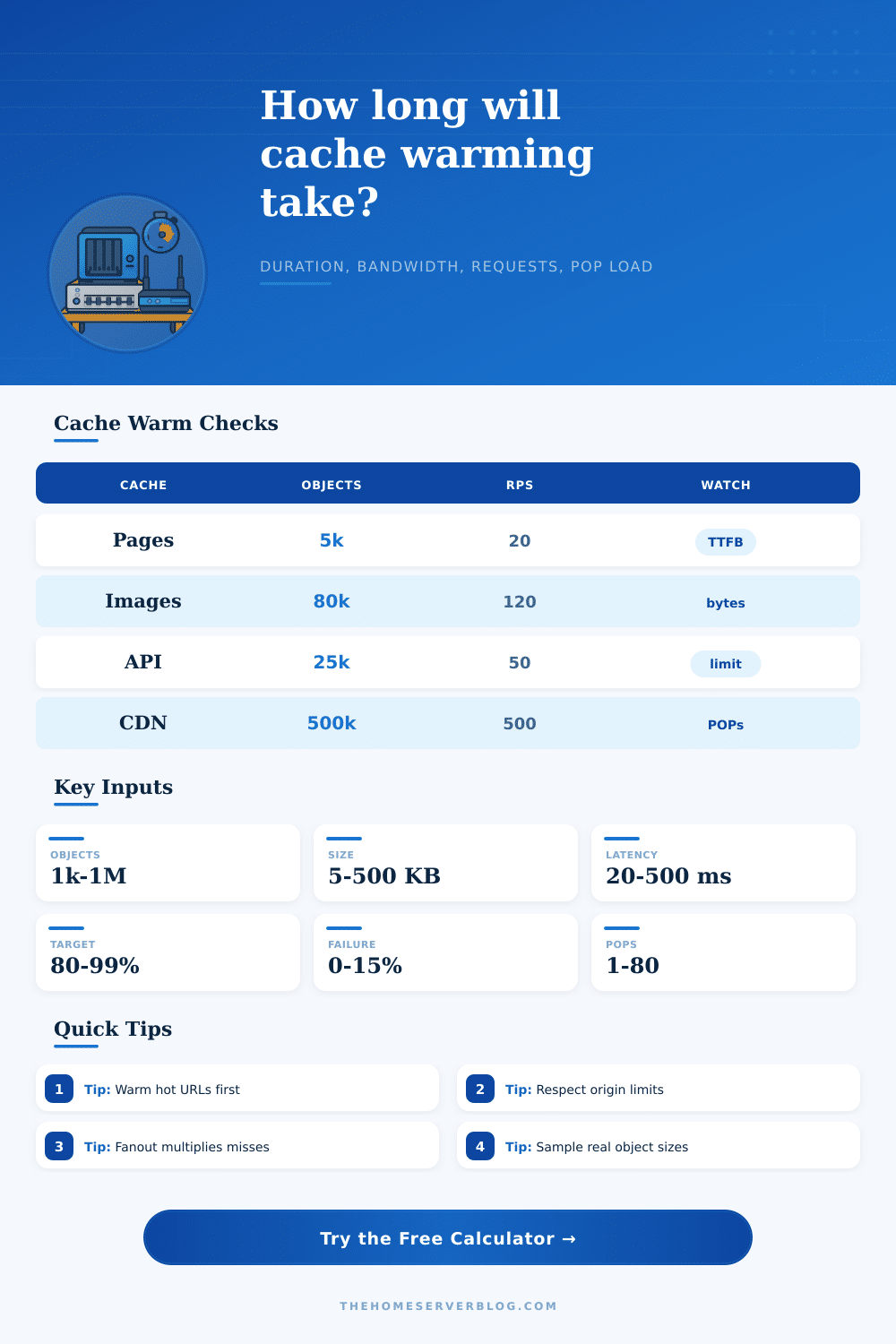
The core problem is not about raw bandwidth; it is about concurrency caps and rate limits, which together determine how fast things happen. When you make a preload request, it goes off to the origin, your app spits out a response and sends some data back. Now, let’s say your average latency is two hundred milliseconds, and you’re capped at eight concurrent requests per point of presence. No matter what the network speed are, you have a limit on how much you can get through. You can use the calculator on this page to enter your latency numbers and object counts to see what your bottleneck will be.
Remember that some of those prefetched items won’t work out in reality. Some items will be updated during the prefetch, others will timeout, and others will hit rate limits. Even if you’re shooting for 95% object coverage, the fact that three percent fail means you’ll miss the mark. This is why the tool assumes a higher total number of requests are required to achieve desired hit ratio. It forces you to realize that, with failure factored in, you will need to issue more requests than there are unique objects to get what you want. This is what makes the difference between a relatively cool cache that still results in loads on origin versus a nice launch.
Another important variable is POP fanout. Warming ten separate edge locations individually will send ten times as much traffic to your origin relative to warming a single shield cache for all users. A lot of teams believe more points of presence equals better user performance… which it does, but those same points also multiplies the origin’s stress during the warmup phase. Should you stagger the warmup across multiple location waves? Or risk overwhelming your backend with parallel fetches? These tradeoffs is broken out in the reference tables here and show how various architectures deals with fanout pressure. Knowing the difference helps you avoid designing a warmup job that seems great on paper but blows up your production database in practice.
More importantly, compression is not as small as some engineers think. Bandwidth estimates can be 50% or even higher wrong if your backend serves an ungzipped HTML, but the edge respond with Brotli compressed responses to the client. When you account for those savings, you may be able to complete your warmup task much quicker then you naively estimated, since less data needs to be transferred, making it less of a bottleneck relative to the time needed to fetch each object. You should of use actual response sizes sampled from your logs rather than disk usage in your file system, as the former usually doesn’t reflect the weight of what will actualy be transferred.
Lastly, you can’t preload everything, but you need to know where to prioritize what you do warm. What if you have a 50k SKU product catalog? It will take hours for it to fully hydrate in all of your global edges. So instead, focus on the head of the distribution. Prioritize warming the homepage, the top ten categories, and the most popular products first. Then the long tail will fill naturaly as people navigate over there. This is a tiered approach which protect your origin from unnecessary strain and gives the majority of your visitors immediate access to stored content.
It’s not just about filling up a disk; it’s about knowing what you’re measuring in the first place. You’re directing a carefully planned burst of traffic that looks like real users but doesn’t exceed the capacity of your infrastructur. You model the number and length of those requests exactly, transforming a dicey release into a predictable process. It’s not about going fast; it’s about controlling what happens. Knowing precisely how many requests to expect and when to expect them ends guesswork about what your servers can handle and begins managing what they can do. That’s the difference between a pro deployment and a wildcat.