HomeServerBlog subnet planning tool
Number of Subnets from Borrowed Bits Calculator
Calculate how many subnets borrowed bits create, the resulting CIDR prefix, usable hosts per subnet after reserves, and whether the plan fits host, subnet, and VLAN requirements.
Borrowed bits breakdown
One fewer bit
2 subnetsLower subnet count, larger host pools.
Current plan
4 subnetsBalanced against the active requirements.
One more bit
8 subnetsMore segments, smaller host pools.
Minimum bits
2 bitsSmallest borrow that meets subnet and VLAN count.
| Check | Calculated value | Requirement | Status |
|---|
The host-bit reserve is applied after the new prefix is calculated. It models capacity intentionally held back inside each subnet rather than extra subnets held back outside the split.
| Borrowed bits | Subnet count | New prefix from current original | Usable hosts/subnet | Fit note |
|---|
| Scenario | Common original | Borrowed bits | Result | Planning note |
|---|---|---|---|---|
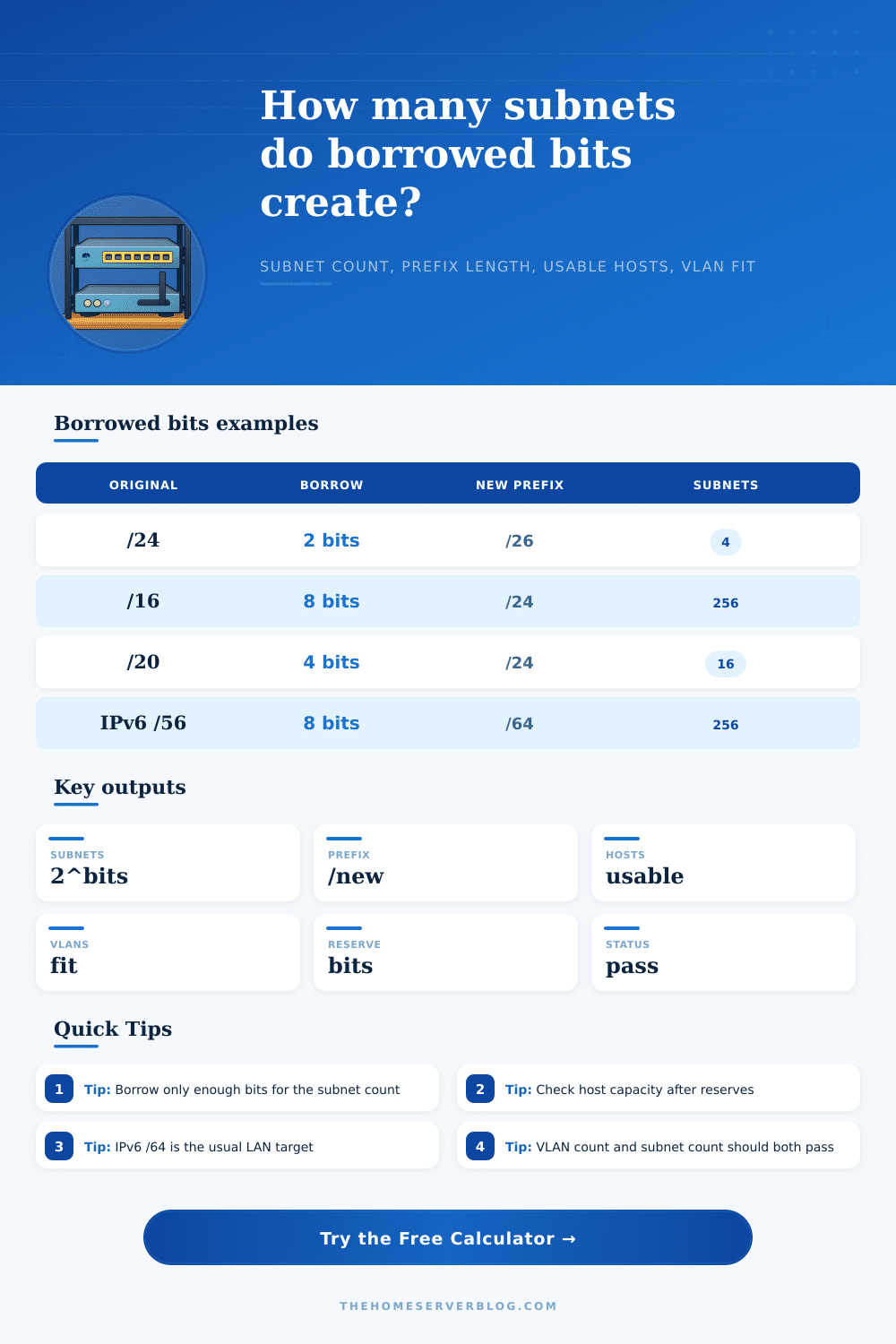
| Small home VLAN split | /24 | 2 | 4 x /26 | Good when each VLAN needs about 60 classic IPv4 hosts. |
| Department addressing | /16 | 8 | 256 x /24 | Easy to document, route, and delegate by department or site. |
| Tenant carve-out | /20 | 4 | 16 x /24 | Clean split for labs, customers, or building floors. |
| IPv6 site allocation | /56 | 8 | 256 x /64 | Common residential or small-site plan where each VLAN receives a /64. |
| Use case | Subnet pressure | Host pressure | Borrowing guidance |
|---|---|---|---|
| Guest, IoT, camera, and lab VLANs | Moderate | Moderate to high | Borrow enough bits for VLAN count, then verify each VLAN still has hosts left. |
| Point-to-point routed links | High | Low | /30 is classic for IPv4 links; /31 may be acceptable when endpoint reserve is disabled. |
| Branch office plans | Moderate | Variable | Keep spare subnets for voice, printers, cameras, wireless, and future security zones. |
| IPv6 LAN segmentation | Usually high | Very low relative to /64 | Prefer assigning full /64s to LANs unless you have a very specific routing reason. |
As your house gets larger with networks beyond capacity of one router, there’s a certain sort of panic that sets in: How do you set up a separate network for the backyard cameras? How about guest network for visitors? What about different one for smart appliances that shouldn’t be chatting to your primary computer? That means stealing some of the host part of your IP address and making new subnets.
It sounds abstract…until you’re trying to figure out how many subnets you’ll get on a napkin, time to break out a calculator. Essentially, borrowing bits mean trading host capacity for network segments. For example, if you borrow one bit, you get twice as many subnets… But half as many addresses within each subnet.
How to Plan Your Home Network Subnets
That’s where the basic conflict lies with any kind of IP planning: On the one hand, you need sufficient networks so that devices can be logically segregated for traffic management/security reasons. But on the other hand, you’d like each network segment to have sufficient addresses to accommodate real-world device instead of running out. Define your initial prefix and number of bits you’re prepared to part with, and the calculator above will do the math for you.
As it turns out, however, the inputs are more important than initially thought. The original prefix length determines how large a playground you’re creating. A typical home block is a /24, which give you 256 addresses total. An enterprise space could easy be a /16. Grab two bits from a /24 and now you’ve got four subnets each containing sixty-four addresses. Reserve one for the network address and one for the broadcast, and now you’ve got sixty-two host addresses on each subnet. This is enough for most home or small office VLAN plans.
Go up and borrow three bits and now you’ve got eight subnets but only thirty-two addresses each. This may be all you need for an isolated pool like IoT devices, but if you want to fit in a full department’s worth of workstations, not so much. This all completely changes the flow of discussion with IPv6.
With IPv4, the address space is small and we hoard bits. With IPv6, it’s so large that default action is to give each link a /64 even if there are only two or three machines on it. Borrowing bits from your IPv6 allocation, such as a /56, is almost always targeting that same goal: getting down to that /64 number. And the table at the bottom of the page make it clear why, eight borrowed bits produce 256 unique /64s. It’s not about packing more hosts onto a subnet. It’s about carving sufficient lanes for routing based off how you use them.
The second thing to avoid when picking your CIDR is getting overly hung up on how many subnets you get at the cost of hosts per subnet. Borrowing four-bits will let you generate all sorts of networks but if they’re going to have too few addresses for your devices, it won’t help you much. That’s where this tool comes in… it balances out not just how many subnets you end up with but whether any of them fall below some reasonable threshold of hosts. So if you try to borrow four bits and discover halfway into the build-out that you don’t have enough room for twenty phones on your new guest network, that doesn’t happens.
Additionally, pay close attention to endpoint reserves. In classic IPv4 addressing, you reserve the first and last address of each subnet as a broadcast and network identifier. Sometimes people omit this on point-to-point links to conserve space; they use /31 subnets with both IPs available. Your calculation needs to reflect how you’ll actualy deploy your hardware, which means selecting the appropriate reserve mode.
Finally, don’t overengineer. Plan for growth, but do so with some flexibility. Only borrow enough bits to support your current grouping needs and a little more to support your next project or two. Otherwise, you either run out of networks (too few bits) or you starve every subnet of addresses (too many).
There’s not really much complex algebra involved; it’s all about knowing what you want to connect to and protect. With those numbers, the actual configuration is simply typing them into the boxes. Figuring out how to divide up the space was the difficult part, and you should of planned it well.