IPv6 EUI-64 Interface ID Calculator
Convert a MAC or EUI-48 identifier into an IPv6 modified EUI-64 interface ID, full /64 address, and step-by-step bit flip breakdown.
⚙MAC/EUI-64 Presets
🖧Interface Inputs
📦Equipment/Spec Comparison Grid
📊EUI-64 Bit Flip Reference
| Original first octet | Binary before | Modified first octet | Common result |
|---|---|---|---|
| 00 | 00000000 | 02 | Universal MAC becomes modified local bit set |
| 08 | 00001000 | 0a | Vendor MAC keeps other bits unchanged |
| 52 | 01010010 | 50 | Local VM MAC flips back toward universal bit value |
| bc | 10111100 | be | Hardware appliance first byte changes by XOR 02 |
🔗Valid Input Delimiters
| Input style | Example | Accepted? | Calculator handling |
|---|---|---|---|
| Colon pairs | 00:1b:21:3c:4d:5e | Yes | Parsed as six byte pairs |
| Hyphen pairs | 00-1b-21-3c-4d-5e | Yes | Hyphens are removed before conversion |
| Cisco dot | 001b.213c.4d5e | Yes | Dots are removed and regrouped |
| Plain hex | 001b213c4d5e | Yes | Length must be exactly 12 hex characters |
📐IPv6 Standards and Practical Limits
| Topic | Value | Why it matters | Home lab note |
|---|---|---|---|
| Interface ID length | 64 bits | SLAAC expects a 64-bit IID on normal LAN prefixes | Keep user subnets at /64 |
| EUI-48 input | 48 bits | Most Ethernet MAC addresses contain six octets | Do not paste multicast IPv6 addresses here |
| Inserted bytes | ff:fe | Expands six octets into eight octets | Appears in the middle of the result |
| Modified EUI-64 | XOR 02 | Inverts the universal/local bit of the first octet | This is the step people miss most often |
🗂Common Home Lab Use Cases
| Use case | Typical MAC source | EUI-64 fit | Preferred note |
|---|---|---|---|
| Router LAN interface | Physical port label | Good for static docs | Still pin DNS names separately |
| Proxmox guest | Generated VM MAC | Good in isolated labs | Track VM clone MAC changes |
| NAS storage VLAN | Bond member or virtual MAC | Good for inventory | Document failover behavior |
| Laptop or phone | Wi-Fi adapter MAC | Poor for privacy | Use temporary or stable privacy IDs |
💡Calculation Tips
An IPv6 address may appear intimidating at first glance, but there’s actualy some sense to it. In fact, the bottom half of any IPv6 address are derived from your network card’s MAC address. It’s all part of a method known as EUI-64 that connects dots between the 48 bits of Ethernet hardware addressing and the 128-bits of IP networking. That way you don’t have to perform all those pesky binary yourself.
That calculator does it for you, just pass in basic MAC string and watch it spit out a usable interface ID. This all boils down to math. A normal MAC address consist of six octets, or 48 bits. To pair IPv6’s 64-bit network prefix with its 64-bit interface ID, it need a 64-bit space. That leaves you with an impossible problem, how do you compress 48 bits into 64?
How EUI-64 Works and Why It Matters
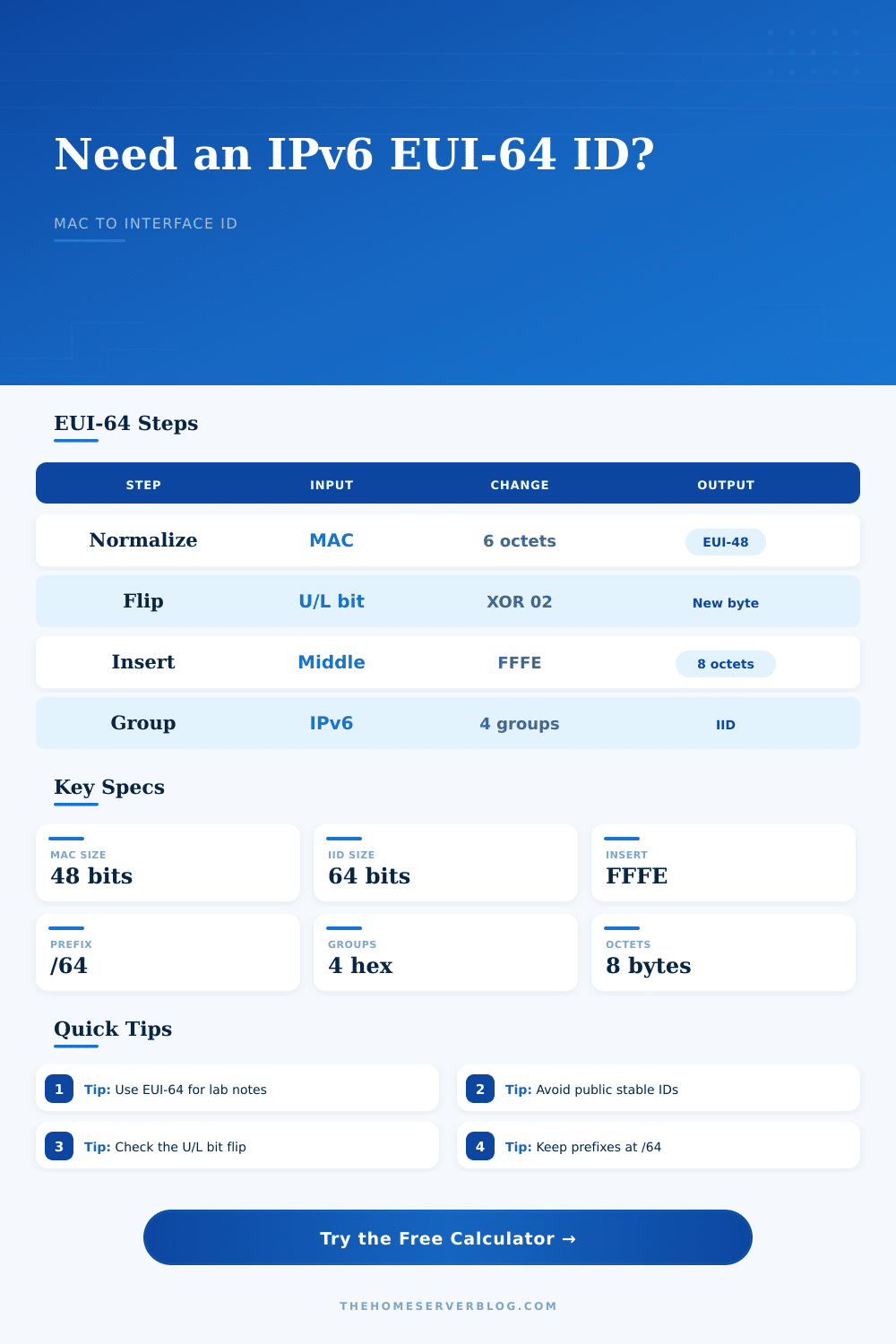
The answer: you don’t, unless you can add information. By inserting two bytes (FF and FE) between the third and fourth octet, you gets what we call extended format. You then use first three octets followed by those two bytes, followed by final three octets from your MAC address. This gives you the necessary eight octets for the interface ID, but that’s only half the picture.
The other half involve flipping a bit, which often cause errors. It is a universal or local bit flip. The second-least significant bit of the first octet of a MAC address marks it as either locally assigned (0) or universally administered (1). For IPv6 addresses, you must set this bit different than Ethernet, you have to flip it to indicate modification. So if your MAC begins with “00,” then the converted version will start with “02.”
It’s a subtle XOR operation that’s required for strict RFC compliance, but most folks misses it when performing the process manually and end up with an invalid address that doesn’t pass their validation scripts. The tool automatically perform the necessary binary inversion to make a technicaly sound result.
In small business and home labs, it aids documentation. You don’t have to search switch logs to find out which host has which IP; you can derive an IP address based off the physical label on a server. It makes connection between network identity and hardware more predictable, but that predictability have a price in terms of privacy. The hardware MAC is baked into the interface ID, meaning anyone who scans your network can fingerprint your devices.
That’s bad if your devices are clients such as laptop and phones; they shouldn’t have their MACs exposed. But it’s generally fine for infrastructure gear, where stability is more important then exposure.
How broadly do you want to deploy these? It’s a good idea to use EUI-64 on internal servers and documentation networks. However, it is not good for anything you’ll expose to the public internet (like user devices) or anything that reveals information about your internal network topology (the interface ID).
If you’re learning IPv6 as part of a lab environment, create your own hardware addresses first. Make sure your manual calculations matches what the calculator says. Check that the FF:FE bytes are in the right place and that the first octet have changed. After a while, those hex strings won’t look like a bunch of random numbers; they’ll look like data arranged into a predictable pattern.
The EUI-64 is the bridge between the physical world (silicon IDs) and the logical world (routing tables). While great for clarity, it’s not necessarily great for privacy. But once you grasp which bits are flipped and how the MAC extends into the IPv6 address, then suddenly its readable again. It is no longer a wall of text, but simply a label based on your hardware and designed to endure.