MPLS MTU Calculator
Size MPLS label-stack overhead, service encapsulation, provider-facing MTU, remaining headroom, and practical TCP MSS before you move traffic onto an MPLS path.
MPLS MTU result
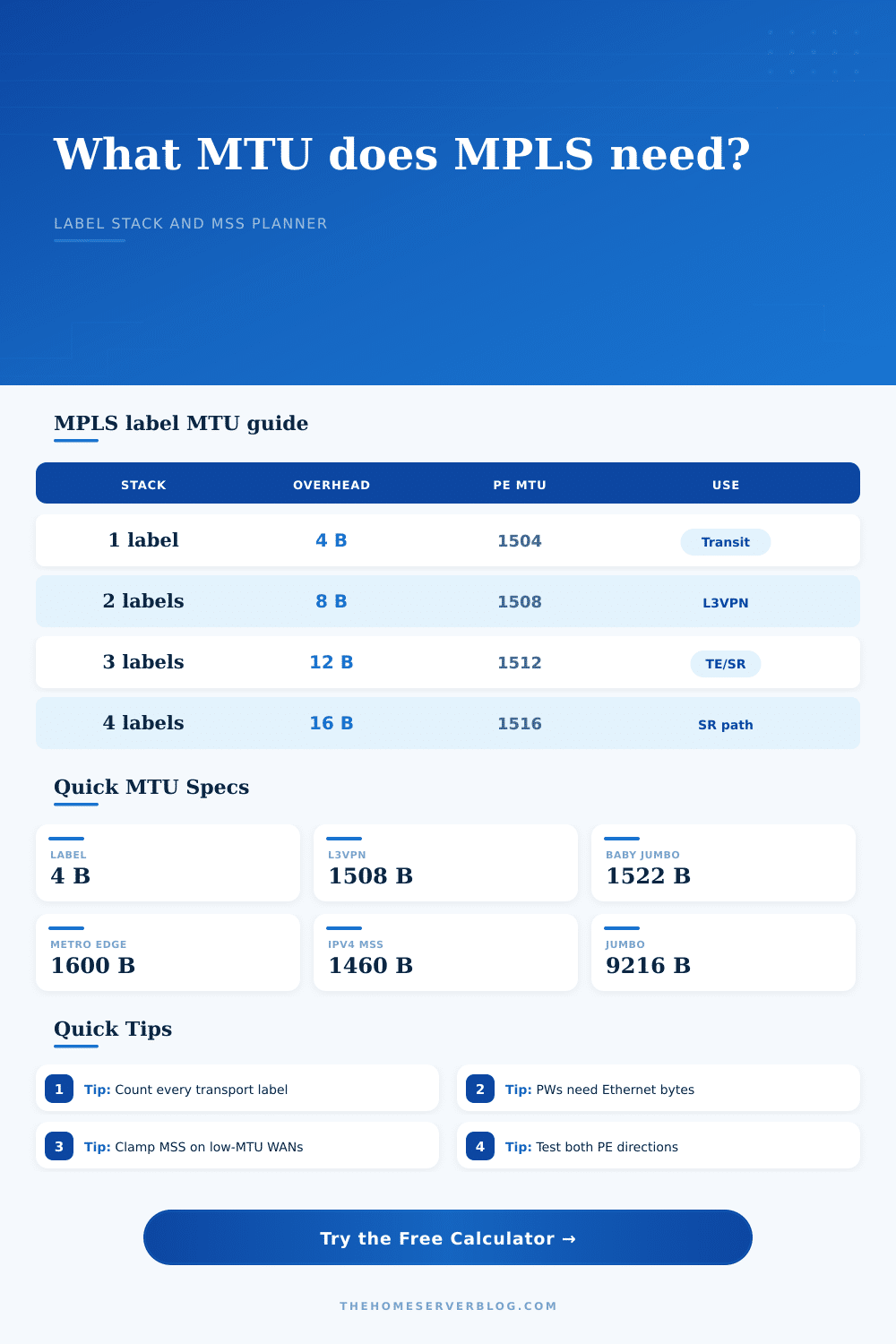
| Label stack | Added bytes | Provider MTU for 1500 IP | Typical MPLS use |
|---|---|---|---|
| 1 label | 4 bytes | 1504 bytes | LDP transit, basic transport label on a P router |
| 2 labels | 8 bytes | 1508 bytes | L3VPN transport plus VPN/service label |
| 3 labels | 12 bytes | 1512 bytes | Inter-AS, RSVP-TE, FRR, or one extra service label |
| 4 labels | 16 bytes | 1516 bytes | Segment routing path with multiple SIDs |
| 6 labels | 24 bytes | 1524 bytes | Deep SR policy, entropy label, or layered services |
| Service profile | Bytes before labels | What is preserved | MTU planning note |
|---|---|---|---|
| L3VPN or labeled IP | 0 bytes | IP packet payload | Required MTU is customer IP MTU plus MPLS labels |
| L3VPN with CE VLAN tag | 4 bytes | One customer VLAN tag | Use when the service keeps a tag across the handoff |
| Ethernet pseudowire | 14 bytes | Ethernet destination, source, and type | Add control word when required by the PW design |
| VLAN pseudowire or VPWS | 18 bytes | Ethernet header plus 802.1Q tag | Common for tagged attachment circuits |
| QinQ pseudowire | 22 bytes | Ethernet header plus two VLAN tags | Needs more headroom before any MPLS labels are added |
| Profile | Practical MTU limit | Best MPLS fit | Watch item |
|---|---|---|---|
| Legacy 1518-byte switch | 1518 frame bytes | One or two labels only if frame accounting allows it | May drop labeled 1500-byte payloads |
| Baby-jumbo 1522 switch | 1522 frame bytes | Tagged Ethernet and shallow label stacks | QinQ plus MPLS may exceed the ceiling |
| Carrier CE handoff | 1546 frame bytes | L3VPN, EoMPLS, and small SR paths | Confirm whether the vendor counts FCS |
| Metro Ethernet edge | 1600 frame bytes | VPLS, EVPN VPWS, control word, and QinQ | Check the NNI and UNI limits separately |
| Cloud or Internet cross-connect | 1500 MTU bytes | Labeled payload only after reducing customer MTU | Usually needs MSS clamping or smaller overlay MTU |
| Jumbo data center fabric | 9100 to 9216 MTU bytes | SR-MPLS, EVPN, lab jumbo frames, and nested tunnels | Every hop must accept the same jumbo size |
| Project | Typical labels | Service carried | Minimum planning MTU |
|---|---|---|---|
| Home lab LDP core | 1 to 2 labels | Routed IPv4 or IPv6 traffic | 1508 bytes for a 1500-byte customer MTU |
| Small L3VPN testbed | 2 labels | VRF traffic between PE routers | 1508 bytes before safety margin |
| VPLS tagged service | 2 labels | Ethernet frame plus one VLAN tag | 1526 bytes plus optional control word |
| SR-MPLS lab path | 3 to 6 labels | Routed traffic with explicit SID list | 1512 to 1524 bytes for 1500-byte IP |
| MPLS over GRE transport | 2 labels plus GRE | Labeled traffic over routed underlay | 1532 bytes before margin for 1500-byte IP |
If you’ve ever deployed a new MPLS service only to find it works great on paper but big files simply won’t move, then you’re probably familiar with my frustration. There are no error messages, just dissapearing packets. And typically it’s not a misconfigured IP address or a broken cable. It’s the MTU. It is the Maximum Transmission Unit.
That’s the “invisible” ceiling that drops any packet larger than capacity of smallest link in the chain. In an MPLS network only, the ceiling is smaller than expected because every additional label take up more space for your data.
Understanding MPLS MTU Problems
For the math part of the equation, there’s the calculator on the page that takes care of it for you after you enter in services you need. That removes the guesswork around converting units and coefficients. What makes sure traffic goes where it needs to go is knowing why each of those things matter.
Every MPLS shim label contribute four bytes of overhead to the frame. It doesn’t sound like much. A single label won’t make a difference. Two aren’t that bad. But then if you start stacking segment routing SIDs, VPN service labels, and transport labels, that 1500 byte Ethernet frame is sudden not big enough.
The smallest provider MTU that can be used to forward a basic two label L3VPN is 1508 bytes, which is just large enough to handle a regular-sized 1500 byte IP packet. If your core switches is still operating with legacy 1518 byte frames, this isn’t going to work. This fact flies under most admins’ radar. The routing gets set up; the plumbing beneath it do not.
The problem is made worse by ethernet pseudowires which transport both the payload and the customer’s ethernet header. Now you’re not merely transporting an IP packet anymore, but the type, source MAC, destination MAC, etc. If you need a control word to ensure sequencing or protect against ECMP, well there’s another four bytes. That 1500-byte customer frame now needs a 1530-byte path to get across without being cut off.
Even worse, it might be dropped if the Don’t Fragment bit is set on the packet. Good luck finding legacy gear that won’t do exactly that. You should of checked first.
What we are measuring and how that translates in practice is the key. There’s the IP MTU and there’s the provider interface MTU. What the customer sees is the IP MTU. What the interface on the router or switch need to support is the provider MTU, which is size of the IP packet plus all the wrappers around it. That’s clarified by the reference table.
For example, if you’re using Segment Routing, you require at least a 1516-byte minimum (for a typical 1500-byte payload) if you have four SIDs. You also add even more overhead if you’re running GRE or IPsec in the underlay. Sixty-four bytes might not sound like much for IPsec, but it makes the difference between the tunnel working… Or failing quiet.
Now comes the test. Does it work? How do we find out? You cannot just check the configuration on one end. You can’t check just one side of things. Many MPLS MTU problems is asymmetric. It may work fine from A to B, but B to A has an MTU limit of 1400 bytes. Test both ways. Use the DF-bit tests and force error due to fragmentation so you know where something is dropping.
If your problem involve Internet facing traffic, the quickest solution may be to clamp the TCP MSS on the edge router. That won’t help with UDP applications or large file transfers that rely on efficient block sizes. To plan out these limits you’ll have to look at the whole route, not just the PE routers. Look at the carriers’ handoff points, look at metro edge switches. Do some devices include the Frame Check Sequence in their MTU? Do others not? That slight difference can lead to small ways things fail that are hard to trace down.
The detail is small, but it makes a big difference. Add a safety margin for OAM labels or other hidden tags. Size the headroom properley. Avoid late night troubleshooting.
This isn’t about making the link work. It’s about making the link robust, able to handle the desired traffic load without any surprises. And when the ceiling is high enough, the data keeps flowing freely.