⏱️ DNS TTL Calculator
Calculate optimal DNS TTL values, propagation times, and cache impact for any record type
| Record Type | Recommended TTL | Min Practical | Max Practical | Change Frequency | Notes |
|---|---|---|---|---|---|
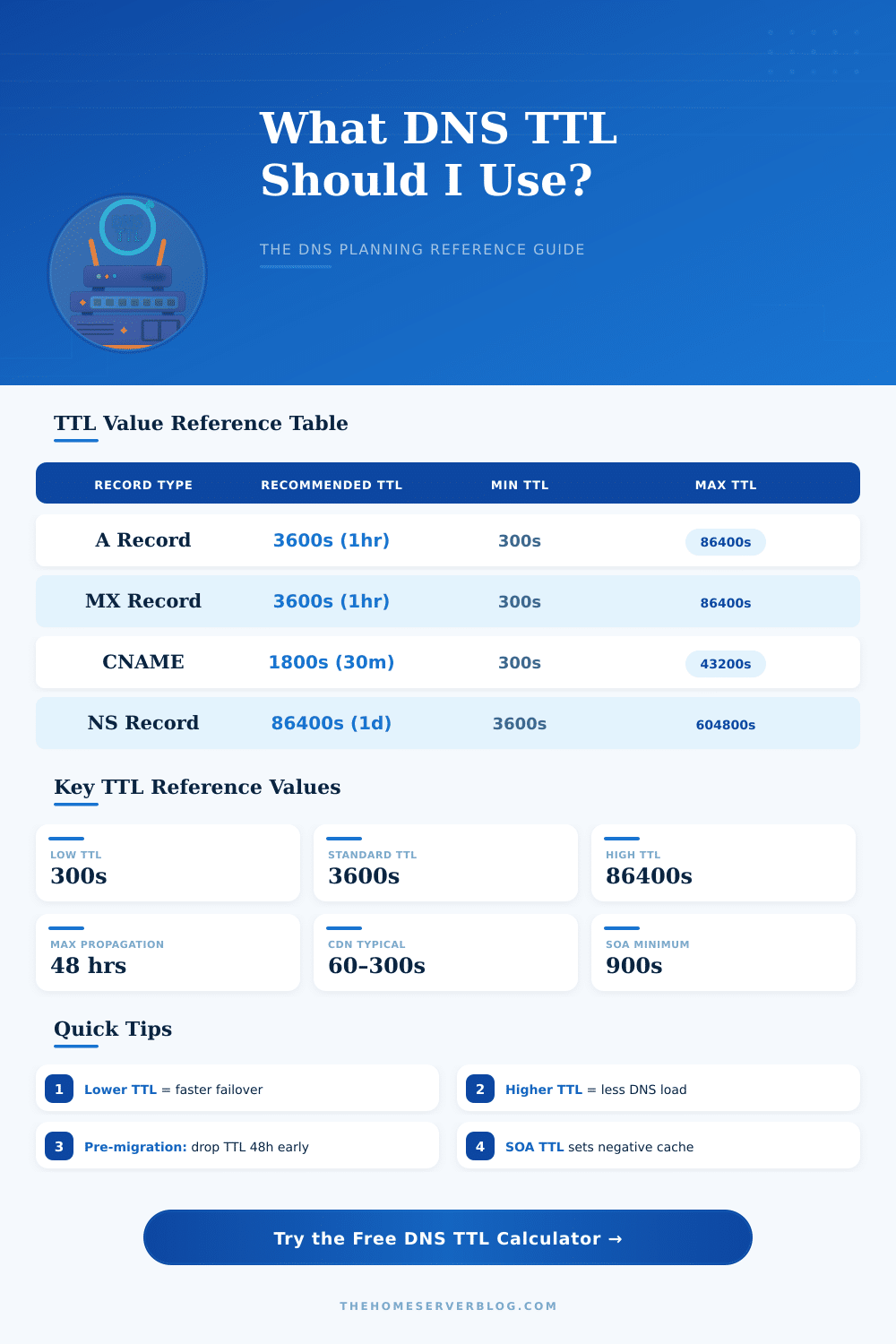
| A (IPv4) | 3600s (1 hr) | 300s | 86400s | Occasional | Lower before IP migrations |
| AAAA (IPv6) | 3600s (1 hr) | 300s | 86400s | Rare | Same guidance as A record |
| CNAME | 1800s (30 min) | 60s | 43200s | Occasional | Avoid on apex/root domain |
| MX | 3600s (1 hr) | 300s | 86400s | Rare | High TTL for mail stability |
| TXT / SPF | 3600s (1 hr) | 300s | 86400s | Rarely | SPF changes need propagation time |
| NS | 86400s (24 hr) | 3600s | 604800s | Very Rare | Parent zone also needs update |
| SOA | 3600s (1 hr) | 900s | 86400s | Automatic | Negative cache = SOA minimum field |
| SRV | 1800s (30 min) | 300s | 43200s | Occasional | Used for SIP, XMPP, etc. |
| PTR (Reverse) | 86400s (24 hr) | 3600s | 604800s | Rare | Managed by IP owner, not always DNS admin |
| CAA | 3600s (1 hr) | 300s | 86400s | Rare | SSL cert authority restriction |
| Scenario | Recommended TTL | Expected Propagation | Safe Change Window | Resolver Cache Impact |
|---|---|---|---|---|
| Standard Hosting | 3600s | 1–4 hours | 7200s (2 hrs) | Medium |
| Pre-Migration (48h before) | 300s | 5–30 min | 600s (10 min) | Low |
| Active Migration / Cutover | 60s | 1–5 min | 120s (2 min) | Very Low |
| Post-Migration Stable | 3600s | 1–4 hours | 7200s | Medium |
| CDN / Edge Cache | 60–300s | 1–10 min | 600s | Very Low |
| High Availability / Failover | 60s | Under 2 min | 120s | Minimal |
| Static / Stable Site | 86400s | 24–48 hours | 172800s (48 hr) | High |
| Development / Testing | 60s | 1–3 min | 120s | Minimal |
| TTL (seconds) | Minutes | Hours | Days | Common Use |
|---|---|---|---|---|
| 60 | 1 min | 0.017 hr | — | CDN, HA Failover |
| 300 | 5 min | 0.083 hr | — | Pre-Migration, Low TTL |
| 900 | 15 min | 0.25 hr | — | SOA Negative Cache |
| 1800 | 30 min | 0.5 hr | — | CNAME, SRV Records |
| 3600 | 60 min | 1 hr | — | Standard A, MX, TXT |
| 14400 | 240 min | 4 hr | — | Stable records |
| 43200 | 720 min | 12 hr | 0.5 day | Semi-static records |
| 86400 | 1440 min | 24 hr | 1 day | NS, Static A |
| 604800 | 10080 min | 168 hr | 7 days | NS maximum |
| Project / Use Case | Record Type | Recommended TTL | Propagation Time | Notes |
|---|---|---|---|---|
| Small Business Website | A | 3600s | 1–4 hr | Standard; update before changes |
| E-Commerce Migration | A | 300s (reduce 48h early) | 5–30 min | Critical: reduce TTL well in advance |
| Google Workspace / Office 365 | MX, TXT | 3600s | 1–4 hr | SPF/DKIM requires propagation |
| Cloudflare CDN | A / CNAME | 300s (proxied auto) | Auto-managed | Cloudflare overrides TTL when proxied |
| Home Lab DNS Server | A | 300s | 5–15 min | Lower TTL suits frequent changes |
| Kubernetes Ingress | A / CNAME | 60s | 1–3 min | Pods change IPs often |
| Domain Transfer / Registrar | NS | 86400s | 24–48 hr | Allow full 48h for NS propagation |
DNS’s ttl or Time to Live is simply the time that marks when saved DNS records expire. One measures it in seconds, so if you see a value of 1800, that matches to 30 minutes. And 86400?
It represents a whole day.
What is DNS TTL
DNS records save data about your domain IP addresses, host names and alike causes. Ttl points to other servers, how much time they deserve to use their saved copy, before needing to ask for a fresh version. Here is the key: when ttl expires, the DNS server does not right away hunt for a new updated record.
It only asks for a fresh copy, when someone does a question and finds that the old version already expired.
Most domains have a default ttl between 12 and 24 hours. That creates a real problem, when you switch your website to a new server… It could last that much time, before all globally notice the change.
Changes do not spread at once to all servers. On the contrary, local DNS servers simply wait, until their memory empties, and then take a fresh copy the next time, when someone asks. That whole process is what folks usually call DNS expansion.
One finds ttl in two places. It has a default setting in the SOA record for the whole domain, but separate records can own their own value. If a particular record has its setting, it beats what the zone authority orders.
Whoever cares about your DNS records, that controls those numbers, and you can freely choose different ttl values for various records. Normal DNS systems almost everywhere observe those separate settings for every record.
Short ttl values are useful, when you prepare changes. Ttl of 300 seconds forces a refresh every 5 minutes, which helps to spread your updates more quickly. Even so, keeping everything at short ttl for always is not a wise idea.
Long ttl values cause fewer DNS questions, while short cause more. Here is the business side: long ttl values protect you against outages, because saved copies allow visitors to reach your website, even if your DNS server briefly fails.
Under 60 seconds it becomes complex. Many resolvers do not accept that and simply raise it to 60 seconds. Ttl of one or two seconds probably will not work with most DNS programs.
Some hosting providers simply refuse too set anything under 30 seconds.
In cases of failure. Where you must manually switch to a backup server, which commonly lasts around 10 to 15 minutes just to note the mistake and make the change. Ttl between 300 and 900 seconds (5 to 15 minutes) reaches the ideal level.
There is no magic number that works everywhere. The best choice depends on how commonly you change records and how you balance between speed and stability. Longer ttl values extend the saving of records, reduce questions and ease the service.
The downside? Too high values cause pains, when saved data no longer matches withthe reality.
Clearing the DNS memory on your own computers after updates always deserves the effort, because those saved items stay until the ttl countdown ends.