Ethernet Cable Length Calculator
Plan cable runs, patch cords, service loops, and routing slack for clean installs that stay inside Ethernet channel limits.
Full Breakdown
| Cable category | Channel max | Permanent link | Typical use |
|---|---|---|---|
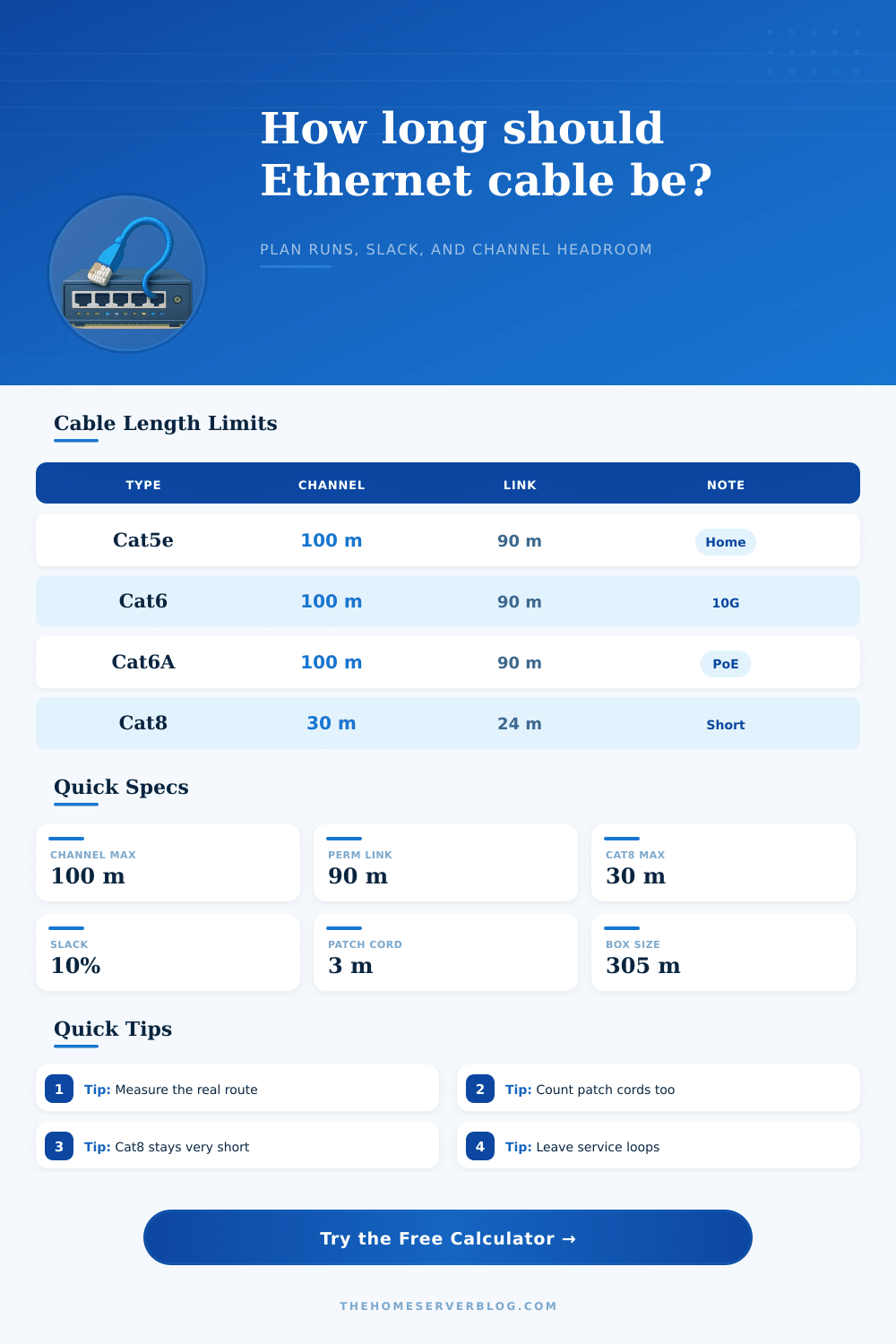
| Cat5e U/UTP | 100 m | 90 m | Basic 1G home runs |
| Cat6 U/UTP | 100 m | 90 m | 1G and short 10G |
| Cat6A F/UTP | 100 m | 90 m | 10G full-length links |
| Cat7 S/FTP | 100 m | 90 m | Heavily shielded niche use |
| Cat8 S/FTP | 30 m | 24 m | Short rack interconnects |
| Outdoor Cat6A | 100 m | 90 m | Exterior or buried routes |
| Route style | Factor | Extra added | Best fit |
|---|---|---|---|
| Direct rack interconnect | 1.03x | 3% | Patch leads and shelves |
| Patch panel to device | 1.08x | 8% | Typical closet routes |
| Wall drop to workstation | 1.12x | 12% | Horizontal office runs |
| Ceiling tray run | 1.15x | 15% | APs and open ceilings |
| Conduit or chase run | 1.18x | 18% | Crowded routing paths |
| Outdoor or buried run | 1.22x | 22% | Yards, sheds, detached rooms |
| Project type | Runs | Per-run span | Suggested cable |
|---|---|---|---|
| Single ceiling AP | 1 | 20 to 40 m | Cat6A |
| PoE camera cluster | 2 to 4 | 25 to 60 m | Outdoor Cat6A |
| Workstation wall jacks | 4 to 24 | 10 to 30 m | Cat6 |
| Patch panel row | 12 to 48 | 1 to 5 m | Slim patch Cat6 |
| Upstairs office drop | 1 to 2 | 15 to 35 m | Cat6 or Cat6A |
| Detached shed bridge | 1 | 30 to 70 m | Outdoor Cat6A |
| Reference item | Metric | Imperial | Note |
|---|---|---|---|
| Ethernet channel limit | 100 m | 328 ft | Most copper categories |
| Permanent link limit | 90 m | 295 ft | Excludes patch cords |
| Cat8 channel limit | 30 m | 98 ft | Short high-speed use |
| Common spool size | 305 m | 1000 ft | Frequent bulk box size |
| Service loop allowance | 0.3 to 1 m | 1 to 3 ft | Maintenance slack range |
| Patch cord allowance | 1 to 3 m | 3 to 10 ft | Counts in the channel |
The calculator separates permanent link length, patch cords, and install buffer so you can spot channel overruns before a cable is cut.
Calculating teh correct length of Ethernet cables is a necessary step in any installation process since errors in the length of the Ethernet cable can result in installation failures. While many may seek to use the distance between the two points of installation to calculate the length of the Ethernet cable that will be required, the straight line between the two points dont take into account any bend, corner, or vertical rises in the path that the Ethernet cable will take. Any bends or corners in the path that the Ethernet cable must travel will increase the distance that the Ethernet cable must travel.
Should you not account for the required bends and corners in the path in the calculation of the length of the Ethernet cable, the Ethernet cable will be too short to travel from one point to the next. The length of Ethernet cable that can be used is limited by the physics of the copper wiring that is used to carry the data signals. Most categories of Ethernet cables has a limited length of 100 meters.
How to Measure the Right Length of an Ethernet Cable
If the length of the Ethernet cable is found to exceed this distance, the data speed will decrease; the data connection may drop from one gigabit to 100 megabits. Furthermore, the permanent link of the Ethernet cable should not be longer than 90 meters, as the length of the patch cord will account for the remaining length of the cable. Patch cords are the Ethernet cables that is used at each end of the data connection.
The length of the permanent link and patch cords should not exceed 100 meters. The route of the Ethernet cable will help determine the amount of extra Ethernet cable that should be purchased. The direct route of the Ethernet cable to the rack will require less extra Ethernet cable to be bought than an outdoor route.
This is due to the fact that the outdoor route will have to adhere to the curves of the land or burial path of the Ethernet cable. Furthermore, there will be vertical rises in the conduit that the Ethernet cable must travel, which will require extra lengths of cable to account for the increased tension that the cable experiences when it is vertical rising. You should also include service loops in your Ethernet cable installation.
Service loops are used to provide extra slack for the Ethernet cable at the termination points. Service loops allow you to move or replace a jack without having to install a new piece of Ethernet cable. Service loops also prevent having to redo the installation should the Ethernet cable become too tightly at any point along the installation.
When planning the installation of an Ethernet cable, avoid eyeballing the floor plan to determine the cable length. Use a tape measure to measure the length of the Ethernet cable required to follow the actual path of the Ethernet cable. Follow every jog and every tray in the route to ensure that the Ethernet cable is long enough to make the journey from one location to the next.
Use the appropriate type of Ethernet cable for the environment in which it will be installed. For outdoor environments, use Ethernet cable with a tough jacket to protect the internal cable from UV ray and moisture. Cat8 Ethernet cable has a limited distance of 30 meters.
Cat8 Ethernet cable is suitable for providing connectivity over short distances within data centers. However, Cat8 Ethernet cable isnt suitable for long distance runs between building. Use a calculation tool to calculate the length of Ethernet cable required.
The calculation tool considers route factors and buffers to provide a specific cut length of Ethernet cable required for the installation. Using the calculation tool will help you avoid buying the wrong amount of Ethernet cable. Add a 10% buffer to the measurement calculated by the calculation tool to allow for trimming of the Ethernet cable during installation.
If you calculate the length of Ethernet cable required for an installation, you will not waste Ethernet cable and ensure that the connection operates at full speed. Using the correct length of Ethernet cable for an installation will ensure that the installation is successful and the Ethernet cable long enough to complete the installation.