IPsec Tunnel Overhead Calculator
Estimate ESP overhead, NAT traversal, GRE or VXLAN encapsulation, safe tunnel MTU, TCP MSS clamp, packet efficiency, and bandwidth impact for site-to-site VPNs and home lab routing overlays.
Encapsulation Breakdown
| Deployment scenario | Typical MTU | Overhead risk | Planning setting |
|---|---|---|---|
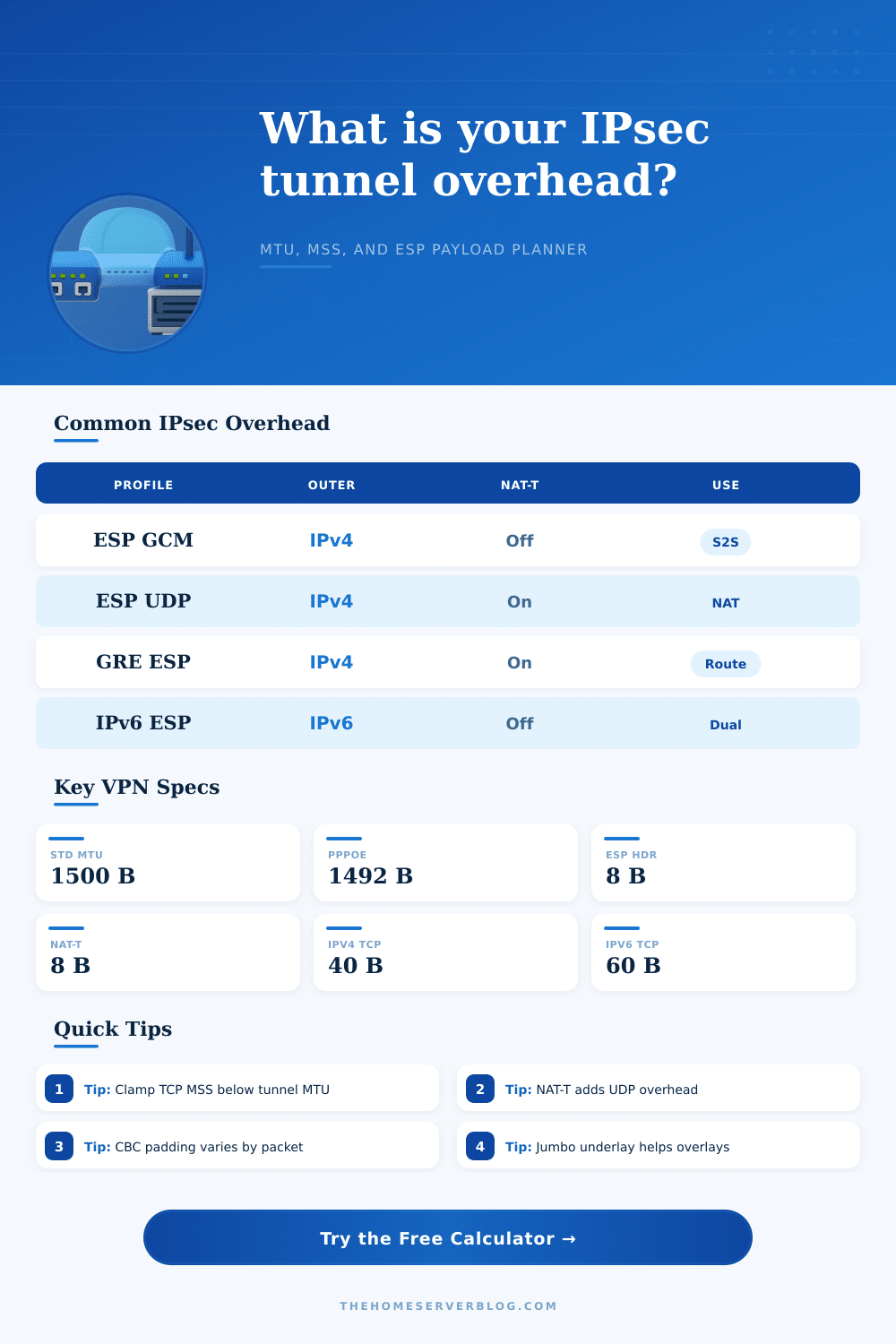
| Site-to-site ESP on Ethernet | 1500 bytes | Moderate; GCM usually leaves a usable MSS near the mid-1300s | Plain ESP, IPv4 outer, AES-GCM, 10% buffer |
| Branch VPN behind NAT | 1500 bytes | NAT-T adds UDP encapsulation and can expose PMTUD problems | NAT-T on, clamp MSS, verify DF handling |
| GRE routing over IPsec | 1500 bytes | GRE and ESP stack together; OSPF, EIGRP, or multicast payloads shrink | GRE overlay, GCM or CBC based on peer support |
| PPPoE internet circuit | 1492 bytes | Eight bytes are lost before IPsec overhead is counted | PPPoE MTU, NAT-T if the CPE rewrites traffic |
| Jumbo data center underlay | 9000 bytes | Low efficiency penalty but devices must agree end to end | Jumbo MTU, overlay as deployed, measured PMTUD |
| Field or header | Typical size | Where it appears | Calculator treatment |
|---|---|---|---|
| Outer IPv4 header | 20 bytes | Before ESP or UDP encapsulation | Selected by outer IP version |
| Outer IPv6 header | 40 bytes | Before ESP or UDP encapsulation | Selected by outer IP version |
| ESP header | 8 bytes | SPI and sequence number | Editable fixed ESP field |
| ESP trailer | 2 bytes plus padding | Pad length and next header after payload | Always included, padding computed from block size |
| Authentication tag or ICV | 12 to 16 bytes | End of protected packet | Loaded by cipher profile and editable |
| Transform profile | IV or nonce | ICV or tag | Padding behavior |
|---|---|---|---|
| AES-GCM-128 or 256 | 8 bytes explicit | 16 bytes common | 4-byte alignment; low variable pad |
| AES-CBC with SHA1-96 | 16 bytes | 12 bytes | 16-byte cipher block; higher variable pad |
| AES-CBC with SHA256-128 | 16 bytes | 16 bytes | 16-byte cipher block; higher variable pad |
| ChaCha20-Poly1305 | 8 bytes explicit | 16 bytes common | 4-byte alignment; modern AEAD profile |
| MTU or MSS target | Common value | Why it matters | Operational note |
|---|---|---|---|
| Ethernet underlay MTU | 1500 | Default WAN and LAN MTU on many networks | IPsec overhead must fit inside this unless fragmentation is allowed |
| PPPoE underlay MTU | 1492 | PPP header consumes eight bytes before the IP packet | Often needs a lower MSS clamp than ordinary Ethernet VPNs |
| IPv4 TCP header set | 40 | 20 byte IP header plus 20 byte TCP header | MSS equals safe inner MTU minus this header set |
| IPv6 TCP header set | 60 | 40 byte IP header plus 20 byte TCP header | IPv6 MSS should usually be 20 bytes lower than IPv4 |
| Jumbo underlay MTU | 9000 | Absorbs overlay overhead with little payload loss | Only helpful when every device in the path supports it |
This planner estimates packet sizing for engineering work. Production values should be verified with packet captures, path MTU discovery tests, tunnel interface counters, and the exact IPsec transform negotiated by the peers.
When you set up an IPsec tunnel, a large portion of the original packets gets replaced by headers and padding. This means that there is less data that can be sent through the tunnel, hence the maximum segment size for TCP will also be smaller. Additionally, if the payload that get sent over the tunnel is larger than the MTU for the links along the tunnel, IPsec will force the packet to be fragmented.
Fragmentation of IP packets can cause applications to break. IPsec overhead is a very important topic to understand in setting up an IPsec tunnel, but many people struggle with it because they treat the IPsec tunnel like a simple pipe. IPsec has several different layers of overhead.
How IPsec Affects Packet Size
The outer IP header will always be placed in front of every packet that is sent through the IPsec tunnel. This outer header will take up twenty bytes of the packet if the outer IP header is IPv4, but if it is IPv6 then it will take up forty bytes. Following the outer IP header will be the ESP header.
This header contains security parameter and a sequence number. Additionally, if AES-GCM is used as the cipher mode, then the additional header from the cipher mode will be added to the packet. If instead CBC profiles are used, then there will be a padding block that will take up a variable number of bytes depending on the size of the packet.
If the peer devices are located behind a NAT device, then the UDP header will be added to the packet to allow it to traverse the NAT device. Additionally, if GRE is used for dynamic routing and VXLAN is used for an overlay fabric, then the IPsec overhead will be even larger. Each of these header fields is an independent addition to the packet, meaning the overhead for IPsec will change depending on the cipher that is used, the IP version that is used for both the outer and inner packets, and any GRE or VXLAN tunnels that is implemented.
In the calculator that is included with this article, there is a field where the math for these variables can be performed. Each of the variables must be entered in order for the calculator to generate the correct results. The outer IP version and inner IP version must be picked in order for the physical link MTU to be correctly determined.
Additionally, the cipher profile must be selected in order for the initialization vector length, authentication tag length and padding to be correctly set up in the devices running IPsec. The underlay MTU must also be entered in order to determine the maximum size of the packet that will actually be transmit. For example, if IPsec is running over Ethernet, the underlay MTU would be 1500, but if it is a PPPoE link then eight bytes will be removed from the packet.
The calculator will report the worst case overhead in bytes in the result. In addition to this variable, the calculator will report the largest safe MTU size for the inner IP packets and the TCP maximum segment size that should be used. In addition to reporting the worst-case overhead for IPsec, the calculator will also report the efficiency of the tunnel.
The efficiency of the tunnel is calculated based on the size of the packets that will normally pass through the tunnel. For tunnels that carry large amounts of data, a small amount of overhead is acceptable. For tunnels that carry small packets, like voice or telemetry packets, even a small amount of overhead will have a much more larger impact on the total size of each packet and the capacity of the tunnel to transmit those packets.
Thus, the efficiency of the tunnel will factor in the size of the packets that pass through it and how many packets are transmitted each second. Finally, the calculator also asks for a buffer percentage for the final value in order to account for the fact that links dont always behave as expected in real life. A slight buffer will allow the tunnel to handle slightly larger packets.
There are some common mistakes with IPsec that people make by ignoring one of these layers of IPsec overhead. For instance, many network teams will use the default profile from the vendor that published the IPsec software. In many cases, the default profile for these vendors does not enable the features necessary for traversal of NAT device.
Thus, the teams will experience an MTU that is eight bytes smaller than they might have otherwise expected. Additionally, many networks will leave the TCP maximum segment size at its default for Ethernet networks. However, the packets will fail to transfer during large file transfers because of oversized packet.
The third of the common mistakes is forgetting that the inner packets for IPv6 will require twenty additional bytes of header space as compared to IPv4. These mistakes are easily avoided if IPsec overhead is considered during the initial setup of the IPsec tunnel. Included with the calculator are tables that show common configurations for IPsec.
For instance, one table row shows settings for a site-to-site ESP session on an Ethernet network. Another row in the table shows the settings for an ESP session where NAT traversal is enabled. Another row in the tables shows the settings for an ESP session where GRE is added.
These tables are merely an aid in understanding which settings to choose when implementing IPsec; they dont replace the need for the teams to capture packets in their network to ensure that their settings will work accordingly. Finally, the goal in managing IPsec overhead is not to eliminate it because it is impossible to eliminate IPsec overhead entirely. The goal is to ensure that the remaining payload in the packet is large enough to meet the needs of the applications that sit on top of the IPsec tunnel.
The goal can be achieved by clamping the TCP maximum segment size at the edge of the tunnel, ensuring that path MTU discovery is working correctly and ensuring that the IPsec settings are checked whenever there is a change to the cipher that is implemented. The numbers can be determined by the calculator, but the teams must verify the actual effectiveness of the settings through their network and there traffic. You should of also checked the furnitures size in the lab.
Actualy, the calculator will help alot.