Concurrent Users Calculator
Estimate active sessions, peak concurrent users, request rate, utilization, and server headroom from named users, arrival rate, session duration, think time, and service time.
Concurrency estimate
Enter your workload and calculate to see the concurrency model.
| Scenario | Arrivals/min | Concurrent users | App req/sec | Utilization |
|---|
| Signal | Formula | What it tells you | Planning note |
|---|---|---|---|
| Session concurrency | Arrivals/min x minutes | How many sessions are open | Uses Little's Law for live users |
| Named-user pressure | Users x active % x peak | Account base peak demand | Useful for portals and teams |
| Cycle request rate | Concurrency / cycle time | Requests driven by user pacing | Think time usually dominates |
| Server concurrency | Req/sec x service time | Requests being processed now | High values point to queues |
| Headroom | Target capacity - demand | Buffer before target limit | Keep positive for spikes |
| Capacity tier | Typical sustainable app rps | Common fit | Concurrency caution |
|---|---|---|---|
| Low-power mini PC | 10 to 40 | Personal apps, dashboards | Database I/O can cap first |
| Modern home server | 40 to 160 | CMS, Nextcloud, small teams | Watch PHP workers and DB pool |
| Dedicated app node | 160 to 600 | Forums, portals, APIs | Load test dynamic endpoints |
| Clustered service | 600+ | Public apps and bursty APIs | Balance session and cache layers |
| Workload | Named users | Session length | Peak multiplier | Primary constraint |
|---|---|---|---|---|
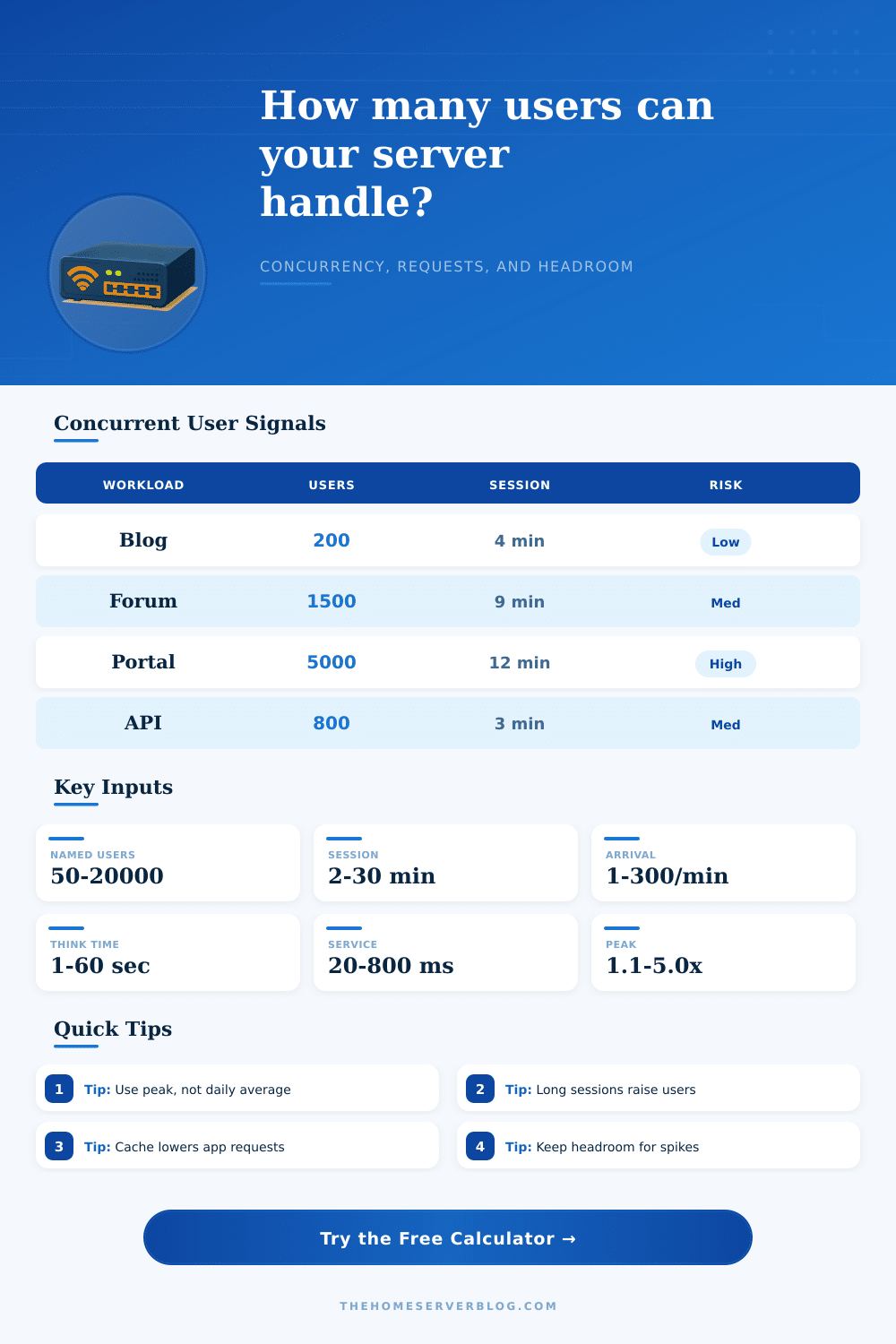
| Personal blog | 100 to 1000 | 2 to 5 min | 1.5x to 3x | Cache misses and admin logins |
| Photo gallery | 50 to 500 | 6 to 15 min | 1.5x to 4x | Thumbnail generation and storage |
| Team cloud app | 25 to 300 | 10 to 30 min | 1.2x to 2.5x | Sync bursts and database locks |
| Community forum | 1000 to 20000 | 8 to 20 min | 2x to 5x | Search, sessions, and writes |
| API backend | 50 to 5000 | 1 to 5 min | 2x to 6x | Short service time and queues |
| Preset | Named users | Session | Arrival rate | Server rps |
|---|---|---|---|---|
| Personal Blog | 250 | 4 min | 3/min | 45 |
| Nextcloud Team | 120 | 18 min | 4/min | 70 |
| Community Forum | 8000 | 12 min | 70/min | 260 |
| API Backend | 900 | 3 min | 90/min | 420 |
When you are building a web application, you will encounter the difference between total users and concurrent users. The total number of users is the total number of individuals that have an account in your web application. Concurrent users are the number of individuals that are using your web application at the same time.
Understanding the difference between these two numbers is important because the difference between these two numbers represent the amount of capacity that you need to provide for your web application. To calculate this number, you can use a concurrent users calculator. A concurrent users calculator take the known data of your web application and transforms that data into an estimation of the capacity of your web application.
Total Users vs Users Using Your App at the Same Time
Each of the different data inputs to a concurrent users calculator represent different element of the traffic that your web application will receive. For instance, the number of named users is the total number of individuals who may use your web application. The active percentage is the percentage of named users that are actively log in to your web application during its busiest time period.
The session length is the length of time that each individual remains logged into your web application. The arrival rate is the number of new users that begin to use your web application during a defined time period. Think time and service time is the amount of time that an individual spends using your web application.
Finally, the cache hit rate and the capacity of your web server is the amount of traffic that your web server must handle; think time and service time will translate the number of visitors to your web application into the number of requests that your web server must fulfill. Each of these different data elements will impact the calculations that occur within the concurrent users calculator; if you change any of these elements, the calculator will recalculate each of the elements of the web applications required capacity. The majority of calculations of the capacity of a web application are based off a formula known as Little’s Law.
Little’s Law states that the average number of items in a system is equal to the arrival rate of those items multiplied by the amount of time that each item spend in that system. In the context of a web application, the formula can be rewritten so that the number of concurrent users is equal to the arrival rate of users during a specific period (per minute) multiplied by the length of each users session. These equations are represented within the concurrent users calculator for your convenience; additionally, the concurrent users calculator will compare the number of concurrent users to the number of total named users that are possible for your web application.
You should use the higher of these two numbers to ensure that you have a safe estimate of the capacity requirements of your web application. The rate at which your web server receives requests is another calculation that emerge from calculating the number of concurrent users. The number of requests per second is calculated by taking into account the number of concurrent users as well as the think time and the number of dynamic actions that each individual perform during each visit to your web application.
Additionally, the cache hit rate can be used to calculate the number of requests per second that will be made of your web application server. That number can be compared to the capacity of your web server. The utilization of that web server can be calculated by dividing the number of requests per second by the capacity of the web server; the headroom for your web server is the difference between the capacity of the web server and the utilization rate; a small headroom indicates that your server will be quick reached to its designed capacity.
The calculations within the concurrent users calculator are based upon average data for your web application; the actual number of visitors that your web application receives may dramatically increase sudden due to factors like an email campaign to promote your application, social media mention of your application, or the addition of a new feature to your web application. To account for these possibilities, you can enter the peak request rate into the concurrent users calculator; the higher the peak request rate, the more capacity that your web application must have during those periods of high traffic. The peak request rate can be determined through the use of judgment and experience in creating and managing web applications.
For instance, web applications that allow comments or discussions (like a forum) may have a more different peak request rate than web applications that are used to provide information to users of an organization (like an internal dashboard). Service time is one of the time-based elements that must be entered into the concurrent users calculator. The service time is the length of time that the most important requests to your web application will take to process.
For instance, if your web application includes forms that a server must submit and process, the service time will be based upon the length of time it takes to process those forms. That time can be found through monitoring tools that are implemented into your web application, or by performing a load test of your most demanding features to determine how long those requests take to process. The concurrent users calculator may also include reference tables.
These tables include examples of the types of web applications that exist, along with the type of traffic that they typically receive. These tables are not rules for your web application, but they may help to ensure that you have correctly entered each of the values for your web application; if the values that you entered result in numbers and units that is significantly different from those in the reference tables, you may have incorrectly entered a value in the calculator. For instance, a community forum application may have a significantly different service time than a personal blog application due to the different requirements for storing and retrieving comments from users.
Many factors beyond those calculated within the concurrent users calculator influence the capacity of a web application. For instance, the number of database connections, the number of worker threads within the web server, and the amount of memory that is allocated to the web server are three factors that may limit the capacity of the web application. Additionally, factors like horizontal scaling of the web servers and the use of load balancing may limit the capacity of the web application.
These factors are not requested of the users of the concurrent users calculator because these are based upon architectural decisions regarding the web application; however, these factors will determine whether the headroom that you calculate will actualy protect your web application from reach its capacity. Additionally, it is recommended to run the same set of data through the concurrent users calculator in a variety of scenario. For instance, it is useful to calculate the capacity that the web application should have if it is in its average state of operation, during its peak time period, and during a time when the web application is under stress.
Each of these scenarios will reveal different levels of utilization for the web application and its servers, as well as the headroom for those web servers before they reach the capacity of the web application. The change in each of these values during these scenarios is important to understand, because it will allow you to understand the impact that different changes to the web application can have upon its capacity. Thus, the concurrent users calculator does not design the infrastructure that will host the web application, but it does allow the developers or architects of that web application to understand the tradeoffs that each decision will create before the web application begins to experience high loads.