Tape Backup Calculator
Plan LTO generation, cartridge count, retention sets, full and incremental schedules, compression assumptions, and backup window throughput for a home lab or small server room.
Tape backup sizing result
Compressed capacity depends on your data. The calculator uses native cartridge capacity multiplied by your selected compression ratio instead of assuming every backup reaches 2.5:1.
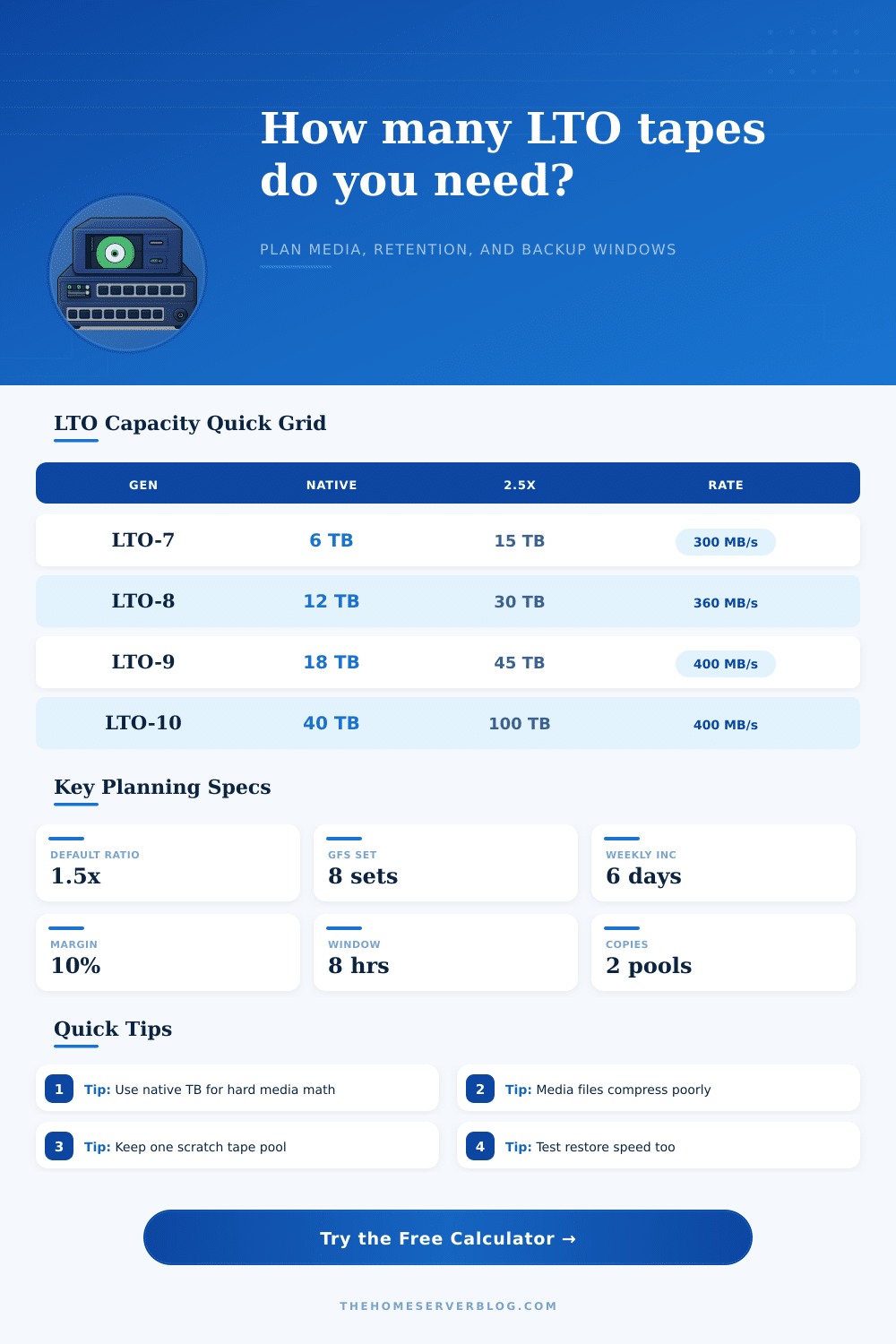
| Generation | Native capacity | Compressed at 2.5:1 | Native transfer rate |
|---|---|---|---|
| LTO-5 | 1.5 TB | 3.0 TB at 2.0:1 class, often planned conservatively | 140 MB/s |
| LTO-6 | 2.5 TB | 6.25 TB | 160 MB/s |
| LTO-7 | 6 TB | 15 TB | 300 MB/s |
| LTO-8 | 12 TB | 30 TB | 360 MB/s |
| LTO-9 | 18 TB | 45 TB | 400 MB/s |
| LTO-10 30 | 30 TB | 75 TB | 400 MB/s |
| LTO-10 40 | 40 TB | 100 TB | 400 MB/s |
| Schedule style | Typical inputs | Media behavior | When to use |
|---|---|---|---|
| Weekly full plus daily incremental | 1 full, 6 incrementals | Moderate full media, small daily tapes | Home lab NAS, VM hosts, file shares |
| Monthly full archive | 1 full, 0 incrementals | Predictable full set count | Cold datasets, exports, annual snapshots |
| GFS rotation | 4 to 12 retained sets | High retention multiplier | Business records and restore points |
| Dual media pool | 2 copies or pools | Doubles tape requirement before margin | Onsite plus offsite separation |
| Data profile | Suggested ratio | Reason | Planning note |
|---|---|---|---|
| Encrypted backups | 1.0x to 1.1x | Already randomized blocks | Plan near native capacity |
| Video, photos, media | 1.0x to 1.2x | Formats are usually compressed | Expect many full-set tapes |
| VM images and databases | 1.3x to 1.8x | Mixed free space and binary data | Measure real backup jobs |
| Logs, text, source code | 2.0x to 2.5x | Highly repetitive data | Use 2.5x only after testing |
| Bottleneck | Symptom | Calculator input | Practical check |
|---|---|---|---|
| Source disks | Tape shoe-shining or pauses | Lower observed source MB/s | Run a read test from backup source |
| Network path | Flat ceiling below drive rate | Use measured end-to-end MB/s | Confirm NIC, switch, and jumbo settings |
| Backup software | High CPU or dedupe delay | Use completed job average | Compare full and synthetic full jobs |
| Single tape drive | Full set exceeds window | Increase drive count only if parallelism exists | Split jobs by dataset or storage pool |
Tape is a data storage medium that provide data storage solutions for data-intensive applications. Tape is a useful medium for data storage because tape can handle specific data problem that other data storage media cannot handle. Although a company might store its datasets on spinning disks or solid-state drives (SSDs), there might be specific advantages to using tape cartridge to store those datasets.
A person must consider if there is enough tape available for the datasets a company want to store. Furthermore, a person must also consider if the tape rotation is compatible with how the company’s datasets change. Finally, a person must ensure that the backup plan will be completed within the available time window to back up data overnight.
How to Calculate How Many Tape Cartridges You Need
The size of the datasets a company plans to store on tape is an important input for creating a backup plan. However, the compression ratio of those datasets is an input that will cause many a backup plan to fail. Media files and encrypted files is often already compressed before they are stored on tape cartridges.
Therefore, media files and encrypted files will use the entire native data capacity of each tape cartridge. Text log files and text source code trees may be compressed at a rate of two to one, meaning they will use less tape cartridge than other types of files. The compression ratio of a company’s datasets will determine how many tape cartridges are required to store a single full set of those datasets.
Furthermore, the compression ratio will also determine the budget for those tape cartridges. The policies regarding how many copies of the company’s datasets are to be retained will determine how many copies of the data are to be stored. These policies may cause a person to realize that the budget for the tape cartridges has been under-budgeted.
A company may establish policies that require them to keep four full sets of their data. However, each of those four full sets will also contain incremental backups of that data. Should the company also require an offsite copy of that data, the number of tape cartridges required will grow quite rapid.
It is through these policies that many a company discovers that they have not purchased enough tape cartridges to back up their data to a second location. In order to calculate the number of tape cartridges a company will need, that company can use the tape backup calculator. The tape backup calculator will ask for the number of sets of data the company would like to keep.
Additionally, that calculator will ask for the number of physical copies of each set of data that a company wants to have. The daily change rate of the data that a company stores is the amount of data that changes every day in that company. This daily change rate is data that should not be overlooked when creating a backup plan for a company.
If a company’s data changes at a daily change rate of three percent each day, the data will need to be fully backed up second time within the course of one week. The amount of data that changes each day must be accounted for when calculating the number of tape cartridges a company will need. Furthermore, if the change rate each day is higher than that which is initially estimated for the company, then the incremental backups will take up more of the company’s time than initially estimated.
Therefore, an increased daily change rate will also impact the backup plan, as those incremental backups may not fit into the time window designated for the company’s next full backup of its data. Throughput is the speed at which the data is written to the tape cartridges. The actual throughput will always be less than the maximum speed at which the tape drive is rated.
For example, the tape drive may be rated to store data at a speed of four hundred megabytes per second. However, the throughput of the actual data from the company’s source disks and the network path to the backup server will be less than the maximum speed of the tape drive. If the data from the company’s disks cannot keep up with the data writing speed of the tape drive, the tape drive will start and stop throughout the backup process.
These starting and stopping movements of the tape drive will shorten the life of the tape media and slow the effective writing speed of that media. In order to calculate the actual throughput of the data to the tape cartridges, a user should use a backup job log. This log will contain an actual measurement of the throughput of the data being stored on tape.
This number will allow for the creation of an accurate backup time estimate for the company’s data. The most important output of the backup plan is not the total number of tape cartridges that will be needed to back up a company’s data. The most important output of a backup plan is the percentage of the backup window that the largest full backup job will consume.
If the largest full backup job consumes more than eighty percent of the backup window, there will be no room for error in that backup process. If the full backup job takes up more than the backup window that is established for that job, then the backup plan that was used to calculate that time for the job is unrealistic. Tape is a data storage medium that the individuals in the company must manage.
The company will have to manage the scratch pool for those tape drives and will have to periodically test the ability of those tapes to restore the company’s data. While it is possible for the data to remain readable after three years of not backing up the tapes, the cataloging software that describes the data will likely fail after those three years of inactivity. To account for this, a company should have a small number of extra tape cartridges on hand in case those backup cartridges fail.
One of the hidden costs of using tape cartridges to back up a company’s data is the cost of data growth. When a company backs up its data, that data will not shrink on the cartridges. Therefore, a company should add a ten percent margin to the estimated amount of data the company will store on those tape cartridges.
This ten percent margin will account for both data growth and the potential failure of some of the media. In order to use the tape backup calculator effectively, the individuals in the company should provide honest and accurate inputs regarding the size of their datasets and the change rate of their data each day. The accuracy of the tape backup calculator depends upon the accuracy of the data inputs from the employees of the company.
If the employees accurately enter the daily change rate, the throughput, and the compression ratio of the company’s data into the backup calculator, the result will provide a reliable number to those budget holders and compliance auditors within the company. However, if the company enters the marketing numbers for these values instead of the real, accurate numbers, the backup calculator will not provide the company with an accurate estimation of the number of tape cartridges whose data will be backed up.