Cloud Backup Bandwidth Calculator
Estimate the upload bandwidth, seed duration, daily incremental transfer, retry overhead, and backup window fit for home labs, NAS storage, and small server rooms.
1.Choose a cloud backup preset
2.Enter backup assumptions
Backup bandwidth results
Calculation breakdown
3.Cloud backup planning cards
Initial Seed
Incrementals
Dedupe Ratio
Window Design
4.Backup bandwidth grid
| Daily wire data | 4 hour window | 8 hour window | 12 hour window | 24 hour window |
|---|---|---|---|---|
| 25 GB | 13.9 Mbps | 6.9 Mbps | 4.6 Mbps | 2.3 Mbps |
| 100 GB | 55.6 Mbps | 27.8 Mbps | 18.5 Mbps | 9.3 Mbps |
| 250 GB | 138.9 Mbps | 69.4 Mbps | 46.3 Mbps | 23.1 Mbps |
| 500 GB | 277.8 Mbps | 138.9 Mbps | 92.6 Mbps | 46.3 Mbps |
| 1 TB | 555.6 Mbps | 277.8 Mbps | 185.2 Mbps | 92.6 Mbps |
Grid values assume decimal GB and continuous transfer during the window. Add headroom for household or office traffic.
5.Reference tables
| Backup preset | Dataset | Daily change | Ratio | Typical window |
|---|---|---|---|---|
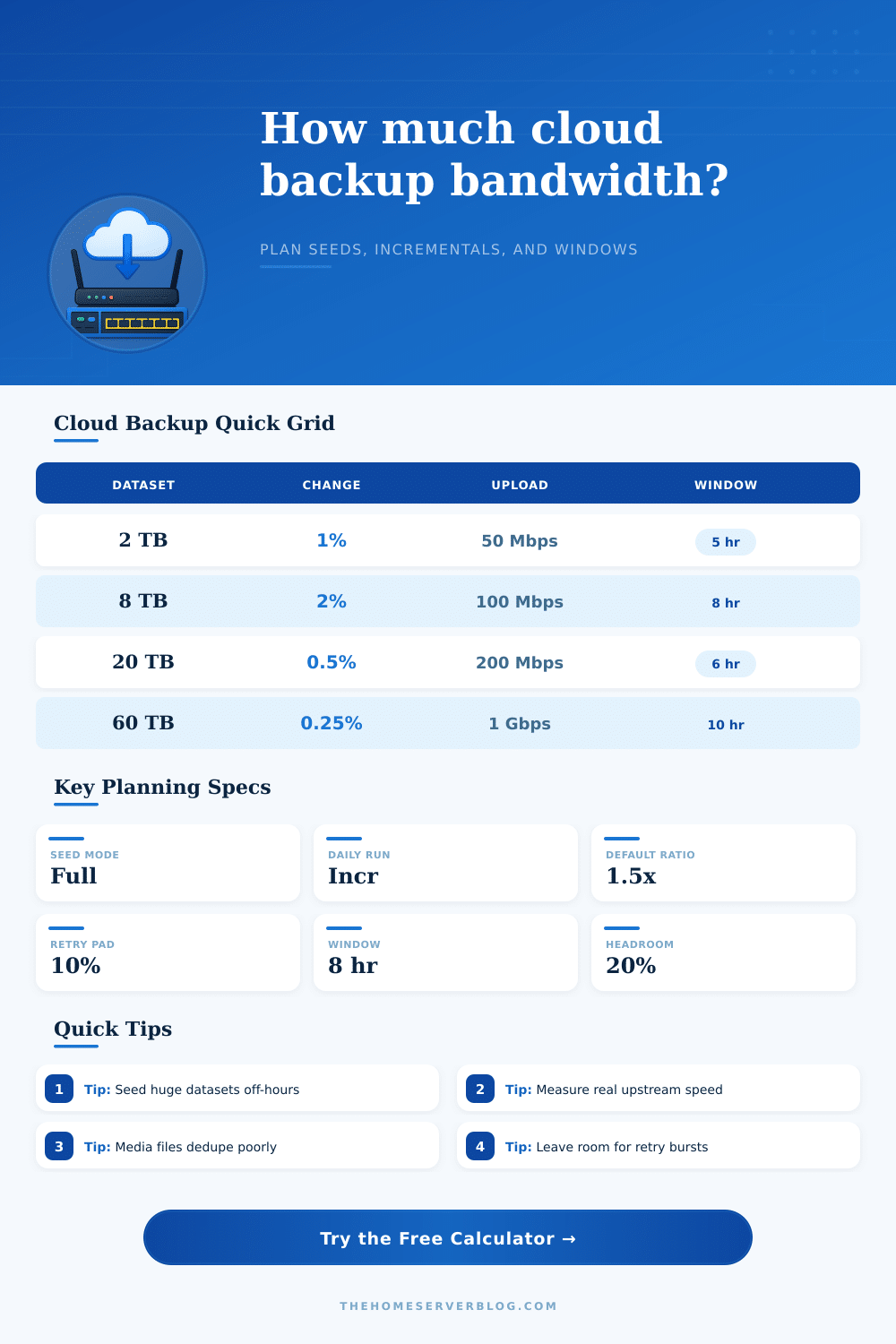
| Home NAS Incrementals | 8 TB | 2% | 1.5x | 8 hr |
| Photo Archive Seed | 4 TB | 0.3% | 1.1x | 10 hr |
| Proxmox Nightlies | 12 TB | 4% | 2.0x | 6 hr |
| Media Library Seed | 36 TB | 0.2% | 1.0x | 12 hr |
| Fiber Home Lab | 20 TB | 1.5% | 1.8x | 8 hr |
| Data type | Expected ratio | Why it changes | Planning note |
|---|---|---|---|
| Photos and video | 1.0-1.1x | Already compressed | Plan near raw size |
| Office files | 1.3-1.8x | Some redundancy | Measure first full run |
| VM images | 1.5-3.0x | Repeated blocks | Changed block tracking helps |
| Databases | 1.1-2.0x | Logs and churn | Coordinate snapshots |
| Source repos | 2.0-4.0x | Text compresses well | Dedupe packs carefully |
| Seed strategy | Network impact | Best fit | Operational watchpoint |
|---|---|---|---|
| Network upload | Highest first run | Small and medium sets | May take days or weeks |
| Seed drive import | Low first-run link load | Large data sets | Requires clean final delta |
| Already seeded | Incrementals only | Migration or refresh | Verify chain consistency |
| Staged folders | Controlled bursts | Busy shared links | Needs priority ordering |
6.Practical backup tips
To plan a backup that will effectively use your network connection, you must have an understanding of the volumes of data that you have and the speed of your internet connection. The first copy of your data will require the most largest amount of data to move and will take the most time to move across your network. After the initial copy of the data are moved, only the data that change will have to be moved.
The initial copy, however, will still have to move over your network connection unless you use a seeding strategy. A seeding strategy involve moving the first copy of your data using a physical drive rather than using your network connection. Many individuals dont account for the amount of bandwidth that the seeding strategy will require for there network.
Plan Your Backup with the Data Backup Calculator
The data backup calculator that is provided on this page requires three specific type of inputs from the user. The three inputs that are required are the size of the data set, the percentage of data that changes each day, and the degree to which that data can be compress. These three variables are important in that they will determine the amount of data that will travel across the network.
Many home and small business network connections advertises a high rate of upload speed. The advertised upload speed, however, is not often the same than the actual upload speed that the network provides to the user network. The data backup calculator allows for headroom to be set aside for other network traffic.
For instance, video calls and synchronization with other devices on the network may need to use some of the available upload speed for the network. The results of the data backup calculator will show how much of the available upload speed the backup will use, as well as whether the backup will fit into an available time window. Using a seeding strategy will affect the amount of data that must travel over the network.
Instead of moving the initial data over the network, the organization can ship a physical drive to the data backup provider to complete the initial move of the data. The calculator can model this scenario for the user. Instead of having to back up the entire data set each day, only the daily incremental backup will be required.
Daily incremental backups tend to be small enough to complete during the night when the users are sleep. Many people will find that the initial seed of the data is the only part of the backup that require special consideration; most network connection will be able to manage the daily incremental backup. Another variable that may surprise individuals is the daily change rate.
For instance, a small daily change rate actualy can lead to a very large amount of data that changes each day. For instance, a 2% change rate of an 8TB data set leads to 200 GB of data per day. The calculator will provide the volume of that data after accounting for compression of the data.
The calculator will also assist in the decision of which data to back up and how long the backup should take. Because the user enters the percentage of data change into the calculator, various percentage can be entered to see the impact on the backup schedule of various percentages of data change. Another consideration is that the backup client may report rates of download and upload speed that are slower than the speed of the network upload speed.
For example, the client may experience slower speeds due to protocol overhead. This percentage is added to the data backup calculator to provide an accurate time needed to complete the backup of the data. Furthermore, the data backup calculator also includes the allowance for data to be re-sent over the network in the case that the backup fail; for instance, if the backup software performs a hash check on the data and finds that the data was altered during the backup process.
On this page are reference table that show the amount of data that may need to be backed up by various types of data sets. For instance, data that consists of photos and videos will not shrink much through data compression, but data that consists of virtual machine will compress well. Furthermore, there are also reference tables that show the backup window that different type of data take to back up.
Your upload speed should be measured on your network during one of your data backups. The advertised upload speed of your connection will not be reflected in your actual upload speed during a backup. The calculator will only be as accurate as the upload speed that you enter into the calculator; an inaccurate upload speed will provide an inaccurate time for the backup to be complete.
Once you have an accurate upload speed for the network, you can determine the time required to back up the data each day and the percentage of the time window that the backup will take. Another consideration for your backup solution is how fast the data changes. Data that grows at a rapid rate or changes at a high rate will eventually change your backup solution requirements.
A change in the requirements for the backup data may lead the backup job to miss its time window for backing up that data. For these reasons, it is important to run the data backup calculator every few month to ensure that the requirements for backing up the data are up to date.