Summary Static Route Calculator
Aggregate contiguous IPv4 subnets into fewer static routes, check binary alignment, estimate wasted address coverage, and produce a platform-friendly next-hop command.
Summary Route Breakdown
| Piece | Advertised CIDR | Coverage Range | Mask | Use |
|---|---|---|---|---|
| 1 | 10.40.0.0/22 | 10.40.0.0 - 10.40.3.255 | 255.255.252.0 | Main summary route |
| Child Routes | Child Prefix | Clean Summary | Boundary Rule | Example |
|---|---|---|---|---|
| 2 | /24 | /23 | Start on even third octet | 10.10.8.0/23 |
| 4 | /24 | /22 | Start on multiple of 4 | 10.10.12.0/22 |
| 8 | /24 | /21 | Start on multiple of 8 | 10.10.16.0/21 |
| 16 | /24 | /20 | Start on multiple of 16 | 10.10.32.0/20 |
| 4 | /26 | /24 | Start on .0 in fourth octet | 192.168.7.0/24 |
| 8 | /27 | /24 | Start on .0 in fourth octet | 192.168.9.0/24 |
| Platform | Static Route Shape | Distance Field | Discard Route | Practical Note |
|---|---|---|---|---|
| Cisco IOS | ip route prefix mask next-hop | Optional AD | Null0 route | Specific child routes beat the summary by longest match. |
| Linux | ip route add prefix via gateway | Metric | blackhole route | Use route metrics when the same prefix has backup paths. |
| MikroTik | /ip route add dst-address gateway | distance | type=blackhole | Keep dynamic VPN routes more specific than the aggregate. |
| pfSense | System Routing static routes | Gateway priority | Firewall reject | Make sure gateway monitoring does not withdraw needed paths. |
| UniFi | Settings Routing static route | Interface route | Limited UI | Document which downstream router owns the child subnets. |
| Use Case | Specific Routes | Summary Route | Covered Addresses | Risk Check |
|---|---|---|---|---|
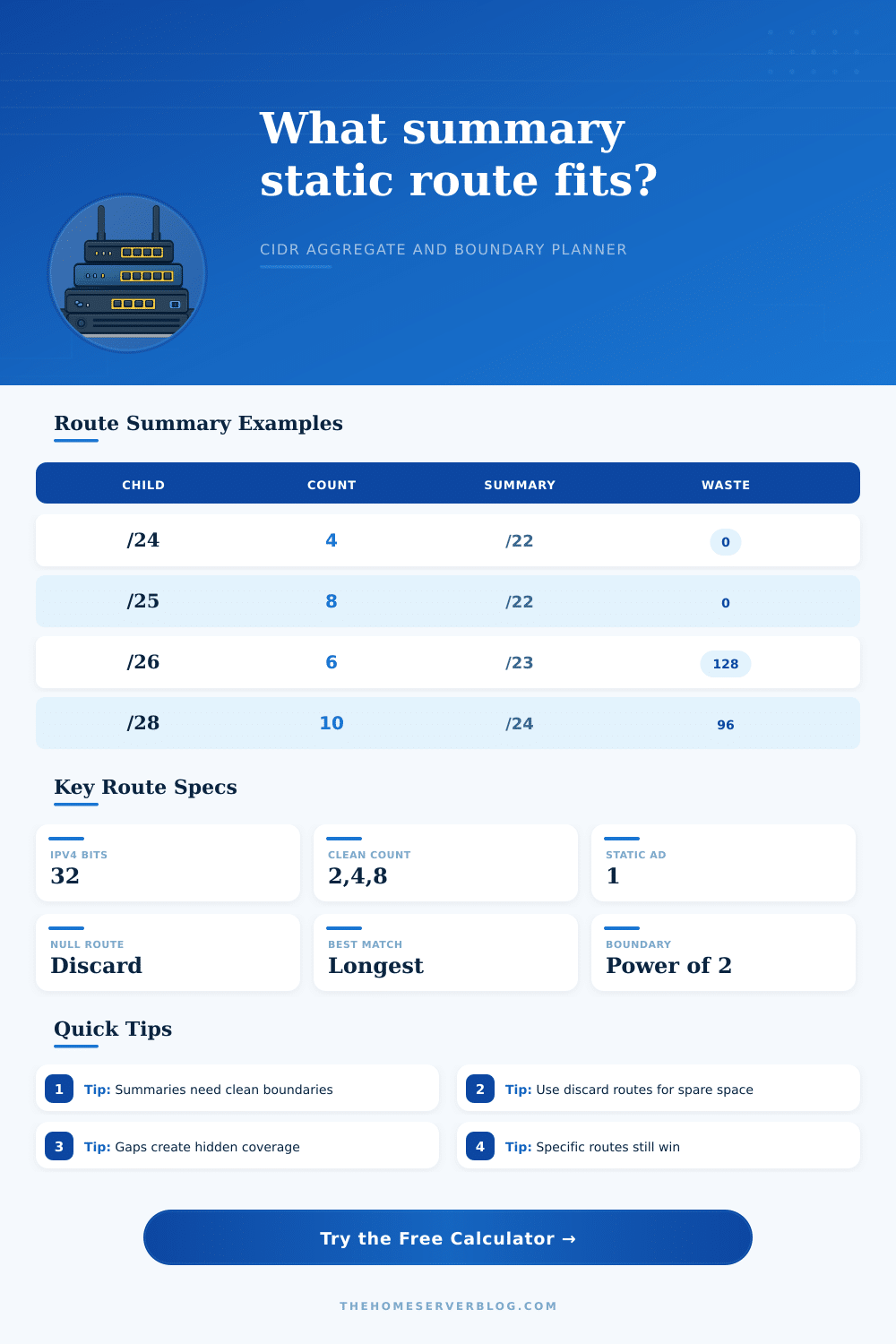
| Four home VLANs | 4 x /24 | /22 | 1,024 | Clean if allocated together. |
| Small lab pod | 4 x /26 | /24 | 256 | Good for rack-local transit. |
| Eight branch LANs | 8 x /24 | /21 | 2,048 | Check branch gaps before advertising. |
| Six camera VLANs | 6 x /26 | /23 | 512 | Two unused /26 slots are covered. |
| VPN site pairs | 2 x /23 | /22 | 1,024 | Confirm both sites share next hop. |
| Container blocks | 16 x /28 | /24 | 256 | Easy to leak if overlays overlap. |
At some point, you probably began with a pristine plan when it comes to how your network address space would look. Everything was neatly arranged by function, department, or maybe even by floor. Life has a funny way of getting in the way. Perhaps you need a special isolated segment for those old printers? Maybe you want to include a VLAN for guest Wi-Fi? Before you know it, your routing table becomes a mix of two hundred unique static route entries. At 3 AM, no one wants to read through that.
So, how do we handle this? Dump ’em all in there and hope our router’s hardware can keep up with the churn. Summary static routes is entered. These allow us to take specific paths and replace them with a single more generalized instruction that points traffic in roughly the right direction. Not only does this save keystrokes, but it frees up your router’s control plane from choking on house-keeping tasks.
Why You Should Use Summary Static Routes
When you enter number of subnets and starting IP into the calculator above, it figures out everything for you. No more need to memorize boundary conversions from binary.
The key limitation here is binary alignment. Unless the binary representation lines up on the power-of-two boundaries, IP addresses don’t summarizes well. Try to aggregate four /24’s together? They has to begin with an IP that’s divisible by four on the correct octet. Otherwise the resulting aggregation won’t be possible to create cleanly or will be way too large. Most folks fail to realize this when they design their addressing plan. Sure you can choose whatever IP range you want, but only some choices is helpful for efficient summarization down the road. It’s a tiny little detail, but man does it make a huge difference when keeping your topology simple.
When you input your information into the tool, take note of the wasted address metric. Chances are, there’s some overlap with reserved/unused space used in the summarization process. The calculator will tell you precisely which IP addresses is summarized but don’t correspond to any of your currently-active child subnet. For a large enterprise network, this waste is often tolerable in exchange for stable routing. Having a slightly less efficient route table is preferable than having a flaky, unstable one that oscillates on link failure.
When it comes to smaller networks such as IoT segments and even small office VLANs, however, every bit matters. Some routes must stay unique because they use valid IP addresses that you would rather not lose in another part of the network. That’s where the true engineering tradeoff lies, between efficiency and conservation.
What about the traffic hitting the unallocated space within your summary block? You’ll want to think about how to deal with that, too. Any packets that fall on an address outside your reach (i.e., not one of the ones covered by your total) will ultimately come right back to you. Unless there’s some sort of sink, it could even go back out again through your network, creating pointless load… Or leaving you scratching your head trying to figure out why things aren’t working correctly. Clearly discarding this stray traffic is a safety valve, which the tool recommends as a solution. By using null or blackhole routes, you instruct the router to toss any address in this block that isn’t one of the defined valid subnet. This keeps your forwarding plane predictable and clean.
These aggregates are treated different from platform-to-platform in terms of how flexible they will be. For example, Cisco IOS uses an administrative distance to favor more specifics over a summary. It makes sense; Linux and MikroTik both has their own ways to make sure one route takes precedence over another. The beauty of this tool is that the commands produced are targeted toward your platform. You won’t need to fumble around trying to figure out the right command syntax. Whether you’re configuring on a core distribution switch or just configuring a home lab router, it’s all the same logic behind it. If there’s a more specific match, you want it to win. Everything else not matching a more specific rule is picked up by the summary.
At its core, network design is about managing complexity. Noise gets reduced through summarization. That is, it hides the messy details of your internal network layout from the rest of the internet (and the rest of your own infrastructure). When you leave a config session, you’d like less lines of code doing the same thing. Use summaries carefully. Align your subnets properly. You’ll transform a disorderly collection of paths into a well-structured hierarchy. And you’ll remain in control while not losing any sleep over routing tables.
It could of been harder if we didn’t have this tool.