PHP-FPM Pool Calculator
Estimate max children, spare server limits, memory headroom, CPU fit, throughput pressure, and database connection safety for a PHP-FPM pool.
⚙Named PHP-FPM Presets
📈Pool Inputs
Recommended Pool Sizing
🗂PHP-FPM Sizing Reference Grid
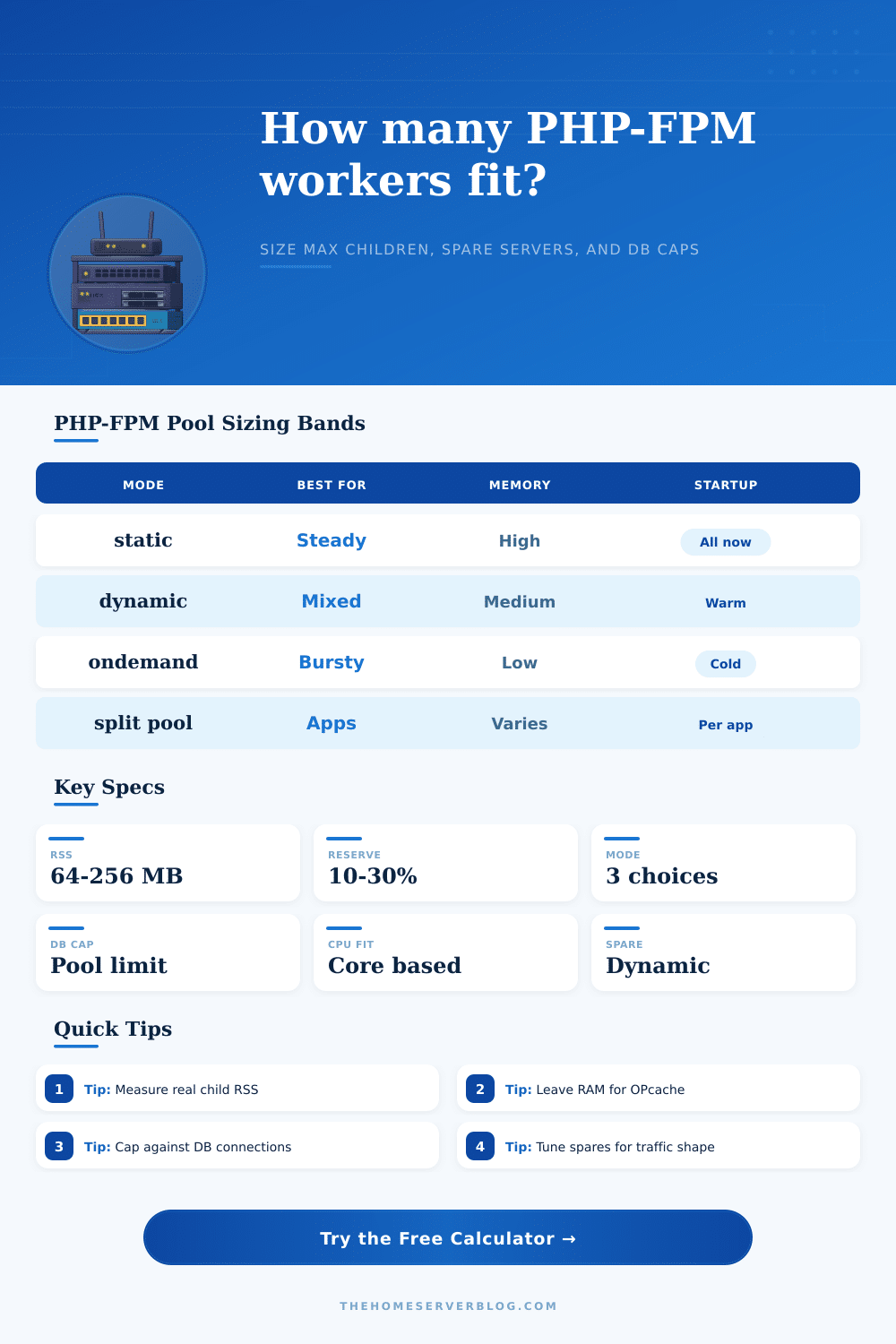
📋Process Manager Comparison
static
Runs exactly the configured number of children all the time.
- Predictable latency
- Highest idle memory use
- Good for steady traffic
dynamic
Keeps warm spare children and scales between idle and max.
- Best default for most sites
- Requires spare tuning
- Good for mixed traffic
ondemand
Starts children only when requests arrive, then removes idle ones.
- Lowest idle memory
- Cold-start tradeoff
- Good for quiet apps
📚Reference Tables
| Application type | Common child RSS | Reserve pattern | Pool note |
|---|---|---|---|
| Small WordPress | 48 to 96 MB | 128 to 256 MB OPcache | Plugins decide the real number |
| WooCommerce or Drupal | 96 to 220 MB | 256 to 512 MB OPcache | DB cap often matters |
| Laravel API | 70 to 160 MB | 128 to 384 MB shared | CPU profile varies by endpoint |
| Nextcloud or media app | 120 to 300 MB | 256 to 768 MB reserve | Uploads and previews spike RSS |
| RAM budget | Child RSS 64 MB | Child RSS 128 MB | Child RSS 256 MB |
|---|---|---|---|
| 1 GB PHP budget | 12 to 14 children | 6 to 7 children | 3 children |
| 2 GB PHP budget | 26 to 29 children | 13 to 14 children | 6 to 7 children |
| 4 GB PHP budget | 55 to 59 children | 27 to 29 children | 13 to 14 children |
| 8 GB PHP budget | 112 to 118 children | 56 to 59 children | 28 to 29 children |
| Directive | static | dynamic | ondemand |
|---|---|---|---|
| pm.max_children | Total fixed workers | Maximum burst workers | Maximum spawned workers |
| pm.start_servers | Ignored | Initial warm pool | Ignored |
| pm.min_spare_servers | Ignored | Lowest idle warm pool | Ignored |
| pm.max_spare_servers | Ignored | Highest idle warm pool | Ignored |
| pm.process_idle_timeout | Ignored | Ignored | Idle child lifetime |
| Scenario | Typical mode | Primary constraint | Watch first |
|---|---|---|---|
| Small VPS blog | ondemand or dynamic | RAM | Swap and slow log |
| Store checkout | dynamic | DB connections | Queue length and DB waits |
| Internal API | static or dynamic | CPU and latency | p95 duration |
| Multi-app hosting | dynamic per pool | Aggregate RAM | Total children across pools |
💡Pool Sizing Tips
ps -o rss or process monitoring during representative traffic. PHP memory_limit is a ceiling, while RSS is what the operating system actually has to keep resident.The site loads perfectly well. But as soon as someone tries to checkout, the spinner comes up, and stays on long enough to feel unsafe. And then the connection just times out. That’s not normaly a code problem. More often than not, it’s that you’ve got a pool of PHP workers that just run out of hands to shake when traffic really hits. Getting size of your PHP-FPM pool right isn’t about pure horsepower; it’s about managing how much resources you use so that there are no bottleneck when traffic hit.
For most folks, this means guessing their max_children limit by looking at server’s total RAM and dividing it by some arbitrary number. This doesn’t work, because it doesn’t take into account what your child processes actualy use in memory, the database connections, or the operating system itself. That’s where the calculator comes in (above). Plug your own constraints into the calculator, and let it do the math for you, no need for guesswork about CPU vs. These is memory bottlenecks.
How to Fix Your PHP Server Settings
Newcomers are often confused by one thing: what is “average child RSS“? Here’s how the memory_limit setting in your php.ini file won’t tell you the whole story: It ignores the Zend engine overhead, shared libraries, allocator variance, etc. These isn’t within the PHP memory_limit range, yet they still count as part of the resident set size. Measure real-world RSS with a tool like ps when your application is under normal load, and you’ll arrive at more conservative denominator for your calculation. Underestimate here, and you’ll have too many children, trigger swapping and watch your site crawl to a halt under what should of be moderate traffic.
The other side of the coin are not just about workers, but also memory reserves. Because OPcache requires some shared memory, and the OS wants some breathing room, you can’t just stuff every megabyte full of PHP processes. To avoid this, the calculator requests an additional reserve block for those shared elements. That way, you don’t end up double counting any memory, since that memory is only allocated once regardless of how many workers you’re running. A little thing in your config file, but get it wrong and you’ll have a mess of fragmentation and slow starts. You want enough headroom that if things suddenly pick up then the kernel won’t need to start paging out data to disk. Paging is where performance goes to die.
And then there’s the database connection limit. Each PHP worker typically maintains a single connection to MySQL or PostgreSQL. And if your number of DB slots isn’t enough for your max_children, you’ll exhaust your connections long before exhausting memory. The tool translates those database caps into an actual hard ceiling on your pool size. That way, your web server never commits to handling more concurrent requests then it can actually handle in its backend. It establishes a predictable failure mode: instead of a completely locked-up application, it’s just an application that stays responsive.
Depending on traffic patterns, one of these two process manager modes will make more sense different than the other. If traffic is highly variable, static pools waste resources while dynamic pools maintains a pool of warm spares to handle bursts (usually the sweet spot for most apps). For memory-intensive apps, on-demand modes conserve memory by shutting down idle worker, but you pay a cold-start penalty when they’re needed. The page has a set of reference tables laying it all out for various kinds of applications (an API node behaves differently than a WordPress site). Making the wrong decision will mean wasting memory or adding delay to your users’ experience.
To conclude. Tuning is something that’s iterative. Set some starting values, use these formulas to remove the guesswork, push those out, and monitor the logs. Are any queue filling up? Do you have processes running out of steam? If your system spikes when there are small surges of users, adjust your spare servers. If you’re getting db connection errors, reduce number of max children. You must balance having enough resources without having so many that they makes the system unstable. Measure your reserved memory & RSS and get your baseline correct so you don’t have to guess as much while scaling. Instead of your site fighting in the background, it will be able to handle traffic gracefully. The feeling that it won’t come crashing down is worth the trouble of measuring twice before configuring once.