Apache MPM Worker Calculator
Plan Apache worker or event capacity from RAM, MaxRequestWorkers, ThreadsPerChild, ServerLimit, keepalive behavior, request rate, CPU cores, and spare thread targets.
⚙Apache Scenarios
💻Server and MPM Inputs
Capacity Breakdown
📈Current Planning Metrics
🧭Apache MPM Comparison Grid
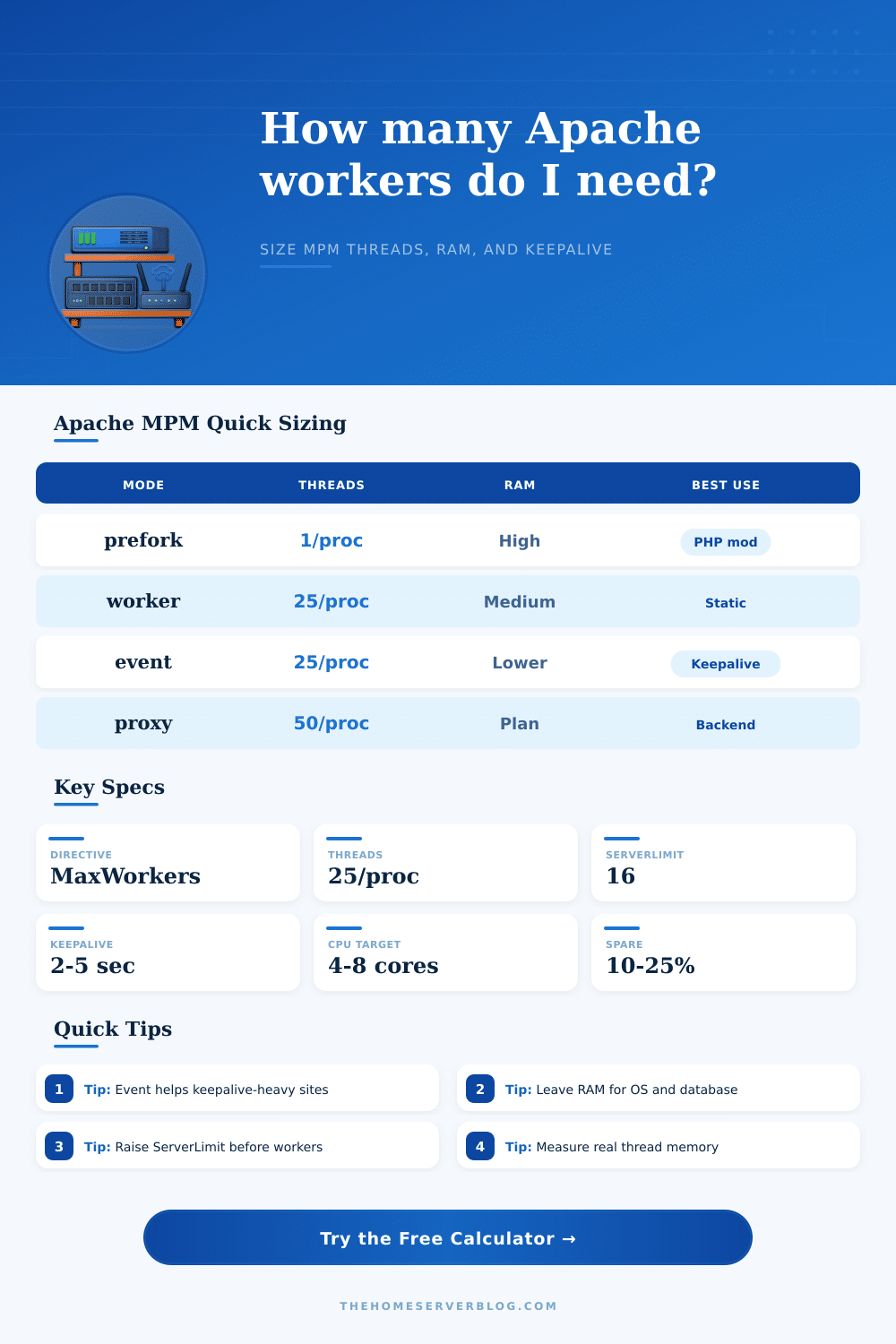
| MPM | Concurrency Model | Memory Pattern | Keepalive Behavior | Best Fit |
|---|---|---|---|---|
| prefork | One request per process, no threads | Highest per connection; each child is heavier | Idle keepalive can hold a whole process | Legacy mod_php or non-thread-safe modules |
| worker | Multiple threads inside each child process | Shared process overhead plus per-thread memory | Idle keepalive usually ties up a worker thread | Thread-safe apps, static files, reverse proxying |
| event | Worker-like threads with listener handling | Often lower pressure under many idle sockets | Async keepalive handling reduces tied workers | Modern Apache with keepalive and proxy traffic |
📚Directive Planning Table
| Directive | Worker/Event Meaning | Common Range | Capacity Effect |
|---|---|---|---|
| MaxRequestWorkers | Maximum simultaneous request worker slots | 100 to 1000+ | Main hard ceiling for active requests |
| ThreadsPerChild | Threads created by each Apache child | 25 to 64 | Higher value reduces process count |
| ServerLimit | Maximum child process count | 8 to 64 | ServerLimit x ThreadsPerChild caps workers |
| StartServers | Children started when Apache launches | 2 to 8 | Affects warm capacity after restart |
| MinSpareThreads | Minimum idle threads to keep ready | 25 to 75 | Helps absorb short bursts |
| MaxSpareThreads | Maximum idle threads before trimming | 75 to 250 | Controls idle memory footprint |
⏱Keepalive and Request Rate Reference
| Traffic Pattern | Request Time | KeepAliveTimeout | Active Percent | Planning Note |
|---|---|---|---|---|
| Static assets | 10 to 50 ms | 1 to 3 sec | 15% to 35% | CPU-light but many sockets can appear |
| PHP-FPM pages | 80 to 300 ms | 2 to 5 sec | 35% to 65% | Backend pool often becomes the true limit |
| Reverse proxy | 50 to 500 ms | 2 to 10 sec | 30% to 70% | Watch backend latency and proxy timeouts |
| Downloads | 1000 ms+ | 1 to 2 sec | 70% to 95% | Long transfers occupy slots longer |
📌Common Apache Sizing Examples
| Scenario | RAM | Workers | ThreadsPerChild | Keepalive |
|---|---|---|---|---|
| Small VPS Blog | 2 GB | 80 to 120 | 20 to 25 | 2 sec |
| WordPress Event MPM | 4 to 8 GB | 150 to 300 | 25 | 3 sec |
| Reverse Proxy Edge | 8 to 16 GB | 400 to 900 | 50 | 5 sec |
| Download Mirror | 16 GB+ | 300 to 800 | 25 to 50 | 1 sec |
🛠Thread and Process Formula Notes
| Calculation | Formula Used | Why It Matters | Adjustment |
|---|---|---|---|
| Directive cap | ServerLimit x ThreadsPerChild | Apache cannot exceed this compiled runtime shape | Raise both before raising MaxRequestWorkers |
| Processes | ceil(MaxRequestWorkers / ThreadsPerChild) | Determines Apache child process count | Keep under ServerLimit |
| Active requests | RPS x request seconds | Estimates threads doing actual work | Use peak p95 latency for safer sizing |
| Keepalive slots | RPS x timeout x idle factor | Idle clients may still consume capacity | Event MPM discounts idle pressure |
| Memory estimate | threads x MB + processes x MB | Prevents swap during traffic bursts | Leave RAM for DB, cache, and PHP-FPM |
💡Planning Tips
In the past I felt as though I was guessing when sizing Apache. Pick something that seemed like it might be enough (MaxRequestWorkers) and then wait for a traffic spike. When the traffic hit, you’d watch memory get swapped or see a flood of 503 errors denying requests. You could tweak one variable at a time. It worked back in the day but it’s slow and risky.
Understanding the interactions between memory, processes, and threads is what moddern tuning is all about. That’s where the heart of Apache configuration lies: balancing its two competing needs; concurrency and resources. Each open connection take up a worker slot; each slot use memory. Too many? Out of ram. Too few? Dropping connections.
How to Set Up Apache Server Settings Correctly
Enter the number cruncher. Input your server specs into the calculator above and it’ll do the math for you. Those numbers won’t matter until you understand them. They are the difference between fragility and stability. This isn’t a limit you’re setting, this is the shape you’re giving to your capacity.
That’s when you run out of memory. This usually happens because each of your Apache child process uses some space, and each of those threads in that process use more, which is heavily impacted by average amount of memory each thread consumes. The thread memory input is really important here. A static file server may not eat much memory at all per thread. But a PHP app on the other hand that’s either being proxied or run as mod_php can be eating quite a lot per connection. Underestimate this number and you’ll have a perfectly reasonable-looking number of workers…until the world comes crashing down around your ears.
Also keep in mind you’re going to want some memory reserved for whatever database engines is co-located on the same hardware, plus memory for the operating system itself. Run out of memory for the OS and it’ll start swapping and thrashing. This will kill your performance sooner then a low worker count ever would.
How you think about idle connections differs based off concurrency model. One process per connection is pretty straightforward, but it’s also heavyweight (prefork). Multiple requests per process are lighter weight (worker MPM uses threads) and allows for more concurrent requests. Even more lightweight is event MPM, which handles keepalive connections asynchronously so an idle client doesn’t block a worker thread forever. For sites where many browsers hang around after initially loading the main page, this can make a big difference.
You may find yourself thinking “oh I have tons of room; I set my keepalive timeout at 10 minutes”. You haven’t planned for idle clients that leave their sockets open and half your workers is doing nothing but sitting there waiting for them.
There’s also an important (but softer) limit: the CPUs available to you. Sure, you could keep throwing RAM at Apache until the cows come home. But no matter how many threads you spin up, response times will suffer if your server doesn’t have a fast-enough processor to serialize those requests in a timely manner. That’s where the calculator comes into play, it helps account for both the number of cores available as well as expected request rate and average processing time per request. Because it’s not about maxing out CPU use; it’s about making sure that the queue empties faster than it fills up. Having some headroom keeps latencies low during even brief bursts of traffic, and there are always these bursts on any real website.
Other directives such as ThreadsPerChild and ServerLimit is confusing for admins because they appear abstract. This continues until you hit the ceiling. ServerLimit refers to the max number of child processes Apache will spawn. You want it to be big enough to fit in the number of workers you want/need divided by the number of threads per child. If you set ServerLimit low and then increase MaxRequestWorkers, apache just totally disregards your new value and stops at the old one. A waste of troubleshooting time if you ask me. Just another config trap.
The page has a good reference table laying it all out, so now you know how these knobs relate to each other before you restart the service. It’s predictable, not perfect. You don’t care if it hits its peak performance sometimes if it falls over later. You’d prefer a system whose behavior under load is consistent.
If you can measure actual thread memory usage and estimate active connection percentage, you’re moving beyond guesswork into engineering. The calculator gives you a structure. Understanding how traffic flows through your stack helps you verify everything is working correctly. Make sure you size for the peaks. Leave some breathing room for background noise. Keep an eye on what happens when things gets busy. That discipline makes a weak server into a reliable platform.