EBS Provisioned IOPS Calculator
Size io1 and io2 Block Express volumes from steady IOPS, peak multiplier, IOPS:GiB ratio, throughput, queue depth, headroom, and EC2 instance limits.
io2 Block Express
Best fit when one volume must hold very high steady IOPS, high durability, and low latency with a 1000:1 IOPS:GiB ceiling.
io1 Provisioned IOPS
Previous generation choice with lower ratio and throughput ceilings. It is still useful for compatible designs that stay below 64k IOPS.
Striped EBS Set
Use multiple volumes only when capacity, ratio, or per-volume caps require it. The EC2 instance EBS cap still limits total delivery.
| Volume type | Size range | Provisioned IOPS range | IOPS:GiB ceiling | Throughput ceiling |
|---|---|---|---|---|
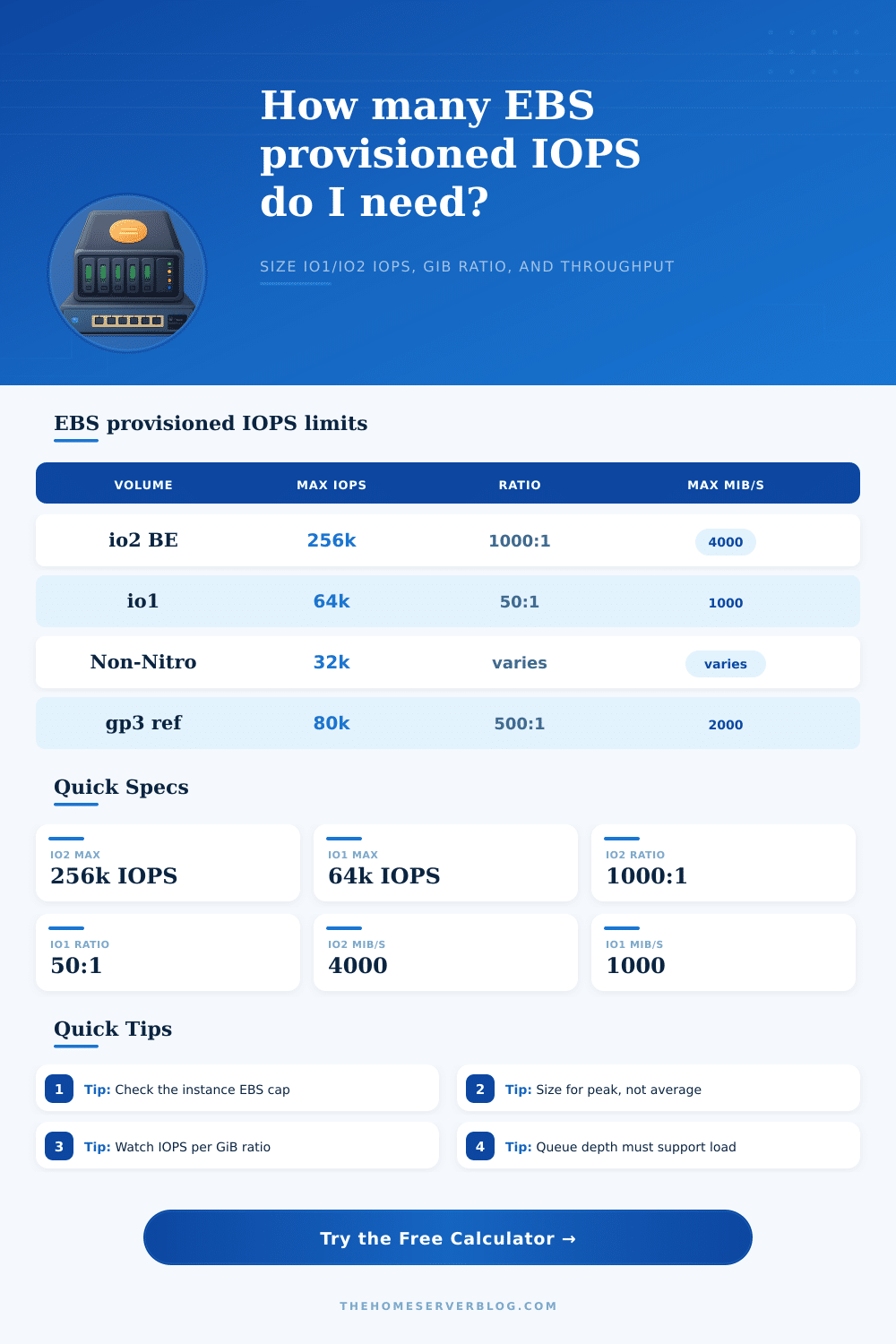
| io2 Block Express | 4 GiB to 64 TiB | 100 to 256,000 IOPS | Up to 1000:1 | Up to 4000 MiB/s |
| io1 Provisioned IOPS SSD | 4 GiB to 16 TiB | 100 to 64,000 IOPS | Up to 50:1 | Up to 1000 MiB/s |
| io2 on non-Nitro path | Attach support varies | Often achieved to 32,000 IOPS | Check instance path | Check instance path |
| io1 above 32k | 1,280 GiB or larger for 64k | 64,000 IOPS requires Nitro | 50 GiB per 2,500 IOPS | Linear to 1000 MiB/s |
| Average I/O size | Throughput at 10k IOPS | IOPS for 1000 MiB/s | IOPS for 4000 MiB/s | Planning note |
|---|---|---|---|---|
| 8 KiB | 78 MiB/s | 128,000 IOPS | 512,000 IOPS | IOPS usually limits first. |
| 16 KiB | 156 MiB/s | 64,000 IOPS | 256,000 IOPS | Matches many database random profiles. |
| 64 KiB | 625 MiB/s | 16,000 IOPS | 64,000 IOPS | Throughput becomes important. |
| 256 KiB | 2500 MiB/s | 4,000 IOPS | 16,000 IOPS | Large block scans can hit MiB/s caps early. |
| Instance path | Example calculator cap | What to verify | Common symptom | Useful response |
|---|---|---|---|---|
| Nitro high EBS limit | 256,000 IOPS | Exact EC2 type EBS optimized limit | Volume can exceed host path if ignored | Use an instance with a matching EBS limit. |
| Nitro mid EBS limit | 128,000 IOPS | EBS bandwidth and IOPS both matter | Latency rises at peak load | Reduce target or scale instance class. |
| Nitro 64k class | 64,000 IOPS | Per-instance IOPS is total attached EBS | Striping adds capacity but not host IOPS | Keep total target below the host cap. |
| Non-Nitro practical cap | 32,000 IOPS | Older limits and EBS optimization support | Provisioned IOPS not fully achieved | Move to Nitro for larger targets. |
| Preset | Typical I/O shape | Starting IOPS | Peak multiplier | Sizing warning |
|---|---|---|---|---|
| PostgreSQL OLTP | 8 KiB to 16 KiB mixed random | 18k steady | 2.0x | WAL and checkpoint spikes need headroom. |
| SQL Server TempDB | Small random write-heavy | 32k steady | 2.4x | Queue depth can become the hidden limiter. |
| SAP HANA Data | Large 256 KiB data operations | 16k steady | 1.5x | Throughput cap may matter before IOPS. |
| Kafka Broker | Sequential writes plus reads | 24k steady | 1.8x | Replica catch-up increases write pressure. |
| Elasticsearch Hot Tier | Merge-heavy random and sequential blend | 28k steady | 2.2x | Segment merges can double backend I/O. |
| Target IOPS | Minimum io2 GiB | Minimum io1 GiB | io2 stripe note | io1 stripe note |
|---|---|---|---|---|
| 10,000 IOPS | 10 GiB | 200 GiB | One small io2 volume can fit ratio. | Capacity floor is usually the limiter. |
| 32,000 IOPS | 32 GiB | 640 GiB | Check EC2 instance cap. | Works on a large enough io1 volume. |
| 64,000 IOPS | 64 GiB | 1,280 GiB | One io2 volume can fit easily. | io1 reaches its per-volume maximum. |
| 256,000 IOPS | 256 GiB | Not one volume | Requires Nitro and io2 Block Express. | Requires multiple io1 volumes and host cap. |
The capacity numbers will make all sorts of sense until you realize that buying terabytes of storage doesn’t matter if your disk isn’t fast enough to get an application the data it needs quickly. That’s why performance of a system is often measured not in raw capacity, but in terms of how fast it can delivers the data.
Before spinning up a single instance, you generaly want to know your limits here. Typically most folks begin with the number of IOPS they believe they require and go from there. That value alone, however, tell you nothing without context. Write amplification, burstiness, and your physical server’s ability to deliver the data all comes into play here.
Understanding Cloud Storage Limits and Choices
Because these factors are complex and connected, the calculator above lets you skip the guessing game and instead focus on the critical trade-off relationship between throughput, IOPS ratio, and volume size. What you’re forced to consider is that whatever your storage volume claims it can offer, your EC2 instance have a hard ceiling on its processing power. But the biggest no-no? You must not forget about the GiB-to-IOPS ratio.
Here’s where Amazon gives you two main provisioned option: io1 and io2. Older versions, io1 volumes, is stuck at a fifty-to-one ratio. Want sixty-four thousand IOPS? Fine, but it’ll cost you, you’re going to have to purchase an absurdly large one-point-two-terabyte volume before you can even hit that performance limit. In other words, you are paying for expensive storage capacity just to get speeds you may or may not use.
Newer io2 Block Express volumes flip that equation on it’s head, though. They has a one-thousand-to-one ratio. Same sixty-four thousand IOPS? No problem. Just give ’em a tiny sixty-four-gigabyte volume. And that sort of efficiency swing will change your budget projections overnight.
The other key consideration is throughput. Having sufficient IOPS for an app doesn’t necessarily mean that your throughput won’t be constrained. If you’re fetching large blocks of data (say, reading a video file), you’ll saturate bandwidth before running out of ops. It’s surprising how small of an op count it takes to max out a 4,000 megabytes/second limit when your workload is reading 256 kilobytes at a time. Fortunately, the tool allows you to tune for expected I/O size (a DB page read vs. It could be a video file stream. Miss the mark here and everything will feel sluggish, despite green metrics on paper.
Another thing to bear in mind: Raw speed isn’t everything; queue depth also matter. If you provision lots of IOPS but don’t feed them any work, those IOPS aren’t a guarantee. This means that if you are submitting requests single-threaded from within some piece of software and it’s pausing for a long time between each request, then even though the provision is high-performing, you’ll only see limited benefits. You should of have enough concurrent work in-flight to fully fill the underlying latency budget and bandwidth. A reference table on the page explain which type of workload matches each kind of queue requirement.
Keep in mind that this isn’t just about the device; it’s also about the case in which it sits. How fast is its network connection? How fast is the device’s storage connection? The newer Nitro-based instances support very high IOPS limits, while older non-Nitro types tops out much lower. You’ll be paying for performance you won’t get if your desired IOPS exceeds what the underlying host machine can provide. Make sure you check your intended EC2 family’s support for the IOPS and throughput you’re seeking with EBS optimization.
Finally, plan for some extra space. Real-world systems don’t tend to operate at 100% use throughout the entire day. Replication lag, failover, background maintenance activities; these can all cause spikes that drown an undersized volume. Twenty-five percent extra capacity is inexpensive insurance against performance-delay storms from out of the blue. Better to have a little bit too much than to be explaining why the database was slow during prime time.
The right size for storage comes from understanding the constraints of the hardware beneath it and engineering for the chaos that happens in the real world. With the numbers, you don’t guess; you engineer. Knowing the required queues, limits, and ratios gives you the clarity to turn a potential bottleneck into a solid foundation.