Base64 File Size Calculator
Estimate encoded file size for APIs, JSON payloads, data URLs, email attachments, and storage planning using 4*ceil(bytes/3), optional MIME prefix bytes, CRLF wrapping, transfer count, and payload limits.
Calculation breakdown
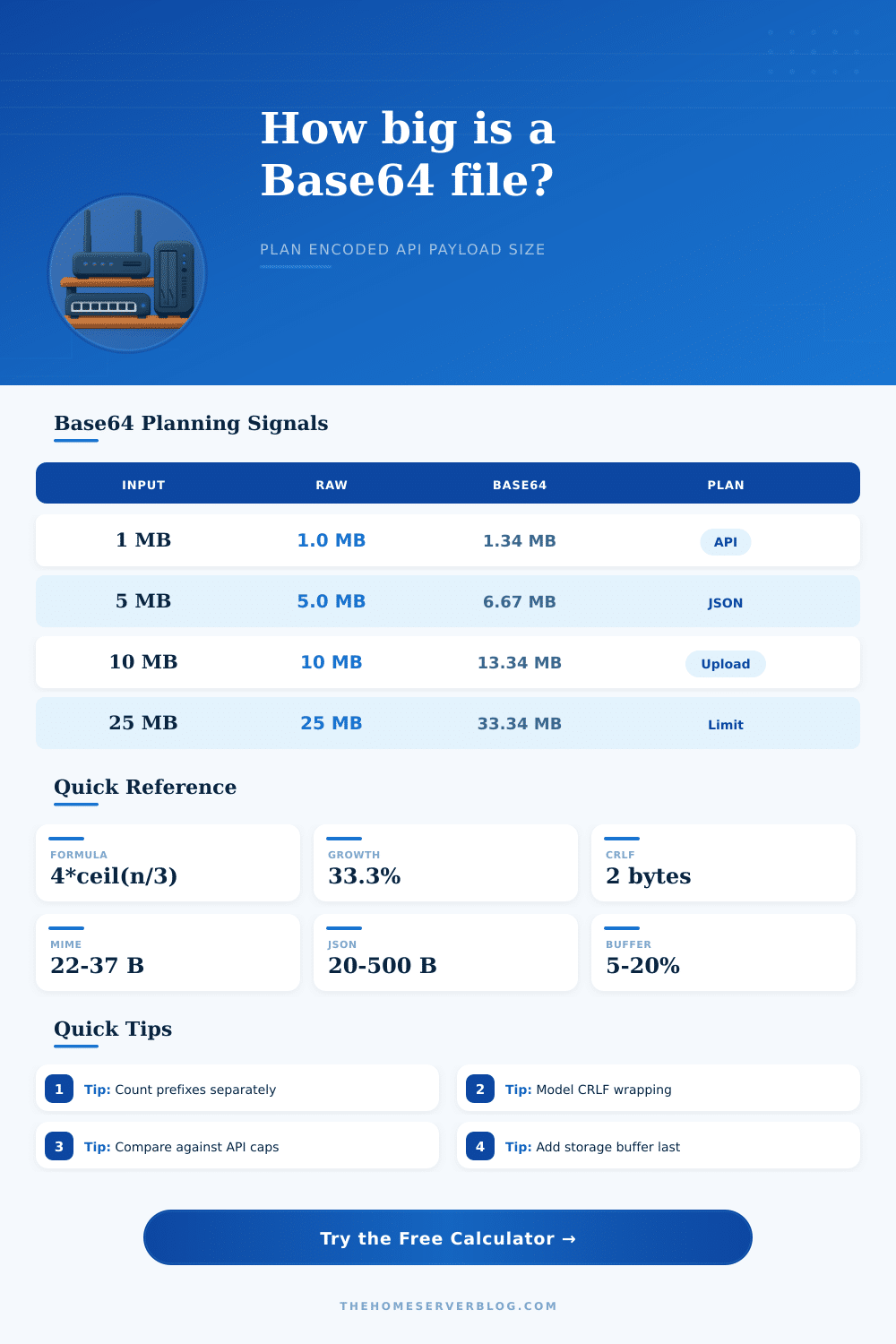
| Original file | Raw bytes | Base64 bytes | Expansion | With 76-char CRLF |
|---|---|---|---|---|
| 1 KB image | 1,000 | 1,336 | 33.6% | 1,370 bytes |
| 100 KB thumbnail | 100,000 | 133,336 | 33.3% | 136,844 bytes |
| 1 MB document | 1,000,000 | 1,333,336 | 33.3% | 1,368,422 bytes |
| 5 MB upload | 5,000,000 | 6,666,668 | 33.3% | 6,842,106 bytes |
| 10 MB payload | 10,000,000 | 13,333,336 | 33.3% | 13,684,212 bytes |
| 25 MB attachment | 25,000,000 | 33,333,336 | 33.3% | 34,210,878 bytes |
| Payload pattern | Extra bytes to count | Planning use | Common trap |
|---|---|---|---|
| Raw Base64 string | 0 | Binary column or plain field | Forgetting quotes in JSON |
| Data URL image | data:image/jpeg;base64, | Browser previews and inline HTML | Counting only encoded text |
| MIME wrapped body | CRLF every 76 chars | Email and legacy MIME transports | Ignoring line separators |
| JSON envelope | Field names and metadata | REST, webhooks, and queues | Applying overhead once to a batch |
| Stored copies | Transfer count and buffer | Retries, replicas, audit logs | Buffering before multiplication |
Files get larger when Base64-encoded. This is not rocket science: converting from binary data to text introduce an additional 33 percent payload overhead. Do the math yourself; you don’t even need a calculator.
This only becomes problematic if you begin to consider the envelope that conveys the message rather than the message itself. Email systems, API calls, and browser environments all requires additional bytes beyond the raw character stream itself. These hidden expenses catch developers off guard as they deploy their applications. If you enter your source file size in the calculator above, it’ll do the work for you. But what’s more valuable than the result is some sense of why the number matter.
Why Base64 Files Get Bigger
When Base64 encodes something, it take three bytes of binary data and converts it to four characters of ASCII text. There’s no option for prettiness; there’s no optimization for PDFs or images. It does not matter if your image looks good or if your PDF are optimized. It’s a mathematical conversion from three to four. That’s just how Base64 works. And that expansion is the cost of using Base64, the extra size is a fixed cost you have to accept before you ever think about the transport layer.
Even when the binary has been translated into text, it’s not often flying solo. In most cases it gets stuffed into HTML and needs a data URL prefix if you’re embedding it directly. There are twenty or thirty extra bytes at the beginning of your payload because its a string telling the browser “this is a type of file”. But each embedded thumbnail or avatar or icon do this. Multiply that by thousands of image.
And then there’s the problem with line wrapping. Some strict API gateways and older email systems needs Base64 strings split into chunks, typically seventy-six characters in length. A chunk adds a carriage return and line feed sequence for each break. Across the whole document, thats two bytes for each line. For larger documents, these separators adds up fast.
Most folks neglect to account for your container format. That’s if you’re embedding an encoded file within another object in JSON. Then you’ve got quotes surrounding that string. Then you’ve got the field name indicating the contents nature. Then maybe you’ve got some extra info regarding the upload time stamp and/or filename. Every one of these structural bits add up to more bytes being transferred overall. What used to be a ten-megabyte file isn’t now only thirteen megabytes of encoded text. No, it’s that plus the line breaks and prefix and the whole JSON skeleton. The page’s reference table makes this clear, demonstrating how a plain old file inflates into something much bigger when you add realistic transport considerations to it.
The issue here is particulary relevant if you’re bumping up against storage caps or rate limits. Function payload ceilings on cloud functions are very narrow. Character limits on database fields is not unheard of. If you encode a file without considering its envelope, your request might fail silently halfway through.
You need to know what you’re realy measuring here. Is it the fully dressed HTTP body? Or it is just raw binary size. The latter could mean success; the former a server error. Consider replication and retries. That payload has to go out twice because the network handshake didn’t work. Double the bandwidth cost there!
Consider a ten to fifteen percent buffer. This lets you account for shifting metadata in the APIs or change management overhead if a new field is added later. Overestimating by just a bit should of being preferable to having a hard cap when traffic spikes.
The benefit of Base64 is that it transforms files into strings, strings that are convenient for code to manipulate. They also play nicely within HTML attributes and JSON, with no fear of binary corruption. At what cost? That 33% increase isn’t even the entrance fee; that’s only the tax on packaging. View the overhead of encoding as a non-negotiable line item when architecting your data. Include total delivered size, not simply the converted size. You’ll thank yourself later when your bandwidth bill arrives.