Email Storage Quota Calculator
Plan mailbox quota, current consumed storage, shared mailboxes, attachment growth, archive retention, backend overhead, runway, and the recommended storage pool for an email platform.
⚙️Named email organization presets
📝Email quota planning inputs
Email storage results
📊Live capacity checkpoints
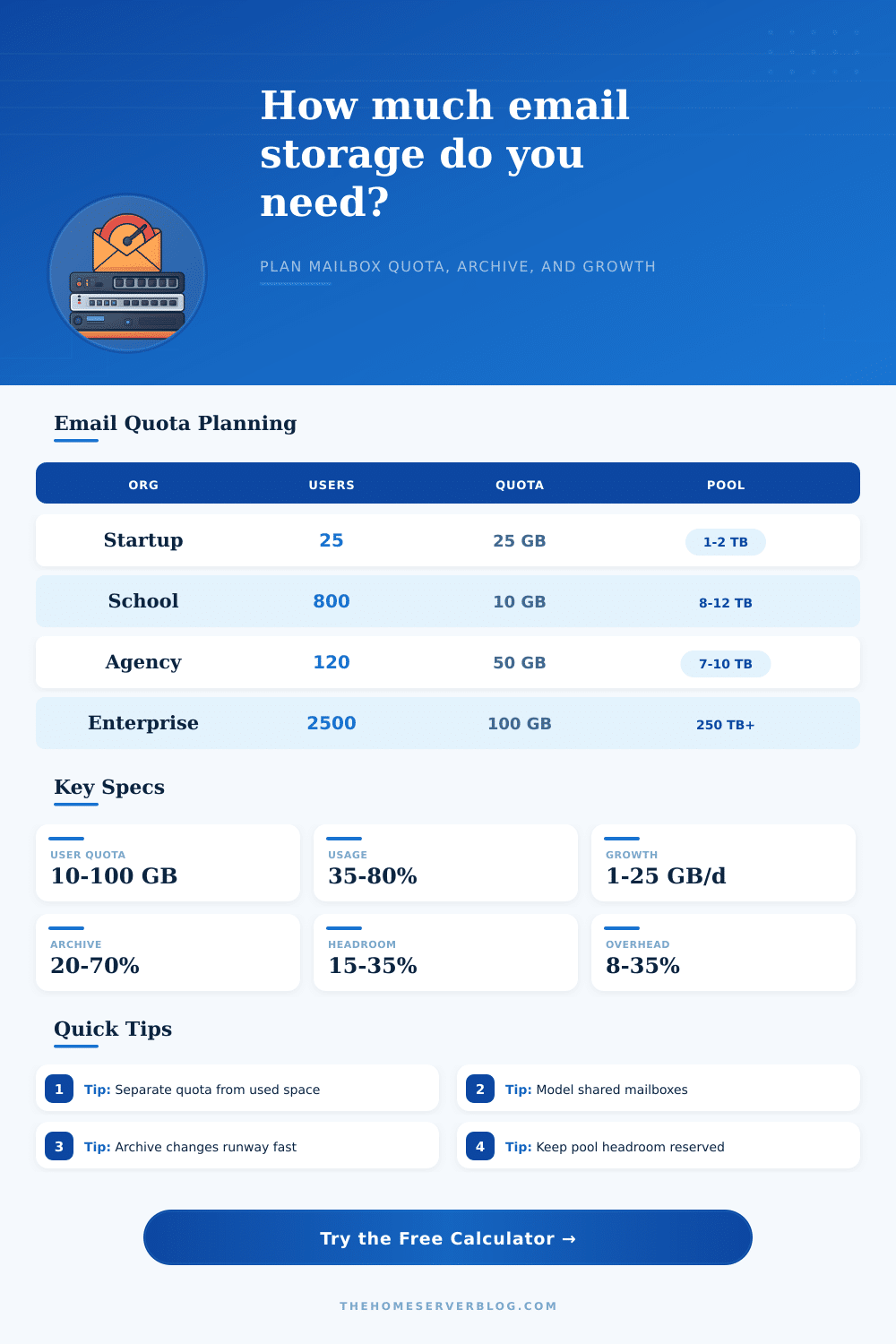
🏢Common email organization sizes
Home Lab Domain
SaaS Startup
Design Agency
Enterprise Tenant
📋Quota planning table
| Mailbox Policy | Typical User Type | Quota Range | Planning Note |
|---|---|---|---|
| Light mailbox | Kiosk, field, or alerts | 2 GB to 10 GB | Works when retention is short and attachments are redirected. |
| Standard mailbox | Most office users | 25 GB to 50 GB | Good default when search and archive are enabled. |
| Heavy mailbox | Sales, legal, design | 75 GB to 100 GB | Needs archive rules before average fill passes 70%. |
| Shared mailbox | Support, billing, HR | 10 GB to 100 GB | Growth often comes from duplicate attachments and long threads. |
| Journal or discovery | Compliance archive | Policy driven | Plan separately from user-facing mailbox quotas. |
🗄Retention and archive impact
| Retention Years | Archive Share | Growth Kept Online | Capacity Behavior |
|---|---|---|---|
| Calculating | 0% | 0 TB | 0 TB pool |
📨Mail platform comparison grid
| Platform | Quota Model | Storage Overhead | Capacity Watchpoint |
|---|---|---|---|
| Microsoft 365 style | Mailbox plus archive policies | Indexing handled by service | Watch recoverable items and archive auto-expansion behavior. |
| Google Workspace style | Pooled tenant storage | Shared across Drive, Gmail, and Photos | Mailbox plans must include non-mail storage pressure. |
| Self-hosted IMAP | Per-maildir or per-user quota | Search, metadata, backups, snapshots | Filesystem inode count can matter as much as GB. |
| Exchange on-prem | Database limits and mailbox quotas | Whitespace, logs, replicas, indexing | Database availability copies multiply backend needs. |
| Mailcow or Docker mail | Dovecot quota with container volumes | Solr, rspamd, logs, snapshots | Plan volume backups outside the live mail store. |
| Zimbra or groupware | Account quotas plus briefcase data | Indexes, blobs, redo logs | Blob and index volumes may fill at different rates. |
💡Email storage planning tips
Email is stored in an email account. Seems like simple math: just multiply each user by his or her mailbox quota, then throw in some more free space as a buffer. Unfortunately, that approach work until it doesn’t.
Allocated space is nothing more than a ceiling. The size of your storage requirements depend on growth rates for attachments, backend indexing and bloat from shared mailbox. Most organizations do not plan on what they use; instead, they plan based off what they believe they’ll need. If you take a glance at our calculator, you’ll see that we differentiate between consumed storage versus total allocated quota. Why? Because most of the time, the amount of space occupied by your mail server isn’t necessarily more same as the sum of all its individual user pieces.
Simple Ways to Plan Your Email Storage
Overhead exist everywhere. The stuff that lives behind the scenes, database replicas, search indexes, and stuff to recover from when things go wrong, actualy consumes physical disk space, but there’s no way for you to see it within Gmail or Outlook. You end up ignoring this unseen layer until one Monday morning. You wake up to realize that your storage pool are at capacity without anyone noticing.
Shared mailboxes is another capacity-killer. Because nobody’s really responsible for cleaning them up, teams tend to use their support/billing/whatever addresses as if they’re bottomless pits. Long threads and multiple copies of attachment build up over time, and nobody bats an eye. That’s what helps you model it out. The tool lets you set different usage averages per shared account, which typicaly will far exceed those of individual user.
This isn’t about hoarding your disk space. It’s about understanding how shared accounts differ from private ones. But what about retention? Seven years of email seems like a wise retention policy until you remember that all those emails takes up space, even if they are inactive.
Archive isn’t merely an insurance plan. It’s also a capacity play. If you move older email into compressed, cheaper storage then you free up primary quota, and you get a lot more runway. You can play with the percentage of archived email in the calculator to understand how much slack you gets from changing policy. Even a small change can give you months (or years) before you have to shell out on new infrastructure.
The variable keeping system admins up at night is attachment growth. Text emails are negligible. Large PDFs, design files, and scanned receipts is not negligible. The more attachment traffic you get every day compared to how much you clean out, the more linearly your storage grows… until it break something. And so it makes sense to know your actual growth rate on a daily basis rather than guess at an annual average. Ten gigabytes versus two gigabytes of new email every day completly alters the math on how big your projected pool will be.
Also keep in mind your platform. Cloud providers will index everything and they’ll charge you by the gigabyte, while self-hosted requires you manage that overhead yourself. That 20 percent safety headroom may seem enough in the well-controlled world of the lab, but it can evaporate at any time as growth ramps up. Those different realities is reflected by the presets baked into the tool: lean startups versus enterprises where compliance means keeping everything forever.
It all comes down to this: Email storage planning is less about raw numbers and more about understanding behavior. It’s a behavior game. And users behave in ways that don’t help the email system. They don’t sit there thinking about how much they affects the database. They don’t care if it was that fifty megabyte zip file or whatever else they sent.
All you can do as an email planner is construct a system that will absorbs the chaos, but not collapse under it. You model for future growth, separate reality from policy, and account for hidden overhead. This turns a guessing game into a manageable project. It’s not that you should of run out of space. It’s knowing exactly when you’re going to run out of space, so you can react with confidence, not panic.