PDU Load Calculator
Estimate rack PDU current draw, usable watts, derated capacity, startup surge, remaining headroom, and A/B feed balance for single-phase or three-phase server racks.
PDU Load Results
Calculation Breakdown
| Input Feed | Breaker | 80% Continuous Amps | Approx Usable Watts | Typical Rack Fit |
|---|---|---|---|---|
| 120V single-phase | 15A | 12A | 1,440 W | Small lab, network closet |
| 120V single-phase | 20A | 16A | 1,920 W | Office rack, light NAS |
| 208V single-phase | 20A | 16A | 3,328 W | Compact colo rack |
| 208V single-phase | 30A | 24A | 4,992 W | General server rack |
| 240V single-phase | 30A | 24A | 5,760 W | NAS, homelab UPS output |
| 208V three-phase | 30A | 24A | 8,646 W | Dense compute rack |
| 415V three-phase | 32A | 25.6A | 18,408 W | High-density data hall rack |
| PDU Type | Metering Level | Best Use | Planning Note |
|---|---|---|---|
| Basic rack PDU | None or branch only | Simple lab power strip | Verify load with a clamp meter or UPS readout. |
| Metered inlet PDU | Total amps at input | Colocation cabinet | Good for breaker load and remote capacity checks. |
| Outlet metered PDU | Per-outlet watts and amps | Mixed server racks | Best for finding uneven A/B device draw. |
| Switched PDU | Input or outlet metering | Remote reboot control | Use delayed power sequencing to reduce inrush. |
| Three-phase PDU | Input, phase, branch | Dense compute racks | Balance load across phases, not just total watts. |
| Monitored A/B pair | Both feeds tracked | Redundant PSU racks | Plan either feed to survive the opposite-feed loss. |
Think about it: you hook up your high-density server in that rack you thought had room… Only to have a power failure. The Power Distribution Unit is too heavily loaded; the lights goes out; the UPS starts its beep-beep-beeping. That’s why it’s important to know how much capacity to allow before setting up equipment.
Electricity does not behave same way when hot or stressed. First, let’s begin with phase and voltage settings. Wattage is important, but what it says isn’t always whole picture. For example, a server may be rated at 250 watts. However, if it are connected to single-phase power vs. Three-phase power, the wattage must be converted to amps.
Why Power Planning Matters for Your Servers
Three-Phase delivers greater power using less current. Connecting large devices to a single-phase feeder will cause the breaker to trip well short than your anticipated capacity. The multiplier adjust itself automatically to reflect these differences.
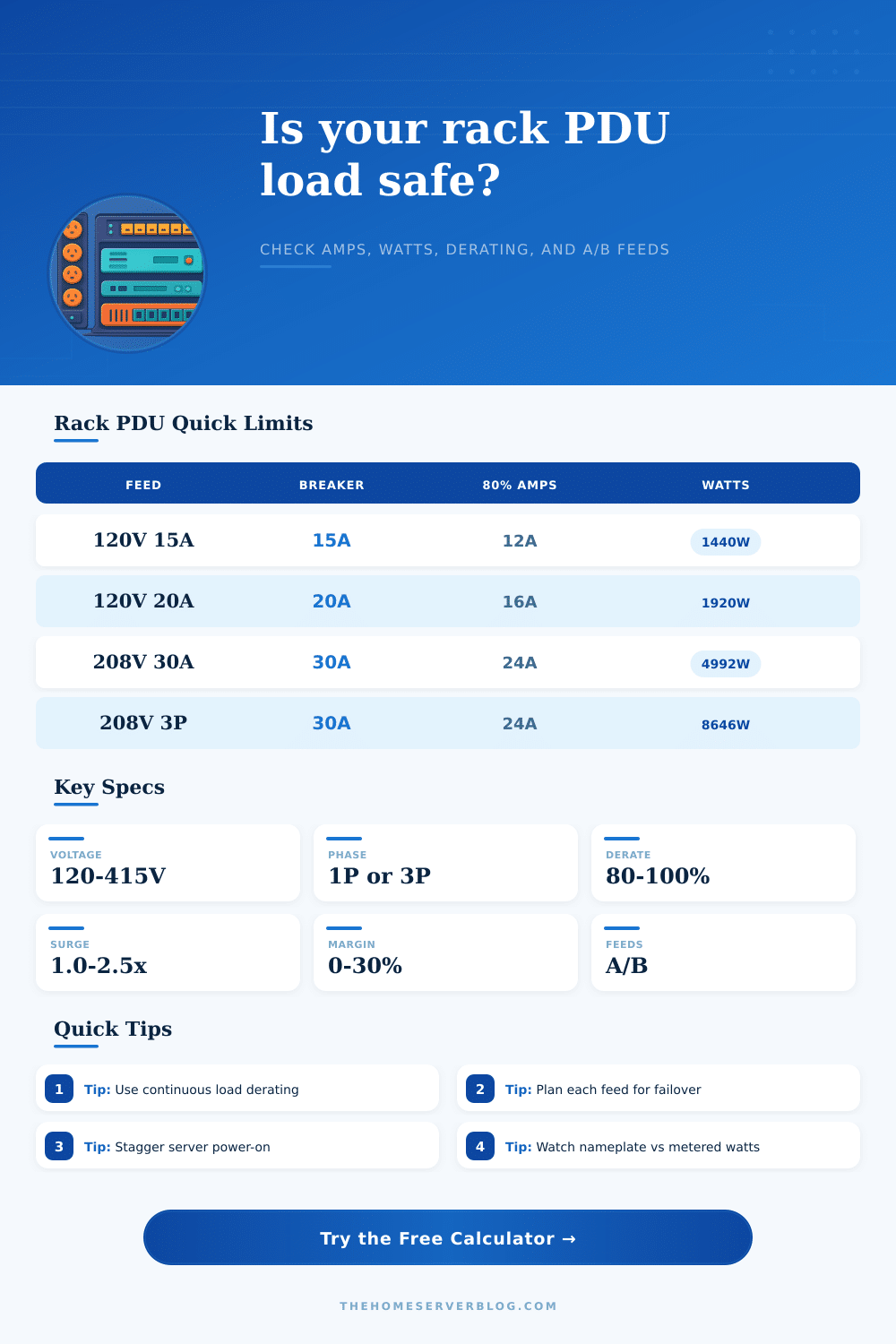
Next, add in a derating factor. Electrical codes recommend that you don’t pull a circuit to full capacity. Over time, heat accumulates and components degrades. Generally speaking, most engineers follow an 80 percent rule, meaning a 30 amp breaker is actualy only good for twenty four amps of safe current. Push it too far and suddenly you’ve got heat inside the cabinet. That reduces cooling efficiency and cause servers to throttle their own performance to stay alive. Respecting those limits is what keeps your rack online under peak load.
How does redundancy affect load distribution on feeds? Dual PSU server are meant to be able to cope with a server failure, but don’t necessarily shares the load evenly. A balanced setup will have the feeds sharing the load. The failover setup has one feed carrying nearly no load until it fails. That greatly changes your risk profile. If you expect them to share the load equally, but one side carries more of the supply, then that second feed get overwhelmed from day 1. If you need high availability, double-check this balance.
Startup surges complicate power planning. Fans start spinning, capacitors begin charging, servers comes online all at once. They will spike well beyond steady state draw, potentially by 30-50%. If you’ve got ten of those coming online together, your temporary load could of be enough to trip a breaker that happily handles the idle consumption. Switched outlets and staggered boot times help ease this. But you have to know that it’s happening ahead off designing the system.
The last safety margin is error tolerance. For this, I usually leave 10-20% of my resources as “headroom.” That’s because there will be some measurement error and also room for expansion in the future. Having extra room prevents surprises when you add an unexpected new disk shelf (which can throw off power draw).
Here are typical limits for popular setups (table). This serves as a quick way to check your work before finalizing your plan.
Power planning isn’t about crossing your fingers; it’s about understanding what’s possible, you plan for reality, so that when it counts the most, the lights remains lit.