Mail Queue Size Calculator
Estimate how many messages an MTA will hold during failures, how much spool disk it needs, and how long the queue should take to drain after remote hosts recover.
Presets fill real MTA operating patterns; adjust them for your local message size, retry policy, and outbound rate limits.
Model: queued messages = failed flow during the retry window plus backlog accumulation over the selected queue age. Disk includes message body, envelope overhead, index metadata, bounce amplification, and reserve.
| Component | Formula used | What it means | Planning note |
|---|---|---|---|
| Total message flow | Inbound msg/min + outbound msg/min | All messages that can enter the queue path. | Use peak five or fifteen minute windows, not daily averages. |
| Deferred flow | Total flow x failure rate | Messages likely to wait for a retry rather than deliver immediately. | Temporary DNS, greylisting, TLS, and remote 4xx errors drive this. |
| Retry backlog | Deferred flow x retry delay | Messages sitting until their next delivery attempt. | Long retry intervals reduce connection churn but increase queue depth. |
| Age backlog | Deferred flow x queue age window x 60 | Planning inventory if failure conditions persist. | Use maximal_queue_lifetime or business outage targets as the outer bound. |
| Spool disk | Messages x payload x metadata x reserve | Disk required for bodies, envelopes, indexes, bounces, and slack. | Keep spool, logs, and quarantine from competing for the same final GB. |
| Drain time | Queue / max(drain throughput - live flow, 1) | How long cleanup takes when delivery resumes. | Live mail still arriving reduces the net queue drain rate. |
| Metric | Healthy | Watch | Risk |
|---|---|---|---|
| Oldest queued message | Under 1 hour for normal relays | 1 to 6 hours during remote deferrals | Over 24 hours or nearing bounce lifetime |
| Spool disk headroom | More than 50% free after reserve | 20% to 50% free | Under 20% free or back pressure active |
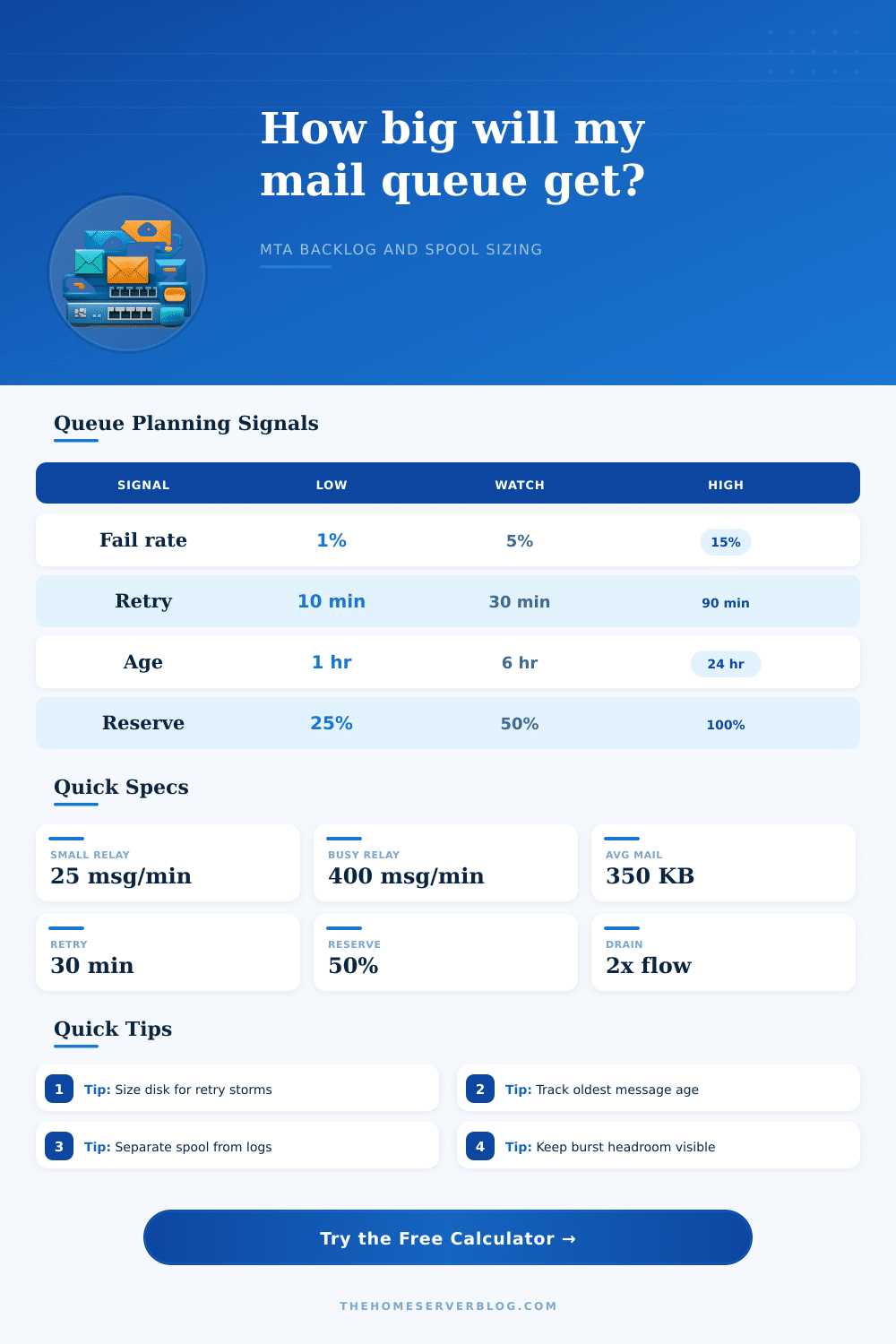
| Deferred percentage | Under 2% for steady traffic | 2% to 10% with known remote delays | Over 10% without a clear remote cause |
| Drain multiplier | Drain rate is at least 2x live flow | Drain rate is 1.2x to 2x live flow | Drain rate is equal to or below live flow |
| Concurrent deliveries | Matches disk IOPS and remote limits | Occasional throttling by destination | Connection storms, timeouts, or provider blocks |
| MTA | Queue files | Useful knobs | Home server caution |
|---|---|---|---|
| Postfix | incoming, active, deferred, hold | default_destination_concurrency_limit, minimal_backoff_time, maximal_queue_lifetime | Watch deferred queue growth after ISP or smarthost throttling. |
| Exim | input spool with message and header files | queue_run_max, remote_max_parallel, retry rules | Split spool helps large queues but slow disks can still hurt runners. |
| OpenSMTPD | queue envelopes with scheduler state | limits, scheduler, relay actions | Great for simple relays; avoid oversized bulk jobs on tiny VPS disks. |
| Exchange Edge | transport queue database | back pressure thresholds, max concurrent mailboxes, shadow redundancy | Database overhead means free disk thresholds matter earlier. |
| Sendmail | mqueue control and data files | QueueLA, RefuseLA, queue runner interval | Large flat mqueue directories can become slow without hashing. |
| Haraka | plugin-dependent outbound queue | outbound concurrency, plugin retry policy | Plugin behavior determines metadata and retry amplification. |
| Scenario | Typical cause | Calculator inputs to stress | Operational response |
|---|---|---|---|
| Greylisting wave | New recipient domains return temporary 4xx responses | Failure rate, retry delay, queue age | Keep retries polite and confirm the queue drains after the first accept. |
| Remote provider outage | Smarthost, ISP, or major mailbox provider unavailable | Queue age, spool reserve, drain cap | Size for the outage window and avoid retry storms when it recovers. |
| Bulk campaign | Newsletter or notification batch exceeds normal flow | Outbound msg/min, concurrent deliveries, drain throughput | Throttle per destination and keep transactional mail in a separate lane. |
| Spam cleanup | Compromised account creates bounces and deferrals | Bounce amplification, failure rate, available spool | Freeze suspect senders, purge junk safely, and rotate credentials. |
| Disk pressure | Spool shares volume with logs, AV quarantine, or snapshots | Available spool disk, metadata multiplier, reserve | Move spool to dedicated storage or raise monitoring thresholds. |
Email is not like water flowing down a pipe that gets blocked: it’s messier than that. Delay queues builds up in mail transfer agents and what looks arbitrary after the fact is actualy the result of some messy math. It’s a dynamic system. Delivery capacity competes against incoming volume, while retry delays stretch the backlog across hours or even days. A queue are not a static bucket.
So how do you guess at how temporary failures compound over time? You don’t need to; the above calculator will do hard work for you if you know your inbound and outbound throughput figures. First thing to do is look at your flow rate. Your daily total is what most admins look at. But they should of looking at their queues in their busiest minutes. If you’re a big e-commerce site with transactional alerts and newsletters, it’s those five minute of sending that really stress the spool disk, not your twenty-four hour average.
How to Size Your Email Queue Correctly
To understand that, the tool requests a five-minute burst messages-per-minute number which tells you how much mail hit the system when everything goes wrong at once. That is why the failure rate input becomes importent. But there are also temporary deferrals. A 4xx response instructs your MTA to defer sending until some future time. That could be because of a timeout on the remote server, or a greylisting delay, or a TLS handshake failure. None of these are a permanent bounce. These are hold patterns, deferrals whose only purpose is to wait out some condition and then retry.
The amount of traffic that sits in a deferred queue waiting for a retry window is determined by the five or ten percent failure rate you enter. You’re telling the system: Here’s how much traffic I want you to stash here while we wait for things to improve. And most people screw up their sizing at this point. Are they going to have Postfix or Exim wait thirty minutes before trying again? That means those messages takes up spool space for half an hour. Double that retry delay and you double the spool-space required for the same amount of traffic. It is simple multiplication, but it is a surprise.
The second hidden variable is disk space. There’s envelope overhead, index metadata, bounce amplification, in short, a message isn’t its body content alone. That is why the calculator has a reserve percentage built in. Bounce amplification can double the workload involved in making an attempted delivery so you want some headroom. When you fill your spool disk to capacity, your MTA will start stalling outgoing connections or reject incoming mail. And that causes a secondary crisis: It strands legitimate traffic. Fifty percent reserve sounds like overkill…until you experience an outage at one of your providers and need somewhere to stash all that sudden surge without choking off your logging system.
Each MTA reacts to this pressure differently. For example, Postfix has two separate directories for its queue: one for active mail, another for deferred mail. It’s simple to visualize which messages is in motion, and which are stuck. Exchange relies on a transport database, which adds some overhead but provides more insight into shadow redundancy. OpenSMTPD maintains a compact directory structure if you’re running VPSes with a small footprint; in other words, less room for error when provisioning your root volume. The page’s reference table details those architectural differences so you know how to adjust your expectations based off your software stack.
The most useful result in practice is drain time. This is the amount of time it takes for your remote servers to recover and empty their backlog once they come back up. Your live traffic flow needs to be less then twice as fast as your drain rate. This ensures that when an outage occurs, the queue doesn’t stay forever full. Instead, it gets whittled down by your drain rate until the next outage rolls it over the cliff again. Ideally, you should have a drain multiplier of at least twice your regular traffic flow. This allows things to bounce back immediately instead of dragging out for hours while users get angry about not receiving notifications.
The “oldest message age” will warn you if something’s wrong earlier on. If all your messages is new, then the queue is probably okay. But if a few thousand messages are 6 hours old, there is a routing problem or a blacklisting issue to fix.
If possible, configure your system so that transactional mail and bulk campaigns runs separately. Otherwise a big newsletter send could starve other emails like order confirmations or password resets. The key to sizing isn’t that you hit a precise number: it’s to create enough buffer so you don’t break when something inevitably goes wrong. Respect retry intervals, use peak metrics, and have some disk space for surprises.
Once you understand how deferrals stack up against your delivery capacity, you’ll know how to design for resilience. At that point you won’t react to alerts, you design for resilience. Failures will always cause the queue to grow. That’s where you wait for the failures to clear; that’s where it needs to go.