Inode Usage Calculator
Estimate total inodes, inode usage percentage, runway to the hosting limit, and the cleanup target across websites, email messages, cache files, backups, CMS install files, uploads, retention, growth, and account count.
⚙️Hosting and CMS presets
📝Inode planning inputs
Inode usage results
🗃Quick inode reference cards
📊Hosting and CMS preset reference
| Preset | Typical inode pattern | Default limit | Primary watchpoint |
|---|---|---|---|
| WordPress Shared | Plugins, themes, thumbnails, cache | 300k | Image sizes and page cache |
| WooCommerce Store | Product images, logs, sessions, cache | 500k | Generated thumbnails and order emails |
| Drupal Site | Core modules, public files, cache bins | 400k | Render cache and private files |
| Joomla Portal | Extensions, templates, language packs | 300k | Old extension folders |
| Magento Catalog | Vendor files, generated code, media cache | 1M | Static deployment and image cache |
| Laravel App | Vendor tree, storage logs, sessions, cache | 500k | Storage/framework and old releases |
| Nextcloud Users | User files, previews, app data, versions | 1M | Preview images and file versions |
| Moodle Course Site | Course files, cache, temp, backups | 750k | Course backup retention |
| Ghost Blog | Images, themes, logs, node modules | 250k | Node dependencies and images |
| Static Site Host | Built assets, image variants, releases | 200k | Old deploy folders |
| Email-Heavy cPanel | Maildir messages dominate | 500k | Spam, trash, and sent folders |
| Agency Multisite | Many small sites and staging copies | 2M | Per-site duplicate plugins and backups |
📘Inode source reference table
| Inode source | Typical count range | Why it grows | Cleanup lever |
|---|---|---|---|
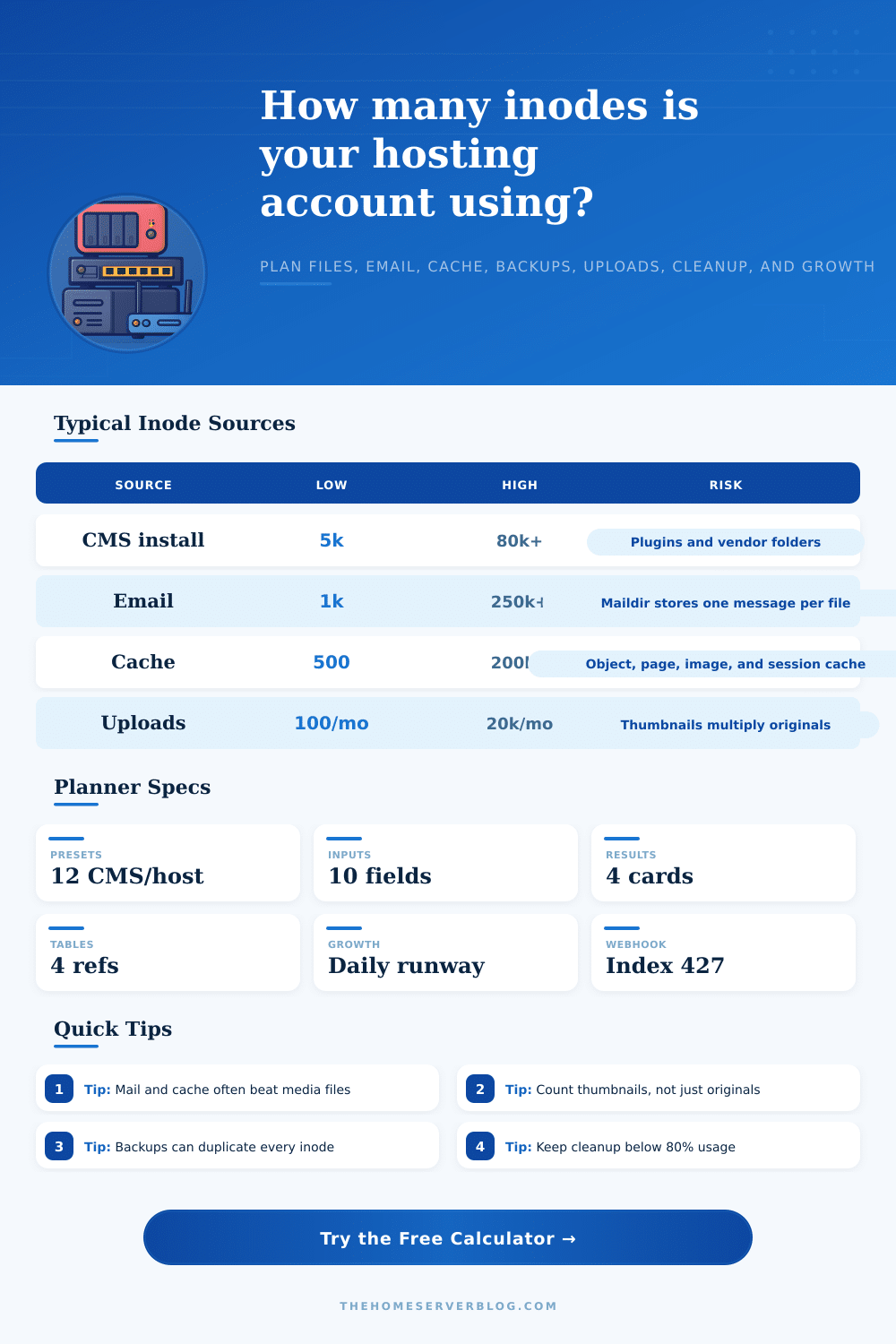
| CMS core and plugins | 5k to 80k | Plugin folders, vendor libraries, language files | Remove unused plugins, old releases, and abandoned themes |
| Media uploads | 100 to 20k/month | Each original may create thumbnails, webp copies, and responsive sizes | Prune unused media and limit generated image sizes |
| Email messages | 1k to 250k+ | Maildir, spam, sent mail, trash, and catch-all inboxes | Archive, purge spam/trash, cap mailbox retention |
| Cache and sessions | 500 to 200k+ | Page cache, object cache, static cache, PHP sessions | Shorten TTL, use Redis, clear stale cache paths |
| Backups and staging | 10k to 1M+ | Extracted backups duplicate the live tree | Move backups off-account and delete failed restores |
| Logs and temp files | 100 to 50k | Rotated logs, debug output, imports, cron jobs | Rotate by size, compress, and purge temp folders |
🧮File-type comparison grid
| File type | Inode impact | Storage impact | Planning note |
|---|---|---|---|
| Small PHP, JS, CSS, and config files | High | Low | Thousands of tiny files can exhaust inodes while disk usage looks fine. |
| Images and thumbnails | Medium to high | Medium to high | One upload can become 5 to 20 files after CMS image processing. |
| Email messages | Very high | Variable | Every message, spam item, and trash item can consume an inode. |
| Archive files | Low if compressed | High | A single zip uses one inode, but extracted backups duplicate thousands. |
| Cache fragments and sessions | Very high | Low to medium | Object-cache-on-disk and sessions are frequent hidden inode users. |
| Directories and symlinks | Medium | Tiny | Folders and symlinks also consume inodes, not only normal files. |
🚦Usage band reference
| Usage band | Status | Operational meaning | Recommended action |
|---|---|---|---|
| 0% to 60% | Comfortable | Normal room for cache, uploads, email, and restores | Review monthly and keep backups off-account |
| 60% to 80% | Watch | Growth can turn routine deploys into failures | Audit largest inode directories and set retention |
| 80% to 95% | Cleanup needed | Mail, cache, and backups may fail unexpectedly | Remove enough inodes to return below 80% |
| 95% to 100%+ | Critical | Uploads, mail delivery, sessions, and updates can break | Purge safe targets immediately or raise the inode limit |
💡Inode cleanup and planning tips
There’s lots of free space on your hard drive. But still nothing works. Email bounces with an error message. You try uploading an image and it fails for no reason at all. There’s no crash. Nothing, the site simply won’t take any more data. That’s almost never a disk space problem. It’s nearly always an inode problem.
An inode is a structure in the file system’s metadata that keeps track of each file and directory. Run out of inodes and the operating system can’t make new files. Doesn’t matter how much free space there is on the disk. The calculator will do the rest for you if you know how fast your files are growing or if you just enter your current number of files. Why all this math? You don’t have to make a wild guess about whether your existing setup can scale anymore.
Why You Run Out of Space Even With Free Disk
People thinks about disk usage in terms of gigabytes because they’re an easy-to-picture unit. An inode limit is something that seems abstract, until it crashes your server. One big video file consumes a ton of disk space, but it’ll only take up one inode. Meanwhile, a directory containing fifty thousand small cache fragments could consume almost zero disk space yet gobble up your entire inode quota.
That’s where the majority of hosting plans goes wrong. Take email for example. It runs on a traditional shared server system. Systems like cPanel often store messages in Maildir formats. Each individual email is treated as its own separate file on disk. When you get lots of transactional receipts, or when spam makes it past the filters and gets filed to secondary folders, that inbox can very rapidly increase the number of inodes on your account overnight. Those emails may be only taking up a couple of megabytes of space. But they’re generating tens of thousands of entries in the inode count. It’s something most admins aren’t thinking about when they do their regular server checks.
The problem is made worse by nature of content management systems. Beyond the core files, a typical WordPress install consists of third-party libraries (the “vendor” folder), directories for themes and plugins, and other miscellaneous assets. Even more significantly: it will also create derivative images from every image that’s uploaded. If you upload a high-res shot of a product to your e-commerce site, it’ll generate thumbnails for use on the product page, in the catalog grid, and maybe even different versions optimized for mobile. One user action creates ten or fifteen new files on disk. Those multipliers compound over time… If you sell products regularly or blog frequently, a year later you’ve got a pretty large footprint. You don’t notice it growing until you bump up against a limit.
Another resource-consuming but hidden beast are cache files. In the name of performance, session handlers, page caches, object caches… All of them dump thousands of little temporary files across the server. It’s a feature, not a bug. But it has to be actively managed. Too-generous retention policies, or a cleanup script that doesn’t run often enough will leave those temporary files hanging around long past their usefulness. They’ll consume precious inodes without adding anything to live site experience.
Based off how fast you think you’re growing, the tool will give you an estimated amount of time remaining. So if it says you’re down to just 30 days before running out, don’t freak out just yet. Just defrag some more by deleting older backup archives that aren’t necessary anymore, or tweak your retention settings so things slow down. Typically you want to stay under eighty percent usage. That gives you some breathing room for occasional spikes in traffic as well as regular updates.
Inode planning involves changing your mental approach. Instead of thinking about how much storage you have, think about how many files you are making. Which process makes the most distinct files as opposed to the biggest number of bytes? Am I storing local log archives? Do I store failed extract backups on the same account? Frequently, just moving that big fat chunky dataset somewhere other than the main filesystem will buy you space back the fastest. It’s less about deleting content and more about curating what stays resident on disk.
So inodes are less about how much data there is and more about how complex the organization of that data is. If you have lots of large files in a clean directory hierarchy, you’ll run out of inodes far slower than if you’ve got lots of small files scattered all over. There’s nothing here that should of require a system admin to grasp. All it takes is for you to pay as much attention to the number as you do the size. Stop thinking of your server as an infinite bucket of gigabytes, and think of it like a limited balance sheet that tracks file entries. The answer, in almost every case, becomes obvious once you realize it’s those little guys, the ones we hardly ever pay any mind to, that make up the largest numbers.