Bcrypt Cost Factor Calculator
Estimate bcrypt hash time, auth CPU utilization, safe login throughput, rehash backlog pressure, and a practical cost factor for your hardware and latency target.
Bcrypt Capacity Estimate
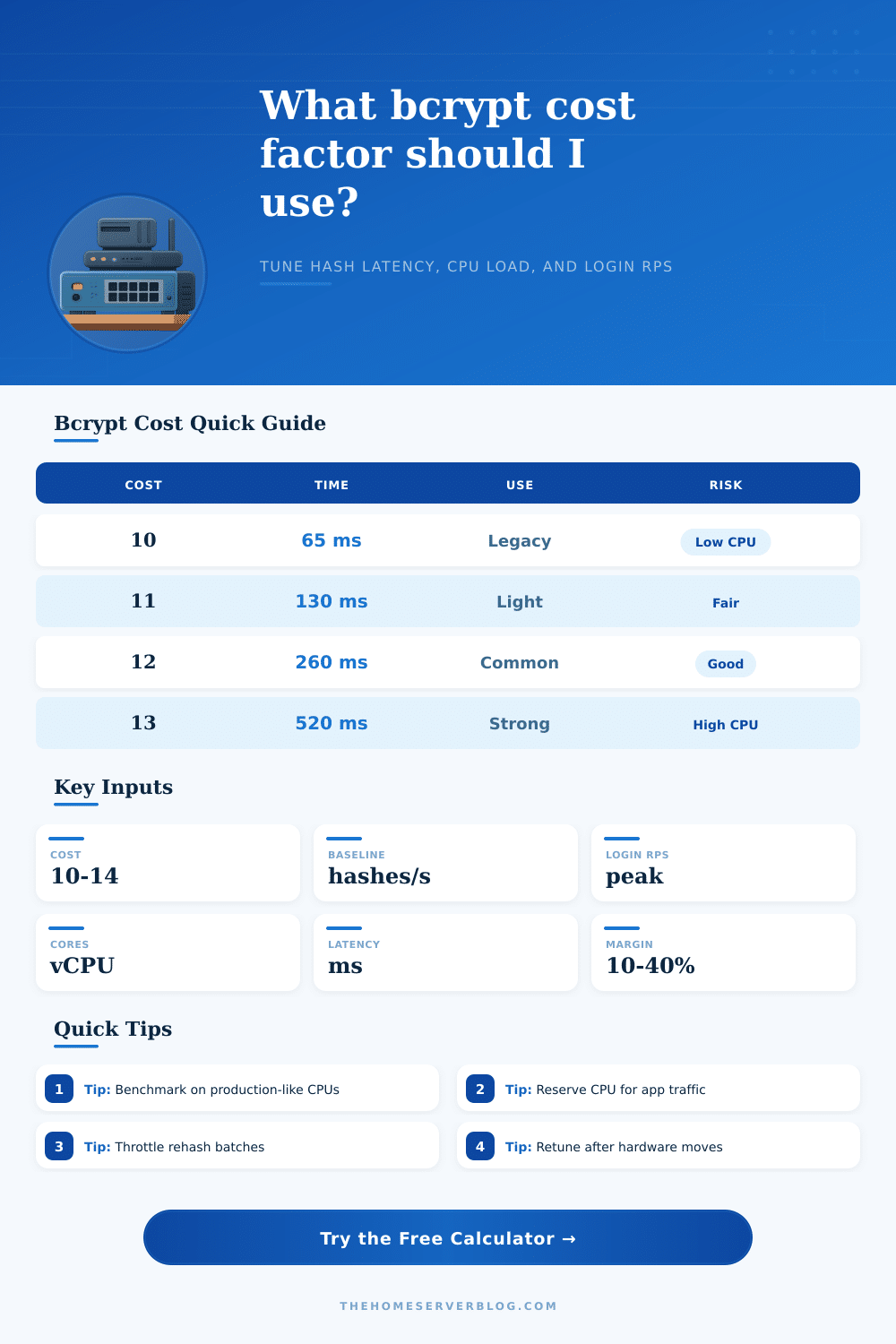
| Cost Factor | Relative Work | Typical Hash Time | Best Fit | Tuning Note |
|---|---|---|---|---|
| 8 | 1x | 15-40 ms | Tests only | Usually too fast for production passwords. |
| 9 | 2x | 30-80 ms | Legacy low CPU | Use only when hardware is very constrained. |
| 10 | 4x | 60-160 ms | Compatibility floor | Good baseline for benchmarking every server class. |
| 11 | 8x | 120-320 ms | Small apps | Often practical for shared VPS auth paths. |
| 12 | 16x | 240-640 ms | Common default | Strong for many web apps with modest login rates. |
| 13 | 32x | 480-1280 ms | High assurance | Check login UX and CPU saturation carefully. |
| 14 | 64x | 1.0-2.6 sec | Low volume | Better for admin portals than busy public login. |
| Hardware Class | Cost 10 Baseline | Cost 12 Estimate | Good Starting Cost | Operational Caution |
|---|---|---|---|---|
| Tiny shared VPS | 6 hashes/sec | 667 ms | 10-11 | CPU steal can make latency noisy. |
| Modern 2-4 vCPU VPS | 16 hashes/sec | 250 ms | 11-12 | Reserve headroom for web and database work. |
| Modern desktop CPU | 32 hashes/sec | 125 ms | 12-13 | Container limits may be lower than host capacity. |
| Dedicated server CPU | 48 hashes/sec | 83 ms | 12-14 | NUMA and noisy neighbors matter less, but test. |
| ARM home server | 10 hashes/sec | 400 ms | 10-12 | Thermal throttling can halve sustained throughput. |
| Older NAS CPU | 3 hashes/sec | 1333 ms | 9-10 | Prefer external IdP or lower login concurrency. |
| Scenario | Latency Target | CPU Target | Rehash Strategy | Practical Guidance |
|---|---|---|---|---|
| Home lab SSO | 300-700 ms | Under 40% | Login-triggered | Bias toward higher cost if login volume is tiny. |
| Public SaaS | 150-350 ms | Under 60% | Background queue | Separate auth workers from request handlers. |
| Enterprise IdP | 200-500 ms | Under 50% | Staged batches | Plan for morning login spikes and SSO retries. |
| Admin portal | 400-1000 ms | Under 30% | Manual wave | Higher cost is acceptable for low-frequency access. |
| Mobile app | 150-300 ms | Under 60% | Opportunistic | Keep retry storms and poor networks in mind. |
The slowness is intentional: Bcrypt makes it more expensive for hackers to crack your password because each attempt eats up a bunch of CPU time. That’s why a brute-force attack is expensive rather than being a quick script you can just run on your laptop. But this slowness means you are the one paying for legit logins too. Security come at the cost of processing power. And trying to figure out the correct exchange rate there is where most teams stumble. It’s the tradeoff between opening the door to good users while slamming the door shut on bad actors.
Set the cost factor too high, and your login page hangs at prime time. Set it too low, and you’re using a lock that a hacker break in under a second. The calculator above does the math for you. Once you put in your latency targets and hardware specs, it spits out the answer: How many CPU cores do you really need? It takes abstract security advice and makes it into concrete limits on your infrastructure. You don’t have to guess.
Finding the Right Balance for Bcrypt Security
Millisecond differences aren’t noticeable to user, but a frozen spinning wheel is. The tool want those kinds of numbers from you, such as its baseline hashing speed. This data shows your breaking point. You might think you have enough CPU headroom until, all of a sudden on Monday morning, three hundred users log in at the same time. The tool will help you visualize that collision before it occur in production.
Unfortunately one of the pitfalls of setting cost is to do so and then ignore it. Servers change more quicky than config files. What was a problem for cost a year ago may be trivial now. What is today’s cheap instance class may become tomorrow’s default instance class, upgraded by your cloud provider without notice. How does this affect various instances? The reference table on the page gives some clue. It also reminds you that one default does not suit everyone’s situation.
You should also consider backlog rehashes. Any current passwords need to be brought up to par too, and higher cost factor raise that bar on security. Migrating them all now will take down your app. This tool allows you to estimate the cost of trickling these upgrades in during regular login attempts. You can compare that to the cost of using a batch process.
There are also human factors to consider with server management. When the shit hits the fan and you need your CPU cycles the most, some nosey neighbor on your shared host is going to gobble up all of ’em. You could have allocated four cores to your virtual machine but they’ll still compete with other tenants for their share of hardware. You can include the unpredictability factor in your calculations by setting a safety margin. That way, if something decides to start churning in the background it won’t prevent authentication.
It’s about enough security for the price. It provides enough security that it takes someone hours to break through your password, but not so much that it makes a user wait even a fraction of a second. The sweet spot changes based off what you’re protecting: An enterprise admin portal vs. A public blog. High-traffic apps need to get every millisecond of performance they can in order to retain users. Low-traffic can sustain more luxurius things.
The sweet spot of Bcrypt’s usability/defense tuning is not something that comes from some general best practice, it depends on your real-world traffic pattern. To find the sweet spot, measure your current performance (your current speed) and input your target latency. Pick a cost factor that maintains stability on the server side while keeping the user happy. Security should of been unnoticed by everyone except the hackers.