API Rate Limit Calculator
Plan per-user and global API limits from active users, requests per user, endpoint weights, bursts, backend RPS, auth tier, window size, error budget, and safety reserve.
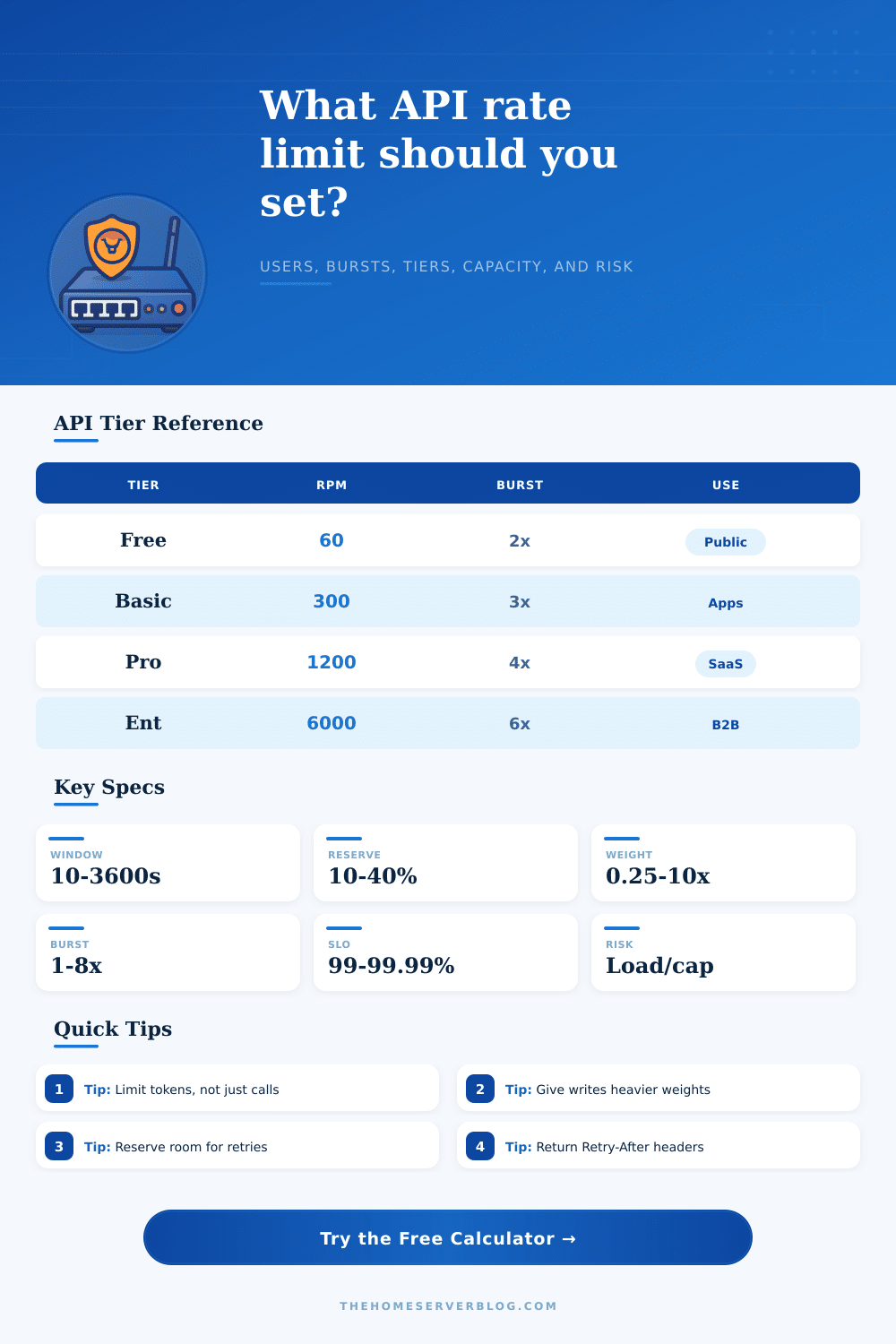
| Auth Tier | Default Cap | Burst Cap | Typical Use |
|---|---|---|---|
| Anonymous public | 30 RPM | 1.5x | Docs demos, unauthenticated lookup |
| Free API key | 60 RPM | 2x | Trial projects and personal tools |
| Basic customer | 300 RPM | 3x | Small production app integrations |
| Developer sandbox | 600 RPM | 3x | Testing, staging, CI verification |
| Pro production | 1200 RPM | 4x | SaaS tenants and paid products |
| Business tenant | 2400 RPM | 5x | Multi-user business workspaces |
| Partner integration | 3600 RPM | 5x | Trusted partner data sync |
| Enterprise contract | 6000 RPM | 6x | Custom B2B agreements |
| Internal service | 12000 RPM | 8x | Service-to-service traffic |
| Admin or back office | 1800 RPM | 3x | Human operators and dashboards |
| Endpoint Type | Weight | Limit Advice | Watch Metric |
|---|---|---|---|
| Cached read | 0.25x to 0.5x | Allow higher user caps | Cache hit rate |
| Standard GET | 1x | Use tier default unless saturated | p95 latency |
| Authenticated write | 2x to 3x | Separate write bucket from reads | DB lock time |
| Search or report | 5x | Use slower refill or job queue | CPU time |
| Export or import | 10x | Prefer async jobs and quotas | Queue depth |
| Limiter Strategy | Best For | Tradeoff | Header Pattern |
|---|---|---|---|
| Fixed window | Simple public APIs | Boundary bursts can double load | Limit, remaining, reset |
| Sliding window | Fair user-facing limits | More storage or approximation | Limit, remaining, reset |
| Token bucket | Bursty clients and SDKs | Needs refill and bucket tuning | Limit, remaining, retry |
| Leaky bucket | Smooth backend protection | May queue and add latency | Retry-After |
| Adaptive concurrency | Latency-sensitive APIs | Harder to explain to customers | Retry-After, reason |
| Rejection Risk | Capacity Ratio | Recommended Action | Operating Note |
|---|---|---|---|
| Low | Below 65% | Keep current tier and observe | Good room for retries |
| Moderate | 65% to 85% | Tune heavy endpoints and cache | Monitor p95 and 429s |
| High | 85% to 100% | Lower burst or raise capacity | Reserve may disappear |
| Severe | Above 100% | Reject early or queue heavy work | Expect 429 or 503 spikes |
And then you’ve built an API. It’s fast, its endpoints is clean, and its documentation are readable.
And then someone runs a script that grabs all of the records from your database at once. Nothing catastrophic happen right away, but you begin to feel pain. Responses take longer. Timeouts occur. This is when rate limiting goes from an abstract idea to your only line of defense from chaos.
How to Protect Your API
Finding the right balance here feels less like an engineering challenge, instead it feels more like trying to predict human behavior to protect vulnerable systems. There’s always this tension around APIs: how do you protect yourself from abuse without making development too hard? You don’t want to be too restrictive because then developers won’t build stuff on top of you. Then their apps will randomly stop working when they least expect it, resulting in churn and angry tickets.
But you also don’t want to leave the doors wide open since an errant script or a malicious bot could burn through all of your resources and cause downtime for everybody else. It’s not about saying no; its about controlling the flow of request to make sure that legitimate bursts of activity are allowed but that the system doesn’t get destabilized under load.
Most people start by looking at simple counts, like requests per minute. That makes sense; it’s a reasonable way in. But it fail to account for the fact that your backend has different costs for different kinds of request. A file export is expensive. Both a database join and a file export is expensive. A lookup against a cache is cheap. If you treat all these things equally, you’re going to distort your capacity planning.
Instead, you should of assign a cost based off the resources they use. The calculator above allow you to do exactly that: define the weight for each endpoint so that an expensive search doesn’t eat up the same budget as a lightweight status check. It pushes you to consider actual cost of every interaction instead of just the quantity of interactions.
Similarly, your intuition about burst allowance will let you down as well. Request rates aren’t uniform. Real users fire off requests in bursts rather than smoothly and uniformly over time. And if you have an inflexible ceiling (i.e., a strict limit with no leeway), then you’ll choke legitimate traffic during these natural bursts. A temporary burst above the average normal level allows you to absorb this traffic noise without needing to scale up constantly.
But there’s a tradeoff here. Larger burst multipliers puts more load on your backend when you get a sudden spike in concurrent connections. Strike a balance between how much stress you want to put on your infrastructure and how much you want to help users. Again: small thing but huge difference for keeping your error rates low during high-traffic periods.
Secondly, not every user is equal: An enterprise partner syncing critical data should be treated different than an anonymous visitor poking around your public docs. Setting your limits by authentication tiers lets you focus on the traffic that drives revenue and keeps the business humming along. It also makes support easier. If a user reaches a limit, just look at their tier. Do you really think they’ve used it inappropriately or should you bump up the base for everyone in that segment?
This is where experience enters: safety reserves. Regardless of how good your math is, systems fail. Databases lock up. Garbage collection pauses. Deployments has slight hiccups. Having some reserve of your capacity provides you some room to breathe. This means holding back a portion of your capacity as a buffer for when things inevitably go wrong. That is, it stops the system from tipping over and falling into cascading failures due to minor incidents. It’s laid out nicely on the page via a reference table that shows how different strategies line up with differing degrees of risk tolerance.
Trust comes from clear headers, predictable responses, and consistent enforcement. If clients know where the line is then they will write apps that play by those rules. And you’re not only protecting yourself against bad actors. You are guiding good actor into more effective integration patterns. Last, while the math finds the line, it is the strategy which allows you to keep your API healthy beyond the initial launch buzz.