API and abuse-control planner
Rate Limiting Window Calculator
Estimate effective RPS limit, burst duration, rejected requests, penalty time, and distributed overshoot for token bucket, fixed window, and sliding window limiters across single-node and Redis-backed deployments.
Calculation breakdown
Limiter verdict
Token bucket
Best when clients need short bursts but must average back to a stable refill rate.
0 RPSFixed window
Simple counters can double-dip at a boundary, so edge bursts may be harsher.
0 RPSSliding window
Smoother accounting limits boundary abuse, but needs more storage or sorted sets.
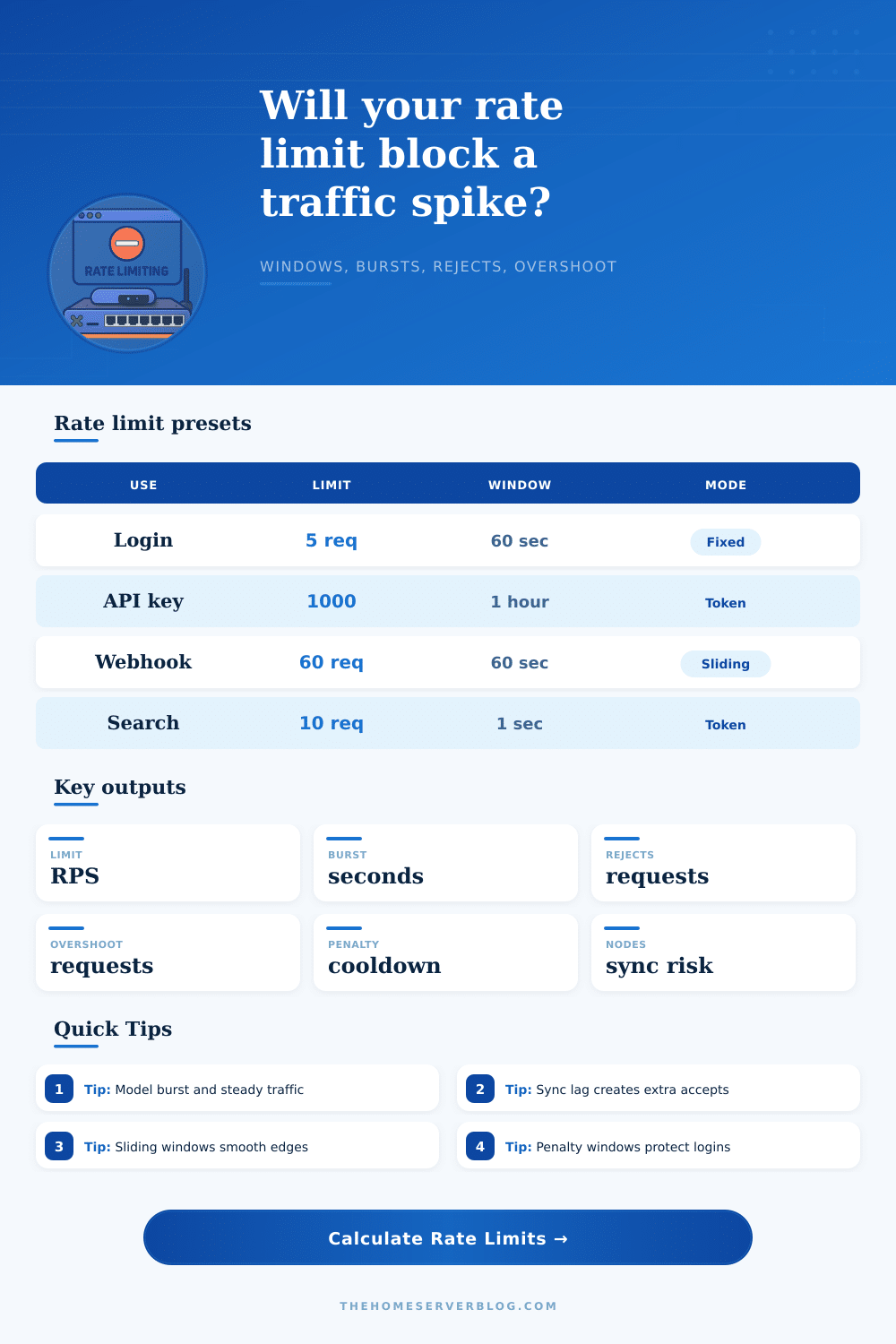
0 RPS| Pattern | Common limit | Window | Limiter fit | Risk to watch |
|---|---|---|---|---|
| Login brute-force protection | 5 attempts | 60 seconds | Fixed or sliding window | Locking out real users behind NAT |
| API key tenant limit | 1,000 requests | 3,600 seconds | Token bucket | Batch jobs draining the whole bucket |
| Inbound webhook receiver | 60 requests | 60 seconds | Sliding window | Retries stacking after upstream outages |
| Search endpoint guard | 10 requests | 1 second | Token bucket | Expensive queries hiding behind low RPS |
| Signup abuse guard | 8 accounts | 900 seconds | Sliding window | Distributed signup attempts across IPs |
| Deployment | Counter location | Sync behavior | Overshoot shape | Practical mitigation |
|---|---|---|---|---|
| Single process limiter | Local memory | No cross-node lag | Low unless process restarts | Persist counters for sensitive routes |
| Reverse proxy pair | Per-proxy memory | State splits by load balancer | Each proxy may grant a partial window | Use stickiness or shared storage |
| Redis-backed limiter | Central Redis | Atomic increments near real time | Mostly network latency and retries | Use Lua scripts or atomic commands |
| Edge worker network | Regional or eventual store | Async propagation | High during global bursts | Lower local caps and add global checks |
| Kubernetes ingress pods | Pod memory or Redis | Depends on implementation | Scales with pod count and sync lag | Centralize keys for login and payment flows |
| Window length | Good for | Typical client effect | Penalty pairing | Calculation note |
|---|---|---|---|---|
| 1 second | Search, autocomplete, realtime APIs | Immediate smoothing | Usually none or 1 to 5 seconds | Use token bucket for friendly bursts |
| 60 seconds | Logins, webhooks, admin forms | Human-readable retry-after values | 30 to 300 seconds | Fixed windows can allow boundary bursts |
| 15 minutes | Signup and password reset abuse | Blocks repeated workflows | 5 to 60 minutes | Sliding windows reduce timing games |
| 1 hour | API keys, tenants, background jobs | Protects quota without per-second noise | Retry-after or quota message | Pair with shorter burst protection |
| 24 hours | Daily quotas and freemium usage | Clear quota budgeting | Until reset or manual review | Add separate short-window abuse control |
And rate limiting isn’t magic. It doesn’t stop all traffic. It’s a way to get a system through the chaos of high traffic.
In staging, you can create an API that recieve requests predictably. Launch it. Users refresh their browsers at the exact same moment. A bot hits the login screen over and over again. Your server fall over because it doesn’t know how to say no to request nicely. Use this calculator to prepare a refusal before the situation arise. Make your security goals specific, with hard numbers behind them.
How to Protect Your Website from Too Many Visitors
Then you pick an algorithm. If your data is pressure-tested, it will respond different with a sliding log, a fixed window, or a token bucket. A token bucket lets users burst when they’ve got some tokens banked, naturaly-feeling behavior but tricky to tune since you control how fast the tokens get refilled. A fixed window resets its counter periodically; it’s just a number, so if a user happens to spike right at the end of the window, you could let twice as much through. A sliding window tracks a rolling time period. This smoothes out those rough edges, but it comes at cost of keeping around timestamps and requiring more memory.
“The tool shows all three algorithms side-by-side, simulating a spike and letting you see how many requests each one would accept. That’s important: what seems like a nice safe algorithm on paper may be too noisy in production.
Running an app across multiple servers raise questions about distribution. In the absence of any shared state, every server have its own counter. Malicious clients can easily get around the limit by sending one request to each server. The calculator models this by asking how many server you want and how often they should synchronize. When the sync period is long, it’s easy for the excess requests to accumulate, and these requests will overload your back end before firewall even gets a chance to notice. It’s a leak that can be measured; the more nodes you have, the bigger hole in the bucket.
Common fixes involve lowering the per-node allowance or switching to atomic shared storage, both of which change how the system perform. Capacity is often guessed at in bursts. While the steady state limit may be lower, users will expect the API to serve five requests in a second with no problem. Guess too low and good users gets blocked when they double-click. Guess too high and attackers hammer away until the limiter wakes up. Assuming peak traffic and a refill rate, the calculator tells you how long it will take for the burst to throttle before refilling. It relates the theoretical bucket size to real user experience. You want the burst to cover normal human impatience without inviting abuse.
For example, it adds penalty windows to protect sensitive endpoints such as login and password reset. Instead of simply rejecting the request, the system could block that IP address for two minutes after too many failures. That way, it forces attackers to wait before they can do more damage, lowering the risk of brute force attacks. When estimating total rejected requests across a period of simulated traffic, the tool takes into account this cooldown. You can then tell whether the penalty period is long enough to discourage automated attacks while not annoying actualy users who forgot their password once. It balances security and availability.
This means you need to determine what level of risk you’re willing to accept (you can’t block everything). The calculator doesn’t do this for you, but it provides the data to help you make your argument during the design review. As you move the sliders for sync lag, peak requests per second, and client count, you’ll notice the effects throughout the system. Perhaps a small increase in sync interval will save latency without causing dangerous overshoot. Maybe a fixed window would of been too risky for the login flow? After understanding how the variables play together, setting up the API becomes less guessing and more engineering.
It’s not about blocking all the bad traffic, it’s about keeping the system running with the attackers going.