HomeServerBlog session sizing tool
Session Table Size Calculator
Estimate app and load-balancer session table entries, memory footprint, cleanup backlog, and replica traffic before changing Redis, HAProxy stick-table, NGINX Plus zone, SSO, or presence settings.
Calculation breakdown
Capacity signal
| Session layer | Typical record size | Retention shape | Sizing watchpoint |
|---|---|---|---|
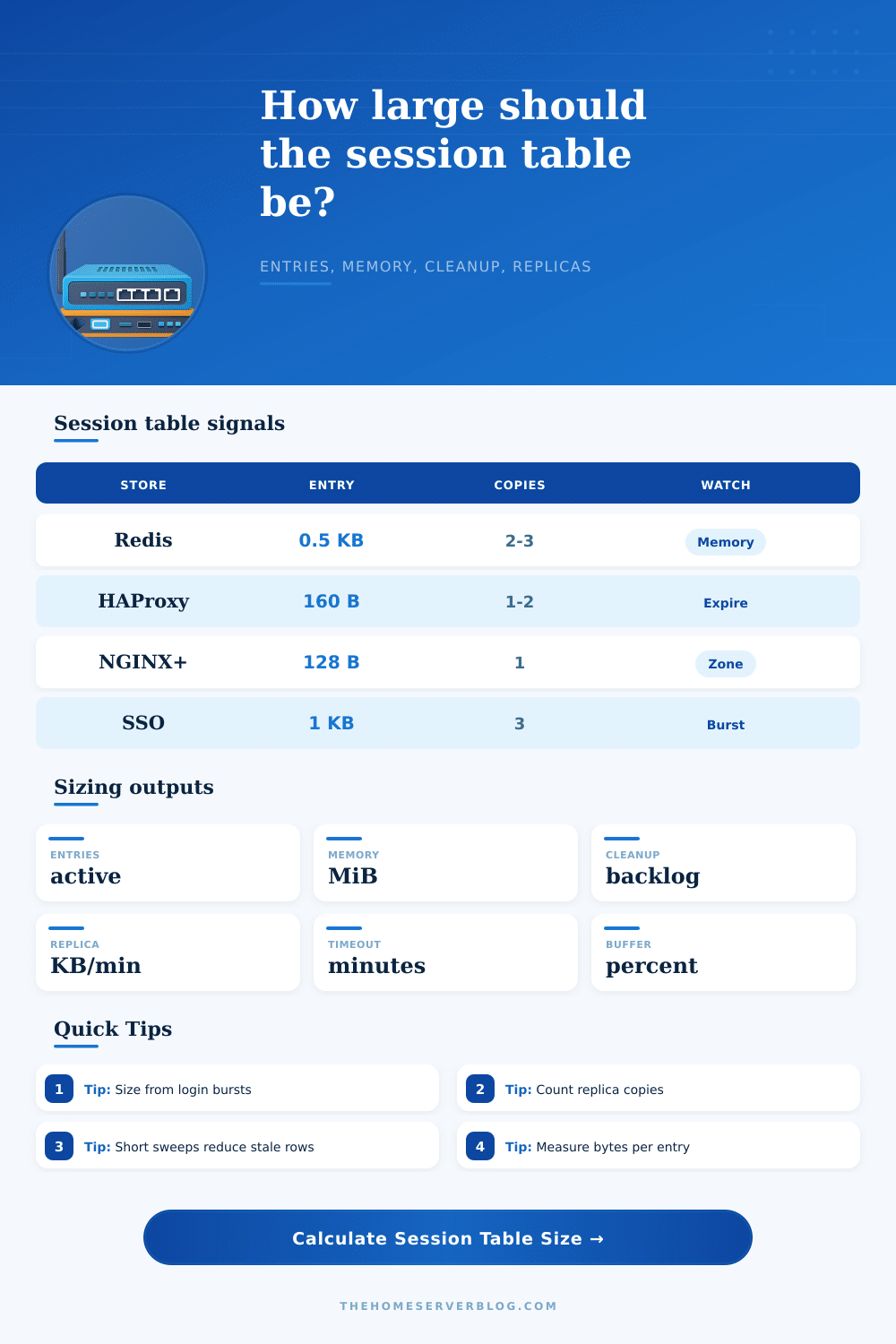
| PHP Redis sessions | 512 B to 4 KiB plus key overhead | TTL keys with cleanup handled by Redis expiry | Memory fragmentation and replica backlog during login bursts |
| HAProxy stick table | 64 B to 256 B for simple keys and counters | Expire timer on each sticky key | Table size limit, peers traffic, and NAT hot spots |
| NGINX Plus zone | 128 B to 512 B for shared memory state | Zone entries age out by configured timeout | Zone cannot grow after allocation without config change |
| SSO token session table | 1 KiB to 8 KiB with scopes and device metadata | TTL plus revocation or refresh token cleanup | Morning login storms and multi-device users |
| Pattern | Idle timeout | Cleanup interval | Practical effect |
|---|---|---|---|
| Interactive admin UI | 15 to 30 minutes | 1 to 5 minutes | Small stale backlog and fast revocation visibility |
| Ecommerce login pool | 30 to 90 minutes | 5 to 15 minutes | More carts and tabs stay warm, but stale rows linger longer |
| SSO portal burst | 60 to 480 minutes | 5 to 30 minutes | Login rate often sizes the table more than current users |
| Presence or websocket | 2 to 10 minutes | 0.5 to 2 minutes | Short sweeps prevent disconnected clients from looking online |
| Deployment | Active entries | Metadata bytes | Replica note |
|---|---|---|---|
| Small WordPress login pool | 1,000 to 5,000 | 512 to 1,024 | Usually one Redis replica or local app storage |
| Home lab multi-node app | 5,000 to 25,000 | 768 to 2,048 | Two or three copies for failover and restart tolerance |
| SSO or school portal burst | 25,000 to 200,000 | 1,024 to 8,192 | Replication traffic spikes at start of day |
| Game lobby or presence table | 10,000 to 100,000 | 128 to 768 | Low payload, high churn, and short idle timeouts |
So on a slow Monday morning you check your dashboard and everything’s cool. But come Tuesday morning, it lights up red. You didn’t alter the code; the server specs hasn’t changed. Yet somehow your session store grows to bursting, choking on memory… Or worse, replication lag. Stateful infrastructure can be a trap.
It looks like a static problem until someone shows up. Then it acts more like a flow problem: how much will the thing hold? How do you even know before it overflow its tank? When you plug in your concurrency numbers into the calculator, the calculator does the math for you… No need to guess what your Redis key coefs or your NGINX zone coefs will be.
Why Your Server Crashes on Busy Days
Most engineers sizes for the average day, which is a mistake. You should of always size for the burst when everyone logs in at once after lunch. By forcing you to separate out login rates from active user counts, the tool gets you to face this pressure point. Login rate is how many new sessions are created per minute. Active users are who is actualy logged in.
If your login rate is high and your idle timeouts are long, the table grow faster than you can clean it up. This happens because creation outpaces the cleanup. The other thing is that overhead per entry (not to mention memory footprint) is just the beginning. A basic stick table in HAProxy require maybe dozens of bytes for each entry, such as a key plus an expiry timer. In contrast, a single SSO token session include multiple scopes, device identifiers, and refresh tokens, easily exceeding one kilobyte each. Multiply that payload by twenty thousand concurrent users and now you’re talking gigabytes of RAM.
The point being, it’s not really about number of users; instead, it’s about metadata size, since even a tiny app could outscale a big one if its sessions is heavy with data. The silent killer on multi-node setups are replication traffic. Each row change (create/update/delete) must replicate to all other nodes. If you want high availability with multiple copies, then each login event generate 3x as much network I/O. This calculator estimates how much of that churn will happen so that you can determine whether your interconnect bandwidth will be enough under peak traffic conditions.
And it’s easy to overlook the cleanup backlog, which doesn’t instantly dissapears when sessions expire. They just sit there waiting for some background sweep to clean them up. If your cleanup interval is greater than your idle timeout, you’ll accumulate a bunch of stale rows that take up memory but don’t serve any useful function at all. Shorten that sweep interval to decrease the size of the stale queue and keep those resources available.
Reflect on what kind of pattern this applies to. For example, a user browsing an online store might have little churn (they stay logged in for a long time) but more metadata (their session carry heavier payloads like cart contents or shipping info). But sessions used for things like games might see very high churn (users come in/out of lobbies frequently), while having little metadata. You should treat these two differently when it comes to expiration or cleaning up the data, you want different settings based off your use-case.
Use these tables as a sanity check, though they are not an ironclad rule. They gives typical stack sizes for popular ones. If your own metadata is bigger (e.g., if you’re storing CSRF tokens in the session, or maybe user carts), increase the bytes per entry input to match and go from there.
Memory waste is cheap; running out of space when you get a traffic spike isn’t. At the end, it’s all about entropy: users log in, they idle, they expire, and they multiply across replicas. There’s nothing you can do about people, but you can do something about the containers holding their states. You can manage the interaction between login bursts, cleanup cycles, and retention policy so that what was once a volatile resource becomes something predictable.
Memory isn’t everything; sure, save as much as you can, but make sure that when the next morning rush comes along, your system will absorbs the shock without leaking capacity, because peace of mind is more valuable than every last kilobyte.