BGP control-plane capacity planner
BGP Route Table Size Calculator
Estimate Adj-RIB-In, Loc-RIB, FIB programming memory, route update fanout, buffered footprint, and practical router RAM headroom for FRR, edge routers, route reflectors, and IX-style peers.
BGP memory model
The model separates peer-learned paths from selected best paths. Adj-RIB-In scales with peers and alternate paths, Loc-RIB scales with best routes and copy factor, and FIB memory is estimated only for installed routes.
Calculation breakdown
RIB and update detail
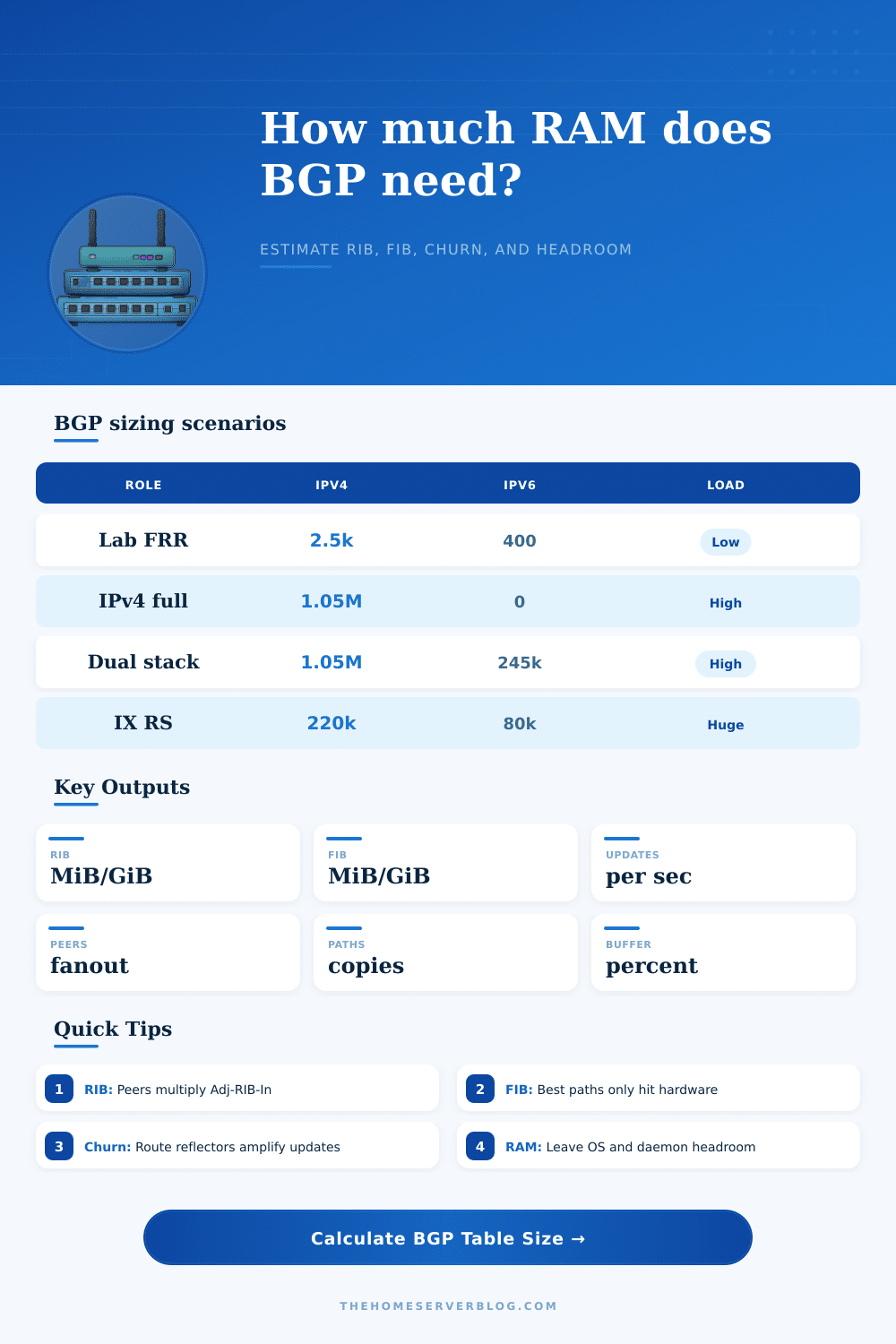
| Preset | Route shape | Peers | Why it matters |
|---|---|---|---|
| Home Lab FRR | Small IPv4 and IPv6 lab prefixes | 3 | Good for mini PCs, Proxmox routers, FRRouting labs, and policy testing. |
| Full Internet IPv4 | Large IPv4-only global table estimate | 2 | Control-plane memory is driven by route count more than FIB copies. |
| Full Dual Stack Edge | IPv4 plus IPv6 full-table edge | 3 | IPv6 objects and dual-stack policy raise both RIB and update processing. |
| IX Route Server | Many peers with route-server policy | 250 | Adj-RIB-In and update fanout dominate even when best-route count is moderate. |
| Memory component | Calculator approximation | Scales with | Planning note |
|---|---|---|---|
| Adj-RIB-In | Prefix object + attributes + path state | Peers x paths | Soft reconfiguration, add-path, and many peers increase this quickly. |
| Loc-RIB | Best route plus daemon copy overhead | Best prefixes x copy factor | Policy, multipath, and route-map snapshots make the factor higher. |
| FIB | Forwarding entry plus next-hop state | Best prefixes x copy factor | Only installed routes hit kernel, ASIC, or forwarding-plane memory. |
| Buffered total | RIB + FIB + memory buffer | All components | Use buffer for table growth, route leaks, daemon allocator slack, and debugging. |
| BGP role | Typical path pressure | Update pressure | Watch item |
|---|---|---|---|
| Branch default only | Very low | Low | RAM is usually dominated by OS, firewall, VPN, and telemetry services. |
| Transit edge | Medium to high | Medium to high | Multiple upstreams retain alternate paths even when only one is selected. |
| Route reflector | High | High | Client fanout can make update propagation the real bottleneck. |
| IX route server | Extreme | Extreme | Policy state, communities, and per-peer visibility consume large memory. |
| Signal | Low range | Warning range | Action |
|---|---|---|---|
| BGP RAM share | Under 25% | Over 45% | Add memory, reduce soft copies, or split roles before production use. |
| Update fanout | Under 500/s | Over 5000/s | Check CPU, route-map cost, logging, and peer output queue behavior. |
| Path rows | Under 2M | Over 20M | Audit add-path, route-reflector clients, and accepted-prefix policy. |
| Copy factor | 1.0 to 2.0 | 3.0 and up | Verify kernel, ASIC, daemon, multipath, and debug copies are all needed. |
show bgp summary, memory allocator stats, kernel route counts, and peer update queues before raising accepted-prefix limits.With a fresh install, you think “oh yeah, routing is just getting packets from point A to point B.” So you plug in your first external peer and the route table expands till it eats up half of your RAM. Why? It is not because you’re seeing much traffic, but rather because control plane thinks it needs to keep every alternate path, just in case. And that’s the instant where a calculator becomes better then your gut feeling.
This is helpful if you want to understand what makes your home server run so hot after a full table download. When we’re talking about BGP memory usage, the tool above do the math on the difference between “what you learn” (the Adj-RIB) and “what you use” (the Loc-RIB). People conflate these, thinking that they’re the same thing when they aren’t.
How to Calculate BGP Memory Usage
The Adj-RIB contains all routes each peer offers, regardless of whether they’re optimal or not. You store them in case they come back into play later. It’s linear with your number of peers and linear with how many backup paths you maintains per prefix. In other words, if you want to be flexible in your policies and keep two backups, but you’ve got three upstreams, then you triple your memory consumption before you’ve even considered forwarding table! Our calculator multiplies those numbers out so you know exactly how much it would of cost in raw storage space without having to guess.
So how do we compute Loc-RIB? Because it’s only the best path chosen by the BGP decision process, Loc-RIB are tighter. But in reality, whether virtual or real hardware, you also need to include copy factors. Before policy changes is made, daemons make duplicates to snapshot things. They also does kernel programming and more. This multiplier is why the calculator requests it, to give you an idea of what your actual RAM consumption is on your particular platform. If you are a bare metal router that uses a ASIC offload chip to do the forwarding, you will likely have a lower copy factor than someone running many VRF and soft reconfig state in their virtual FRR instance.
IPv6 adds another complication to the calculation because its headers are bigger than IPv4 entries, so the estimator take that into account when computing prefix overhead. IPv6 has a memory impact. You’d imagine turning on IPv6 is simply an option, but it can have a large impact as well. It’s not just more bytes per route; it’s possibly more peers (if you’re dual-stack everywhere).
To show the difference in memory profiles, the page has reference tables comparing the memory footprint of a branch office (requiring only a default route) versus an Internet Exchange route server (with hundreds of clients). The former hardly registers Loc-RIB usage, while the latter chokes on the Adj-RIB storage.
Churn is the silent killer in this equation. While a static full table is easy to understand and predict. But when a policy reloads or an incident causes routes to flap, the update fanout multiplies by your peer count. And the calculator guesses that load so you can see if you are going to overwhelm your CPU or interface buffers long before your memory starts to fill up. With high churn the control plane spends less time forwarding data and more time dealing with updates. This is a small detail about operations, but it determines how stable your router stay as the network becomes unstable.
Most engineers forget to add a buffer until they hit an out-of-memory crash. There’s a percentage field for that safety margin in the tool. Use it to soak up any temporary spikes in path retention, or route leaks, or table growth. Adding no buffer is a gamble, it will work…until it doesn’t.
Running your own scenario with those inputs change things. You move from hoping your hardware is enough to knowing exactly how much room is left for other services and the operating system. That knowledge turns a chaotic upgrade into a calculated purchase.