Hosting Upgrade Threshold Calculator
Estimate when a site, VPS, database node, or CDN origin needs its next hosting tier by combining utilization, latency symptoms, error pressure, and monthly growth into one upgrade threshold model.
Shared Hosting
Best for low sustained CPU, small RAM footprints, and static or lightly cached sites.
1x baseline2 vCPU VPS
Useful first move when CPU spikes or worker limits start shaping response time.
2 cores4 GB WordPress
Good fit for plugin-heavy CMS stacks that need PHP workers and database cache.
4 GB RAMBusy API VPS
Better when p95 latency, error rate, and sustained concurrency matter together.
4 to 8 vCPUNVMe Database
Targets IOPS-heavy queries, writes, cache churn, and slow table scans.
High IOPSMedia Origin
Prioritizes outbound bandwidth, disk throughput, object caching, and CDN pull behavior.
1 Gbps portMemory Optimized
For Redis, MySQL, search, or app caches that are close to swap or OOM pressure.
8 GB+Split App + DB
Use when one shared box hides the true bottleneck between PHP, database, and cache.
2-node path| Resource | Comfort zone | Upgrade watch | Hard threshold used | Common fix |
|---|---|---|---|---|
| Average CPU | Under 55% | 55 to 70% | 70% | Add vCPU, reduce PHP workers, cache dynamic pages |
| Peak CPU | Under 75% | 75 to 90% | 90% | Move to more cores or faster single-core hosting |
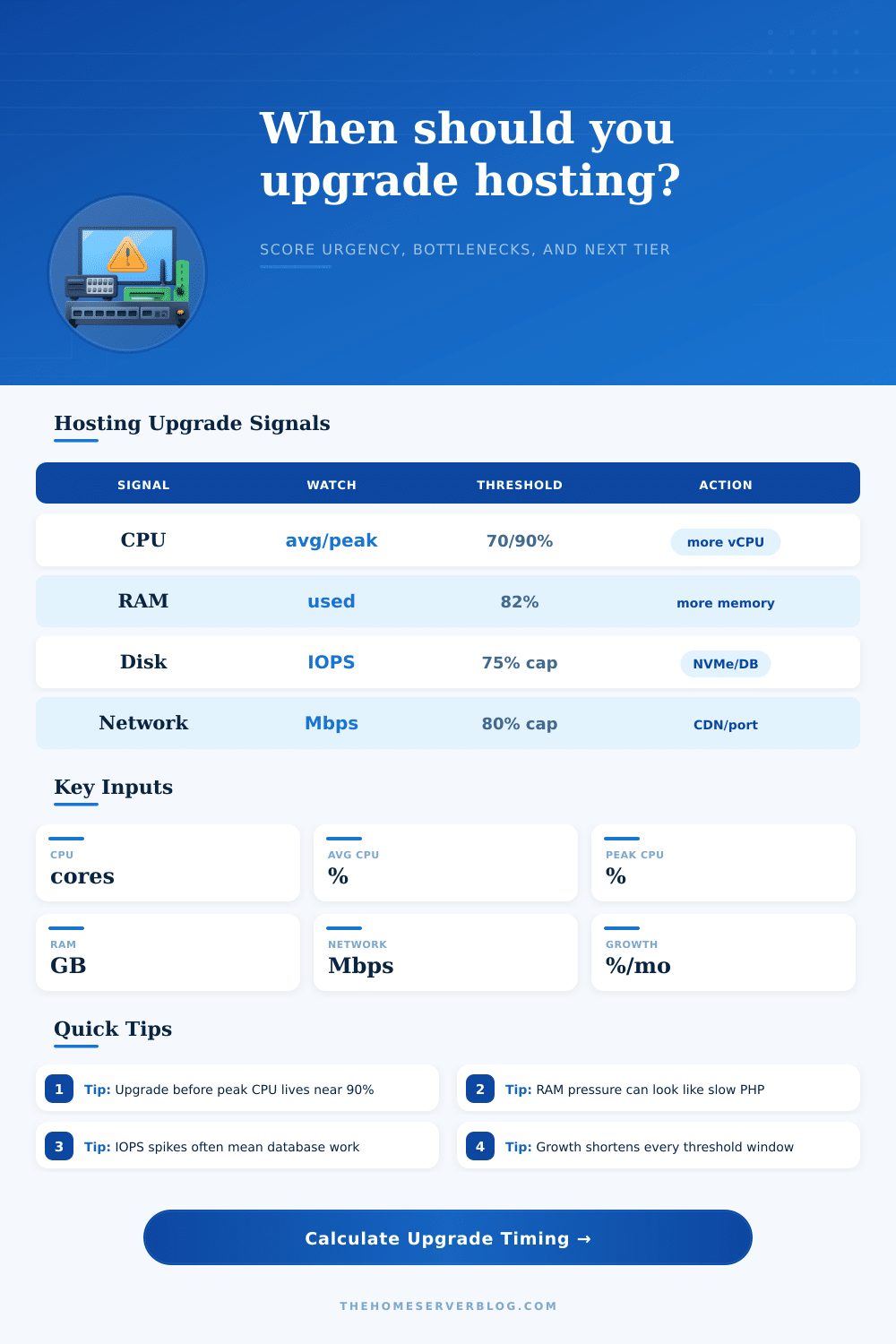
| RAM used | Under 70% | 70 to 82% | 82% | Add RAM, tune workers, increase object cache hit rate |
| Disk IOPS | Under 55% of inferred cap | 55 to 75% of cap | 75% of inferred cap | NVMe, managed database, query/index cleanup |
| Network Mbps | Under 60% of inferred cap | 60 to 80% of cap | 80% of inferred cap | CDN, higher port, image/video offload |
| Error rate | Under 0.25% | 0.25 to 1% | 1% | Increase headroom, inspect logs, reduce timeouts |
| Response p95 | Under 450 ms | 450 to 800 ms | 800 ms | Profile slow paths, cache, scale CPU or database |
| Urgency score | Meaning | Timing | Recommended action |
|---|---|---|---|
| 0 to 34 | Healthy headroom | Review after a release or traffic change | Watch trends and keep caching enabled |
| 35 to 54 | Capacity watch | Plan within the next quarter | Benchmark next tier and remove obvious waste |
| 55 to 74 | Upgrade planning | Prepare within 1 to 2 months | Choose a target plan and test migration |
| 75 to 89 | High urgency | Upgrade soon | Move the bottleneck or add capacity before peak traffic |
| 90 to 100 | At or beyond threshold | Immediate | Upgrade, shed load, or split services now |
Sometimes you’ll find yourself thinking, “Oh my website is slow, I don’t know why.” It’s not crashing but it’s slow. The pages are loading with a bit of delay. It wasn’t doing that last month. And that’s typically when most people start looking for answers. They wait till they get the hard error and then look around for solutions.
It is just like changing a tire on the highway. You want to predict the bottleneck so you can fix it before it turns into an emergency.
How to Find and Fix Server Problems Early
Instead, this calculator use multiple factors and throws them in a bucket to provide an urgency level (the formula is above). It doesn’t just look at one metric. It balances network bandwidth, disk speed, and memory pressure. It also consider CPU usage all at once. Why? Because while servers may be loaded with free RAM they might be bottlenecked on slow disk I/O. You know what you don’t see if you’re only watching the overall CPU load, the spikes which truly crush your user experience.
Peak vs. Average Use: Let’s say that your dashboard tell you that you’re running at half (50%) capacity. But what if your peak load is 90%? Those few extra seconds can really add up. This tool takes that into account and allows you to enter both numbers. Then it calculates when you’ll reach capacity based off your expected rate of growth. That number, which is arguably the most valuable output here, give you a concrete timeline for planning. The bottom line is to convert vague feelings of anxiety into concrete plans.
The problem with memory isn’t like it is for processing power. Once your memory is full, the system will begin swapping things to disk, which is much slower then memory. This cause everything to come to a grinding halt. High CPU usage doesn’t necessarily mean your application want more power, it means the server has to work hard to deal with that swap space. On page, there’s a reference table that breaks down where that “hard threshold” occurs, as well as more comfortable range of usage. So, it tells you exactly when each resource becomes inefficient and begins creating problems.
Oh, and don’t ignore disk IOPS. That’s input operations per second, which is the silent killer for database heavy site in particular. While a new NVMe drive easily handles thousands of operations without choking, an old SSD chokes on a few hundred. Even when CPU is barely working, hitting that disk cap feels just like a server crashing. Save yourself unnecessary upgrade to a bigger processor by finding this bottleneck early, because the bigger processor won’t solve it anyhow.
Another example of where people are surprised by growth is network bandwidth. A small site may not consume any data whatsoever. Now if you’re delivering video or images directly from the server, those megabits accumulate quicky. Your plan takes into account how much your traffic grows month-over-month and lets you know when your pipe’s going to be clogged. It’s a simple compound interest issue applied to server load.
You get back from this an urgency score from zero to a hundred. Low means lots of headroom. High means act now. Moderate means don’t freak out. Just begin to plan. To help you find the right solution for the right problem, the next suggested level in the result will show you where to focus on matching up the right hardware. For example, if the bottleneck is CPU then you want more cores. Memory? Then a bigger RAM plan. Buying a bigger box when you only need faster disk speed is a waste of money. You’re wasting money if you buy a bigger box when that isn’t what you actualy need.
Upgrading servers is something that most hosting companies won’t remind you to do. They’ll let you grumble along until you start complaining. By taking control, however, you get to migrate whenever it’s convenient for you, with no downtime! You can also experiment during off-peak hours. If you prepare in advance, you won’t feel that sluggish feeling at all. You should of prepared sooner.