Home lab virtual storage risk planning
Thin Provisioning Overcommit Calculator
Estimate thin pool overcommit ratio, days to full, safe allocation headroom, and alert date from real pool use, snapshots, daily growth, reclaim, dedupe/compression, and policy limits.
Effective pool
10.20 TBPhysical capacity after snapshot reserve and metadata safety room.
Used to alert
1.76 TBReal pool space available before the selected threshold trips.
Observed fill
32%Current used TB divided by allocated virtual TB.
Net growth
38 GB/dayDaily write growth after savings and reclaim are applied.
Conservative
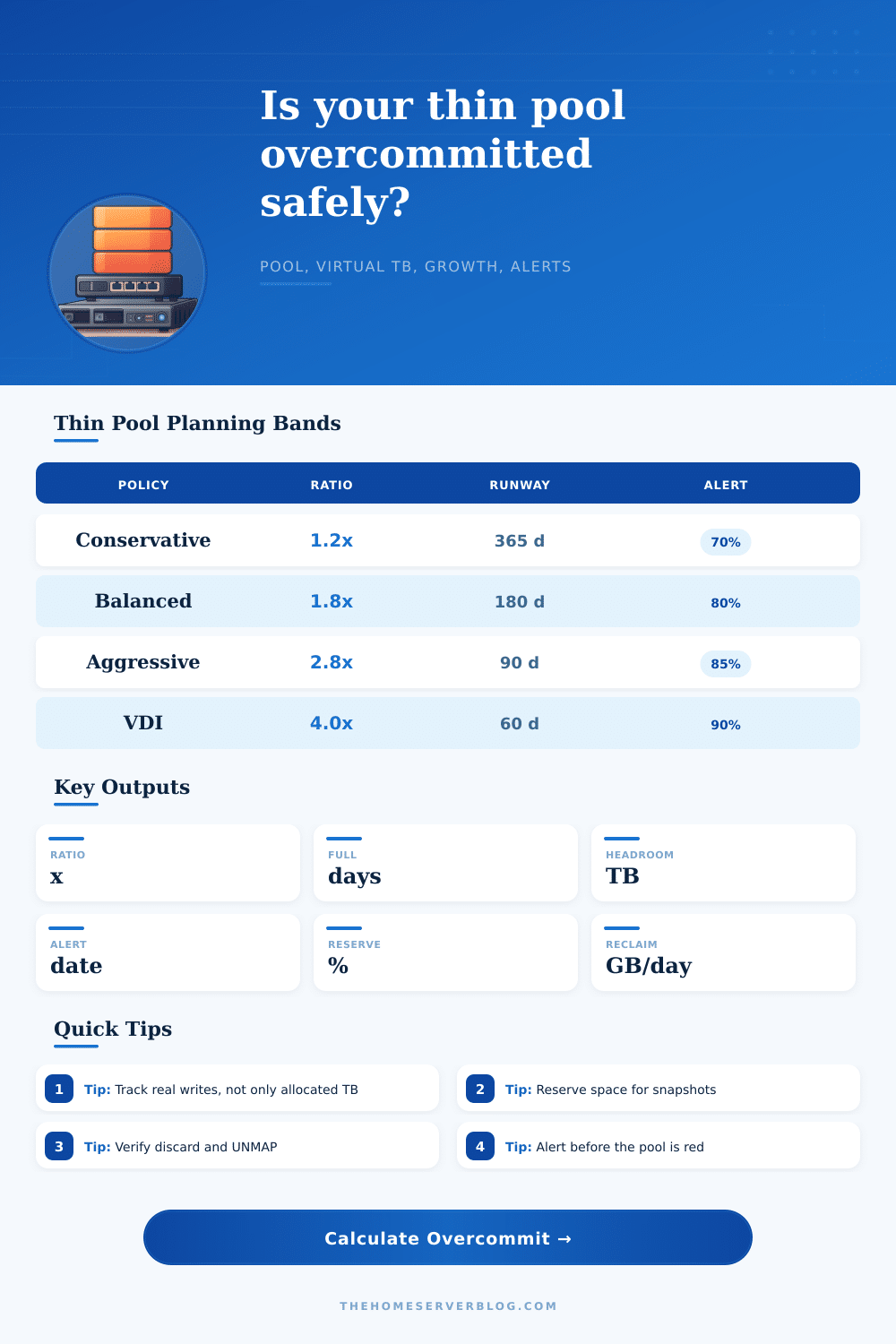
1.2xFor mixed VM pools, databases, and sparse volumes without strong cleanup automation.
Balanced
1.8xGood default when monitoring, snapshots, and reclaim jobs are already routine.
Aggressive
2.8xUse with short-lived workloads, frequent reviews, and reliable alerting.
Clone-heavy VDI
4.0xWorks best when most desktops or labs share a golden image base.
| Policy | Ratio cap | Runway reserve | Best fit |
|---|---|---|---|
| Conservative | 1.2x effective pool | 365 days of net growth | Databases, NAS shares, mixed production VMs |
| Balanced | 1.8x effective pool | 180 days of net growth | Home labs with alerts and monthly cleanup |
| Aggressive | 2.8x effective pool | 90 days of net growth | Ephemeral labs, CI workers, short-lived clusters |
| VDI clone-heavy | 4.0x effective pool | 60 days of net growth | Golden-image desktops and repeated templates |
| Preset | Typical ratio | Reserve habit | Risk note |
|---|---|---|---|
| Proxmox Thin LVM | 1.3x to 2.0x | Keep 10-20% free | Discard must reach the thin pool to reclaim space. |
| VMware Datastore | 1.2x to 1.8x | Alert near 75-85% | Snapshots can grow quickly during backup windows. |
| ZFS Sparse Zvols | 1.1x to 2.0x | Watch pool fragmentation | ZFS pools dislike being nearly full even before hard exhaustion. |
| VDI Golden Images | 3.0x to 5.0x | Reserve login storm room | Shared bases are safe until unique writes fan out. |
| Reclaim source | Input effect | Check | Practical limit |
|---|---|---|---|
| Guest TRIM or UNMAP | Raises reclaim GB/day | Confirm discard passes through every layer | Often delayed by filesystem or hypervisor queues. |
| Snapshot expiry | Lowers current used growth | Compare pre/post prune pool usage | Deleted blocks remain pinned by older snapshots. |
| Dedupe/compression | Reduces future growth | Sample by workload type | Already-compressed media may save almost nothing. |
| Template clones | Lowers observed fill | Measure clone delta after updates | Patch cycles can turn shared blocks into unique blocks. |
| Alert state | Pool use | Action | Escalation |
|---|---|---|---|
| Green | Below 70% | Add allocations within policy headroom | Review monthly trend. |
| Watch | 70-80% | Pause large new thin disks unless reclaim is proven | Shorten snapshot retention. |
| Warning | 80-90% | Expand pool, delete unused volumes, or enforce quotas | Notify owners before writes fail. |
| Critical | Above 90% | Stop new allocations and clear pinned snapshots first | Prepare emergency storage or migration. |
So far so good: You’ve got a pile of hard drives and everything feels like it has infinite space. Thin provisioning mean handing out bigger-than-metal virtual disks. It conserves disk space (and keeps things less messy) by only committing to how much space guests claim, not how much space they use. Until one day… Usually when no one’s paying attention during a patch cycle or backup window, it catches you off guard that you’ve run out of room in the pool.
The calculator above do the math for you once you enter your actual usage numbers; there’s no need to guess anymore if you’re growing at a sustainable pace. But the key tension here is how much do you allocate vs. How much did they use? How much did you promise them, and how much of that promise have they already spent? That’s where your overcommit ratio comes in.
How to Manage Your Storage Space
Your overcommit ratio are the amount of unused space left in your physical pool after subtracting the total amount you’ve allocated. A 1.2x overcommit feels safe, but if you’re like me, you might want to look at higher ratios if you have shared golden images and most desktops only write to them once. Until then, why not let ’em read away? On the other hand, 4.0x seems extreme… until you discover that everyone actualy reads from a shared golden image.
The calculator above converts those numbers into days remaining until you run out of pool. That way, you’ll know exactly when to panic. While planning out your budget for storage, most folks ignore reclaim rate because they look at the amount of data they create per day and panic. But the fact is, reclaiming space (whether by issuing TRIM commands, or having workloads that delete temporary files) is far more important to you than it appear on paper.
Even if you delete a file in Windows, the space isn’t “pinned” unless the guest OS sends discard signals. The chain of communication must be unbroken, otherwise you can end up with terabytes of deleted data locked into your pool forever. Measuring real-world reclaim rates change all of this. To make things more complicated, there is also snapshots. They’re a lifesaver when it comes to recovery but they consume capacity and do so in silence.
If you have any active snapshot, every block in that pool is copied to allow for recovery of the previous state. Even if you delete tons of data from somewhere else, your pool will fill up unless you disable snapshots or manually reclaim their storage. The tool takes this into account by allowing you to define a reserve percentage to ensure you don’t accidentally commit space that must remain free for safety reasons. You basically has to accept that some portion of your capacity isn’t negotiable.
The policies is what contain the chaos by defining your risk tolerance. If you allocate conservatively, you’ll buy more hardware earlier. This limits your headroom, but you won’t have outages. If you allocate aggressively then you can stretch that headroom farther, but assume you’re doing a lot of monitoring and has fast cleanup processes.
How much money do you want tied up in disk shelves? How little sleep do you care about losing? It all depends. There is no single right answer. This is laid out clearly on the page where they match workload types to their safe operating bands. Because database writes are cumulative and unique (each row changed), they can’t afford as high of a ratio. VDI environments write share among themselves, so they can afford more. The key takeaway here is that you need to match your data’s behavior to your strategy, not just to your overall gigabytes.
There’s going to come a time when the system tells you that you’re close to a threshold. That isn’t a failure; it’s an invitation to act. It is time to increase the pool, purge old clones, and enforce tighter quotas. Manage the rate of growth before it manages you.
It would of been a stack of drives and a feeling of infinite possibility. Now it’s a plan, one that keeps the possibility real, not theoretical.