HomeServerBlog rack power planning
Rack Density kW Calculator
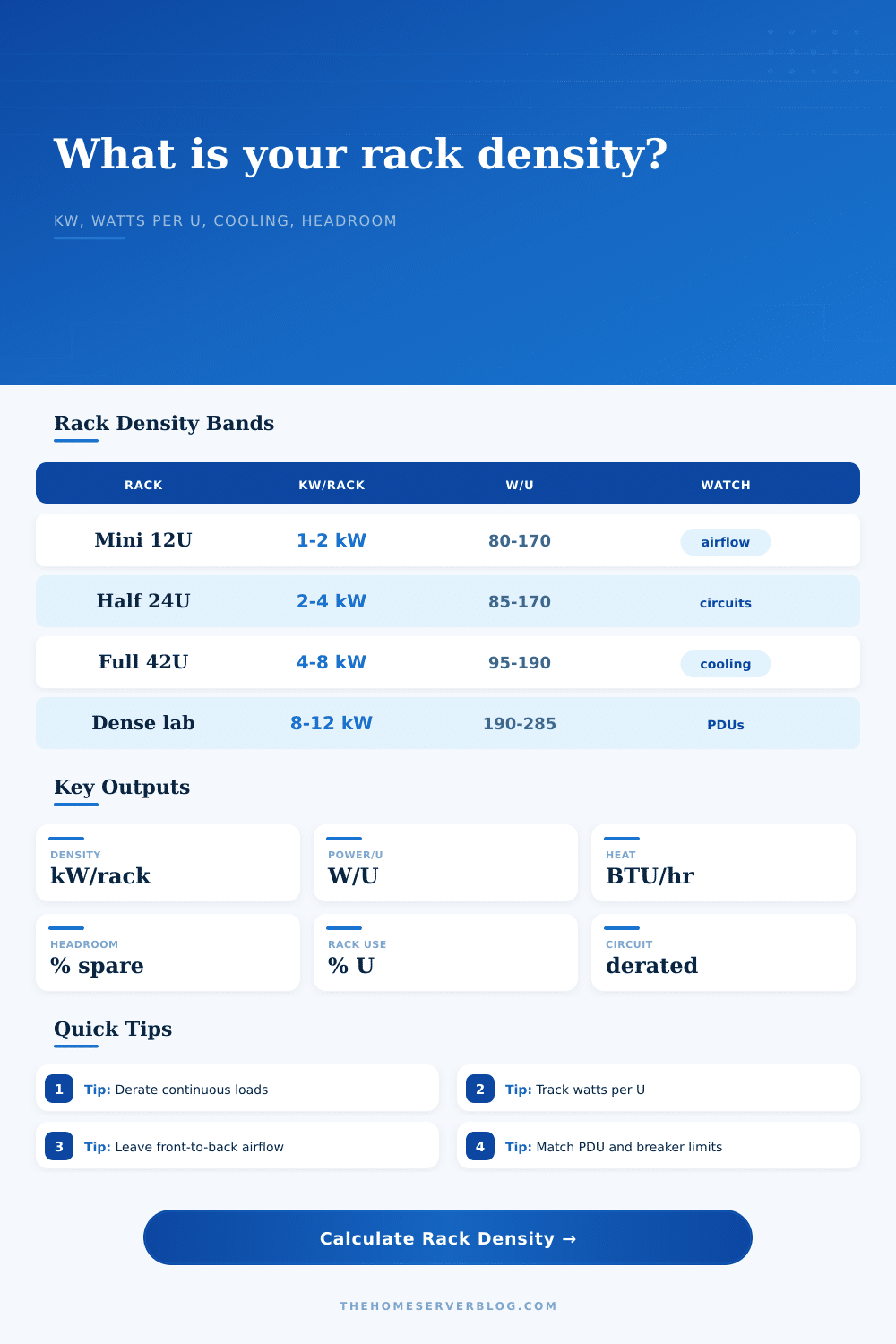
Estimate total rack power density, watts per rack unit, electrical headroom, and cooling load from real home lab rack types, equipment profiles, PDU derating, and airflow reserve.
Full density breakdown
Mini PC Cluster Node
25 W, 0.5UCompact Proxmox, Kubernetes, or edge compute nodes. High node count per U, modest heat, usually 1 to 2 NICs each.
1U Virtualization Server
220 W, 1UTypical single-socket or efficient dual-socket lab host with 10GbE, remote management, and front-to-back fan flow.
2U GPU Compute Server
850 W, 2UDense compute or AI box with accelerator cards. Cooling and branch-circuit limits usually matter before rack U does.
48-Port PoE Switch
420 W, 1USwitch load includes the switch plus a moderate PoE budget. Watch UPS runtime and cable bundle airflow.
| Density band | kW per rack | Watts per U in 42U | Home lab meaning | Primary constraint |
|---|---|---|---|---|
| Light network rack | 0.3 to 1.0 kW | 7 to 24 W/U | Patch panels, router, small switch, modem, and low-power appliance shelf | Usually cable management and UPS outlets |
| Efficient home lab | 1.0 to 3.0 kW | 24 to 71 W/U | NAS, firewall, a few 1U servers, and one access switch | 120 V circuit capacity and noise |
| Dense virtualization rack | 3.0 to 6.0 kW | 71 to 143 W/U | Multiple hosts, storage shelves, 10GbE or 25GbE, and online UPS gear | Cooling, UPS, and PDU derating |
| Compute or GPU rack | 6.0 to 12.0 kW | 143 to 286 W/U | GPU nodes, lab render boxes, AI servers, or high spindle-count storage | Dedicated circuits and directed airflow |
| Rack configuration | Usable U factor | Airflow planning band | Best fit | Watch item |
|---|---|---|---|---|
| 4-post open frame | 96% | About 6 kW | Home labs where noise is acceptable and front-to-back airflow is clear | Dust, cable strain, and side exposure |
| Enclosed cabinet | 92% | About 8 kW | Full-depth servers, blanking panels, hot/cold separation, and rack PDUs | Door perforation, fan trays, and exhaust path |
| Wall-mount network rack | 86% | About 1.2 kW | Switches, patch panels, firewall, NVR, and compact shelves | Depth, wall loading, and PoE heat |
| Acoustic quiet rack | 82% | About 2.5 kW | Office-adjacent equipment where sound isolation is important | Recirculation through muffled airflow paths |
| Short-depth rolling rack | 90% | About 2 kW | Mini PCs, network gear, shallow storage, and temporary lab benches | Tip risk, depth fit, and rear cable bend |
| Power standard or rule | Formula or value | Calculator use | Practical limit | Planning note |
|---|---|---|---|---|
| Continuous load derating | rating x 80% | Derated PDU and branch-circuit capacity | Typical for long-running server loads | Use local electrical code and qualified wiring for final design |
| Heat conversion | watts x 3.412 | BTU/hr cooling estimate | Nearly all consumed IT power becomes room heat | Add reserve for fan ramp and warm ambient days |
| Rack unit height | 1U = 1.75 in | Watts per U and rack fill | Rails, shelves, cable managers, and UPS often consume extra U | Leave space for blanking panels and service loops |
| Single 120 V 15 A circuit | 1800 W rating | Default branch-circuit baseline | 1440 W at 80% planning limit | Shared room outlets reduce usable capacity |
| Single 120 V 20 A circuit | 2400 W rating | Common upgraded home lab circuit | 1920 W at 80% planning limit | Match plug, breaker, wire, and PDU ratings |
| Common rack project | Typical equipment | Expected load | Density signal | Secondary check |
|---|---|---|---|---|
| Small NAS and firewall | 1 NAS, firewall, switch, UPS, patch panel | 250 to 700 W | Low density, often fine on shared circuit | UPS outlet count and noise |
| Proxmox half rack | 3 hosts, NAS, 10GbE switch, UPS | 1.5 to 3.5 kW | Moderate density with meaningful cooling load | Breaker derate and exhaust temperature |
| PoE camera and Wi-Fi rack | PoE switch, NVR, router, patch panels | 600 W to 1.8 kW | Network-heavy density from endpoint power | PoE budget and cable bundle heat |
| GPU learning lab | 1 or 2 GPU servers plus storage and switch | 2.5 to 7 kW | High density even with many empty U | Dedicated circuit and forced exhaust |
| Full mixed home rack | Servers, NAS, UPS, switching, KVM, shelves | 3 to 6 kW | Capacity is usually electrical before U | Rack PDU input and room cooling |
This calculator is for planning rack density and home lab capacity. Electrical work, breaker sizing, branch circuits, receptacles, and permanent wiring should be checked against local code by a qualified professional.
If there’s one thing most home lab builders learn quickly, it’s this: You begin excitedly, and finish looking at a tripped circuit breaker. You purchase a snazzy-looking 42U rack, populate it with servers, a NAS, a switch and a UPS, plug it in, and see the lights dim. And watch the light flicker.
The issue isn’t necessarily the hardware. It’s the math. Nobody likes doing the math of power density. We like to count physical box. We also think in terms of U space, or how many will fit vertically into our racks. Electricity doesn’t care about your unused U space. Electricity cares about amps, watts and heat.
Why You Must Do the Power Math
The above calculator closes that gap for you, taking your equipment list and presenting it as a real-world view of its electric requirements. There’s one other thing that I didn’t think about much: The continuous load derating. In most parts of the world, electrical codes rates anything running three hours or longer as a continuous load. This means it must be treated as such and has a lower rating than its full capacity.
So what does that mean? Well, for a typical 20-amp circuit, it means 80 percent. And it doesn’t seem all that important until you realize that using a breaker at 100 percent continuously for hours will put heat stress on both the breaker and the wiring itself. It’s a safety measure. While it may feel like wasteful capacity when you’re just trying to power your Proxmox cluster, it’s a safety margin that prevents your house from burning down.
And then there’s the heat. Every watt your server rack draws turn into heat in your room. That’s not opinion, it’s physics. Air conditioners speak a language called BTUs per hour, and that’s what the tool converts your electrical load into. A lot of enthusiasts forget about this until July when their server room is as hot as a sauna.
And if you’ve got a dense GPU lab rack you’re probably looking at a dozen kilowatts of heat output. It is not something you can just throw a window unit in the corner based off. You need dedicated cooling. The calculator shows you how much BTU load you’re generating, and how far your electrical headroom are from that. It ties the power bill straight to the comfort bill.
Another measurement is watts per U. Four kilowatts in a half rack? Very dense. Four kilowatts in a full 42U rack? Very sparse. Why does it matter? Because it matters to airflow. When you’re very dense, there isn’t as much vertical distance between devices so the hot air has to get past one more thing before it can exit. If you are very sparse, sure, you’ve got lots of room but you may also trip your circuit if you forget about derating factor.
That’s where the reference table on the page comes into play. It shows you how density bands move the main limit away from plain old cable management to electrical and cooling engineering.
And then there are startup spikes. GPUs initialize, drives spin up, fans ramp to full speed… And they suck far more juice than they do when idling along. When calculating what your hardware needs, I recommend adding a ten or fifteen percent overhead on top of those figures. That’s not padding; it’s insurance for the day you turn it all on simultaneously. Your planned load may be within your target, but that instant spike will blow your fuse if you don’t leave yourself some breathing room.
You should of left some space. At the end of a day, your home lab is only as stable as its weakest electrical link. If you’re building a data center in the garage or an acoustic rack in the bedroom, the principles apply. There’s a finite amount of air moving around the room, and there’s a finite amount of juice coming out of the wall. Plan ahead, and save yourself the embarrassment of a brownout when you need to run backups.
Begin with the circuit limits, deduct the continuous load penalty, and verify that your cooling can support the remainder. Once you stop guessing, the math is simple. But make sure to do it before plugging in the last server. You’ll recieve a mess if you don’t.
Actually, naturaly, you should of checked first. The moddern way is better than old ways.