Subnet Mask Calculator
Calculate IPv4 subnet masks, usable hosts, wildcard masks, network ranges, and VLAN-ready address plans for a home server rack or lab network.
Calculation Breakdown
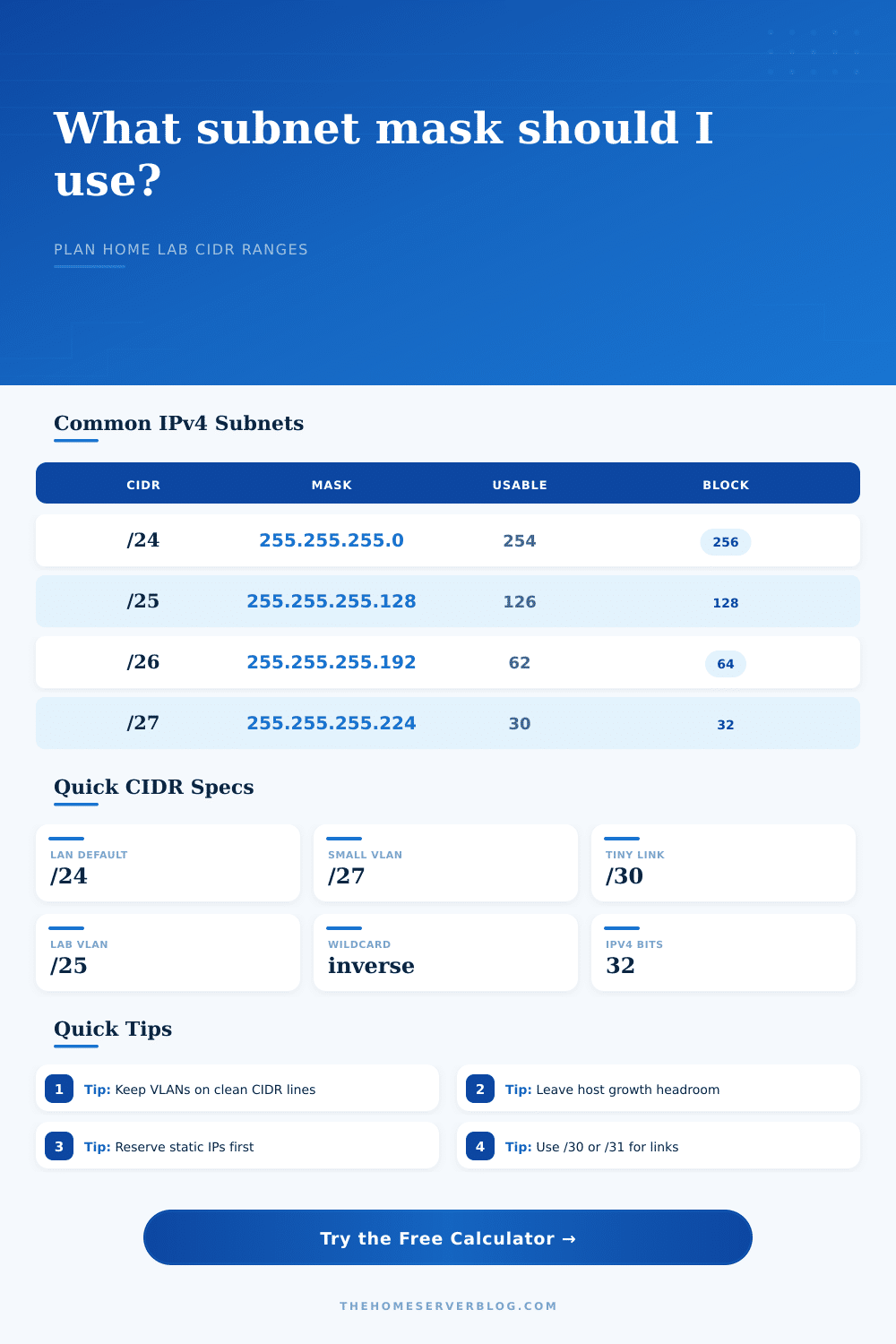
The comparison grid treats subnet size as a capacity spec: the right prefix depends on endpoint count, broadcast containment, DHCP scope size, and how much growth you want to leave inside each VLAN.
| CIDR | Subnet Mask | Total Addresses | Usable Hosts | Common Home Lab Use |
|---|---|---|---|---|
| /30 | 255.255.255.252 | 4 | 2 | Firewall, router, and point-to-point transit links |
| /29 | 255.255.255.248 | 8 | 6 | Small VPN pool, WAN handoff lab, isolated appliances |
| /28 | 255.255.255.240 | 16 | 14 | NAS replication, DMZ, lab services, or admin-only VLAN |
| /27 | 255.255.255.224 | 32 | 30 | Switch management, guest Wi-Fi, test bench networks |
| /26 | 255.255.255.192 | 64 | 62 | IoT, camera, AP, or family device VLANs |
| /25 | 255.255.255.128 | 128 | 126 | Virtualization hosts, lab clients, containers, and services |
| /24 | 255.255.255.0 | 256 | 254 | Default home LAN, large Wi-Fi segment, all-in-one subnet |
| /23 | 255.255.254.0 | 512 | 510 | Large lab with many VMs where broadcast size is acceptable |
| Range | RFC 1918 Block | Usable Scope | Planning Note |
|---|---|---|---|
| 10.0.0.0/8 | 10.0.0.0 to 10.255.255.255 | Large private networks | Best for many VLANs, sites, VPNs, and routed lab segments |
| 172.16.0.0/12 | 172.16.0.0 to 172.31.255.255 | Medium private networks | Useful when Docker, Kubernetes, or VPN overlaps with 192.168.x.x |
| 192.168.0.0/16 | 192.168.0.0 to 192.168.255.255 | Home networks | Easy to remember, but often overlaps with ISP routers and travel VPNs |
| 169.254.0.0/16 | 169.254.0.0 to 169.254.255.255 | Link-local only | Usually indicates DHCP failure; avoid using it for planned LANs |
| Project | Typical Endpoints | Suggested Prefix | Usable Hosts | Why It Fits |
|---|---|---|---|---|
| Guest Wi-Fi | 8 to 25 | /27 | 30 | Small broadcast domain with simple DHCP scope |
| PoE Cameras | 12 to 48 | /26 | 62 | Leaves room for NVR, controller, and spare camera ports |
| Server Lab | 40 to 110 | /25 | 126 | Comfortable for hypervisors, VMs, containers, and IPMI |
| Flat Home LAN | 60 to 200 | /24 | 254 | Common default that still works for broad mixed-device homes |
| Router Transit | 2 | /30 | 2 | Exact fit for two routed interfaces in many IPv4 labs |
| VPN Pool | 4 to 14 | /28 | 14 | Enough client space without consuming a full LAN-sized block |
| Spec or Practice | Value | Calculator Impact | Home Lab Note |
|---|---|---|---|
| IPv4 address length | 32 bits | CIDR prefix plus host bits equals 32 | Every subnet is a power-of-two block |
| Usable host rule | Total minus 2 | Network and broadcast addresses are excluded | Applies to ordinary /1 through /30 IPv4 LANs |
| Wildcard mask | Inverse mask | Used in ACLs, route filters, and firewall rules | 255.255.255.0 becomes 0.0.0.255 |
| VLAN boundary | One subnet | Each VLAN normally maps to one IP subnet | Keeps routing, DHCP, and firewall policy clear |
| DHCP reservation | Static first | Reserve infrastructure before dynamic clients | Leave low addresses for routers, DNS, and controllers |
Before you wire up your server rack, get your IP addressing figured out. Running out of addresses to add new stuff will becomes a headache. This happens if you didn’t plan ahead or if you has a messy addressing scheme. It’s a math problem, not a hardware problem.
Subnetting is simply arithmetic. Define your constraints and let the calculator do the work. No more charts, no more converting things into binary in your head.
How to Plan Your Network Subnets
How much? Well there are 32 bits at your disposal. Part of those will specify the network. And part of those will specifies the hosts. That line in middle is the CIDR prefix.
Every time you move that line one bit to the left you double the number of subnets and halve the number of hosts. Many people begin with a /24 because it’s the default. A /24 gets you 254 usable addresses. Sounds like a lot. This changes when you realize how many phones, printers, laptops and smart device get connected. Then you think about DHCP exhaustion and broadcast traffic.
You can plan ahead by using host input field to specify how many devices you want, and the tool will suggest a subnet for you. For example, if you want thirty IoT gadget spots, the tool will recommend a /27. That gives you thirty useable hosts. It is clean. Tight. The rest of the addresses are left over for static assignment or for future growth.
The wildcard mask output also matters. You’ll use this for your firewall rules or access control list. The device needs this inverse mask so it knows what bits to ignore. Calculating automaticly prevents mistakes.
The key thing is segmentation. A flat network is easy to manage until it isn’t, if every device on the network talks to every other device, one bad device will take down the whole segment. Put the cameras in one subnet, put the servers in another, put the guest network in yet another and that noise won’t pollute the rest of the network. You can also apply different security policies. Your guest Wi-Fi shouldn’t of be able to access your file server.
The table in the article lists some common use cases. Point-to-point links is a great place for a /30. It keeps the scope small and doesn’t waste any addresses.
Many people overthink the math. Do you really need to memorize binary numbers? No. Do you need to know that a subnet are a container? Yes. Too much in there and it spills. Too many little ones and you spend time managing those.
What are you trying to measure? Are you measuring growth, isolation, or simple connectivity? Once you get that you will find the prefix length generally falls out easy.
Where does your address space end? The tool helps you visualize that. Reserve addresses begin with infrastructure addresses like hypervisors, DNS servers, and routers. Fill in the rest with dynamic client addresses. Leave room for new devices you haven’t purchased.
An unused subnet is better than a full one. With that mentality, the complexity dissapears. This approach stops you from chasing IP addresses. Instead, it helps you design your network. Your home lab hums along smoothy. Troubleshooting becomes quicker. You won’t ask yourself, “Where did my IP go?