HomeServerBlog IPv4 mask converter
Dotted Decimal to CIDR Calculator
Convert subnet masks such as 255.255.255.0 into CIDR prefixes, wildcard masks, usable host counts, network ranges, ACL notes, and VLAN planning capacity.
Full breakdown
Home router LAN
/24Typical 254 usable addresses, one gateway, DHCP pool, static reservations, and a simple default route.
Managed switch VLAN
/25 - /26Good for segmented clients, lab services, printer VLANs, or access switch ports with ACL boundaries.
Wi-Fi SSID subnet
/24 - /23Client-heavy networks benefit from extra DHCP space, short lease checks, and clean guest isolation.
PoE camera network
/27 - /26Camera VLANs often need static or reserved addresses plus NVR, gateway, and management headroom.
Hypervisor management
/28 - /26Fits hosts, IPMI, storage interfaces, cluster VIPs, DNS, monitoring, and migration services.
VPN peer pool
/28 - /24WireGuard and remote-access pools should leave addresses for users, phones, travel routers, and tests.
Container bridge
/16 - /20Docker, Kubernetes, and lab overlay ranges need large private blocks that do not overlap LAN routes.
Routed transit link
/31 - /30Point-to-point links use compact masks, usually no DHCP, and clear route statements on both ends.
| Dotted decimal mask | CIDR | Addresses | Usable LAN hosts | Common home lab use |
|---|---|---|---|---|
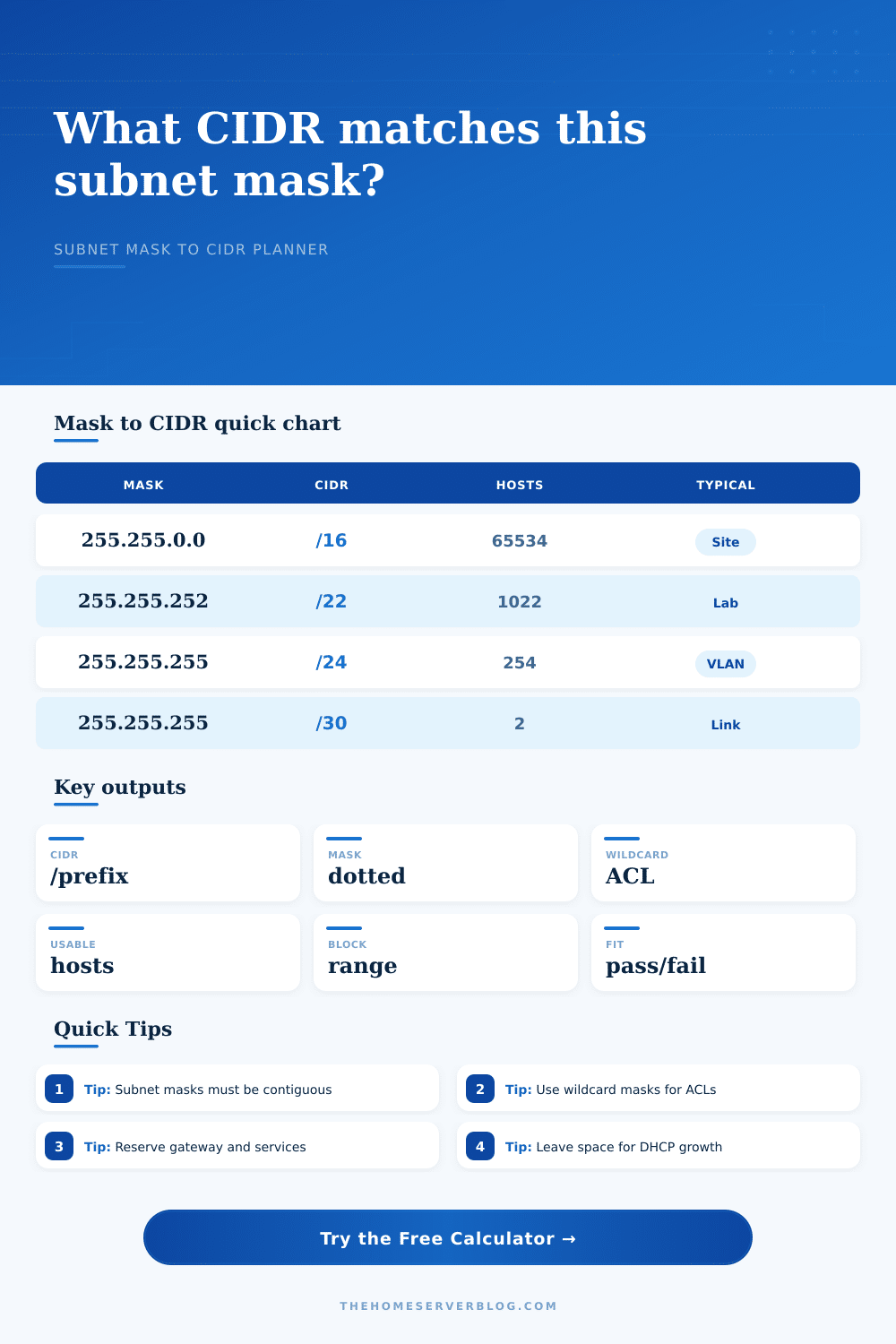
255.255.0.0 | /16 | 65,536 | 65,534 | Container bridge, large lab overlay, non-overlapping private block |
255.255.252.0 | /22 | 1,024 | 1,022 | Site summary, lab supernet, multiple VLAN allocation pool |
255.255.254.0 | /23 | 512 | 510 | High-client Wi-Fi or larger household device network |
255.255.255.0 | /24 | 256 | 254 | Default LAN, normal VLAN, small office subnet |
255.255.255.128 | /25 | 128 | 126 | Guest Wi-Fi, split LAN, medium client group |
255.255.255.192 | /26 | 64 | 62 | IoT VLAN, camera VLAN, access switch segment |
255.255.255.224 | /27 | 32 | 30 | Small PoE camera group or server management block |
255.255.255.240 | /28 | 16 | 14 | VPN peer pool, DMZ, storage network, lab services |
255.255.255.248 | /29 | 8 | 6 | AP management, firewall HA, public IP handoff block |
255.255.255.252 | /30 | 4 | 2 | Traditional router-to-router or firewall transit link |
255.255.255.254 | /31 | 2 | 2 link IPs | RFC 3021 point-to-point transit links |
255.255.255.255 | /32 | 1 | 1 host route | Loopback, single host route, static firewall object |
| Configuration | Recommended mask | Usable capacity | Metric equivalent | Planning note |
|---|---|---|---|---|
| Default home LAN | 255.255.255.0 /24 | 254 hosts | 1 class-C sized block | Easy DHCP scope and static reservation planning |
| Guest and family split | 255.255.255.128 /25 | 126 hosts | Half of a /24 | Works well when splitting a /24 into two equal zones |
| IoT or camera VLAN | 255.255.255.192 /26 | 62 hosts | Quarter of a /24 | Enough for cameras, sensors, controllers, and NVR services |
| Hypervisor management | 255.255.255.240 /28 | 14 hosts | Sixteenth of a /24 | Compact but leaves only modest growth room |
| Firewall transit | 255.255.255.252 /30 | 2 hosts | One router pair | Classic link mask when both endpoints need one address |
| Route summary block | 255.255.252.0 /22 | 1,022 hosts | Four /24 blocks | Useful parent block for several nearby VLANs |
| Reference | Value | Where it matters | Calculator handling |
|---|---|---|---|
| IPv4 mask bits | 32 total bits | Every subnet mask, wildcard, hostmask, and route prefix | Counts leading one bits and rejects non-contiguous masks |
| Normal LAN host formula | 2^(32-prefix)-2 | Ethernet VLANs, Wi-Fi, DHCP pools, and server subnets | Subtracts network and broadcast for /30 and larger blocks |
| RFC 3021 link mode | /31 has 2 usable IPs | Point-to-point router, firewall, or lab transit links | Displays both addresses as usable when link mode is selected |
| Host route | /32 is one IP | Loopbacks, firewall objects, static host routes | Reports one address with no broadcast range |
| Wildcard mask | 255-mask octet | ACLs, route maps, policy match statements | Calculates inverse dotted mask from the subnet mask |
| Private IPv4 planning | RFC 1918 blocks | Home labs, VPNs, container networks, VLAN route summaries | Warns through breakdown when capacity is tight or excessive |
| Project | Typical equipment count | Mask to enter | Primary result | Secondary result |
|---|---|---|---|---|
| Small managed home LAN | 40 to 90 clients | 255.255.255.0 | /24 | 254 usable hosts |
| Guest Wi-Fi subnet | 25 to 80 clients | 255.255.255.128 | /25 | 126 usable hosts |
| PoE camera VLAN | 8 to 30 devices | 255.255.255.224 | /27 | 30 usable hosts |
| WireGuard peer pool | 4 to 14 peers | 255.255.255.240 | /28 | 14 usable hosts |
| Firewall transit link | 2 endpoints | 255.255.255.252 | /30 | 2 usable hosts |
| Container overlay lab | 500+ containers | 255.255.0.0 | /16 | 65,534 usable hosts |
255.0.255.0 are not routable subnet masks even though they look dotted-decimal.This calculator uses IPv4 subnet math for home labs, small offices, and private networks. Provider-specific public allocations and unusual routed designs may need additional policy checks.
If all this sounds confusing. Don’t worry. You’re in good company. That 255.255.255.0 can look like gibberish. In fact, this is the dotted decimal notation that network engineers once relied on. Then they’d type these numbers into their switches and routers by hand. While this system was accurate, it was also time-consummin. And it was easy to make a typo and spend an hour waiting for your connection to come back online.
Enter CIDR, which stands for Classless Inter-Domain Routing. This simplified everything by compressing the mask down to a single prefix length. Instead of typing out 255.255.255.0, you just type a /24. Both mean exactly the same thing, but it saves you half the typing. And it reduces possibility of human error. Plug that into the calculator above and it will instantly translate it for you.
Why You Should Use This Calculator
But more important than simply finding a number to plug in is knowing what the prefix length does. That’s what it defines. That’s what it limits. Plugging in a mask translates to how many hosts you have left on the network, how many can live on the segment. It shows where traffic can flow. And most importantly, where traffic is allowed to flows.
The first and last address in a block are reserved. One is used to identify the network. The other is for sending a message out to everybody else in the segment. The problem is, most folks don’t remember that, so they come up with a raw total and then plug that number in thinking that’s their real count. That’s not accurate though. The calculator does the math and spits out true number instead.
When selecting your prefix length, consider what’s ahead. How many users do you have? How many devices will they bring? Are there any servers involve? A /24 allocates 254 usable addresses. That’s plenty if you’re just building a home LAN or a small office LAN. In fact, this is big enough to cover dozens of devices like servers, phones, laptops, smart home gadgets, etc. All while not wasting address space.
For bigger networks, you may want to consider a /22 or perhaps even a /16. Both of those is handy when you get into more complex stuff like container orchestration. These are also useful for sprawling lab environments where you’re looking for thousands of isolated subnet. The tool visualizes the differences. For example, you can see that a /22 offers over a thousand addresses which could be good for aggregating a supernet of several smaller VLANs.
The other side of the spectrum is your little subnets. They have two usable addresses with a /30 mask. They are perfect for connecting two router via a point-to-point link. When there’s only two endpoints talking, why use anything more? A /24 for your simple modem-to-firewall link is overkill. It wastes space on your routing table.
If you put your expected number of hosts into the calculator it will highlight any mismatches for you. If your desired mask is too big for your requirements. I.e. Absurdly large for a basic connection, then it’ll warn you about that, too. That kind of feedback loop can be very helpful when planning. It can stop you from making one of the most common mistakes; underestimating your own growth.
Sure, maybe you only have ten devices right now. But what about guest Wi-Fi? What about those IoT sensors? How about that smart fridge that you’re going to buy next year? You want to add some breathing room, so it lets you plan for that growth and it keeps you from needing to change your subnets down the line.
Wildcard masks are also important. These are used when you configure access control lists. Or if you use Cisco equipment and set up subnets, you need the inverse of the subnet mask. The calculator produces these for you. It takes all the connected bits in a subnet and turns them around so they’re usable as inverse values needed for ACLs. It saves you from having to do any binary math in your head.
It is handy if you have to secure a network in a hurry. It is a small convenience, sure. But it matters. It matters when you’re trying to accurately block certain types of traffic.
Networking is all about balance. Do you have too little space? It is not convenient. Is it too much? Security blind spots. Too much management overhead? Who wants any of this?
The move from dotted decimal to CIDR wasn’t just a notation change. It was a shift towards efficiency. Once you understand how the prefix relates to the mask and the host count, you gain control over your network design. No more guesswork, it’s time to design! Planning out a guest network or segmenting off your IoT VLAN for security? Same math. You don’t want your guest network interfering with your main LAN. The calculator takes care of the math. You make the decisions and that part will never change.