VPN Throughput Calculator
Estimate realistic encrypted throughput from WAN speed, router crypto capacity, VPN protocol overhead, MTU efficiency, CPU reserve, and concurrent tunnel demand.
Full throughput breakdown
ISP gateway class
60-180 MbpsConvenient endpoint, limited CPU margin, best for light remote admin and low-rate file access.
ARM prosumer router
250-700 MbpsModern home gateways usually handle WireGuard well, but OpenVPN remains CPU heavy.
Older MIPS router
20-90 MbpsSuitable for management tunnels and small uploads, not for large remote backups.
Firewall appliance
500-1100 MbpsGood packet handling and AES support when firewall rules are kept tidy.
Intel N100 mini PC
900-1800 MbpsStrong low-power choice for WireGuard, IPsec, VLAN routing, and home lab edge service.
Core i3 home server
1500-3200 MbpsEnough CPU for multiple tunnels, IDS-light routing, and encrypted remote storage work.
Xeon lab host
2500-6000 MbpsLarge ceiling for site links, but NIC speed and WAN service usually become the limit.
Cloud VPS endpoint
700-2500 MbpsGood relay or exit node when provider network limits, virtual CPU share, and peering are stable.
| Protocol | Typical overhead | Default MTU range | Home lab note |
|---|---|---|---|
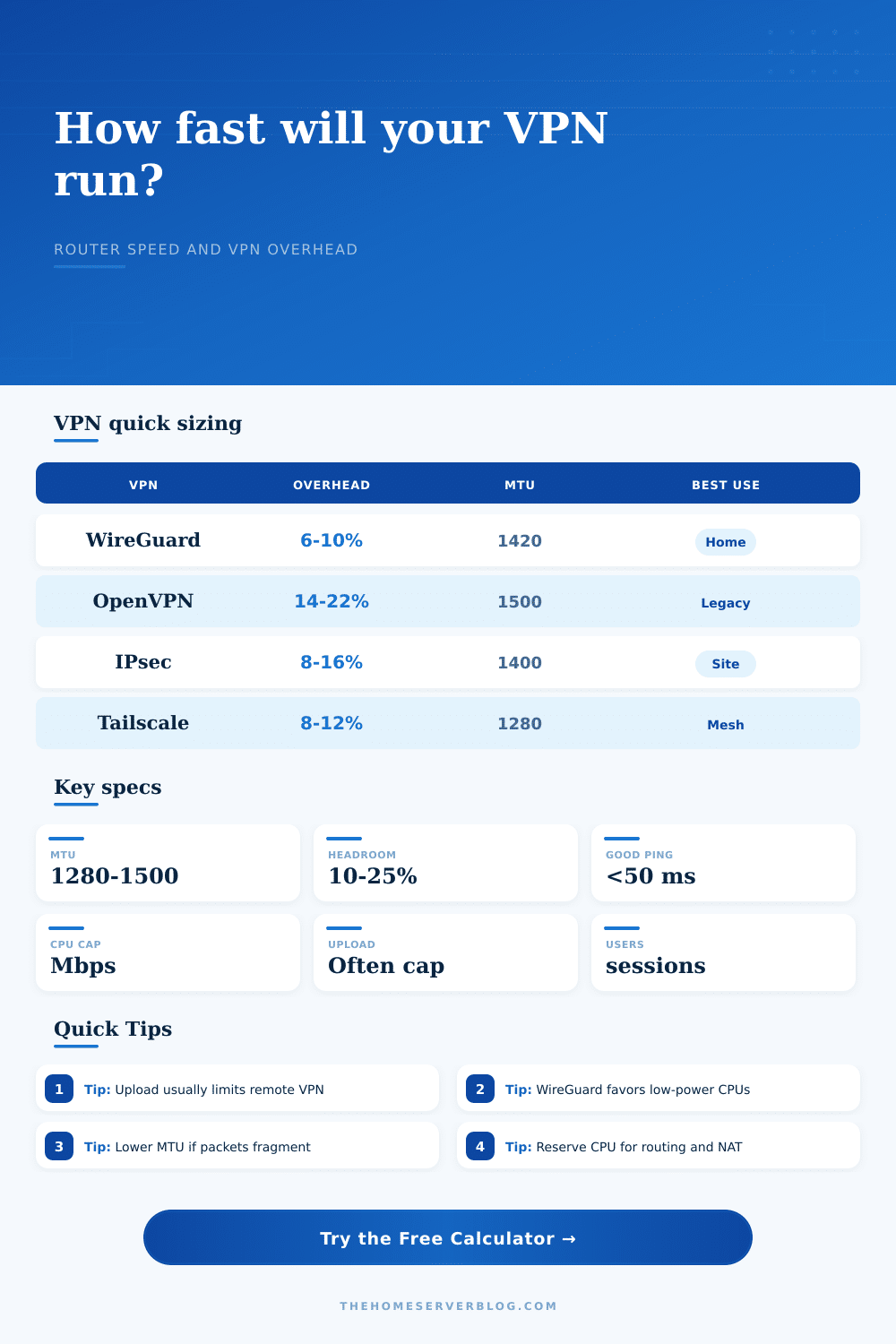
| WireGuard UDP | 6% to 10% | 1380 to 1420 bytes | Fast on small CPUs; common choice for home VPN exit nodes. |
| Tailscale / WireGuard mesh | 8% to 12% | 1280 to 1420 bytes | May use relay paths when direct NAT traversal is unavailable. |
| IPsec IKEv2 AES-GCM | 8% to 16% | 1360 to 1440 bytes | Strong site-to-site option when both peers have hardware crypto. |
| OpenVPN UDP AES-256-GCM | 14% to 22% | 1400 to 1500 bytes | Compatible and mature, but normally slower than WireGuard. |
| OpenVPN TCP | 20% to 30% | 1400 to 1500 bytes | Avoid TCP-over-TCP for bulk transfers unless UDP is blocked. |
| Router class | WireGuard ceiling | OpenVPN ceiling | Best fit |
|---|---|---|---|
| ISP gateway class | 60 to 180 Mbps | 20 to 60 Mbps | Occasional remote access and admin panels. |
| ARM prosumer router | 250 to 700 Mbps | 80 to 220 Mbps | Family VPN, small NAS, remote desktop. |
| Firewall appliance | 500 to 1100 Mbps | 180 to 450 Mbps | Reliable edge routing with VLANs and firewall rules. |
| Intel N100 mini PC | 900 to 1800 Mbps | 350 to 900 Mbps | Gigabit home lab edge and multiple peers. |
| Xeon lab host | 2500 to 6000 Mbps | 800 to 2500 Mbps | Heavy site links, lab routing, and encrypted storage flows. |
| WAN profile | Likely VPN cap | Limiter | Planning note |
|---|---|---|---|
| 500/40 cable | 32 to 38 Mbps outbound | Upload | Remote downloads from home depend on home upload speed. |
| 1000/1000 fiber | 700 to 930 Mbps | CPU or NIC | Router class matters once WAN is symmetrical. |
| 100/20 VDSL | 15 to 18 Mbps outbound | Upload | Good for admin and documents; weak for NAS replication. |
| 5G home internet | Variable | Latency/NAT | Relay paths and jitter can matter more than headline speed. |
| Hotel Wi-Fi | 5 to 30 Mbps | Captive network | TCP VPN may connect where UDP is blocked, at lower speed. |
| Project size | Tunnels | Per tunnel target | Recommended endpoint |
|---|---|---|---|
| Remote admin only | 1 to 2 | 5 to 10 Mbps | ISP gateway or small router. |
| Home NAS browsing | 2 to 4 | 20 to 50 Mbps | Prosumer router or firewall appliance. |
| Offsite backup | 1 to 3 | 50 to 200 Mbps | N100 mini PC or stronger endpoint. |
| Family exit node | 4 to 8 | 10 to 40 Mbps | Prosumer router with WireGuard. |
| Site-to-site lab | 2 to 6 | 100 to 500 Mbps | Firewall appliance, N100, or server endpoint. |
Results are planning estimates. Real measurements can vary with firmware, NIC drivers, packet size, firewall rules, SQM, IDS inspection, relay paths, and peer CPU speed.
When you signed up for gigabit fiber service, you expected to download stuff as quickly as possible regardless of where it was coming from. But sometimes when working remotely, your remote desktop stutter. Why? Physics and protocol overhead cause collision. Data doesn’t just get wrapped in a VPN then sent over. Every packet gets headers, authentication tokens, and encryption layer. These add weight to your packets before they ever exit your router leaving less bandwidth available for use.
You can plug in your router details and WAN speeds into the calculator (above) and it crunches numbers for you. It will tell you whether you’re getting what you expect without any guesswork.
Why Your Internet Is Slow and How to Fix It
And here’s why that matters: most folks only think about download speed. That’s a mistake. When accessing files from the office or a coffee shop, your home upload speed become the hard ceiling. Adding more cars to the inbound lane won’t cause traffic to magically flow faster if the lane going outward is narrow. Your internet connection are a two-way street.
It’s not just about the connection speed, it’s also about what router you use. On paper, your ISP-provided gateway may be sufficient, but its CPU is too weak to handle high speeds with heavy encryption. That’s where protocol selection become important. Many enthusiasts like WireGuard because it is lightweight and efficient. It require fewer system resources, meaning a modest ARM-based router can saturate a fast connection.
On the other hand, OpenVPN is widely supported and reliable, but it’s heavier. It need more CPU cycles, turning that same modest router into a bottleneck before using the full potential of an internet connection. Many users tend to blame their ISPs while in reality the problem is often a router choking with packet decryption.
The tool also considers MTU size (maximum packet size). If your tunnel MTU is too big then some packets will become fragmented. This mean multiple packets are created, each with less data. More packets mean more need to process them and more chances for them to be lost on the network. A lower MTU means more header/payload ratio. That’s seen as a small hit on efficiency. A five percent decrease in speed might not be noticeable but those percentages add up over time and can mean extra hours on a long backup job.
Another factor to keep in mind is number of users at the same time. It’s much different than one person streaming video than it is to have three people at the same time copying large files. The calculator calculates your approximate per-user speeds (it’s your total available capacity divided by the number of tunnels). If this turn out lower than what you’re hoping for, you know you need either a faster router or a wider pipe. Divided resources mean there’s no magic fix.
But that’s changing; for your benefit. The latest wave of mini PCs feature low-power chips, such as the Intel N100, which have surprisingly high throughput for their cost. These machine can push WireGuard traffic around at full gigabit speed without breaking a sweat. If you’re building out a home server, it’s frequently more sensible to avoid a bargain-basement router in favor of a powerful mini PC. That leaves you room to upgrade later and ensures your network remain responsive even when pushed hard.
On the page, there is a table of references to show which protocols each class of hardware handles. This table is something you’ll want to refer to before purchase. The last thing you need is a router that can’t decode what it’s paid to be sending.
Tweaking a VPN is more art than science. It is a balance between practicality and security. How much encryption do you need? Don’t use so much that it chokes your connection. You’ll know when it’s too much: you’ll see the overhead. And then you can make a smart choice regarding which protocol to use on which piece of hardware. It’s no longer a frustrating experience, it’s something you understand and can work with.
No more guessing why it’s so slow. No more wondering what’s holding it back. It may only be a few numbers but those numbers are what make the difference between seamless remote access and slow performance. Get the basics right and everything else follows.