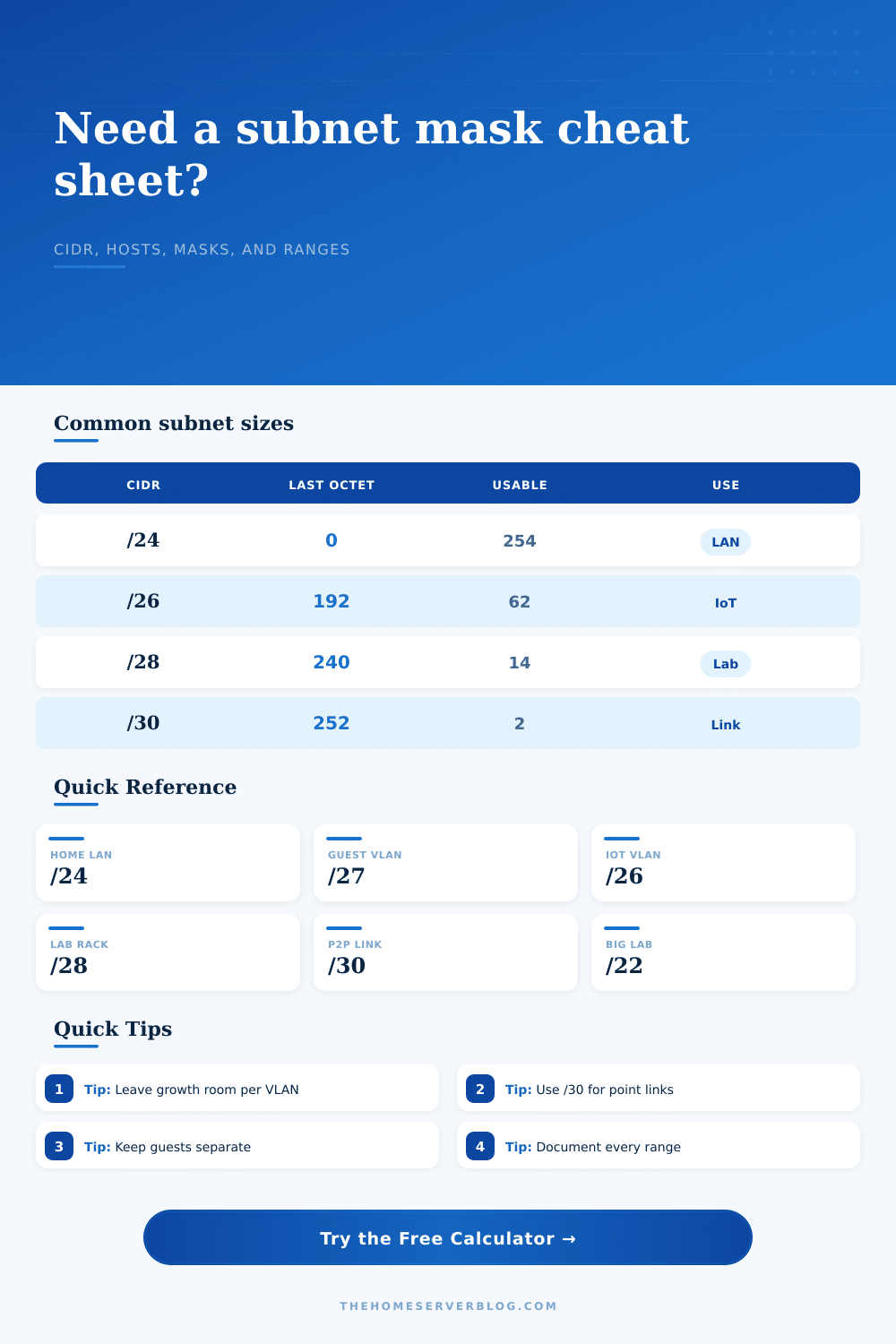
Subnet Mask Cheat Sheet Generator
Calculate CIDR notation, dotted masks, usable hosts, wildcard masks, network ranges, and VLAN split math for home lab planning.
| CIDR | Subnet Mask | Usable Hosts | Total Addresses | Home Lab Fit |
|---|---|---|---|---|
| /16 | 255.255.0.0 | 65,534 | 65,536 | Large private aggregate or routed lab supernet |
| /20 | 255.255.240.0 | 4,094 | 4,096 | Large virtualization, lab tenants, or campus-style home lab |
| /22 | 255.255.252.0 | 1,022 | 1,024 | Container host pools, routed VLAN groups, or big wireless labs |
| /23 | 255.255.254.0 | 510 | 512 | Expanded LAN or dense Proxmox and Kubernetes testing |
| /24 | 255.255.255.0 | 254 | 256 | Standard LAN, management VLAN, or simple DHCP scope |
| /25 | 255.255.255.128 | 126 | 128 | Camera VLAN, wired office, or medium IoT segment |
| /26 | 255.255.255.192 | 62 | 64 | IoT, guest Wi-Fi, smart-home devices, or small lab VLAN |
| /27 | 255.255.255.224 | 30 | 32 | Guest network, WireGuard peer pool, or printer subnet |
| /28 | 255.255.255.240 | 14 | 16 | Server management, hypervisor cluster, or small DMZ |
| /29 | 255.255.255.248 | 6 | 8 | Firewall transit, exposed services, or appliance segment |
| /30 | 255.255.255.252 | 2 | 4 | Traditional routed point-to-point link |
| /31 | 255.255.255.254 | 2 | 2 | RFC 3021 point-to-point link when supported |
| /32 | 255.255.255.255 | 1 | 1 | Single host route, loopback, or firewall object |
| Range | CIDR Block | Address Count | Common Use |
|---|---|---|---|
| 10.0.0.0 to 10.255.255.255 | 10.0.0.0/8 | 16,777,216 | Large routed labs, VPN overlays, lab tenants, and multi-site home networks |
| 172.16.0.0 to 172.31.255.255 | 172.16.0.0/12 | 1,048,576 | Containers, Docker defaults, lab isolation, and nested virtualization |
| 192.168.0.0 to 192.168.255.255 | 192.168.0.0/16 | 65,536 | Home routers, small offices, wireless networks, and simple VLAN plans |
| 169.254.0.0 to 169.254.255.255 | 169.254.0.0/16 | 65,536 | Link-local fallback, not a routed subnet plan for normal home-lab design |
| CIDR | Wildcard Mask | Last-Octet Block | Rule of Thumb |
|---|---|---|---|
| /24 | 0.0.0.255 | 256 | One whole final octet; easy DHCP and VLAN boundary |
| /25 | 0.0.0.127 | 128 | Two equal halves inside a /24 parent network |
| /26 | 0.0.0.63 | 64 | Four VLANs from one /24 while keeping 62 usable hosts each |
| /27 | 0.0.0.31 | 32 | Eight compact networks for small device groups |
| /28 | 0.0.0.15 | 16 | Sixteen tiny lab, DMZ, or management segments |
| /29 | 0.0.0.7 | 8 | Six usable addresses after network and broadcast reserves |
| /30 | 0.0.0.3 | 4 | Two usable endpoints for router-to-router links |
| /32 | 0.0.0.0 | 1 | Exact host match for firewall objects and host routes |
| Project | Typical Devices | Suggested CIDR | Notes |
|---|---|---|---|
| Home office LAN | 20 to 80 clients | /24 | Simple, roomy, easy to remember, and accepted by almost every router UI |
| Guest Wi-Fi | 10 to 25 clients | /27 | Small enough to constrain unknown clients while keeping DHCP simple |
| IoT network | 30 to 60 devices | /26 | Good fit for smart plugs, voice assistants, sensors, and appliances |
| Camera VLAN | 25 to 100 devices | /25 | Leaves room for NVR, management addresses, and future cameras |
| Server management | 4 to 14 ports | /28 | Enough for hypervisors, IPMI, NAS, switches, and a firewall interface |
| Transit network | 2 endpoints | /30 or /31 | Use /31 only when both routers and firewall policies support it |
Your initial network consist of one router that provides DHCP out of the box plus a switch and some PCs. It all just works.
Then you add a few things: a NAS, a server, and some smart bulbs that talk back to an external server. Now you have a hodgepodge of device talking to each other in ways they weren’t designed to do. This is when subnetting comes into play on a home lab; it helps sort through the traffic. It takes those binary ideas and makes them workable IP block.
Why You Need to Split Your Home Network
The calculator does the heavy lifting for you. The subnet mask isn’t a table to be memorized; it’s an expression of bounds. A mask like 255.255.255.0 is just a way of saying that the first twenty-four bits define the network and last eight bits define the hosts. That gives you two hundred fifty-four usable addresses, which is plenty for a flat home LAN.
But if you’re dividing your traffic flow, that block’s too large: you don’t want gaming PC on the same segment as the smart camera or the work laptop on the same one as the IoT devices. The calculator split the block in smaller ones, but not by guesswork. Engineers talk about these slice using CIDR notation. That’s slash twenty-four by default; tighter is a slash twenty-six.
That leaves you with sixty-two usable hosts, restrictive, but fine if this is a VLAN devoted solely to your smart home devices. And of course you don’t need that much room but you don’t want those things hanging out in the same space as your critical infrastructure. With the tool you can play around with prefixes right then and there. See where a slash twenty-eight will fit into small management VLAN with just fourteen usable hosts. It forces you to think about capacity first before you configure the network.
It does not account for reserved addresses. Every subnet have a network and broadcast address that must be included, decreasing available space by two. The calculator does this math for you; no need to deduct it yourself. And it displays the subnet’s wildcard mask (the opposite of the subnet mask), which comes into play when creating an access control list or firewall rule. Those systems often use wildcard notation to define what traffic to allow or deny. Understanding the distinction helps you avoid misconfiguring your firewall.
This goes for VLAN size as well. You might be tempted to make all your VLANs slash twenty-four because “more is better,” but it isn’t. More specific subnets can be more easy secured and audited. Twenty phones on guest Wi-Fi? Twenty-seven will be enough and still keep your address space clean.
Common scenarios like point-to-point links gets their own preset buttons in the calculator. This lets you see how that slash thirty makes sense different than clusters of devices that need a slash twenty-two. It connects theory to practice. When you carve up your IP space, you need to know what lives where. If you’re splitting up your IP space, then you’d better know what goes where!
The tool will output a nice little cheat sheet you can save/print off as a reference to the broadcast address and range of each network. This is super handy if you ever have any connectivity problems down the road. Otherwise, good luck remembering what VLAN is on which subnet… gotta dig around in config files again.
At the end of the day, subnetting is all about control. Who talks to who? And who doesn’t? The calculator take friction out of this decision making so you can spend more time designing your networks instead of doing math. Now you’re confident enough to break up the network in meaningful ways (i.e., into logical segments). Each segment clearly defines how many hosts it’ll support. It breaks down an otherwise complicated procedure into simple, doable steps.
The more machines you have in your lab, the more organized it needs to be. One subnet becomes multiple VLANs. Each one has its own set of security concerns and reasons for existing. What you’ll learn here will apply as you scale up. This isn’t about adding IP addresses. It’s about creating an efficient, orderly, and most importantly, secure network. And the beginning of that is knowing how to define the rules of the road. These rules range from boundaries to masks, so that your digital space stays in line.
It should of been easier if you use the tool. Actually, it makes sense more than anything else. You’ll recieve better results with a moddern approach.