IP Address Wildcard Bit Calculator
Convert IPv4 subnet masks, CIDR prefixes, and ACL wildcard bits into network ranges, matched addresses, and ready-to-check rule syntax.
Wildcard Result
| Use Case | CIDR | Subnet Mask | Wildcard Mask |
|---|---|---|---|
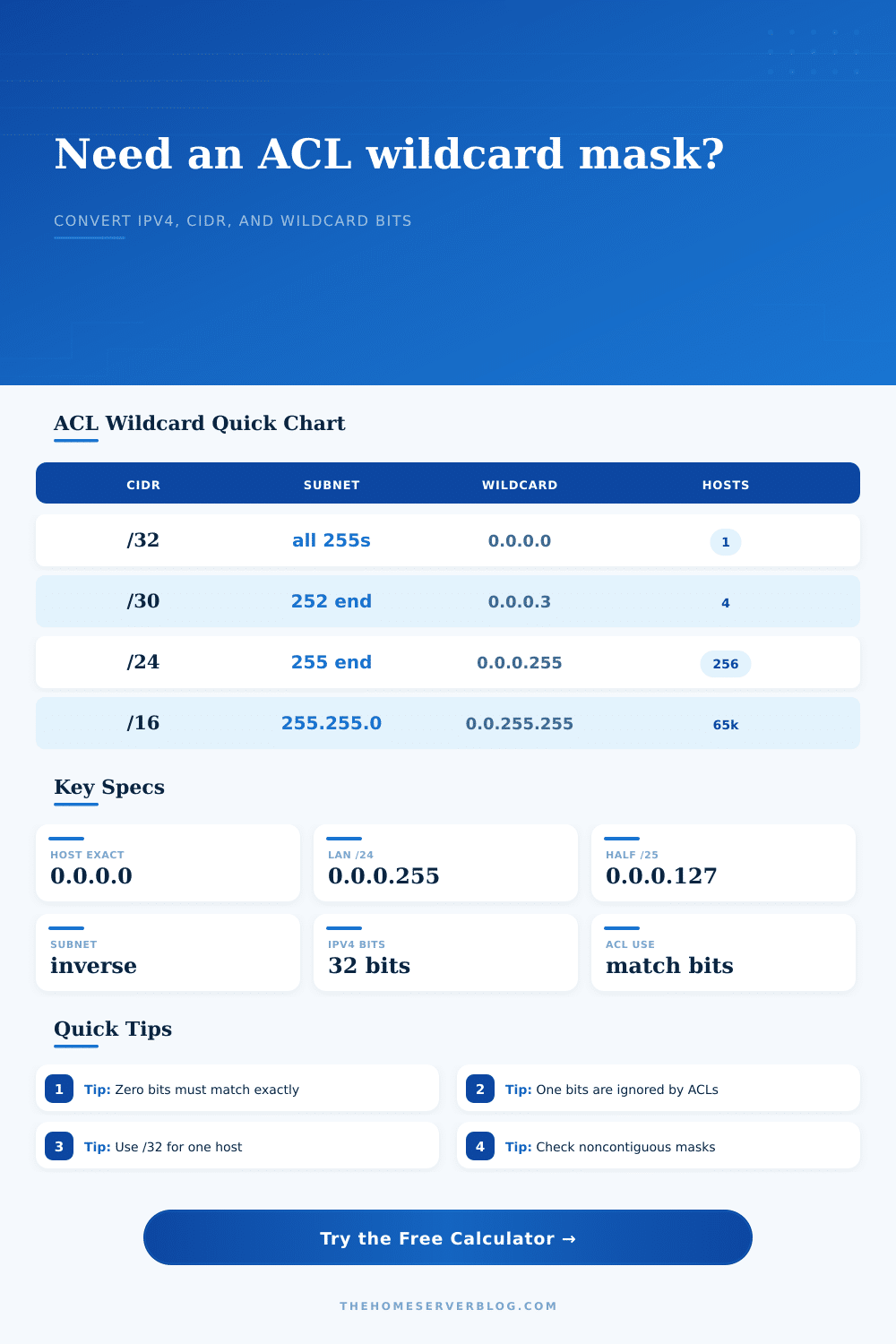
| Single IPv4 host | /32 | 255.255.255.255 | 0.0.0.0 |
| Point-to-point link | /30 | 255.255.255.252 | 0.0.0.3 |
| Small VPN pool | /27 | 255.255.255.224 | 0.0.0.31 |
| IoT or camera VLAN | /26 | 255.255.255.192 | 0.0.0.63 |
| Guest WiFi half subnet | /25 | 255.255.255.128 | 0.0.0.127 |
| Home LAN subnet | /24 | 255.255.255.0 | 0.0.0.255 |
| Wildcard Bit | ACL Meaning | Example Octet | Practical Result |
|---|---|---|---|
| 0 | Compare this bit | 0 in 0.0.0.0 | Exact match required |
| 1 | Ignore this bit | 255 in 0.0.0.255 | Any value may match |
| Mixed octet | Partial comparison | 3 in 0.0.0.3 | Four values match |
| Noncontiguous | Pattern comparison | 0.0.0.254 | Odd or even style match |
| Platform | Range Format | Wildcard Support | Typical Home Lab Use |
|---|---|---|---|
| Cisco IOS standard ACL | address wildcard | Native | Permit or deny source LANs |
| Cisco IOS extended ACL | src wildcard dst wildcard | Native | Filter services between VLANs |
| OSPF network statement | network wildcard area | Native | Advertise routed lab subnets |
| Juniper prefix-list | address/prefix | Converted | Routing policy entries |
| Linux iptables | address/prefix | Converted | Host firewall allow rules |
| Firewall address objects | address/prefix | Usually converted | Reusable zone policy objects |
| Project | Base Range | Primary Result | Secondary Result |
|---|---|---|---|
| Management VLAN | 10.0.10.0/27 | 0.0.0.31 wildcard | 32 matched addresses |
| Guest WiFi | 192.168.50.0/25 | 0.0.0.127 wildcard | 128 matched addresses |
| Server LAN | 192.168.20.0/24 | 0.0.0.255 wildcard | 254 typical hosts |
| Lab routing area | 10.10.0.0/16 | 0.0.255.255 wildcard | 65,536 addresses |
Cisco IOS configuration lines cause you to look and go “huh?”. Syntax demands an IP address followed by a wildcard mask. Your head tell you: “subnets use a subnet mask.” Your head tells you: “twenty-five dot twenty-five dot twenty-five dot zero represents a /24.”
And yet: what’s all this about zero dot zero dot zero dot two-five-five? Why doesn’t the access control list want you to speak language of the network? Because the network talks in opposites.
What is a Wildcard Mask?
In other words, the wildcard mask is just the opposite of the subnet mask. While the subnet mask contain ones to indicate bits that should be considered part of the network portion, the wildcard mask contains zeros to indicate exact matching bits. Each zero in the wildcard mask mean the device ignores that bit completely. It’s a blur-out filter; it shows what matters to you and blurs out the rest.
This inversion is the key piece of understanding how to write clean filtering (or routing) rules. If you think of the wildcard as a subnet mask, your firewall won’t work correctly, it’ll probably end up blocking traffic you want to permit, or permitting the traffic you wanted blocked.
The calculator will perform this calculation for you, it flips all those bits for you so you don’t have to reverse each octet in your head. It also allows you to know what these values represent and then catch your mistake before you break something in production.
All you have to do is put in the network or reference ip and prefix length and it’ll spit out exactly how many addresses matches that rule and show you the network address and the broadcast address. Why does this matter? ACLs tend to be scribbled down during an outage when time is important. You want to know EXACTLY what hosts match that permit statement.
A /24 matches 256 hosts. The source doesn’t mention a /16, but it does say that a wildcard of zero dot zero dot zero dot two-five-five matches two hundred and fifty-six. That is a huge difference, and the calculator lets you see instantly what it matches.
If you click on the button up at the top you’ll see the calculator. Often engineers will be specific about a single host and include a wildcard for it, but they omit the slash thirty-two. They’ll think they’re being specific, put a /24 wildcard on some particular server IP. But what they’ve done is open the door to every address in the subnet. That’s not good.
The calculator doesn’t let you do that. It shows you exactly what address range is matched. You look at the range and see that you got back hundreds of addresses when you should of only gotten one. Oops! You just forced yourself to double-check something you probably wouldn’t have checked for a long time, or perhaps ever, by using manual methods.
For those advanced readers, the wildcard option (for not contiguous addresses) can be useful. By turning certain bits on and off in the wildcard mask you can specify rules matching every 4th host, or every odd IP address. This is great if you want to split a stream of traffic into several without wasting subnet blocks.
But that’s also where configs get unruly. The more complex your wildcard gets, the less people will understand what you’re doing after you leave. Keep your wildcards contiguous so the next guy knows what you were thinking.
It will also take into account the platform you’re looking to target. Address objects vary based off different routers and firewalls. Some expect CIDR notation, others expect good old fashioned wildcard notation. The results have some helpful syntax hints to make sure you get the proper string so you can cut-and-paste into your GUI or CLI.
There is less chance for copy-paste errors and it is faster, which is a little bit of quality of life that makes a difference when you’re under the gun. Control is what networking is all about. It controls the flow of data precisely. And this is where the wildcard mask comes in.
Using it lets you define exactly how specific or general you need to be when grouping addresses together. But you also have to think in terms of binary logic. What do you want to be fixed? Which part should be variable?
The calculator will take that idea and help convert it into something you can use as config lines. It converts binary bit patterns into an address range. Fast automation and clear manual checking create a network that is both secure and stable.
You want the rule to be broad enough to do its job, but narrow enough so that it’s safe. How do you find the line between those two? That’s the art of networking.
Once you get used to looking at things through the inversion lens, the wildcards begin to make perfect sense. It’s about seeing what you want to ignore, rather than what you want to keep. It’s what you want to ignore.