HomeServerBlog NAT capacity tool
Ephemeral Port Range Calculator
Estimate whether a home lab, small office, Kubernetes node, or shared NAT gateway has enough ephemeral source ports for peak outbound sessions before SNAT exhaustion appears.
Selected ephemeral range before reserved ports and NAT behavior losses.
Range after the selected gateway profile's practical reserve and efficiency.
Positive means spare mappings; negative means likely SNAT exhaustion under peak load.
New connections per minute multiplied by NAT hold time using Little's law.
Consumer router
Small NAT table, opaque timeouts, and limited logging. Best for normal browsing and streaming.
8K-32K statesProsumer firewall
Better state tables, VLAN support, and visible per-host sessions for diagnosing heavy clients.
64K-250K statesLinux gateway
Uses conntrack with tunable hash buckets, TCP timeouts, local port range, and SNAT pools.
262K+ statespfSense / OPNsense
Strong state inspection, alias pools, per-rule NAT, and dashboard visibility for home labs.
500K statesMikroTik RouterOS
Efficient NAT for small routers, but conntrack sizing depends on RAM and fast-path choices.
128K statesKubernetes node
Pods can share node SNAT, while NodePort ranges and service traffic reduce clean port space.
Pod fanoutCloud NAT pool
Scales by external IP count and per-VM allocation rules, often with reserved minimum ports.
IP pool drivenCarrier-grade NAT
Many subscribers share address pools, so fairness blocks and endpoint limits can bite early.
Shared pool| Range profile | Start port | End port | Raw ports per IP | Typical place used |
|---|---|---|---|---|
| Linux default | 32768 | 60999 | 28,232 | Many Linux distributions via ip_local_port_range. |
| IANA / modern Windows | 49152 | 65535 | 16,384 | Dynamic/private port range commonly seen on Windows hosts. |
| FreeBSD high range | 10000 | 65535 | 55,536 | Firewall and BSD-derived systems with broad outbound space. |
| Extended high ports | 1024 | 65535 | 64,512 | Large SNAT pools where low service-port conflicts are controlled. |
| Kubernetes NodePort-safe | 32768 | 60999 | 28,232 | Keeps the common NodePort 30000-32767 block out of the ephemeral pool. |
| Public IP count | IANA range raw pool | Linux range raw pool | Extended range raw pool | Practical note |
|---|---|---|---|---|
| 1 IP | 16,384 | 28,232 | 64,512 | Enough for most home browsing, but CI and pod fanout can exceed it. |
| 2 IPs | 32,768 | 56,464 | 129,024 | Often the first useful mitigation for busy SNAT gateways. |
| 4 IPs | 65,536 | 112,928 | 258,048 | Works well when NAT rules hash evenly across egress addresses. |
| 8 IPs | 131,072 | 225,856 | 516,096 | Check firewall state table size before assuming all ports are usable. |
| Traffic pattern | Port pressure | Common symptom | Primary mitigation | Measurement to check |
|---|---|---|---|---|
| Many short HTTP requests | High churn plus TIME_WAIT | Random connection resets during deploys or updates. | Use keepalive, caches, and shorter stale state cleanup. | New connections per minute and tcp time-wait count. |
| Gaming and voice UDP | Medium sessions, timeout-sensitive | NAT type changes, lobby disconnects, or voice drops. | Tune UDP idle timeout and avoid overloaded CGNAT pools. | UDP conntrack entries and per-console sessions. |
| Kubernetes pod egress | High fanout from one node IP | Intermittent image pulls, API timeouts, or DNS failures. | Add SNAT IPs, spread pods, or use egress gateways. | Node conntrack usage and destination fanout. |
| Shared apartment or ISP NAT | Fairness blocks per subscriber | One user sees failures while the ISP pool still has space. | Request public IP, reduce burst fanout, or use IPv6 where possible. | Per-subscriber port block and failed allocation counters. |
| Timeout or state | Typical range | Why it matters | Risk if too high | Risk if too low |
|---|---|---|---|---|
| TCP established | Hours to days | Long-lived sessions keep ports pinned during remote access and sync jobs. | State table fills with idle flows. | Legitimate long sessions are dropped. |
| TCP TIME_WAIT / closing | 30-240 seconds | Short requests still occupy entries after application close. | High churn looks like exhaustion. | Late packets may hit recycled mappings. |
| UDP idle | 30-180 seconds | DNS, voice, games, telemetry, and QUIC rely on balanced idle timers. | Dead UDP mappings linger. | Calls, games, and QUIC sessions break. |
| ICMP state | 10-60 seconds | Diagnostics are small, but large monitoring fleets can add noise. | Ping storms occupy state. | Troubleshooting probes fail early. |
If you’ve read this far, chances are you’ve experienced it. Right when you’re ready to share your screen during that video call. Bang. Can’t get into that game lobby? Ping’s perfect but the lobby don’t load.
The typical response is “your router, your ISP” but it’s actualy a bit quieter than that: temporary port exhaustion. Networking’s broken, but the cable’s still plugged in and hardware’s still humming along. You just don’t have any more ports left to route your outbound traffic through to the internet.
Understanding Temporary Port Exhaustion
It’s a simple enough idea that can be misapplied. You want an identifier for each individual conversation with outside world for each device. A combination of a remote server and a local IP and port form the session. Because you have one public IP address behind your NAT firewall, the gateway has to provides a different temporary source port for each connection.
To think about this in terms of hotels, imagine these ports as hotel room. As long as there are no other guest using the hotel, everything is cool. But when the hotel is full, new guests arriving at the door gets turned away, even though building is perfectly fine.
That’s why I’ve included the calculator above which will run the math for you. Understanding what those inputs mean, however, helps you know if your home lab is being greedy or actualy starving.
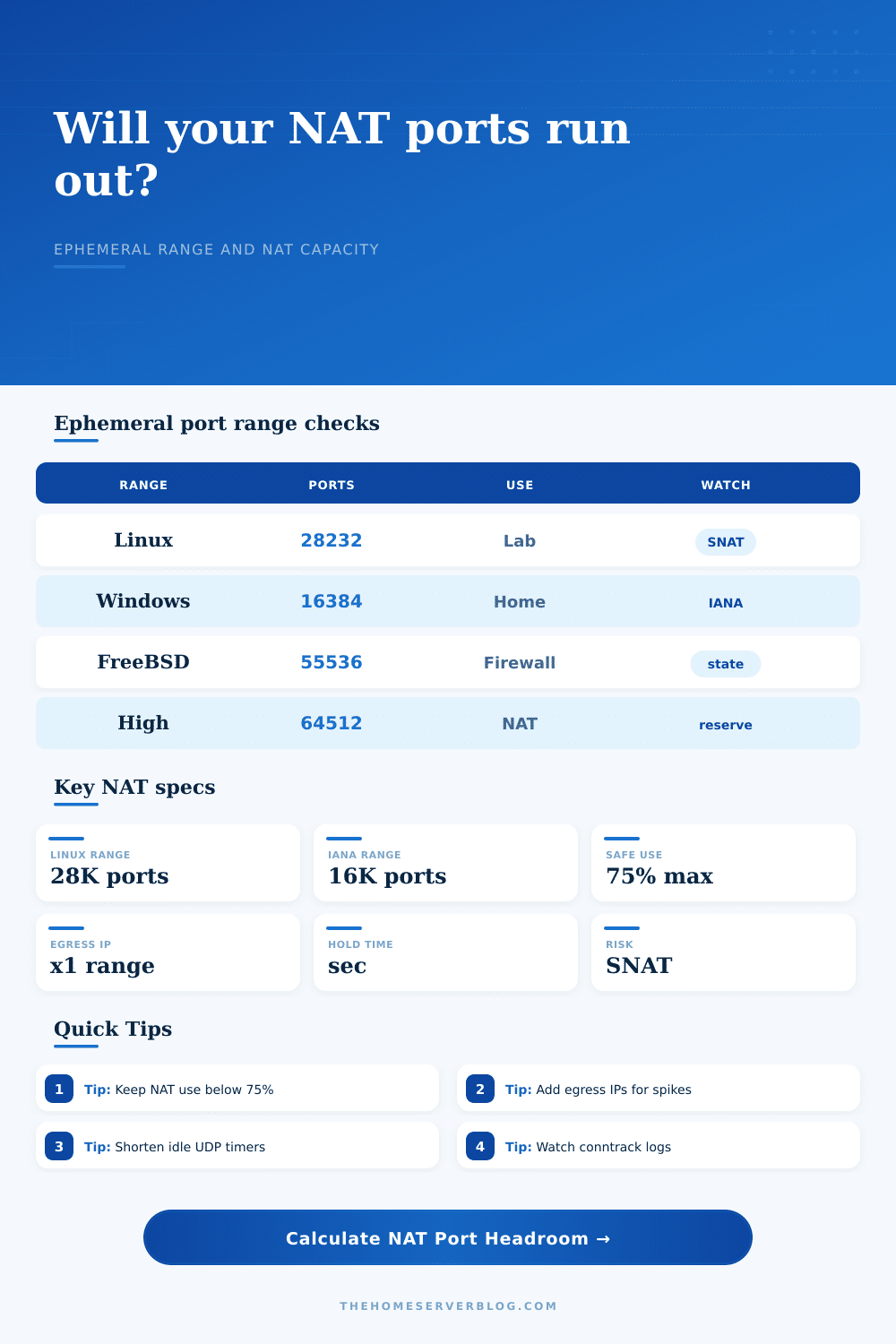
The first thing most folks look at is the count of total ports available: Windows remains firmly in the IANA standard block of 16k ports and Linux typically has ~28k ports available. Sounds like plenty? Think about what moddern apps do. If you have a web browser running with 20 tabs open, each tab might be keeping dozens of active connections alive. These can include streams, media, background updates, and telemetry. Throw on a couple of Kubernetes pods or some CI/CD runners doing lots of short lived HTTP requests and your demands jumps vertically.
What’s key here is recognizing that your available ports aren’t a static pool. It’s a race where your application are creating connections as quickly as it can and the firewall is cleaning up dead bodies. Your strongest tool here is the hold time. The firewall maintains the state of connection for X amount of time (after the app disconnects) should some straggler packets roll in. A short-lived UDP like a DNS query ties up a port for five minutes if your UDP idle timeout is five minutes. This wastes five minutes of capacity that could of used by an actual human instead.
Adjusting the churn rate against the hold time here in the tool makes it obvious what happens. Long timeouts and high churn rates = bad combo. Make those protocols without long timeouts shorter and you’ll immediately release hundreds of mapping.
Another typical remedy to this problem is to add more public egress IPs. Each additional IP effectively multiplies your available port pool. But there are downsides here too: You need to update your firewalls which gets more complex. And some services may block IP changes because they’re designed to only support a single IP, which means your session will be broken when you rotate over to another IP. This is a blunt instrument that will get the job done, but doesn’t really solve the basic inefficiency of how your network manage state.
That’s laid out in the reference table on the page which compares various gateway profiles. For example, a typical consumer router might have a small state table that fill up long before the port range does. On the other hand, a conntrack gateway running on Linux can handle tens of thousands of entries provided you configure the hash buckets correctly. The port range isn’t everything. Just as important is hardware ceiling. Sure you can have sixty thousand open ports, but if your firewall can only track fifty thousand concurrent states, you’ll still hit the wall no matter how you do the math.
And then there’s the whole flow management thing, not port-counting per se, which is really what prevents NAT exhaustion. If you keep things under three quarters, it’ll be OK (remember to leave headroom for bursts). Have your apps pool connections and reuse them; don’t open new ones all the time. Make your timeouts aggressive on temporary stuff.
As long as you think of temporary ports as a limited commodity that needs to be carefully tended, and not as an unlimited free-for-all resource, your network will stop dropping random packets. It’s the hotel metaphor again. You don’t want more rooms, you want current guests to check out quicker.