HomeServerBlog firewall planning tool
Port Range Overlap Checker
Paste existing firewall or NAT forwards, enter a proposed public port range, and check protocol-aware overlap, guard-band conflicts, risk, and safer nearby alternatives.
Matched rules
Nearby clear alternatives
Good for grouped TCP/UDP forwards, VPN peers, and documented port aliases on small firewalls.
Works well for single-host forwards, controller services, and clean WAN rule ownership.
Powerful matcher where protocol, chain order, and address lists decide which rule wins.
Host ports must be unique per IP/protocol, even when containers listen on matching internal ports.
Default NodePort span is 30000-32767, so home lab clusters need a reserved band.
NAS packages, reverse proxy entries, DSM, and media services often compete for 443 and 5000.
Management, backup, migration, and VM service forwards should stay out of public app pools.
Cloud firewalls can allow overlapping rules, but public exposure and logging still need review.
| Port band or standard | Range | Common use | Overlap concern |
|---|---|---|---|
| System ports | 0-1023 | HTTP, HTTPS, DNS, SSH, NTP, SMTP, IMAP | Requires deliberate exposure; avoid remapping admin tools into this band unless documented. |
| Registered user ports | 1024-49151 | Application listeners, NAS packages, game servers, media services | Most home lab port forwards live here, so stale rules are common. |
| Dynamic or ephemeral ports | 49152-65535 | Client-side temporary sessions on many modern systems | Forwarding here can confuse troubleshooting when logs show client source ports. |
| Kubernetes NodePort default | 30000-32767 | Cluster services exposed on every node | Reserve the whole band when mixing K8s with manual router forwards. |
| RTP media pools | Often 10000-20000 UDP | SIP voice media streams and PBX audio | Wide UDP pools collide easily with game servers and custom VPN ranges. |
| Preset scenario | Typical public ports | Protocol | Planning note |
|---|---|---|---|
| pfSense WireGuard with admin access | 443, 1194, 2222, 51820 | TCP and UDP | Keep admin and VPN rules named separately so a later 443 app move is obvious. |
| UniFi Network controller migration | 3478, 8080, 8443, 8843, 8880, 10001 | TCP and UDP | Controller adoption and STUN ports should not be hidden inside a broad any-protocol rule. |
| Synology NAS reverse proxy | 80, 443, 5000-5001, 6690, 32400 | Mostly TCP | DSM and package portals often collide with proxy front-door decisions. |
| Kubernetes home lab NodePort | 30000-32767 | TCP or UDP | Do not assign casual game or media forwards inside this band if NodePort remains default. |
| Docker Swarm overlay | 2377, 4789, 7946 | TCP and UDP | Cluster management, gossip, and VXLAN traffic need protocol-specific checks. |
| SIP PBX with RTP | 5060-5061, 10000-20000 | TCP/UDP plus UDP | The media pool is wide enough to mask accidental overlaps. |
| NAT or firewall mode | Collision behavior | Best check | Practical limit |
|---|---|---|---|
| WAN port forward | First matching destination port usually wins or blocks duplicate creation | Compare public port, protocol, WAN IP, and rule order | One exposed service per public IP, protocol, and port unless load balancing is explicit. |
| LAN-only allow rule | Overlaps may be accepted because they widen access instead of translating ports | Check source networks and destination host groups | Broad rules can accidentally bypass stricter host-specific rules. |
| Container publish | Host bind fails when the host IP/protocol/port is already in use | Compare host port, container port, and bind address | Different containers can share internal ports, not the same host bind. |
| Reverse proxy | Many apps share 80 or 443 while hostnames decide routing | Check SNI, host headers, proxy route order, and fallback app | Port overlap is expected, but hostname collisions still break routing. |
| Hairpin NAT | Internal clients may hit different paths than outside clients | Test split DNS and NAT reflection together | Rules can appear clean from WAN but fail from LAN. |
| Common home lab project | Rules to expect | Primary conflict zone | Secondary check |
|---|---|---|---|
| Self-hosted media box | Plex, Jellyfin, remote admin, sync agent | 443 and 32400 TCP | Confirm admin UI is not exposed with media rules. |
| Game night VM | Minecraft, Valheim, Steam query, RCON | 2456-2458 UDP and 25565 TCP | Leave guard ports near game update ranges. |
| Small Kubernetes cluster | Ingress, NodePort, dashboard, GitOps webhook | 30000-32767 TCP/UDP | Reserve the band in router notes before opening ad hoc services. |
| Remote worker VPN | WireGuard, OpenVPN, HTTPS portal, SSH jump | 1194 UDP, 443 TCP, 51820 UDP | Keep VPN listeners distinct from public web apps. |
| Home PBX lab | SIP signaling, TLS SIP, RTP media pool | 5060-5061 and 10000-20000 UDP | Wide ranges deserve logging and source restrictions. |
I set up my new media server and spent an hour tweaking it to configure it just right. Then I notice it’s using the same port as my existing VPN tunnel. I turn on the service and create the firewall rule, but now the tunnel won’t work at all.
Two apps wants the same digital door.” That sounds familiar? Most of the time it’s not a hardware problem. It’s a logical problem: your assumption of what’s free clashes with reality.
How to Stop Port Conflicts
The port range overlap checker show you those collisions ahead of time, and converts guesswork into a quick audit. Ports aren’t actualy random numbers, they’re like house numbers on a crowded street (a port is a bit like an address). Ports can in theory be used by any combination of service at once. Port 443 could hold a voice channel and a web server simultaneously; it’s just that using one makes it hard to use the other without documenting exactly what each does.
If you treat every port as a unique resource regardless of protocol, you avoids accidental clashes. When you copy/paste your current rules against a suggested new forward, the calculator will do the work for you, removing the burden of having to mentally compare ranges.
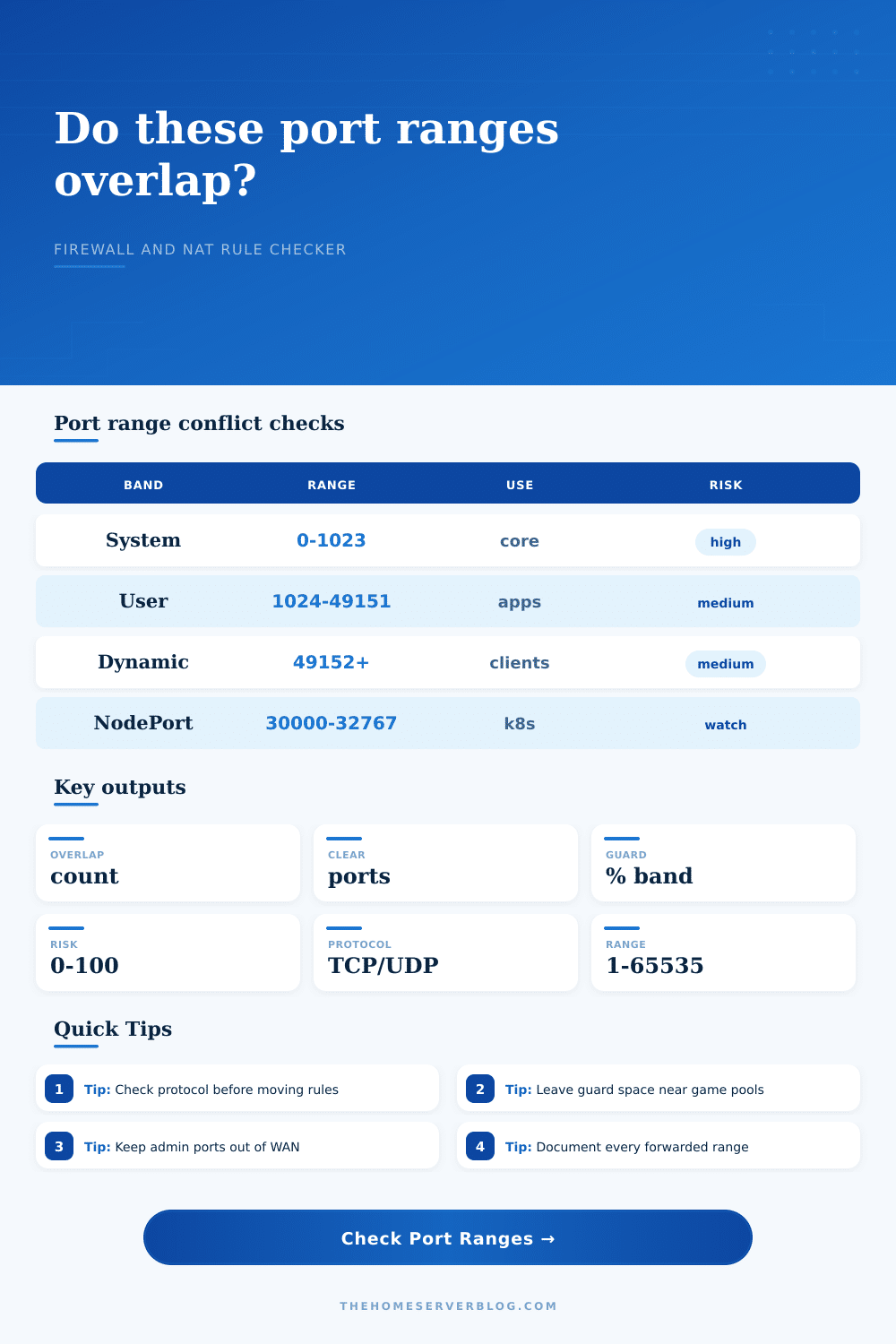
If you’re wondering what all those numbers mean, table at the top of page organizes ports into dynamic, registered, and system bands. Those band are important, so you should of know what they mean. Ports below 1023 is off-limits (except when you intentionaly expose core services). The rest are either registered or dynamic, and that’s where the old rules haunt you.
Maybe you set up a Minecraft server over the summer, then never bothered deleting the port forwarding for UDP. Or your old NAS config never got cleaned out of firewall and now it’s blocking your shiny new reverse proxy rule. These is the undead of networking past; and the most confusing.
Finally, guard bands are the difference between a nice clean setup and something hanging by a thread. Don’t begin the second rule with port number 5101 if you’re dedicating a set of ports (say 5000-5100) to a particular app. Leave yourself some wiggle room. Having to reserve unused ports seems like a waste, but they comes in handy when you have to upgrade your app which takes up more range.
The tool provides a buffer percentage option, and will expand the audit window to find adjacent conflicts. It is a little thing, but it saves the heartbreak of discovering too late that two ranges is touching.
Each platform has its stubborn way of dealing with conflict. If a host port are unavailable, Docker will just fail right away, refusing to launch. A router can silently accept the same forwarded traffic, causing a race condition where the winning rule depends on which one was processed first. Knowing ahead of time is valuable because of that uncertainty.
Whether you’re running a homebrew Linux gateway, a cloud security group, or a commercial firewall, it standardizes the review process. You get the same truth about availability every time.
Port management mean documentation. What’s the point of a rule titled Port 443? In six months that will be meaningless. What about one called Plex Media Server TCP 443? It is clear as day.
You’re creating a live map of your network with the checker. That’s not just a warning; that’s a log of what exists on your network right now. And as more time passes, that list will become your only reality. Not only will it tell you what’s broken, it’ll tell you what’s running.
This all may sound like an arbitrary number (it’s not), but it does represent complexity. Complexity increase the chance that someone makes a mistake when changing something later on because there are more overlaps and less breathing room between them.
You’ve got too many services in too small a place if your risk score is high; this is a hint to consolidate. Make some of these stay internal. Share some of these with a reverse proxy rather than each having their own public port. Do this not just so it works now, but so you understand it tomorrow.
That’s all networking really is: minimizing collisions. Don’t try to create space where none exists; it’s simpler not to need it. Treat your port ranges like a pool instead of a bucket with no bottom.
This keeps your lab stable. You know why something works, instead of wondering why something isn’t working. Knowing for sure is a small price for a couple more minutes time. And you wind up building a system you can trust, one port at a time.