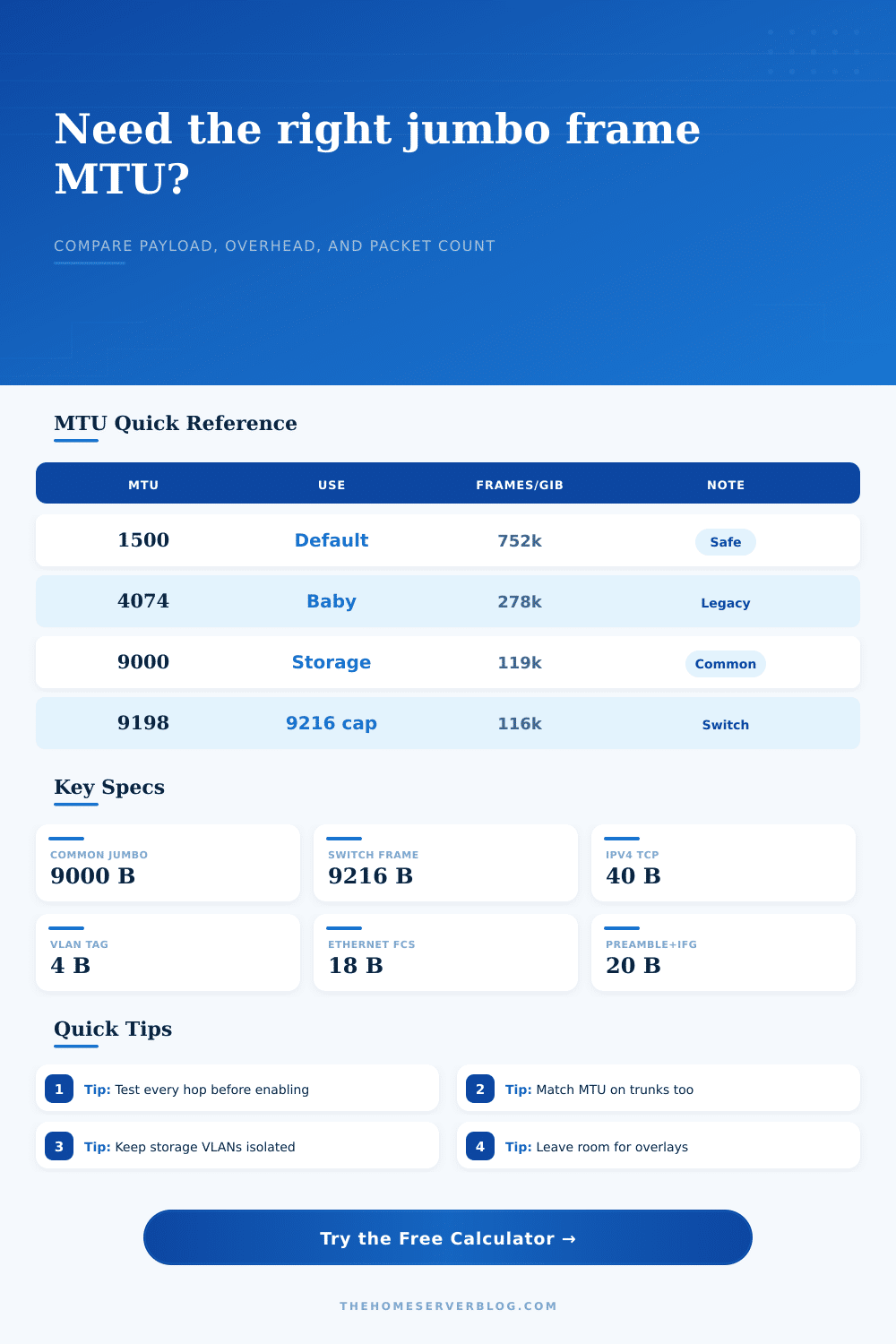
Jumbo Frame MTU Calculator
Compare standard Ethernet MTU against jumbo frame settings, including VLAN tags, link speed, on-wire overhead, and practical device limits.
| MTU Setting | Typical Use | TCP Payload | Frame Count Effect |
|---|---|---|---|
| 1500 bytes | Default Ethernet LAN, internet edge, client devices | 1460 bytes with IPv4 TCP | Baseline packet rate and safest interoperability |
| 4074 bytes | Conservative jumbo setting on mixed SMB or older NAS paths | 4034 bytes with IPv4 TCP | Large reduction without approaching 9K switch ceilings |
| 8950 bytes | Overlay-aware home lab underlay with room for encapsulation | 8910 bytes with IPv4 TCP | Near 9K benefit while leaving tunnel headroom |
| 9000 bytes | NAS, iSCSI, backup, replication, VM migration networks | 8960 bytes with IPv4 TCP | Common practical jumbo frame target |
| 9014 bytes | Intel adapter jumbo packet preset in many driver panels | 8974 bytes with IPv4 TCP | Similar to 9000 with driver-specific naming |
| 9198 bytes | IP MTU estimate under a 9216-byte frame ceiling without VLAN | 9158 bytes with IPv4 TCP | Uses most of a common switch maximum frame allowance |
| 9194 bytes | IP MTU estimate under 9216-byte frame ceiling with one VLAN tag | 9154 bytes with IPv4 TCP | Accounts for one 4-byte 802.1Q tag |
| 9700 bytes | High-MTU lab fabric on adapters and switches that explicitly allow it | 9660 bytes with IPv4 TCP | Useful only when every hop supports the larger frame |
| Overhead Item | Bytes | Layer | Calculator Treatment |
|---|---|---|---|
| Ethernet header | 14 | Layer 2 | Included with FCS as 18 bytes outside the IP MTU |
| Frame check sequence | 4 | Layer 2 | Included in the physical Ethernet frame size estimate |
| 802.1Q VLAN tag | 4 each | Layer 2 | Added once or twice depending on the VLAN tag input |
| Preamble and start delimiter | 8 | Wire | Included in on-wire efficiency and packet-rate estimates |
| Inter-frame gap | 12 | Wire | Included as idle wire time between Ethernet frames |
| IPv4 TCP headers | 40 | Layer 3/4 | Subtracted from MTU to estimate application payload bytes |
| IPv6 TCP headers | 60 | Layer 3/4 | Selectable for IPv6 storage, backup, and VM traffic |
| IPv4 UDP headers | 28 | Layer 3/4 | Selectable for UDP-based lab traffic and tests |
| Device or Network Path | Common Jumbo Limit | Best Home Lab Use | Check Before Enabling |
|---|---|---|---|
| Unmanaged 1 GbE switch | Varies; many do not expose MTU controls | Leave at 1500 unless the model lists jumbo support | Confirm the datasheet and test large pings between endpoints |
| Managed 1 GbE or 2.5 GbE switch | 9000 to 9216 bytes is common | NAS VLANs, backup jobs, and workstation-to-server transfers | Confirm per-port and system jumbo frame settings |
| 10 GbE switch fabric | 9000, 9216, or higher on many lab switches | iSCSI, NFS, SMB Direct, replication, and VM migration | Match NIC, switch, hypervisor vSwitch, and storage interface MTU |
| Router or firewall hop | Often lower than a pure switching path | Use 1500 or leave headroom unless every routed interface supports jumbo | Check interface MTU, MSS clamping, tunnels, and WAN handoff |
| VXLAN, WireGuard, GRE, or IPsec overlay | Depends on outer header and underlay MTU | Use jumbo underlay to preserve a 1500-byte tenant payload | Reserve bytes for encapsulation and path MTU discovery behavior |
| Hypervisor virtual switch | 9000 is common when physical NICs support it | vMotion, VM backup networks, and virtual storage adapters | Set physical NICs, vSwitch, port groups, and guest adapters consistently |
| Home Server Scenario | Suggested MTU | Primary Benefit | Compatibility Note |
|---|---|---|---|
| General LAN with phones, TVs, laptops, and printers | 1500 | Broad compatibility and low troubleshooting overhead | Keep client VLANs standard unless there is a measured reason |
| Single NAS and one 10 GbE workstation | 9000 | Fewer frames during large SMB or NFS transfers | Set the same MTU on both NICs and the switch ports between them |
| Proxmox or ESXi cluster migration network | 9000 | Lower packet rate during VM migration bursts | Match the physical uplink, bridge or vSwitch, and migration interface |
| iSCSI storage network | 9000 | Improved payload efficiency for block storage traffic | Keep the storage network isolated and verify targets and initiators |
| Overlay lab with tunnels between nodes | 8950 or lower | Leaves encapsulation room while retaining jumbo benefits | Confirm the outer path MTU before trusting large guest packets |
| Mixed vendor switches and unknown endpoints | 4074 or 1500 | Moderate frame reduction with a lower risk of silent drops | Use staged testing before moving production storage traffic |
We know the math: Use the jumbo frame MTU calculator to run the numbers and recieve the results.
But what about the numbers? Why does the network fail? How do we prevent this from happening?
How to Fix Your Network MTU
You insert 10 GbE cable. Speed should be high, transfer rates are slow. What’s wrong? There’s an answer: MTU. It stands for Maximum Transmission Unit. Most people don’t think about it unless it becomes problematic.
By default, Ethernet frames is 1500 bytes long. That’s fine. Almost all devices will handle it just fine. The problem arises if you need to move lots of data. All these extra bytes takes up space. They’re not actualy moving any data. They’re headers and checksums.
Increasing the MTU (to 9000 bytes) means there is more data per packet. Fewer packets mean lower CPU usage on your network interface card and less contention on the wire. Less contention means less competition for the wire. Fewer packets mean lower CPU usage on your network interface cards. Fewer packets mean less contention on the wire. Fewer packets on the wire make transfers feel faster, even if it’s not about chasing raw throughput.
The calculator demonstrate this. But then you need all of your device to agree on jumbo frames. Your switch might be capable of handling 9000 bytes. Your NAS might also be capable of handling 9000 bytes. But if you have an old unmanaged gigabit switch in the ceiling closet that’s stuck at 1500 bytes, it drop the big packets. The link doesn’t break. It just slows down as the system attempts to use Path MTU Discovery.
They’ll turn on jumbo frames on their endpoints, but they’ll forget to think about tunnel headers and VLAN tags. These all eat up some of the available space. Those details matter when using this tool. That’s why inputs matter.
For example, a single VLAN tag add four bytes. Two nested tags adds more bytes. An IPv6 header is bigger than an IPv4 header. Depending on what devices you’re connecting, a 9000 byte MTU becomes a bigger packet. You want something that all the devices can handle.
However, real networks don’t behave well all the time. An old switch might start dropping big packets for no reason. You can do just fine with web browsing, then hit a wall when trying to move a big database. That’s why the calculator has a safety buffer option. If you’re worried about weirdness from your hardware, add a 10 percent buffer and you’ll be OK.
Adding a 10 percent buffer might seem like throwing away performance, but it is actualy insurance against the unknown quirks of your hardware.
MTU settings are another place where overlays matter. Tunnels like WireGuard or VXLAN tack on their own headers. That means a 9000-byte frame within a tunnel could actually becomes too large for the underlying network. This breaks up the frame into fragments.
The calculator allows you to specify an overlay reserve. You can enter that value and determine the proper physical MTU to keep the inner packet whole. It sounds small, but it help keep labs stable. The settings hold up in testing.
Trust but verify. Use ping with a big payload to see where it falls over. Then test that value under actual traffic such as iSCSI or SMB. Does it go through? Yes: good job. Stalls out? Lower the MTU by another 100 bytes. Rinse. Repeat.
The network work better when the MTU is optimized. There is less admin overhead for handling packets. Transfers will just feel faster, even if the clock speed hasn’t changed. Every hop has agreed on the MTU size. You should of stopped fussing with the plumbing and start focusing on what you were doing.