SSTP Overhead Calculator
Estimate PPP, SSTP, TLS, TCP/IP, ACK, MSS, certificate, keepalive, and user-count overhead for TCP 443 VPN tunnels.
| Overhead layer | Typical bytes | Applies when | Calculator input |
|---|---|---|---|
| PPP payload | User selected | Every tunneled data packet | PPP payload per data packet |
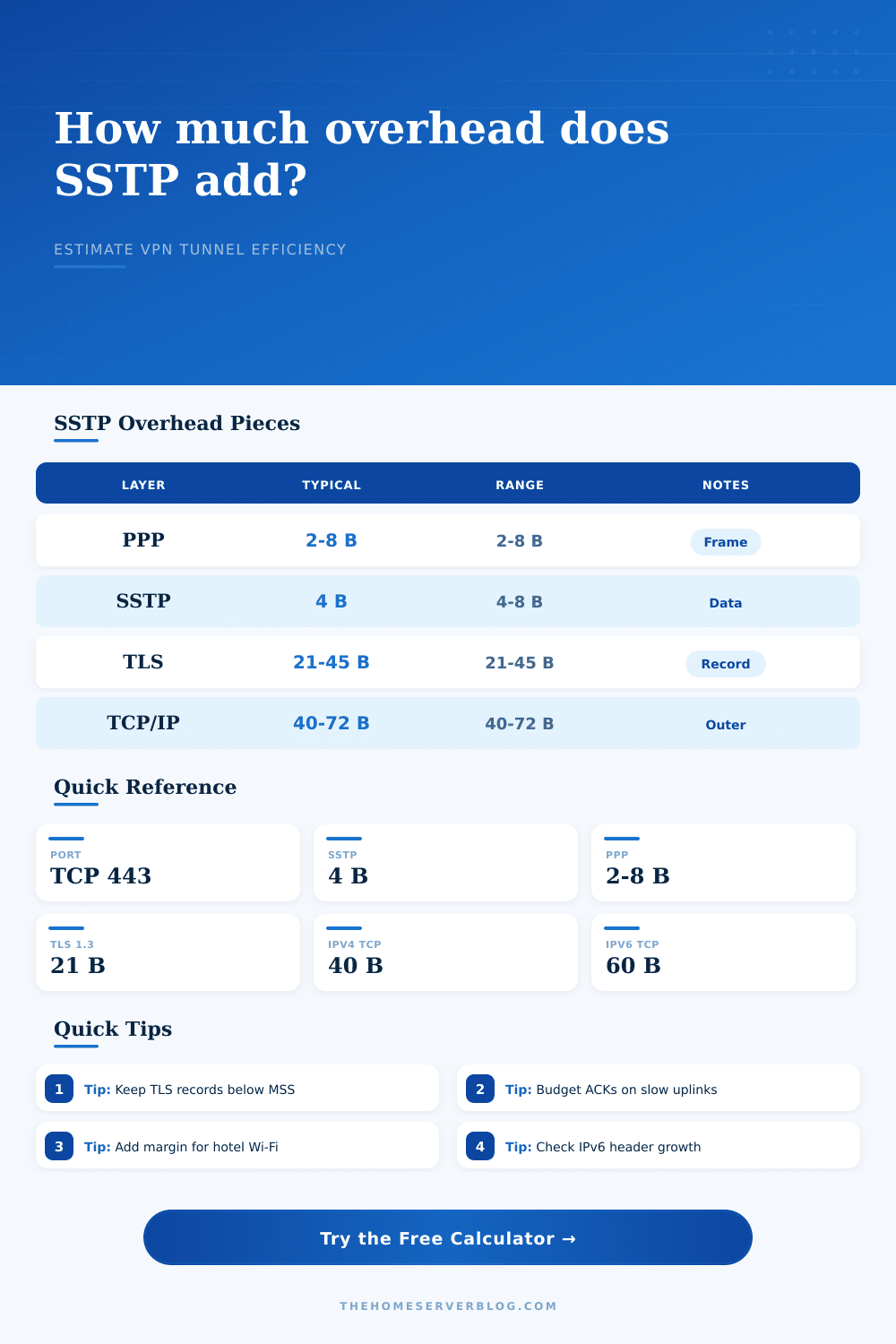
| PPP framing | 2 to 8 bytes | PPP protocol and optional control allowance | PPP framing bytes |
| SSTP data header | 4 bytes normal | Each SSTP data message carrying PPP | SSTP data header bytes |
| TLS record overhead | 21 to 45 bytes | Each TLS record; more records means repeated overhead | TLS version and cipher overhead |
| Outer TCP/IP | 40 to 72 bytes | Each outer TCP 443 packet on IPv4 or IPv6 | Outer TCP/IP header mode |
| ACK allowance | Ratio based | Reverse-path TCP acknowledgements for SSTP stream data | ACK packet ratio per data packet |
| TLS profile | Record estimate | Best fit | Planning note |
|---|---|---|---|
| TLS 1.3 AEAD | 21 bytes | Modern Windows and server stacks | Lowest record overhead in this calculator. |
| TLS 1.2 AES-GCM | 29 bytes | Common SSTP deployment baseline | Good default when cipher details are unknown. |
| TLS 1.2 CBC estimate | 37 bytes | Compatibility-focused gateways | Allows for MAC and block alignment without going fully worst case. |
| TLS 1.0 or 1.1 CBC | 45 bytes | Legacy client modeling only | Use for old endpoints when retained for measurement or migration planning. |
| TCP/IP header mode | Outer bytes | What changes | When to choose it |
|---|---|---|---|
| IPv4 plus TCP | 40 bytes | 20-byte IPv4 header and 20-byte TCP header | Clean lab path with no TCP options modeled. |
| IPv4 plus TCP options | 52 bytes | Timestamp, SACK, or similar option allowance | Realistic public Internet estimate for many clients. |
| IPv6 plus TCP | 60 bytes | 40-byte IPv6 header and 20-byte TCP header | Use when the SSTP server is reached over IPv6. |
| IPv6 plus TCP options | 72 bytes | IPv6 with common TCP option allowance | Conservative IPv6 estimate for mixed access networks. |
| PPP payload target | Likely outcome | MSS behavior | Use case |
|---|---|---|---|
| 1200 bytes | High compatibility | Usually below 1460-byte MSS after SSTP and TLS | Hotel Wi-Fi, captive portals, mobile hotspot fallback. |
| 1280 bytes | IPv6-friendly floor | Leaves space for IPv6 and TCP option growth | Dual-stack home lab access and mixed client paths. |
| 1360 bytes | Balanced default | Often safe with TLS 1.2 and IPv4 options | General Windows SSTP remote-access tunnels. |
| 1400 bytes | Higher efficiency | May need careful MSS clamp with TCP options | Controlled office networks or known-clean broadband. |
| 1500 bytes | Fragmentation risk | Usually too large once encapsulated into TLS/TCP/IP | Only test on jumbo or explicitly tuned paths. |
| Protocol | Transport | Overhead character | Firewall behavior |
|---|---|---|---|
| SSTP | PPP over TLS over TCP 443 | Moderate encapsulation plus TCP-over-TCP behavior under loss | Often passes strict HTTPS-only egress networks. |
| IKEv2/IPsec | UDP 500/4500 with ESP | Efficient and stable on good NAT paths | Can be blocked where only TCP 443 is allowed. |
| OpenVPN TCP | TLS over TCP, often 443 | Similar TCP-over-TCP concerns when loss is present | Good fallback on networks that allow HTTPS-like traffic. |
| OpenVPN UDP | TLS over UDP | Avoids TCP-over-TCP and usually handles loss better | May fail on locked-down guest or hotel networks. |
| WireGuard | UDP | Small fixed-style packet overhead and simple roaming | Excellent when UDP is allowed; less useful as a TCP 443 fallback. |
| L2TP/IPsec | UDP plus IPsec | Multiple layers; often more overhead than modern alternatives | Useful for legacy compatibility, but frequently filtered. |
If you’ve ever been on a video call where hotel Wi-Fi is fine for social, but drops out on the video, you probably understand how it feels: the Wi-Fi isn’t dead. Just drowned by overhead. Traffic from secure apps like VPNs are wrapped in layers of security that seem invisible to you, but feel like a ton of bricks to your phone’s network card. Turns out what gets sent down that wire does matter. More then you might imagine.
Great; with that, we can get through strict firewalls. And by default, port 443, the one used to handle standard HTTPS web traffic, is widely open. Here’s the thing though: SSTP isn’t simply a packet wrapper. It’s a stack of protocols. There’s the PPP frame containing your data; there’s the SSTP header; there’s the TLS record wrapping everything; and there are outer TCP and IP headers. Each one of these layers add bytes that don’t make it to your destination. They simply serve to keep the tunnel open.
Why SSTP Slows Down Your Internet
If you’re curious about actual numbers, feel free to use the calculator up top. It’ll do the math for you, taking into account which flavor of TLS you’re running. Because TLS 1.3 is a slimmer protocol. Older versions include handshake chatter; newer version have much less record overhead. Are you running TLS 1.2 with CBC encryption? You pay a per-packet premium.
The tool even takes into account the outside TCP/IP headers. IPv4 adds fewer bytes than IPv6, so if you route over an IPv6 backbone, your effective payload shrinks. A few more bytes in header overhead makes a big difference. The difference between a smooth stream and a buffering wheel translate to several percent change in your bandwidth use.
These are the acknowledgments. Then there’s the ACKs. People always forget them. An ACK is a packet that goes back to the sender of each packet of data. Each one. TCP is a good protocol. Those ACK packets is noise on a symmetrical fiber line. They are clogging up the return pipe on a congested hotel network or slow 4G link. If the ACKs don’t come back, then the sender backs off.
You can model this ratio based off the calculator. The higher the ACK ratio, the more traffic for less useful data. It will also show whether your TCP MSS is being hit. If it is bigger than the maximum segment size of the path it’s going through, it will be dropped or fragmented. Most people miss this. They think about how much they need to size for throughput. But not what the size limit of their packets are in the middle network.
Then there is the human factor. How many users are going to get on that thing? Eight concurrent ones stress the gateway; one laptop doesn’t. The tool adjusts the overhead for number of users, too; along with a safety margin. Add a 10 to 15 percent margin. There’s no such thing as a clean network. Guest networks inject ads. Latency comes from hotel Wi-Fi. All those things break tight encapsulation. Having a 10 to 15 percent margin keeps you from banging into the ceiling once the network goes weird.
Choosing a payload size is a trade-off between efficiency (spreading out header costs with bigger packets) and avoiding fragments (since bigger packets cause fragments). Typically payload sizes in the range of 1300-1400 bytes of inner data is considered the sweet spot… That’s small enough not to fragment but big enough to fit within the standard Ethernet MTU after adding all the headers. If you push for 1500 bytes inside, you are asking for trouble on most public networks.
The page has a handy reference table that shows these numbers for various network conditions. There’s also this little thing called a “keepalive”. It stops NAT timeouts, which is good. But each one is a small packet with the same large header stack. Set too often and you’re shoveling overhead all over the place several times a second. Set too infrequent and you have an idle connection that drops. Getting it right saves bandwidth but doesn’t sacrifice stability.
So what’s the bottom line? Well SSTP is a solid protocol because it gets the job done when others don’t. But there’s a tradeoff. SSTP is slower because of it. You’re going to get reliability and firewall penetration but you’re also sacrificing raw speed. There is overhead and it isn’t a bug. It’s simply the price you pay to have a secure tunnel.
After you consider all those extra parts, the safety margins, the ACKs, and the headers, it all adds up and makes sense. And then you stop pointing fingers at your ISP and realize it’s a matter of engineering. A slow connection becomes a manageable engineering challenge once you change your mindset. You should of used a better protocol if you wanted speed. Actually, it’s just how it works with modern networking.