OpenVPN Overhead Calculator
Estimate OpenVPN packet overhead, safe tunnel MTU, TCP MSS clamp, payload efficiency, and realistic encrypted throughput for home labs and remote access links.
Full packet breakdown
| Layer or feature | Typical bytes | Where it appears | Calculator handling |
|---|---|---|---|
| Outer IPv4 header | 20 | Internet packet that carries OpenVPN | Selected by outer IP version |
| Outer IPv6 header | 40 | IPv6 WAN, IPv6 VPS, or IPv6-only ISP | Adds 20 bytes compared with IPv4 |
| UDP transport | 8 | Default OpenVPN data channel | Lower overhead and avoids TCP-over-TCP issues |
| TCP transport | 20 | Fallback on port 443 or restrictive networks | Higher header cost before TCP options |
| PPPoE access link | 8 | DSL and some fiber ONT handoffs | Subtracted before VPN overhead |
| 802.1Q VLAN tag | 4 | Tagged WAN or lab trunk | Use underlay reserved bytes |
| TAP Ethernet frame | 14 | Bridged OpenVPN LAN frames | Subtracts from effective inner IP room |
| Inner TCP base header | 20 | TCP traffic carried inside the tunnel | Always included in MSS formula |
| OpenVPN profile | Crypto bytes used here | Strength | Best home server use |
|---|---|---|---|
| AES-256-GCM AEAD | 24 | High | Modern x86 servers with AES-NI |
| AES-128-GCM AEAD | 24 | High | Fast routers and low-power boxes |
| ChaCha20-Poly1305 | 24 | High | ARM SBCs, phones, and systems without AES acceleration |
| AES-256-CBC plus SHA256 | 64 | Legacy high | Older configs that still require CBC plus HMAC |
| AES-128-CBC plus SHA1 | 44 | Legacy | Compatibility only, test before relying on it |
| BF-CBC plus SHA1 | 36 | Obsolete | Only for old clients that cannot be replaced |
| Scenario | Physical MTU | Common tun-mtu | Common MSS clamp |
|---|---|---|---|
| Plain Ethernet, IPv4, UDP, GCM | 1500 | 1420 to 1440 | 1360 to 1400 |
| PPPoE fiber, IPv4, UDP, GCM | 1500 with 8 reserved | 1412 to 1432 | 1352 to 1392 |
| IPv6 outer WAN, UDP, GCM | 1500 | 1400 to 1420 | 1340 to 1380 |
| LTE hotspot or CGNAT path | 1420 to 1500 | 1320 to 1380 | 1280 to 1340 |
| TAP bridge over internet | 1500 | 1380 to 1410 | 1320 to 1360 |
| Jumbo lab backbone | 9000 | 8900 plus | 8840 plus |
TUN plus AES-GCM
TAP plus AES-GCM
TUN plus CBC/HMAC
| Directive or check | What it controls | Typical value | When to change it |
|---|---|---|---|
| tun-mtu | Virtual tunnel interface packet size | Calculated safe MTU | When packets fragment or stall |
| mssfix | TCP MSS carried through tunnel | Calculated MSS | Most useful for web, SMB, SSH, and HTTPS |
| fragment | OpenVPN-level packet fragmentation | Avoid if possible | Only when path MTU cannot be fixed |
| --mtu-test | Probes usable packet size | Manual test | Confirm after changing networks |
| ping with DF | Real path MTU discovery | 1472 for IPv4 Ethernet payload test | Before setting production values |
| sndbuf / rcvbuf | Socket buffers | OS default or tuned | High latency links after MTU is stable |
Okay, so you set up an OpenVPN server and on the train you plugs in your phone. At first it’s super fast. You visit a large website. You send a big file back to your home computer. Nothing happens. Connection slows to a crawl.
Packets aren’t being dropped. Instead they’re being fragmented, this causes latency spikes and makes the connection feel broken. It’s almost never a bandwidth issue. It is almost always a packet size issue.
Why Your Internet Slows Down
There’s a pretty rigid rule about how big frames can be on the internet. It’s called the Maximum Transmission Unit. It’s 1500 bytes for standard Ethernet. When you wrap your traffic with OpenVPN, you’re adding layers of transport protocols, authentication headers, and encryption. That adds overhead which eats into your 1500 byte envelope.
If you don’t take that overhead into account, your packets gets too big for the network below it. The network chops them up. The system reassembles them slowly. What used to be a smooth connection becomes a jagged mess.
These aren’t guessable values. Not by most people. They’re default values, which means they leaves them and pray they work out. Others borrow someone else’s config from a forum that assumes a flawless fiber link.
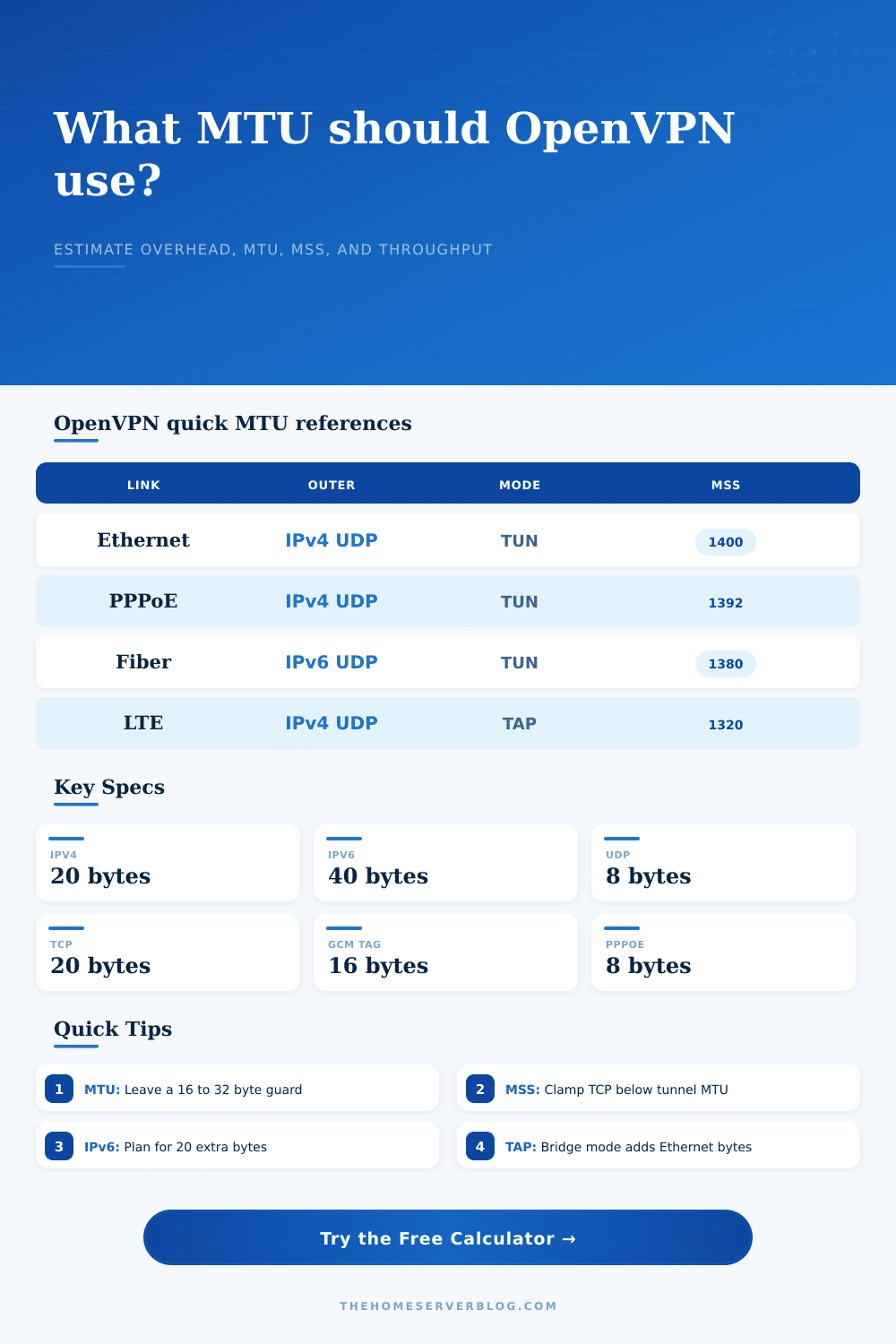
In fact, there’s no such thing as just one setting that governs your connection. There’s an entire stack of protocols between you and your server. If it’s standard home Ethernet, with UDP and IP version 4 (IPv4)… Then the overhead is reasonably small.
Add eight bytes for PPPoE to frame the dial up protocol. Switch to IPv6? It carry a forty byte header versus only twenty for IPv4. In those cases, the math change.
That’s where the calculator steps in. Choose your cipher, transport layer, and underlay. It tell you exactly how many bytes remain for payload.
But wait; what about cipher? It is more than you think. Today’s moddern ciphers such as AES-256-GCM are very efficient. They has a relatively small number of bytes added to authenticate data. Legacy ciphers like CBC + HMAC authentication add much more overhead. All that additional space is consumed by security metadata. It is not your file transfer. It is not your video stream. When you’re packing all this into a round hole, every little bit (literally) help.
The reference table breaks down those bytes. As you’ll see, there is a clear tradeoff between supporting old systems and modern efficiency.
After learning your tunnel MTU, it’s time to tackle the Maximum Segment Size. The MSS is what tells the remote server the amount of TCP data it should of send back to you. If your MSS hasn’t been adjusted from the default (1460), and your tunnel MTU is 1400, every TCP packet get fragmented.
The calculator takes your input values and arrives at a safe MSS clamp for you. Essentially, it subtracts the TCP and inner IP headers from the tunnel MTU. Plug that into your OpenVPN server config. Your stalled downloads begins to flow again.
Another invisible metric is throughput efficiency. Packet fitting isn’t the only type of overhead. There is also a header/payload ratio, which is how much metadata you send compared to the payload. Payload are you sending across the wire? If you have a slow link (e.g., 4G) with high overhead, that could mean you’re spending a lot of your megabits per second moving metadata. That will help you determine whether upgrading your link is the right decision or whether it makes more sense to optimize your protocol stack.
This is another common error on the part of administrators. They reduce their MTU aggressively in an attempt to solve the problem of fragmentation. Then they fails to verify the MSS. This results in an MSS/MTU mismatch, which means their IP packets will fit, but their TCP segments within those packets won’t. Same problem: fragmentation. Just occurring one level higher.
The trick is to synchronize. Specifically, the MSS must be smaller then the tunnel MTU minus the size of the inner headers. That’s what the tool checks for and enforces. So it gives you something to work with that honors the physics of how packets travel.
Remote access stops being a guessing game once we tune those numbers. Lag ceases to be a mystery. We begin seeing the box that contains our data. What was previous a painful trial and error becomes an intentional, engineering choice.
When all the numbers fit, the network vanishes. There’s just us. And there is just the data. It moves like it ought to.