ACL Wildcard Calculator
Convert IPv4 CIDR blocks, subnet masks, and host ranges into Cisco ACL wildcard masks, then verify source and destination matches before adding rules to routers, switches, firewalls, or routing protocols.
Formula Breakdown
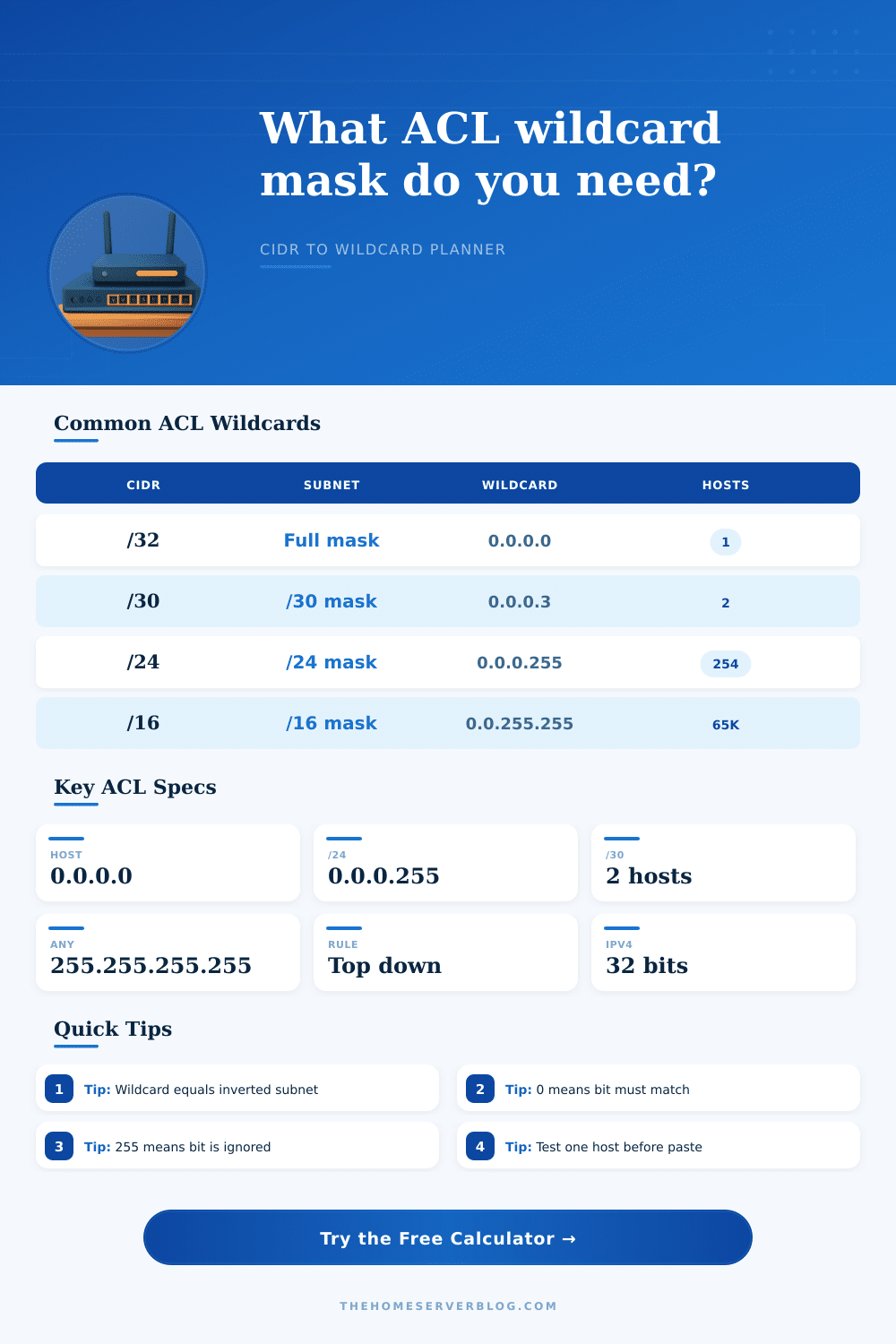
| CIDR block | Subnet mask | ACL wildcard | Typical home lab use |
|---|---|---|---|
| /32 | 255.255.255.255 | 0.0.0.0 | Permit or deny one management workstation, jump host, or monitoring probe. |
| /30 | 255.255.255.252 | 0.0.0.3 | Match a routed point-to-point transit network between two routers. |
| /29 | 255.255.255.248 | 0.0.0.7 | Small DMZ, firewall inside segment, or hypervisor service subnet. |
| /27 | 255.255.255.224 | 0.0.0.31 | Voice VLAN, camera VLAN, lab cluster, or compact wireless management block. |
| /24 | 255.255.255.0 | 0.0.0.255 | Normal home LAN, IoT VLAN, server VLAN, or guest Wi-Fi network. |
| Wildcard pattern | Meaning | Matching behavior | CLI example |
|---|---|---|---|
| 0.0.0.0 | Host match | Every source address bit must equal the ACL address. | permit 192.168.1.10 0.0.0.0 |
| 0.0.0.255 | One /24 | First three octets must match; the last octet is ignored. | permit 192.168.1.0 0.0.0.255 |
| 0.0.7.255 | One /21 | Matches eight adjacent /24 networks when aligned on an 8-subnet boundary. | permit 10.20.8.0 0.0.7.255 |
| 0.0.255.255 | One /16 | First two octets must match; host and subnet octets are ignored. | permit 172.16.0.0 0.0.255.255 |
| 255.255.255.255 | Any IPv4 | Every bit is ignored; the address field no longer limits the match. | permit 0.0.0.0 255.255.255.255 |
| Statement type | What wildcard selects | Common pitfall | Calculator check to use |
|---|---|---|---|
| Standard ACL | Source IP address only | Placing a broad deny before a narrow permit hides the later permit. | Use the source test host result and review matched count. |
| Extended ACL | Source and destination IP addresses, plus protocol and ports in the full rule. | Converting the source correctly but forgetting the destination wildcard. | Switch to extended mode and test both endpoints. |
| OSPF network | Interface addresses that should participate in the routing process. | Using a network boundary that misses an interface address. | Test the exact interface IP as the source host. |
| EIGRP network | Interface addresses included in the EIGRP process. | Accidentally enabling EIGRP on a guest or edge-facing subnet. | Check adjacent VLAN interface IPs before pasting. |
| Route map match | Prefix or ACL criteria used by policy routing and redistribution. | Assuming ACL wildcard logic equals prefix-list length logic in every case. | Use contiguous masks unless you intentionally need ternary matching. |
| Project scenario | Input network | Wildcard result | Operational note |
|---|---|---|---|
| Management SSH allowlist | 192.168.10.44/32 | 0.0.0.0 | Use host keyword or explicit wildcard for one trusted workstation. |
| Guest Wi-Fi isolation | 192.168.50.0/23 | 0.0.1.255 | Matches two adjacent /24 networks when the third octet is even. |
| Server VLAN permit | 10.10.20.0/24 | 0.0.0.255 | Good for permitting server subnet access to a monitoring collector. |
| Lab routing summary | 10.42.8.0/21 | 0.0.7.255 | Boundary must start on the correct block size in the third octet. |
| Transit link ACL | 172.16.0.4/30 | 0.0.0.3 | Useful for router-to-router control-plane filters. |
This tool validates IPv4 wildcard math for planning and documentation. Always test on a maintenance window or lab device before changing production access lists, route maps, or routing process network statements.
Packet engineers uses access control lists to determine which packet a router will permit and which packets a router will drops. Access control lists uses a value called an wildcard mask. A wildcard mask use a different logic different than that of a standard subnet mask.
The standard subnet mask define the network and the subnet mask for the packet. The wildcard mask define which bits the router is to ignore. For this reason, a person must understand that the logic of a wildcard mask is an inverse of the logic that a standard subnet mask uses.
How to Use a Wildcard Mask Calculator for Access Control Lists
A wildcard mask calculator can assist a person in determining the correct value of the wildcard mask by taking the subnet mask and calculating the inverse. A person can enter a network address into the calculator. Additionally, a person can enter the CIDR prefix of the network or the network mask.
The calculator will provide a value that is an inverse of the value that is entered. The calculator can also provide a count of the number of addresses that will be included in the wildcard mask. A person can input a sample host address into the calculator to test to see if the wildcard mask will work as it should.
Network engineers often make mistake when they code an access control list. One of the common mistake is to use a rule that is too broad for the requirement. Because access control lists evaluates the entries in order, a very broad rule will drop packets before the other rules in the access control list can evaluate them.
Another mistake is the use of a wildcard mask that includes an extra subnet. This will cause the rule to evaluate one bit off from the intended network. The calculator will let a network engineer know if the access control list statement will cause these types of mistake.
If the test host does not match the wildcard mask in the calculator, then there are mistake in the access control list that must be corrected before the network engineer ever applies the access control list to a router. Standard access control lists examine the source address of the incoming packets. Thus, the math for an access control list is relatively simple.
For extended access control lists, both the source and the destination address and the protocol of the packets must be examined. This requires two calculation of the wildcard mask. The calculator also includes an extended mode that allows for testing of both side of a network connection.
The extended mode can be used to allow packets from one server to another. It can also be used to block all other packet. Routing protocols also use the wildcard mask syntax.
However, an error in a routing protocol will have a different impact on the router than an error in an access control list. For instance, an error in the network statement for OSPF can cause the router to incorrectly place an interface into the OSPF process or leave an interface out of the OSPF process. Routing mode can be tested with the calculator so that a network engineer can test an interface address against the routing protocol statement before entering the routing protocol statement into the router.
This same function can be used for EIGRP summaries or route maps with access control lists. When coding access control lists, network engineers should start with the most specific address and then widen the access control list as necessary to accommodate additional network. Using a wildcard mask of all zero will allow for the engineer to make a rule that specifies a specific host and can make it easy to audit the access control list.
For a larger network, the wildcard mask will include more address. The calculator will show the engineer how many address will be included in that wildcard mask. Additionally, the engineer can test the wildcard mask to confirm that the interface will match the wildcard mask.
Noncontiguous wildcard masks is allowed in the syntax. However, they are difficult to code and to read because there is no standard protocol for specifying noncontiguous network. A wildcard mask calculator will flag any noncontiguous wildcard masks so that a network engineer can determine if the complexity of the access control list is worth the flexibility that a noncontiguous wildcard mask provide.
In most cases, it is safer to use contiguous network and to use multiple access control list statement for noncontiguous networks. The order of the entries in an access control list is very important. The order of the entries in the access control list is more important than the math that is used within the access control list.
If an access control list encounters a packet that matches an access control list statement, it will ignore the remaining statement in that access control list. Thus, the order of the entries in the access control list is a critical element that the network engineer must remember when creating the access control list. The calculator cannot enforce this order but does provide a clarity score for the engineer.
The higher the clarity score, the easier it is to read the access control list. Long access control lists receives a lower score because they are more difficult to read. Additionally, if the change buffer is high in the access control list, the clarity score will be lower.
This score is provided to remind the engineer to review long access control lists to ensure that the access control list is still functioning properly. The last and final step in the process is to test the configuration on a lab device. The wildcard mask calculator will test the access control list and show the command line that will be used to program the router.
However, no amount of testing can be done on a lab device to test the impact of the access control list on the other rules that may already be configured on the router. Thus, the access control list should be applied to a router during a maintenance window or on a spare device. The goal is not to memorize all of the wildcard mask.
The goal is to understand the wildcard mask and to use the calculator to remove the friction that the mathematics of the wildcard masks can cause when creating an access control list.