DDR5 Latency Calculator
Convert MT/s and DDR5 timing cycles into clock period, true nanosecond latency, row timing, and practical channel bandwidth.
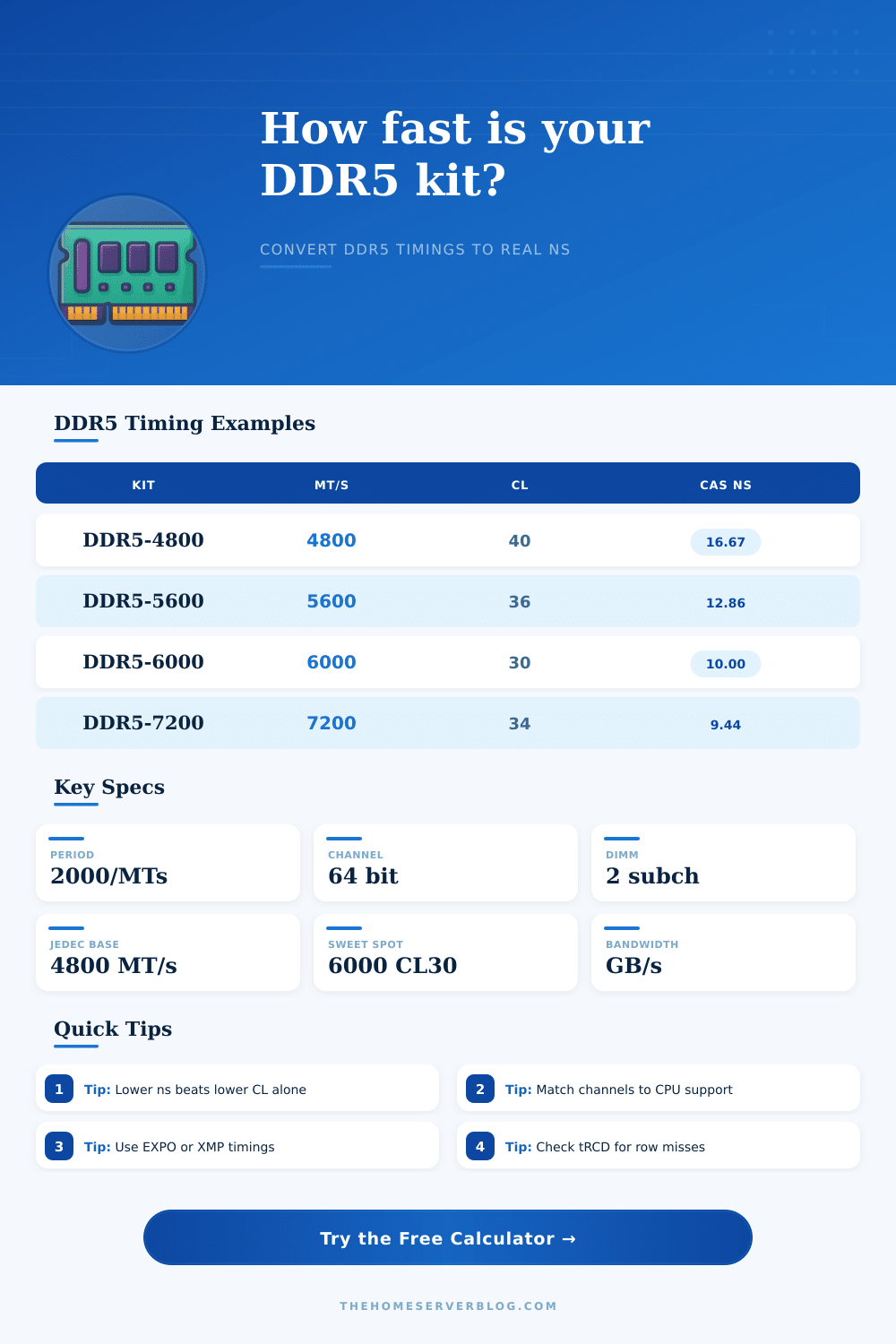
Latency formulas use DDR memory clock period: 2000 divided by MT/s. Bandwidth is decimal GB/s before OS and workload limits.
Full Timing and Bandwidth Breakdown
| Named Kit | Rate | Primary Timings | CAS ns | Best Fit |
|---|---|---|---|---|
| JEDEC DDR5-4800 CL40 | 4800 MT/s | 40-40-40-77 | 16.67 ns | Safe boot, OEM systems |
| Creator DDR5-5600 CL36 | 5600 MT/s | 36-36-36-89 | 12.86 ns | Content PCs and NAS builds |
| AM5 Sweet Spot 6000 CL30 | 6000 MT/s | 30-38-38-96 | 10.00 ns | Balanced gaming and home lab |
| Balanced DDR5-6400 CL32 | 6400 MT/s | 32-39-39-102 | 10.00 ns | Fast desktop tuning |
| OC DDR5-7200 CL34 | 7200 MT/s | 34-44-44-105 | 9.44 ns | High bandwidth workloads |
| Test Bench DDR5-8000 CL38 | 8000 MT/s | 38-48-48-128 | 9.50 ns | Validated overclock testing |
| Metric | Formula | Example at 6000 | Why It Matters |
|---|---|---|---|
| Clock period | 2000 / MT/s | 0.333 ns | Base tick for DDR timings |
| True CAS | CL x period | 30 x 0.333 = 10.00 ns | Best quick latency comparison |
| Row miss read | (tRCD + CL) x period | 68 x 0.333 = 22.67 ns | Random access to a closed row |
| Row cycle | (tRAS + tRP) x period | 134 x 0.333 = 44.67 ns | Full activate and precharge loop |
| Peak bandwidth | MT/s x bytes x channels / 1000 | 96.0 GB/s dual 64-bit | Sequential copy and iGPU ceiling |
| Configuration | Channels | Width Used | DDR5-6000 Peak | Typical Use |
|---|---|---|---|---|
| Single DIMM desktop | 1 | 64 bit | 48.0 GB/s | Basic office or troubleshooting |
| Dual-channel desktop | 2 | 64 bit each | 96.0 GB/s | Gaming, NAS, home server |
| 4-channel HEDT | 4 | 64 bit each | 192.0 GB/s | VM hosts and workstation loads |
| 8-channel server | 8 | 64 bit each | 384.0 GB/s | EPYC/Xeon memory-bound services |
| Scenario | Watch First | Healthy Target | Tradeoff |
|---|---|---|---|
| Game server host | CAS ns and tRCD ns | 10-12 ns CAS | Stability beats peak MT/s |
| VM lab with many guests | Capacity and channels | Dual channel or better | More DIMMs can reduce max rate |
| iGPU media box | Usable bandwidth | 80+ GB/s dual channel | Bandwidth can matter more than CL |
| ECC workstation | JEDEC timing and uptime | Validated ECC profile | Higher ns but safer operation |
When you purchase DDR5 memory, the advertised speed of the DDR5 memory dont always explain how the DDR5 memory will perform. The advertised speed refers to the data rate in relation to a number of millions of data transfers that can occur each second. The performance of the DDR5 memory is instead related to the number of nanoseconds it take for the data to travel from the processor to the DDR5 memory.
A tool that calculates this latency allow for consumers to compare different kits of DDR5 memory and there latencies. The latency calculator requires a few different inputs in order to calculate the latency of the DDR5 memory that youll be purchasing. The first of these values is the CAS latency, which is a visible value on the DDR5 memory products.
How to Compare DDR5 Memory Latency and Speed
However, this value also requires understanding the clock period in which the CAS latency is measured; higher data rates correlate with shorter clock periods. The latency calculator performs these calculations; no math are required from the consumer. Other timings related to the memory controller include the row access timings.
The memory controller requests data from a row that is not currently open in the DDR5 memory; the memory controller must wait for the data to be accessed after the row to column delay and CAS latency are performed. The latency calculator also calculates this additional wait time. This wait time can help people understand the difference in memory between two kits of DDR5 memory with similar CAS latency values.
Another factor in determining the performance of the DDR5 memory is its bandwidth. The user can calculate this data by multiply the data rate by the channel width, the number of channels, and an efficiency percentage. The result will be the amount of data per second that the DDR5 memory can provide once installed on the computer.
The user can adjust the efficiency to calculate the bandwidth for either a gaming or a server task. One additional function of the latency calculator is to calculate the total capacity of the DDR5 memory. You can enter the number of DIMMS and the size of each DIMM into the calculator in order to determine the total capacity of the memory configuration.
This can help to determine whether all of the memory slots on the computer should be filled with DDR5 memory or whether some slots will need to be left empty in order to achieve the highest possible speeds. People often believe that the lower the CAS latency of the DDR5 memory, the better. However, the calculations made by the latency calculator can help people to understand that this isnt necessarily true; a memory with a higher data rate and a slightly higher CAS latency may have lower true latency.
The latency calculator displays the nanosecond value of the latency of the DDR5 memory kits being compared; displaying this value ensures that those comparing memory kits understands the time related performance of the DDR5 memory. Similarly, if a user is manually tuning DDR5 memory, it may be tempting to alter only a few of the timings. However, altering only one timing may help one portion of the system but hurt another portion of the systems performance.
Each of the timings can be viewed in nanoseconds to help with understanding each of the different component of the memory. In addition to those calculations, real systems have additional constraints to performance beyond the capabilities of the latency calculator. For instance, other components like the motherboard traces, the CPU memory controller, and even the power delivery system to the DDR5 memory will limit the potential performance of the DDR5 memory.
However, the latency calculator is still of great benefit to consumers before purchasing DDR5 memory; it can compare the latencies of different memory kits. Furthermore, once a user purchases and installs DDR5 memory into a computer, the actual latency of the memory can be tested in relation to the calculated latency, as well. The goal is not for the DDR5 memory to have the lowest possible value for each of these timings.
However, understanding the relationships between each of the timings will allow for DDR5 memory to be purchased and installed according to the specific task that the computer that purchases the memory will perform. High requirements for data throughput will require different settings to memory timings than tasks that have a high requirement for the memory to have low latency. The latency calculator is one of the best tool for understanding each of these scenario.