File Server Sizing Calculator
Plan a NAS or home lab file server from usable data, growth, RAID layout, filesystem reserve, snapshots, compression, hot spares, drive bays, and backup copies.
Capacity Breakdown
| Protection layout | Usable formula | Minimum drives | Best fit |
|---|---|---|---|
| Single disk or JBOD | Drives x size | 1 | Scratch data, replicas, or disposable ingest space |
| Two-way mirror | Floor(drives / 2) x size | 2 | Small NAS, metadata vdevs, easy recovery, fast reads |
| RAIDZ1 / RAID5 | (drives - 1) x size | 3 | Small arrays with modest disk size and backup discipline |
| RAIDZ2 / RAID6 | (drives - 2) x size | 4 | Large home NAS pools, backup vaults, mixed media shares |
| RAIDZ3 | (drives - 3) x size | 5 | Very wide vdevs or slow rebuild risk tolerance |
| RAID10 | Floor(drives / 2) x size | 4 | VM images, databases, and high random I/O shares |
| Workload | Typical growth | Snapshot churn | Sizing note |
|---|---|---|---|
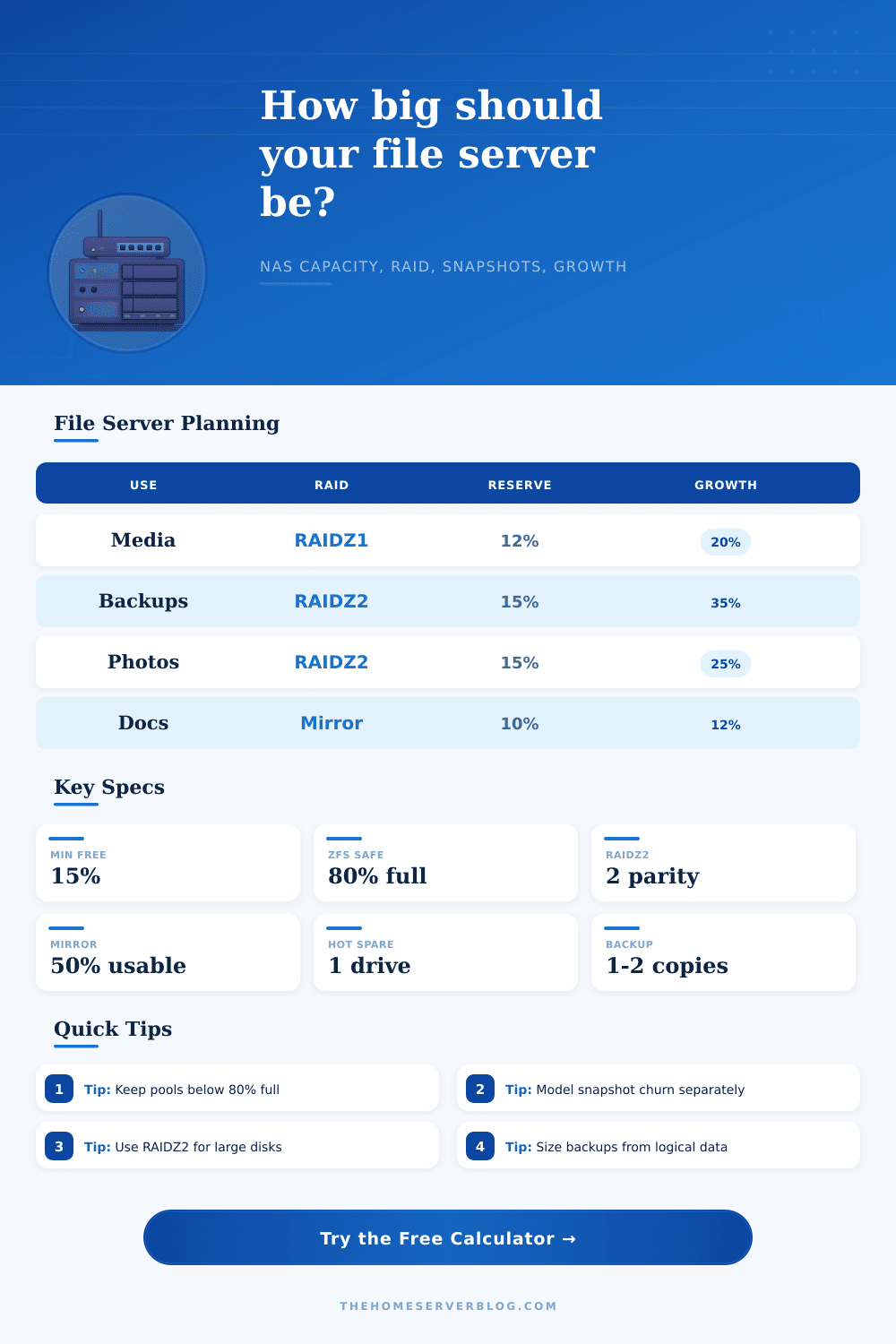
| Media library | 15% to 30% yearly | Low after files land | Compression is usually weak; drive bays matter more than CPU. |
| Backup repository | 25% to 45% yearly | Medium to high | Separate backup retention from NAS snapshot retention. |
| Photo and video archive | 20% to 35% yearly | Medium during editing | Keep ingest, catalog, and final archive behavior separate if possible. |
| CCTV share | Mostly retention-driven | Very high overwrite churn | Usually size from bitrate and days retained, then limit snapshots. |
| Office documents | 8% to 18% yearly | Low to medium | Compression and dedupe can help more than with media. |
| VM image store | 15% to 35% yearly | High if snapshots are frequent | Random I/O and restore speed may favor mirrors or RAID10. |
| Drive size | 4-bay RAIDZ1 | 6-bay RAIDZ2 | 8-bay RAIDZ2 |
|---|---|---|---|
| 8 TB disks | 24 TB raw usable before reserve | 32 TB raw usable before reserve | 48 TB raw usable before reserve |
| 12 TB disks | 36 TB raw usable before reserve | 48 TB raw usable before reserve | 72 TB raw usable before reserve |
| 16 TB disks | 48 TB raw usable before reserve | 64 TB raw usable before reserve | 96 TB raw usable before reserve |
| 20 TB disks | 60 TB raw usable before reserve | 80 TB raw usable before reserve | 120 TB raw usable before reserve |
| 24 TB disks | 72 TB raw usable before reserve | 96 TB raw usable before reserve | 144 TB raw usable before reserve |
| Rule of thumb | Recommended value | Why it matters | Calculator input |
|---|---|---|---|
| Copy-on-write reserve | 10% to 20% | Free space protects performance and keeps scrubs, snapshots, and deletes smoother. | Filesystem free-space reserve |
| Snapshot retention | 7 to 90 days | Retained changed blocks can grow even when visible folders look stable. | Snapshot retention and daily change rate |
| Backup target margin | 1.2x to 2.0x | Backup catalogs, incrementals, and prune windows need working room. | Backup retention multiplier |
| Expansion bay margin | 1 to 2 empty bays | Adding one more disk is often easier than migrating a full chassis. | Available bays and hot spare drives |
This calculator estimates storage capacity, not a complete reliability design. Final builds should also consider ECC memory, HBA compatibility, UPS runtime, scrub cadence, offsite backups, restore testing, and network throughput.
To determine the size of a file server that is apropiate for a given organization, it is first necessary to calculate the amount of data that will be stored over a specific time period. Most organizations that begin to consider the purchase of file server drives will consider the amount of data that the organization currently stores, and will purchase some additional drives as providing for the projected growth of that data. However, the growth of that data within the organization may occur at a faster rate then those that are provisioned for the file server, which can lead to the file server becoming filled with that data and preventing any of the drives from being able to be utilized by that organization.
In order to purchase the apropiate drives for a file server, it is first necessary to understand the types of data that that organization will store. For instance, media libraries are types of data that will steady grow over time, but will remain relatively unchanged after the initial loading of those media files. Backup repositories, however, will both grow and change frequent, as those repositories must be able to store the backed up data and the changed data blocks from those systems.
How to Choose the Right File Server Size
Additionally, photo archives will be relatively stable over long periods of time, but will experience growth if the organization continuously adds photos to those photo libraries. Each of these workloads have profiles in the calculator that allow the administrator to select the profile that best reflects the data types that will be stored, and which include default values for the growth rates and snapshot behaviors of those types of data. The protection layout that is selected for a file server will have an impact upon the amount of usable data space that the file server provides.
For instance, if a single disk or mirror is selected, the recovery of data will be fast and easy, but the amount of usable space provided by the file server will decrease as the amount of data stored by that server increase. RAIDZ2 layouts, on the other hand, allow for the file server to lose two drives and still be able to recover all of the data stored within the array, but require that the amount of data that that server stores is less than would otherwise be permitted by using a single disk or mirror. Both of these options can be selected in the calculator, and the usable capacity is automatically calculated based off the protection layout and the number of drives that the file server is to be purchased; the number of drives that are purchased is limited only by the number of disk bays provided by the chassis of the file server.
Snapshots are one form of data protection that can be implemented into file server systems. These snapshots create what can be considered as “hidden” growth in the file server. Instead of entire files being copied to create those snapshots, only the changed blocks within those files are tracked by the server.
Therefore, any folder that is included in those snapshots will grow in size if any files within that folder is changed. As such, it is necessary to use the change rate and snapshot retention settings within the calculator to determine how much space will be used by those snapshots. If those snapshots are not accounted for in the provisioned space for the file server, it is possible that the data will reach 80% of it’s capacity.
The assumptions regarding the growth of the data that the file server is to store are another of the variables that must be considered when purchasing a file server. For instance, any assumption regarding the percentage of growth of that data will compound each year that the file server is running and adding data. As such, 10 TB of data, with a 15% assumed growth each year, will result in approximately 15 TB of data after three years.
The calculator accounts for this growth over time, allowing for the administrator to compare plans that last for two years to plans that last for five years, for instance. It is also important to provide some reserve space within the file server. File systems that utilize the copy-on-write technique will experience a decline in performance if they are depleted of the free blocks of data that are available for writing new data to the drives.
The reserve percentage and the overhead buffer provide space within that file server for these types of problems to be avoided. Because file server backups are stored separately from the primary file server, it is necessary to size the backup target separately from the primary file server. The backup target needs to contain additional space for additional data blocks for the incremental backups of that data, and that target must include room for the retention of older versions of that data.
Therefore, the calculator sizes the backup target separately from the primary file server. The reference tables for the calculator display common layouts of file servers. Each table displays both RAID layouts and workloads, and why certain layouts of drives will work with certain workloads.
Additionally, each table displays why certain workloads require more space for snapshots than others. These tables can be used in conjunction with the calculator to provide a full consideration of each of the file server variables. Finally, the file server is of the appropriate size if the file server will be able to store the data that that organization will create each year for the next several years.