⚡ HTTP/2 Multiplexing Calculator
Calculate optimal concurrent streams, throughput efficiency, and connection performance for HTTP/2
| Latency (ms) | 100 req/s | 500 req/s | 1,000 req/s | 5,000 req/s |
|---|---|---|---|---|
| 10 ms | 1 | 5 | 10 | 50 |
| 50 ms | 5 | 25 | 50 | 250 |
| 100 ms | 10 | 50 | 100 | 500 |
| 200 ms | 20 | 100 | 200 | 1,000 |
| 500 ms | 50 | 250 | 500 | 2,500 |
| 1,000 ms | 100 | 500 | 1,000 | 5,000 |
| Header Size (raw) | After HPACK (est.) | Savings | At 1,000 req/s savings |
|---|---|---|---|
| 200 bytes | 60 bytes | 70% | 140 KB/s |
| 500 bytes | 150 bytes | 70% | 350 KB/s |
| 800 bytes | 240 bytes | 70% | 560 KB/s |
| 1,200 bytes | 360 bytes | 70% | 840 KB/s |
| 2,000 bytes | 600 bytes | 70% | 1,400 KB/s |
| 4,000 bytes | 500 bytes | 87.5% | 3,500 KB/s |
| Scenario | HTTP/1.1 Conns Needed | HTTP/2 Conns Needed | Reduction |
|---|---|---|---|
| 100 concurrent req | 100 | 1–2 | 98–99% |
| 50 static assets | 8–10 | 1 | ~90% |
| 200 API calls | 200 | 2–3 | 98–99% |
| 500 microservice reqs | 500 | 5 | 99% |
| 1,000 IoT sensors | 1,000 | 10 | 99% |
| Frame Type | Frame Header | Typical Payload | Use |
|---|---|---|---|
| DATA | 9 bytes | Up to 16,384 bytes | Request/Response body |
| HEADERS | 9 bytes | Variable (HPACK) | HTTP headers |
| SETTINGS | 9 bytes | 6–36 bytes | Connection config |
| WINDOW_UPDATE | 9 bytes | 4 bytes | Flow control |
| PING | 9 bytes | 8 bytes | Keep-alive / RTT |
| PUSH_PROMISE | 9 bytes | Variable | Server push |
| RST_STREAM | 9 bytes | 4 bytes | Stream cancel |
| GOAWAY | 9 bytes | 8+ bytes | Connection shutdown |
Most developers treats HTTP/2 like magic wand. Just flip it on and your site will load fast, right? Developers think so. They switch to HTTP/2, upgrade their servers, and watch their dashboard waiting for latency to drop significanty. But it doesn’t. Why? It’s never realy because of the protocol. Instead, it’s almost always because they misunderstand how streams function when under load.
Yes, multiplexing allow you to send more data quicker. But it also lets you handle concurrent requests while still keeping connection open. And that’s where the hype meets the math.
Why HTTP/2 Is Not Just About Speed
To trust these results, it help to understand inputs to the calculator above. Requests per second can be thought of as amount of traffic coming into highway. Latency represents length of time for each car to be in transit before reaching its destination. High request volume with high latency require more lanes. For HTTP/2, those lanes corresponds to streams. How many concurrent stream do you require to accommodate all this traffic? To avoid gridlock? The calculator accounts for this and other unexpected server limits. Like closing lanes on a busy freeway, setting MAX_CONCURRENT_STREAMS too low will cause headroom to dissapear instantaneously.
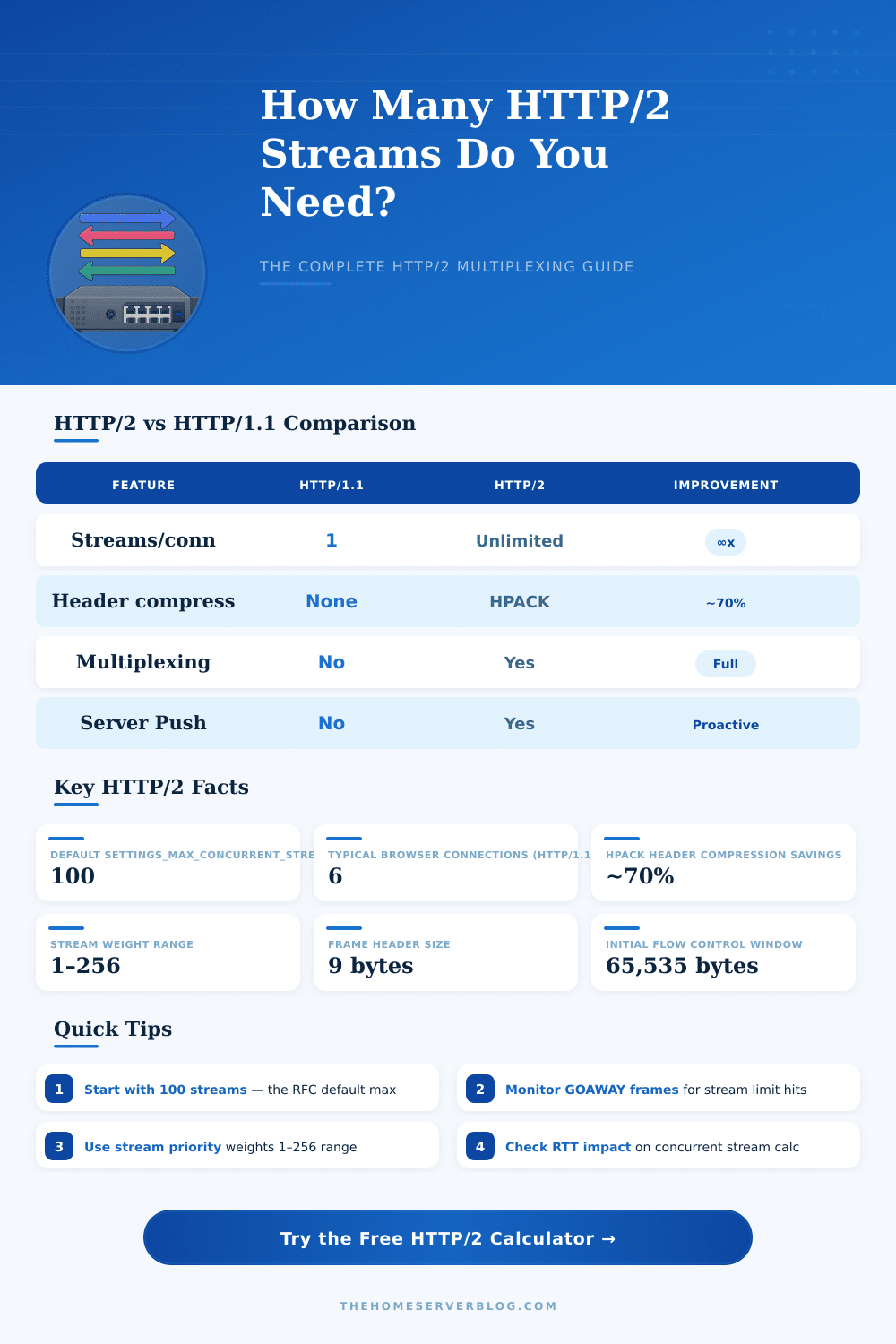
Header compression is one of the most significant differences between HTTP/1.x and HTTP/2. In HTTP/1.x, each request contained duplicated headers that slowed down response times while also using extra bandwidth. HPACK fixes this problem by compressing headers. Depending on size of your headers, you may be able to save about seventy percent. Why does it matter? Because it reduces amount of overhead each stream requires. Instead of sending so much metadata, the connection can send more actual data. As the page’s example table shows, even small header can add up when dealing with thousands of requests. Kilobytes per second add up fast in an environment with lots of traffic.
But it’s not as simple as just compression. Not all streams is equal. You want the critical JSON response to have higher priority then a decorative background image. You can tweak stream weights inside calculator to tell client what to prioritize. It will deliver most important bits first, even if total download time stays same. And that’s where a lot of folks screw up. They optimize for throughput but fail to think about how users see performance. Prioritize and make sure the critical stuff comes through, regardless of overall download time.
The other silent killer is flow control. To avoid having a speedy sender overwhelm a slow receiver, HTTP/2 do use window updates. Without keeping an eye on those windows, you might end up with stalled streams out of nowhere. That’s why the tool takes in a payload size and bandwidth input. It lets you visualize how many concurrent connection your network can sustain. If your estimated stream count is higher than what you have capacity for, then no matter how much you multiplex things, you’re just bumping into a physical limit.
You might think “the more, the merrier,” but it’s not true; there is such a thing as too much streaming. Every streaming request requires server-side and client-side memory and CPU time. If you set your max streams too high, you’ll exhaust resources, which makes things crash (not go faster). By using Little’s Law, which relates service time to arrival rate, we have a way of finding the sweet spot where you’re getting full use without crashing. It is a simple principle from queuing theory, applicable whether you’re serving a bunch of static images or making calls to some complicated API endpoint.
Perfect lab conditions do not always reflect real-world usage. There is plenty of noise that creeps into equation: limited clients, network jitter, and fluctuating server responses. For typical use cases (e.g., high traffic news site vs small API), the tool’s presets are a good place to start. That lets you see what sort of concurrency works best with each architecture. An IoT gateway has different requirements than an e-commerce site. An IoT gateway needs a steady low power connection for sensors reporting data, while an e-commerce site need to handle rapid bursts when someone adds items to their shopping cart. Tune the inputs accordingly based off your workload.
In the end, what all of this means is that HTTP/2 multiplexing isn’t just faster; it’s more efficient: You can have several different conversations on a single connection. And they’ll work well… if you manage them correcty. That’s where this calculator comes in: it crunches your numbers for you so you don’t have to guess at what coefficient goes into what conversion. It takes all these theoretical things (throughput and latency) and turns them into concrete config settings. Change one setting and instantly see the impact throughout the system.
Remember: Principles don’t change; only tools do. Concurrency limit? Stream weight tweaks? Whatever tool you’re using, the goal is the same; keep the water moving and don’t break the chain. That’s what makes HTTP/2 so magical, it’s less about the protocol, and more about your ability to manage it. Get a starting point with the calculator, and use your metrics to dial it in over time. If you know how to listen, they’ll speak volumes for you.