IP Fragmentation Calculator
Estimate IPv4 fragment count, effective MTU after tunnel overhead, non-last fragment payload size, replicated header overhead, DF-bit behavior, and retransmission exposure.
Fragmentation results
| Fragment | Data Bytes | Total Size | Offset Units | More Fragments | Outer Size |
|---|---|---|---|---|---|
| Run a calculation to see fragment sizes. | |||||
| Scenario | Path MTU | Typical Overhead | Effective Inner MTU | Planning Note |
|---|---|---|---|---|
| Plain Ethernet | 1500 bytes | 0 bytes | 1500 bytes | Normal LAN IPv4 datagram ceiling |
| PPPoE WAN | 1492 bytes | 0 to 8 bytes | 1484 to 1492 bytes | Clamp TCP MSS when CPE hides PPPoE overhead |
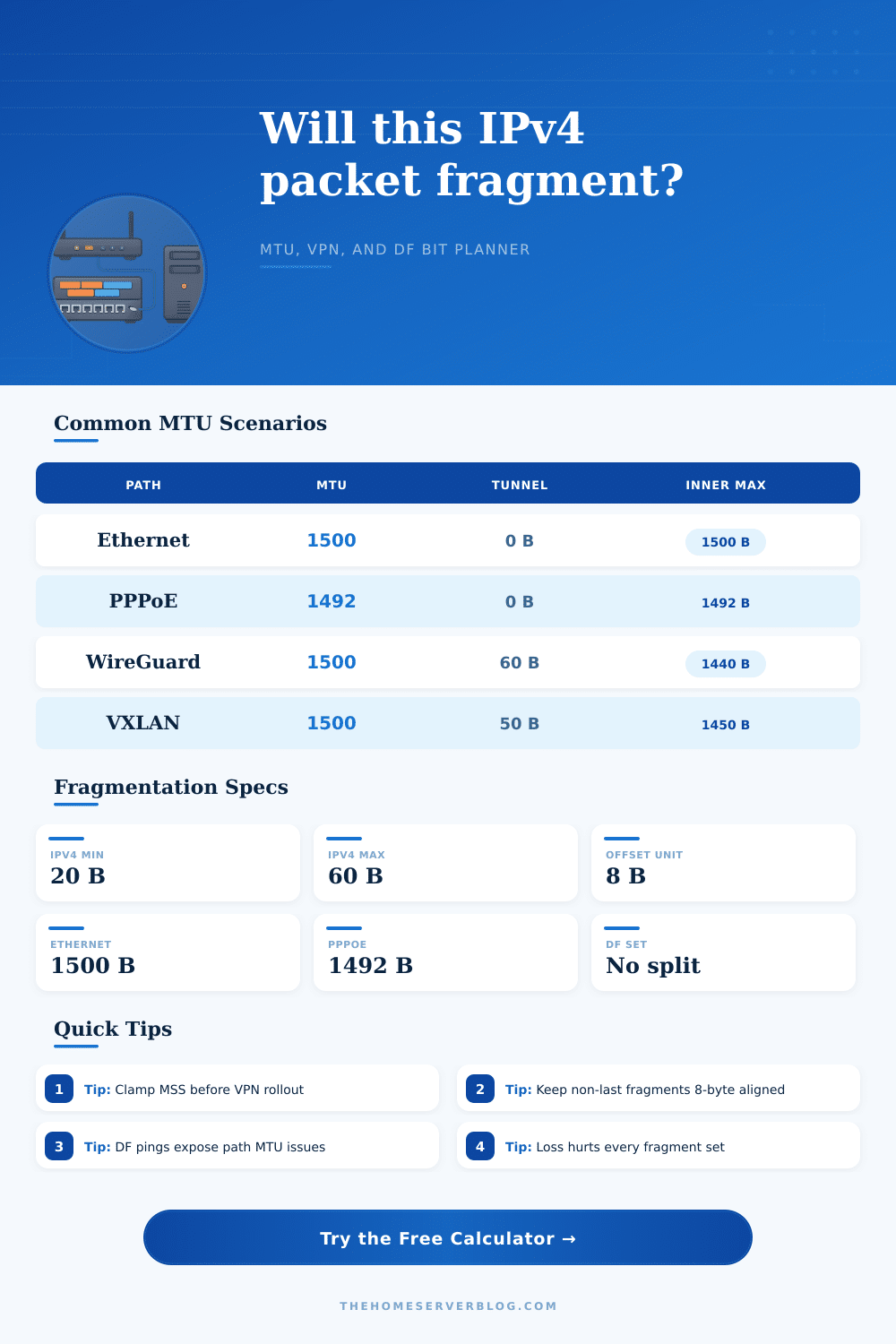
| WireGuard UDP | 1500 bytes | 60 bytes | 1440 bytes | Common home lab VPN estimate for IPv4 outer transport |
| IPsec ESP NAT-T | 1500 bytes | 70 to 90 bytes | 1410 to 1430 bytes | Padding and algorithms can change the exact value |
| OpenVPN UDP | 1500 bytes | 80 to 120 bytes | 1380 to 1420 bytes | User-space VPNs often benefit from conservative MTU |
| VXLAN overlay | 1500 bytes | 50 bytes | 1450 bytes | Use jumbo underlay if carrying full 1500-byte tenants |
| GRE over IPsec | 1500 bytes | 90 to 120 bytes | 1380 to 1410 bytes | Stacked encapsulation is a frequent fragmentation source |
| Jumbo storage VLAN | 9000 bytes | 0 to 50 bytes | 8950 to 9000 bytes | All switches, NICs, and routed hops must agree |
| Field or Rule | Size or Limit | Calculator Use | Operational Impact |
|---|---|---|---|
| Minimum IPv4 header | 20 bytes | Default replicated header | Each fragment carries its own header |
| Maximum IPv4 header | 60 bytes | Options clamp | Options reduce fragment payload capacity |
| IPv4 total length | 65,535 bytes | Datagram upper bound | Larger application messages need segmentation above IP |
| Non-last fragment data | 8-byte multiple | Fragment payload rounding | Last fragment can be smaller than the alignment unit |
| DF bit set | No fragmentation | Drop status when oversize | PMTUD or MSS clamping must solve the path |
| MF bit set | More fragments | All but last row | Receiver waits for every fragment before delivery |
| Fragment Count | 0.1% Loss | 0.5% Loss | 1% Loss | Why It Matters |
|---|---|---|---|---|
| 1 fragment | 0.10% | 0.50% | 1.00% | No fragmentation multiplier |
| 2 fragments | 0.20% | 1.00% | 1.99% | Either fragment can lose the datagram |
| 3 fragments | 0.30% | 1.49% | 2.97% | Visible jitter for real-time UDP |
| 4 fragments | 0.40% | 1.99% | 3.94% | Retransmits grow faster than payload size |
| 6 fragments | 0.60% | 2.96% | 5.85% | Storage and backup flows should avoid this |
| 8 fragments | 0.80% | 3.93% | 7.73% | Strong sign to reduce datagram or increase MTU |
| Workload | Datagram | Path | Likely Result | Preferred Fix |
|---|---|---|---|---|
| DNS response | 1232 bytes | 1500 MTU | No fragment on normal Ethernet | Keep EDNS buffers conservative |
| WireGuard backup | 1500 bytes | 60-byte tunnel | Fragments unless inner MTU is lowered | Set tunnel MTU near 1420 to 1440 |
| IPsec branch link | 1500 bytes | 90-byte overhead | High fragmentation risk | MSS clamp and PMTUD testing |
| VXLAN tenant | 1500 bytes | 1500 underlay | Outer packet exceeds MTU | Use 1550+ underlay or reduce tenant MTU |
| iSCSI jumbo frame | 9000 bytes | 9000 MTU | No fragment if every hop supports jumbo | Verify end-to-end MTU with storage path tests |
| Cellular VPN | 1400 bytes | 1420 effective | Usually fits with little headroom | Add margin for carrier encapsulation |
When Carrier Policy & Firewalls block Path MTU Discovery, you’re left with a limbo state: A connection, but a connection that’s hanging. Your router blinks as you stare at loading screen. Size limits govern the internet, but most of us don’t notice them… Until they get broken.
Your app transmits a packet just small enough for your own interface. It bounces from router-to-router with smaller pipes. If no one chops it up, it dies inside first router. The sender tries again. And again. And again. Finally, someone times out the session and everything die.
Why Big Internet Packets Cause Problems
Once your IPv4 packet arrives at its tighter bottleneck, this calculator up top tells you approximately how many pieces it will be sliced into. More important than memorizing the answer is understanding input values. For instance, tunnel overhead: How much bandwidth does your ethernet link have? On raw LAN traffic, that’s just 1500 bytes. Stick it in a VPN and now we’re eating into that number as well with our encapsulation headers. WireGuard tacks on about sixty bytes. IPsec with NAT traversal could gobble up much more, depending on padding requirements and encryption methods. Your actual MTU shrinks beneath what your endpoints think they can stuff in one envelope if you don’t consider this invisible tax.
In this situation, however, the Don’t Fragment bit is a double-edged sword. On a network where it’s enabled, routers is instructed to drop oversized packets instead of slicing them up. That saves time on reassembling packets on intermediate hops. It also relies completely on ICMP being able to work both ways between receiver and sender. For security reasons, many networks block this traffic. In that case, what was previously a performance optimizer; the DF bit, becomes a connection killer. The calculator models this behavior so you can see if your path will fail or just be fragmented before making any changes.
Take the retransmission risk metric. That’s not bandwidth; it’s reliability math. A single datagram fragmented into four chunks means if there’s even a one percent loss rate on any chunk, the probability of losing at least one is much higher then one percent. And because you need all the chunks in order to put together what was sent, you’ll have to resend everything. The multiplier effect is most painful for real-time apps. You don’t want voice and video streaming waiting around while retries take place. Bulk transfers, such as backups, can handle the lag, but it will still grind your throughput to a halt.
Knowing what’s weak in your chain is the first step to planning around it. Sure, you may have a moddern switch in your data center that handles jumbo frames like a champ. At the far end of the tunnel you’ve got a cellular gateway that will choke if handed anything larger than 1400 bytes. There’s your mismatch, and there you’ll find fragmentation. You can solve that elegantly by clamping the TCP Maximum Segment Size at your VPN gateway, firewall, etc. That way, when endpoints send the initial chunk they have to send it small enough so it doesn’t get fragmented at layer 3 later in its journey. That moves the work from stateful routers (which aren’t designed to do well at it) to end hosts (which are).
There’s a handy set of reference tables on the page which allow you to compare things like how much headroom is eaten by plain-old PPPoE links vs. These are VXLAN overlays. It reminds you that IPv4 fragments need to have their offset aligned to an eight-byte boundary (hence the importance of alignment). That can result in wasting bytes in all but the last fragment, which can add up to significant overhead in high-volume environments. Not paying attention to this sort of detail could of cost you as many as five percent of your throughput due to header duplication.
MTU gets tossed around like a static value in a config file, something you look up once and then forget about. That’s not how it works. Effective MTU changes every second. Carriers update their equipment, routes get rerouted, and new security hardware gets deployed. Hidden limits become apparent when you test with a DF-bit ping. Does your ping work if you use a packet size of 1400 bytes but not 1500? Bingo, you’ve got your limit. Designing around this ensures your apps don’t fail silently the way they do on complex networks.
It’s the ol’ “it must be the bandwidth/latency” deal when something’s not fast enough. Occasionally it’s just geometry. The packets are too big for the door they need to fit through. Looking past interface speed, into the actual contents of a packet, fixes it. Seeing what happens in there as the pieces get smaller will show you why the solutions make sense. Fragmented packets lose to smaller segments each time. Faster loads, less timeouts, your network thanks you.