Fragmentation Offset Calculator
Calculate IPv4 fragment count, 8-byte data boundaries, offset field values, MF flags, and last-fragment size from payload, MTU, and header settings.
Fragmentation Result
| Fragment | Data Bytes | Total Length | Offset Field | Byte Offset | MF Flag |
|---|---|---|---|---|---|
| Run the calculator to show each IPv4 fragment. | |||||
Same 16-bit value on all related fragments.
0 allows fragmentation, 1 requires a smaller packet.
1 on every fragment except the final fragment.
Offset field stores payload position divided by 8.
| Path Type | MTU | IPv4 Header | Max Rounded Data | Offset Step |
|---|---|---|---|---|
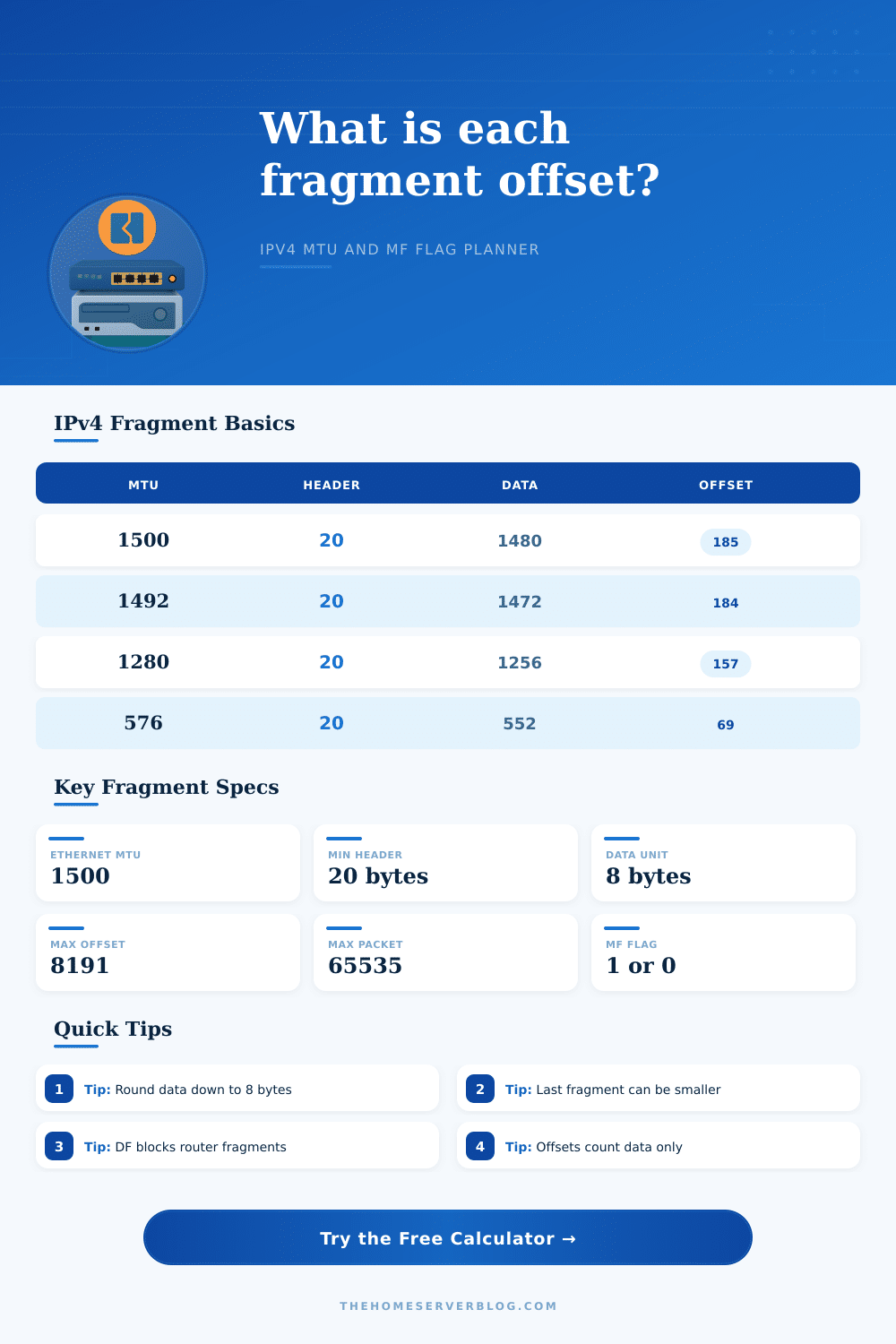
| Ethernet IPv4 | 1500 | 20 | 1480 | 185 |
| PPPoE | 1492 | 20 | 1472 | 184 |
| IPv6 minimum-style path for IPv4 tunnel planning | 1280 | 20 | 1256 | 157 |
| IPv4 minimum reassembly example | 576 | 20 | 552 | 69 |
| IPv4 options, 40-byte header | 1500 | 40 | 1456 | 182 |
| Jumbo lab MTU | 9000 | 20 | 8976 | 1122 |
| Item | Formula | Meaning | IPv4 Note |
|---|---|---|---|
| Effective MTU | MTU - overhead | Packet limit available to IPv4 | Must exceed header |
| Max raw data | Effective MTU - header | Data area before rounding | Header counted in Total Length |
| Rounded data | floor(raw / 8) x 8 | Payload in non-final fragments | Required by offset units |
| Offset field | Data before fragment / 8 | Position in original payload | 13-bit field, max 8191 |
| MF flag | 1 until last fragment | More Fragments indicator | Last fragment uses MF = 0 |
| Scenario | Payload | Path MTU | Header | Expected Use |
|---|---|---|---|---|
| Ethernet DNS Response | 4096 | 1500 | 20 | Lab UDP response sizing |
| PPPoE Backup Flow | 8192 | 1492 | 20 | WAN link packet planning |
| VPN Inner Packet | 3000 | 1500 | 20 | Tunnel overhead check |
| IPv4 Minimum MTU | 2000 | 576 | 20 | Legacy path calculation |
| Jumbo Lab Transfer | 16384 | 9000 | 20 | Storage network testing |
Common LAN MTU with 20-byte IPv4 header gives 1480 bytes of fragment data.
Eight fewer bytes than Ethernet, so rounded data is usually 1472.
Useful conservative value when an overlay or mixed path lowers usable MTU.
Small path example for testing many fragments and offset rollover risk.
Your computer sends a file over the internet and then it dissapears. Your connection looks good. The server report that it’s listening, yet you recieve no response. This kind of silence is half the time due to fragmentation, one of those behind-the-scenes thing about networking where it only matters if it goes wrong.
There’s a maximum transmission unit (MTU) for IPv4 packets based off the route taken. When you hit that number and your packet don’t have the “Don’t Fragment” bit set, the packets gets dropped by routers along the way. When it’s cleared, those routers split up the packet and put it back together again so that it fit down the tiniest pipe in the series of pipes. Understanding how packets are labeled and broken up is key to troubleshooting why big files isn’t getting across or why a tunnel won’t carry traffic.
How to Split Big Files for Sending
Once you know how much data you’re sending, and have some idea about the limits on its path, you input those values into this calculator and let it do the work. No more tedious byte/8 division for you! It break up the total data volume into the individual piece that are going to go out onto the wire.
What goes in? How does it get broken out into all these numbers? How big can I make my payload? The answer is: as small as you want, but not smaller than the outputs. Think of MTU as the limit, or ceiling, on your input. On Ethernet, typically, you’ve got 1500 bytes to play with. That’s the ceiling. Your payload might be any number of bytes. Let’s say it’s 4000. It needs to be chopped down. And it can’t be chopped anywhere.
Why? Because every fragment except for the last one must have a data length divisible by eight bytes. This is because “offset” field in the IPv4 packet header are measured in increments of eight. That’s where that comes from. Because each piece must include a length, in bytes, of all the remaining data following it, except for the final piece. This is because the offset field in the IPv4 packet header are measured in increments of eight. That’s where that comes from.
This affects packet efficiency. Each fragment waste some amount of space as headers. Take a typical 1500 byte MTU; with standard 20-byte IP header there is only 1480 bytes left for data. It is perfectly divisible by eight! Now add some tunneling or options to your header and it take away from your data space. The tool has a handy reference table showing how various paths change the max data payload. Maybe a tunnel (e.g., WireGuard) greatly reduces the amount of usable space compared to a plain old ethernet path. Before you begin figuring out offsets, you should of factor in that loss of space. Failing to take this overhead into consideration means your fragments ends up being larger than they should and are still going to get dropped.
That’s also the bit people confuse about the offset field. That isn’t the end of the header. It’s the beginning location within the original payload stream of this specific chunk. So if the offset is 10 then it begin at byte 80 (which is why we use eight-byte chunks). It’s 13 bits long, so it can only hold values between 0 and 8191. This put a hard limit on how large a packet needs to be before it can be put back together. In other words, even though maybe your app would like to send megabits of information all-at-once, the protocol limits you somewhere around 65 kilobytes. Otherwise, the offset overflows/wraps around and your packets fail to be reassembled.
You can see what happens here with the calculator. It lists each fragment’s data length and its total length including headers. It also shows what the offset value corresponds to. You can see how they add up and that you can catch where the MF flag switches from zero to one on the last piece.
The problem is the disconnect in expectations between sender and router, which causes many of the network problems. The solution is Path MTU Discovery, but firewalls often block ICMP messages. And even when they don’t, packets still hit fragment limits quietly. Instead of an error right away, you just get slow transfers. A tool that lets you model this beforehand avoids the guesswork. It shows what happens when you try to send a big DNS response or do a bulk backup job with constrained conditions. Does it show you have to renegotiate tunnel params? Do you have to tweak your application’s buffer sizes?
Networking is complicated. And part of that complication is fragmentation (a necessary evil). Fragmentation lets us move big blocks of data across different kind of networks. Fortunately, there’s one little mercy: the final fragment does not need to divide evenly by 8 (which makes it more efficient). All prior fragments must, however, align with the grid. If they don’t, if the math doesn’t add up, then your packet gets dropped as either too big or malformed.
You control what goes into the payload. The network controls the maximum transfer unit (MTU). The offset field connects those two things together. Learn that bridge and you will turn invisible drops into predictable flows. Your data will arrive because the math work out before the first bit even leaves the source interface.